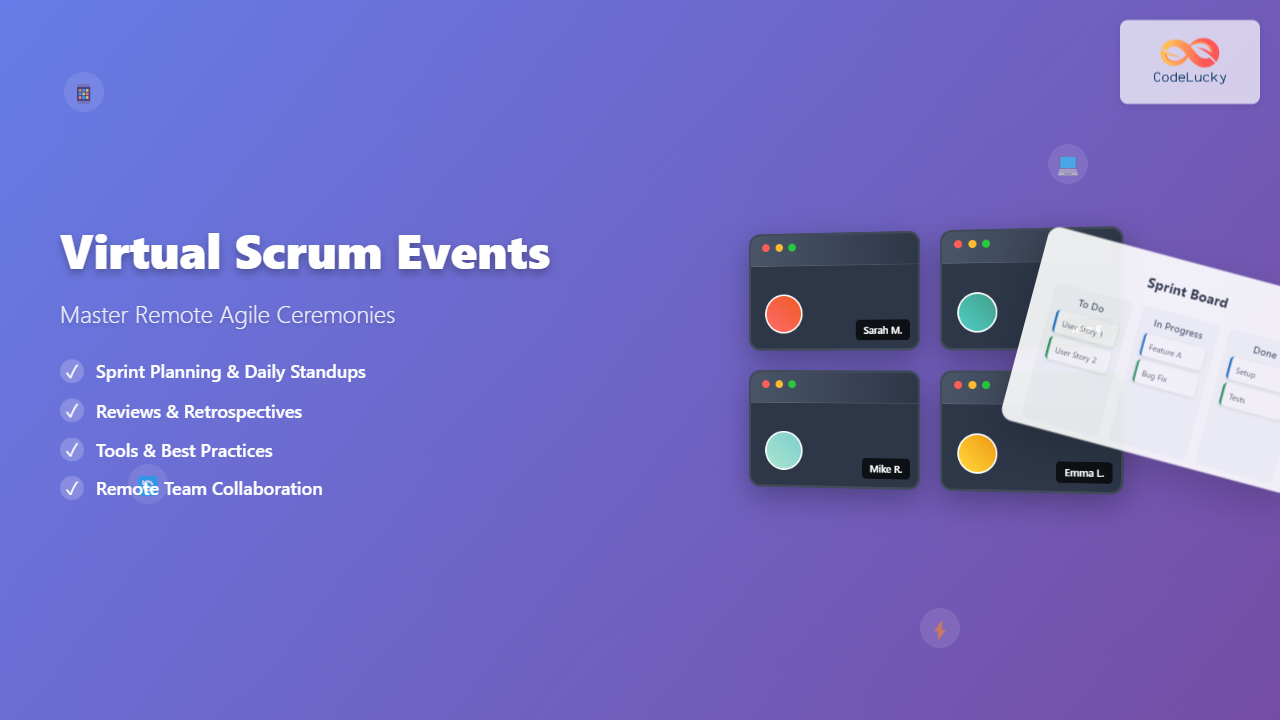
The shift to remote work has fundamentally transformed how Scrum teams conduct their ceremonies. Virtual Scrum events have become the new norm, requiring teams to adapt traditional face-to-face interactions to digital environments while maintaining the collaborative spirit that makes Agile methodology effective.
This comprehensive guide explores everything you need to know about conducting successful virtual Scrum events, from essential tools and techniques to overcoming common challenges that distributed teams face.
Understanding Virtual Scrum Events
Virtual Scrum events are digital adaptations of the five core Scrum ceremonies: Sprint Planning, Daily Scrum, Sprint Review, Sprint Retrospective, and Product Backlog Refinement. These events maintain the same objectives as their in-person counterparts but require different approaches to ensure engagement, collaboration, and effectiveness.
The success of virtual Scrum events depends on three critical factors: proper technology setup, clear facilitation techniques, and team member engagement strategies. Each ceremony presents unique challenges that require specific adaptations for the remote environment.
Key Differences from In-Person Events
Virtual ceremonies eliminate non-verbal cues that are naturally present in face-to-face meetings. Team members cannot easily read body language, making it harder to gauge engagement levels or identify when someone wants to contribute. Additionally, technical issues like poor internet connectivity or audio problems can disrupt the flow of discussions.
Time zone differences create another layer of complexity for globally distributed teams. Scheduling becomes a strategic challenge, often requiring compromise from team members across different regions. The lack of physical presence also means that informal conversations that typically happen before or after meetings are lost, potentially impacting team bonding and knowledge sharing.
Essential Tools for Virtual Scrum Events
Successful virtual Scrum ceremonies require a robust toolkit that supports video conferencing, collaborative planning, and real-time documentation. The choice of tools significantly impacts the effectiveness of your remote ceremonies.
Video Conferencing Platforms
High-quality video conferencing forms the foundation of virtual Scrum events. Platforms like Zoom, Microsoft Teams, and Google Meet offer features specifically valuable for Scrum ceremonies, including screen sharing, breakout rooms, and recording capabilities. Ensure your chosen platform supports the number of participants you need and provides stable audio and video quality.
Advanced features like virtual backgrounds can help maintain professionalism when team members work from home, while whiteboard functionality enables collaborative discussions during planning sessions. Some platforms also offer integration with project management tools, streamlining the transition between discussion and documentation.
Digital Scrum Boards
Digital Scrum boards replace physical sticky notes and whiteboards, providing a centralized location for sprint planning and tracking. Tools like Jira, Azure DevOps, and Trello offer specialized Scrum board features including story point estimation, sprint burndown charts, and automated reporting.
These digital boards should be accessible to all team members and provide real-time updates as work progresses. The ability to quickly move items between columns, add comments, and attach files makes digital boards potentially more powerful than their physical counterparts when properly utilized.
Collaborative Estimation Tools
Planning Poker and other estimation techniques require special consideration in virtual environments. Digital tools like Planning Poker Online, Scrum Poker Cards, and integrated estimation features in project management platforms help teams maintain the collaborative aspect of story point estimation while working remotely.
These tools typically allow team members to select their estimates privately before revealing them simultaneously, preserving the integrity of the estimation process and preventing anchoring bias that can occur when estimates are shared sequentially.
Virtual Sprint Planning
Sprint Planning in a virtual environment requires careful preparation and structured facilitation to ensure all team members can contribute effectively. The ceremony typically takes longer in virtual settings due to the need for more explicit communication and the time required to navigate digital tools.
Pre-Planning Preparation
Successful virtual Sprint Planning begins well before the actual meeting. The Product Owner should ensure all user stories are well-defined, have clear acceptance criteria, and include any necessary attachments or mockups. The Development Team should review the Product Backlog items beforehand to identify questions or concerns.
Technical setup is equally important. All participants should test their audio and video connections, ensure they have access to necessary tools, and have a backup communication method available. The Scrum Master should prepare a detailed agenda and share it with the team in advance, including links to all tools and documents that will be used during the session.
Facilitation Techniques
Virtual Sprint Planning requires more structured facilitation than in-person sessions. The Scrum Master should establish clear ground rules, such as using the mute button when not speaking, using specific signals for questions or comments, and establishing a rotation for speaking opportunities.
Breaking the session into smaller time-boxed segments helps maintain focus and engagement. For example, spend 15 minutes reviewing sprint goals, 30 minutes on backlog item discussions, and 20 minutes on capacity planning. Regular breaks are essential, as virtual meetings can be more mentally taxing than face-to-face interactions.
Screen sharing becomes crucial for ensuring everyone can see the same information simultaneously. The facilitator should alternate between sharing the sprint backlog, individual user stories, and estimation tools, ensuring smooth transitions between different views.
Handling Estimation Activities
Story point estimation in virtual environments requires special attention to ensure all team members can participate equally. Using digital Planning Poker tools helps maintain the anonymity and simultaneous revelation that makes this technique effective.
When discussions arise during estimation, the Scrum Master should facilitate them carefully, ensuring that quieter team members have opportunities to contribute. Consider using techniques like round-robin discussions where each team member provides input in turn, preventing dominant personalities from overshadowing others.
Virtual Daily Scrum
The Daily Scrum, being the shortest and most frequent ceremony, presents unique challenges in virtual environments. The key is maintaining the ceremony’s purpose of synchronization and impediment identification while adapting to the constraints of video conferencing.
Optimizing for Time Zones
For globally distributed teams, finding a suitable time for Daily Scrum can be challenging. Consider rotating meeting times weekly or monthly to share the inconvenience fairly among team members. Some teams implement asynchronous Daily Scrums using chat tools or recorded video updates when time zone differences make synchronous meetings impractical.
When asynchronous approaches are necessary, establish clear guidelines for when and how team members should provide their updates. Ensure that impediments are still addressed promptly through direct communication channels, even when the formal ceremony is asynchronous.
Maintaining Engagement
The brief nature of Daily Scrum can make it feel rushed in virtual environments, especially when dealing with technical issues or connectivity problems. Encourage team members to prepare their updates in advance and keep them concise and focused on the three standard questions: what was accomplished yesterday, what will be done today, and what impediments exist.
Consider using a virtual talking stick approach where only the person holding the “stick” (designated by the facilitator) speaks, helping to prevent people from talking over each other, which is more common in virtual meetings due to audio delays.
Visual Management
Screen sharing the sprint board during Daily Scrum helps team members visualize progress and identify bottlenecks. The Scrum Master or a designated team member should update the board in real-time as team members provide their updates, ensuring everyone sees the current state of the sprint.
Some teams find it helpful to use cameras consistently during Daily Scrum to maintain personal connection, while others prefer audio-only to reduce distractions and technical issues. Experiment with both approaches to find what works best for your team.
Virtual Sprint Review
Sprint Review ceremonies in virtual environments can actually offer some advantages over in-person sessions, particularly in terms of recording demonstrations and sharing them with stakeholders who couldn’t attend. However, they also present challenges in managing stakeholder engagement and facilitating feedback collection.
Demonstration Strategies
Effective demonstrations in virtual Sprint Reviews require careful preparation of screen sharing setups and backup plans for technical issues. The demonstrator should test their screen sharing capabilities beforehand and have a secondary device ready if needed.
Consider pre-recording demonstrations as a backup, especially for complex features that might be difficult to show smoothly in a live virtual environment. However, live demonstrations are generally preferred as they allow for real-time questions and discussions.
When demonstrating web applications or software, ensure that all participants can clearly see the relevant details by adjusting screen resolution and zoom levels appropriately. Provide narration throughout the demonstration, as participants may not be able to see subtle visual cues that would be obvious in person.
Stakeholder Engagement
Engaging stakeholders in virtual Sprint Reviews requires proactive facilitation. Send meeting invitations well in advance with clear agendas and instructions for accessing the virtual meeting. Consider providing a brief tutorial on the meeting platform for stakeholders who may be unfamiliar with the technology.
Use interactive elements like polls or breakout rooms to gather feedback from multiple stakeholders simultaneously. Digital collaboration tools can help collect written feedback in real-time, ensuring that quieter stakeholders have opportunities to contribute.
Establish clear protocols for questions and feedback, such as using chat functions for questions or designated speaking times for each stakeholder. This structure helps prevent the chaos that can occur when multiple people try to speak simultaneously in virtual meetings.
Virtual Sprint Retrospective
Sprint Retrospectives often benefit from the virtual environment’s ability to support anonymous feedback and digital collaboration tools. However, they require careful facilitation to maintain the psychological safety necessary for honest reflection and improvement discussions.
Creating Psychological Safety
Building psychological safety in virtual retrospectives requires intentional effort from the Scrum Master. Begin each session with a brief check-in round where team members share how they’re feeling, helping to establish personal connection despite the physical distance.
Use digital tools that allow anonymous input, such as online sticky note tools or survey platforms. This anonymity can actually encourage more honest feedback than might be shared in face-to-face settings, particularly when addressing sensitive topics or conflicts.
Establish ground rules specific to virtual meetings, such as keeping cameras on during discussions, using the chat function for private messages to the facilitator, and respecting speaking time limits to ensure everyone can contribute.
Interactive Retrospective Techniques
Virtual retrospectives can leverage digital tools to create engaging and interactive experiences. Online retrospective tools like FunRetro, Retrium, or Miro provide templates for various retrospective formats including Start/Stop/Continue, Mad/Sad/Glad, and Sailboat retrospectives.
These tools allow team members to contribute ideas simultaneously, vote on priorities, and group related themes efficiently. The digital format also creates an automatic record of the retrospective outcomes, making it easier to track progress on improvement actions over time.
Consider using breakout rooms for smaller group discussions before bringing everyone back together for full team sharing. This approach can help quieter team members feel more comfortable contributing and can generate more diverse perspectives on sprint experiences.
Action Item Management
Virtual retrospectives should conclude with clear action items and accountability measures. Use digital task management tools to capture improvement actions, assign owners, and set deadlines. Share these action items immediately after the retrospective and follow up on progress during subsequent ceremonies.
Consider creating a shared document or dashboard that tracks retrospective action items across multiple sprints, helping the team see patterns in their improvement efforts and celebrate progress on ongoing initiatives.
Overcoming Common Virtual Scrum Challenges
Virtual Scrum events face several recurring challenges that teams must address to maintain effectiveness. Understanding these challenges and having strategies to address them is crucial for long-term success with remote Agile practices.
Technical Difficulties
Technology issues are inevitable in virtual environments, so teams must prepare for them proactively. Establish backup communication channels, such as phone numbers or alternative video conferencing platforms, that can be used if the primary system fails.
Create a technical support protocol that includes designated team members who can help with common issues, shared troubleshooting resources, and escalation procedures for complex problems. Consider providing basic technical training for team members who struggle with the digital tools.
Record important decisions and outcomes in shared digital spaces immediately during meetings, as technical issues might prevent some team members from staying for the entire session. This documentation ensures that no one misses critical information due to connectivity problems.
Engagement and Participation
Maintaining high levels of engagement in virtual meetings requires conscious effort from all team members. Establish norms around camera usage, with most teams finding that having cameras on increases engagement and connection, despite the additional bandwidth requirements.
Use interactive elements throughout ceremonies to keep participants engaged. This might include regular polls, breakout room discussions, collaborative document editing, or gamification elements like virtual backgrounds or emoji reactions.
Monitor participation levels actively and use techniques like directed questions, round-robin sharing, or small group discussions to ensure all team members are contributing. Some team members may be more comfortable contributing via chat or other asynchronous methods, so provide multiple avenues for participation.
Time Zone Coordination
Managing time zones for global teams requires strategic planning and compromise. Use scheduling tools that display multiple time zones simultaneously and consider the impact of ceremony times on team members’ work-life balance.
For teams spanning many time zones, consider splitting some ceremonies or running them multiple times to ensure reasonable participation times for all team members. Document decisions and outcomes thoroughly so that team members who couldn’t attend can stay informed.
Experiment with asynchronous elements for less interactive portions of ceremonies. For example, individual sprint planning preparation could be done asynchronously, with only the collaborative estimation and commitment portions done synchronously.
Best Practices for Virtual Scrum Success
Implementing virtual Scrum events successfully requires adopting specific best practices that address the unique challenges of remote collaboration while leveraging the advantages that digital tools can provide.
Preparation and Planning
Thorough preparation becomes even more critical in virtual environments. Send detailed agendas at least 24 hours before each ceremony, including links to all necessary tools and documents. Ensure that all participants have tested their technology and have backup options available.
Create standardized templates for each ceremony type, including virtual room setups, tool configurations, and facilitation guides. This standardization reduces setup time and helps ensure consistency across different facilitators and teams.
Prepare more materials in advance than you would for in-person meetings. Have backup discussion topics ready in case technical issues truncate planned activities, and create digital versions of any physical materials you would typically use.
Communication Protocols
Establish clear communication protocols specific to virtual meetings. This includes guidelines for when to use mute functions, how to signal that you want to speak, and protocols for side conversations or questions.
Use written communication to supplement verbal discussions. Share key points, decisions, and action items in chat or shared documents during meetings to ensure clarity and create immediate documentation.
Develop escalation procedures for technical issues or conflicts that arise during virtual ceremonies. Having clear protocols helps maintain momentum and reduces disruption when problems occur.
Continuous Improvement
Regularly retrospect on the effectiveness of your virtual ceremonies themselves, not just the sprint work. Ask team members for feedback on the tools, techniques, and formats being used, and be willing to experiment with new approaches.
Monitor metrics specific to virtual ceremonies, such as participation rates, technical issue frequency, and ceremony duration. Use this data to identify trends and opportunities for improvement.
Stay current with new tools and techniques for virtual collaboration. The landscape of remote work tools evolves rapidly, and new solutions may offer significant improvements over current approaches.
Measuring Virtual Scrum Event Effectiveness
Evaluating the success of virtual Scrum events requires both quantitative metrics and qualitative feedback. Effective measurement helps teams identify areas for improvement and demonstrates the value of their remote Agile practices.
Key Performance Indicators
Track attendance rates across different ceremonies to identify patterns or issues that might be affecting participation. Consistently low attendance in specific ceremonies may indicate scheduling problems or lack of perceived value.
Measure ceremony duration and compare it to time-boxed targets. Virtual ceremonies often take longer than their in-person equivalents initially, but teams should see improvement over time as they adapt to remote facilitation techniques.
Monitor the completion rate of action items generated during retrospectives and other improvement-focused discussions. This metric indicates whether virtual ceremonies are effectively driving team improvement.
Qualitative Assessment
Conduct regular surveys to assess team satisfaction with virtual ceremony formats and effectiveness. Ask specific questions about engagement levels, technical difficulties, and perceived value of each ceremony type.
Gather feedback from stakeholders who participate in Sprint Reviews about their experience with virtual demonstrations and their ability to provide input effectively. External perspectives can reveal blind spots that the team might not notice.
Document and analyze the types and frequency of decisions made during virtual ceremonies compared to previous in-person formats. Effective virtual ceremonies should maintain or improve decision-making quality and speed.
Future of Virtual Scrum Events
The evolution of virtual Scrum events continues as teams gain experience and technology improves. Understanding emerging trends and preparing for future developments helps teams stay ahead of the curve in remote Agile practices.
Emerging Technologies
Virtual and augmented reality technologies are beginning to offer new possibilities for remote collaboration. These technologies could provide more immersive experiences that better replicate the benefits of in-person interaction while maintaining the flexibility of remote work.
Artificial intelligence integration in meeting platforms is starting to provide features like automated transcription, action item extraction, and sentiment analysis. These capabilities can help Scrum Masters better facilitate virtual ceremonies and track team dynamics over time.
Advanced analytics tools are being developed to provide insights into virtual meeting effectiveness, participation patterns, and collaboration quality. These tools could help teams optimize their virtual ceremony practices based on data-driven insights.
Hybrid Approaches
Many organizations are adopting hybrid models that combine in-person and virtual elements. These approaches might include quarterly in-person meetings combined with daily virtual ceremonies, or rotating between different formats based on ceremony type and team needs.
Hybrid approaches require careful consideration of inclusion practices to ensure that remote participants aren’t disadvantaged compared to those attending in person. Technology solutions that bridge physical and virtual spaces are becoming increasingly important for these models.
Conclusion
Virtual Scrum events have evolved from emergency remote work solutions to sophisticated collaborative practices that can offer unique advantages over traditional in-person approaches. Success depends on thoughtful tool selection, skilled facilitation, and commitment to continuous improvement.
The key to mastering virtual Scrum ceremonies lies in understanding that they’re not simply digital versions of in-person meetings, but distinct practices that require their own techniques and considerations. Teams that embrace this mindset and invest in developing virtual collaboration skills will find that remote Scrum events can be just as effective as their traditional counterparts.
As remote and hybrid work models become permanent fixtures in the modern workplace, proficiency in virtual Scrum events becomes an essential skill for Agile practitioners. The techniques and strategies outlined in this guide provide a foundation for building effective remote Agile practices that support team collaboration, stakeholder engagement, and continuous improvement.
Remember that implementing virtual Scrum events is itself an Agile journey. Start with basic implementations, gather feedback, and iterate on your approaches. With time and practice, your team will develop virtual ceremony practices that may even surpass the effectiveness of your previous in-person events.
Related Posts

Scrum Events: Sprint Planning, Daily Scrum, Sprint Review, Retrospective
Scrum events form the backbone of the Scrum framework, providing structured opportunities for inspection, adaptation, and collaboration throughout each sprint....
Daily Scrum Meeting: Complete Guide to Rules, Format, and Best Practices for Agile Teams
The Daily Scrum meeting stands as one of the most critical ceremonies in the Scrum framework, serving as the heartbeat...
Sprint Retrospective: Master Continuous Improvement with Proven Agile Techniques
Sprint retrospectives are the cornerstone of continuous improvement in Agile development, yet many teams struggle to extract meaningful insights from...

Scrum of Scrums: Complete Guide to Coordinating Multiple Agile Teams
When organizations scale their Agile practices beyond a single team, coordinating multiple Scrum teams becomes a critical challenge. Scrum of...
Tools for Remote Agile: Essential Collaboration Platforms for Distributed Teams
Remote Agile development has become the norm for countless software teams worldwide. The success of distributed Agile teams heavily depends...
Remote Agile Teams: Complete Guide to Distributed Development Success
Remote Agile teams have become the backbone of modern software development, enabling organizations to tap into global talent while maintaining...
Scrumban: The Ultimate Hybrid Methodology for Agile Teams
What is Scrumban? Scrumban is a hybrid agile methodology that combines the structured framework of Scrum with the visual workflow...
Kanban Cadences: Essential Meetings and Rhythms for Agile Success
Understanding Kanban Cadences: The Foundation of Agile Flow Kanban cadences represent the heartbeat of successful agile teams, providing structured rhythms...
Sprint Planning: Complete Guide and Best Practices for Agile Teams
Sprint planning forms the cornerstone of successful agile development, serving as the critical bridge between product vision and executable work....
Slack for Agile Teams: Essential Communication Integration Strategies
Effective communication forms the backbone of successful Agile teams, and Slack has emerged as the premier platform for facilitating seamless...
Scrum Master Role and Responsibilities: Complete Guide to Agile Leadership
The Scrum Master plays a pivotal role in Agile development teams, serving as both a facilitator and a servant leader...
Introduction to Scrum Framework: Complete Guide for Agile Project Management
The Scrum framework has revolutionized how teams approach project management and software development. As one of the most popular agile...