Virtual machine snapshots are one of the most powerful features in virtualization technology, allowing administrators to capture and preserve the complete state of a virtual machine at any given point in time. This comprehensive guide explores everything you need to know about VM snapshots, from basic concepts to advanced management techniques.
What is a VM Snapshot?
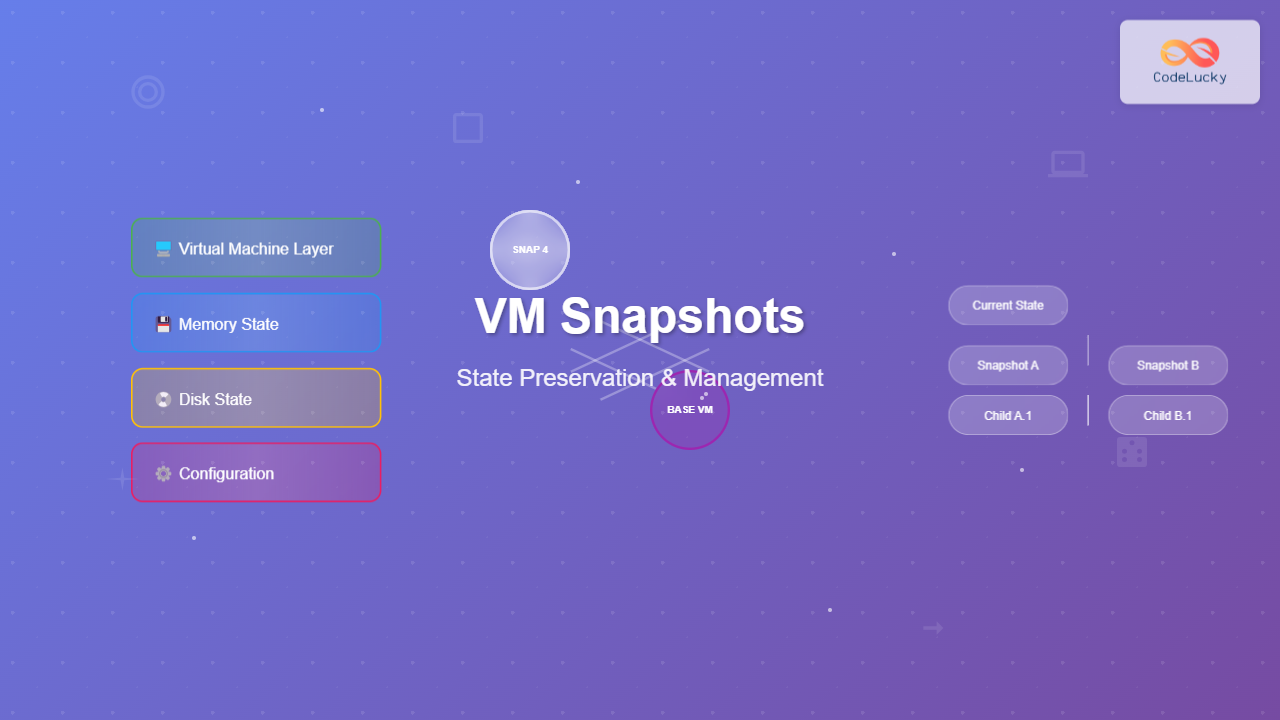
A virtual machine snapshot is a point-in-time copy of a VM’s entire state, including memory contents, disk data, and system configuration. Think of it as taking a photograph of your virtual machine that you can return to later, preserving not just files but the exact running state of applications and the operating system.
Unlike traditional backups that only capture file data, snapshots capture:
- Memory state – RAM contents and active processes
- Disk state – All virtual disk contents and file systems
- Device state – Virtual hardware configuration and settings
- Network state – Active network connections and configurations

How VM Snapshots Work
The snapshot mechanism operates through a copy-on-write (COW) system that efficiently manages disk space while maintaining performance. When you create a snapshot:
- Baseline Creation – The hypervisor creates a read-only baseline of the current VM state
- Delta Tracking – New changes are written to separate delta files
- State Preservation – Memory and device states are saved to snapshot metadata
- Reference Management – The system maintains pointers to track all snapshot relationships
Snapshot File Structure
Different virtualization platforms use various file formats for snapshots:
| Platform | Snapshot Files | Description |
|---|---|---|
| VMware vSphere | .vmdk, .vmsn, .vmem | Delta disks, state files, memory dumps |
| Microsoft Hyper-V | .avhdx, .vsv, .bin | Differencing disks, saved states, memory files |
| VirtualBox | .sav, .vdi | Machine state and differencing disks |
| KVM/QEMU | .qcow2, .snap | QCOW2 snapshots and state files |
Types of VM Snapshots
Memory vs. Disk-Only Snapshots
Memory Snapshots (Hot Snapshots) capture the complete running state including RAM contents, allowing you to resume exactly where you left off. These are ideal for:
- Development and testing scenarios
- Preserving application sessions
- Quick rollbacks during maintenance
Disk-Only Snapshots (Cold Snapshots) capture only the storage state, requiring a fresh boot when restored. These are better for:
- Long-term archival purposes
- Reducing snapshot size
- Production environments where clean restarts are preferred

Quiesced vs. Non-Quiesced Snapshots
Quiesced snapshots ensure application consistency by coordinating with the guest operating system to flush pending I/O operations and create application-consistent point-in-time copies. This process involves:
- Triggering Volume Shadow Copy Service (VSS) on Windows
- Coordinating with filesystem sync on Linux
- Ensuring database transaction consistency
Non-quiesced snapshots capture the VM state without guest coordination, which is faster but may result in crash-consistent rather than application-consistent snapshots.
Practical Snapshot Examples
VMware vSphere Snapshot Creation
Here’s how to create a snapshot in VMware vSphere through the web interface:
# PowerCLI command for snapshot creation
New-Snapshot -VM "WebServer01" -Name "Pre-Update-Snapshot" -Description "Before applying security updates" -Memory:$true -Quiesce:$true
The snapshot creation process produces the following files:
WebServer01.vmdk          # Original virtual disk (becomes read-only)
WebServer01-000001.vmdk   # Delta/child disk for new changes
WebServer01.vmsn          # Snapshot state and metadata
WebServer01.vmem          # Memory dump file
WebServer01.vmss          # Suspend state (if memory included)
Hyper-V Checkpoint Example
Creating a checkpoint (Hyper-V’s term for snapshot) using PowerShell:
# Create a standard checkpoint
Checkpoint-VM -Name "DatabaseServer" -SnapshotName "Before_Maintenance"

# Create a production checkpoint (application-consistent)
Checkpoint-VM -Name "DatabaseServer" -SnapshotName "Backup_Point" -CheckpointType Production
VirtualBox Snapshot Management
VirtualBox provides both GUI and command-line snapshot management:
# Create snapshot via VBoxManage
VBoxManage snapshot "DevEnvironment" take "Fresh_Install" --description "Clean OS installation"

# List all snapshots
VBoxManage snapshot "DevEnvironment" list

# Restore to specific snapshot
VBoxManage snapshot "DevEnvironment" restore "Fresh_Install"
Snapshot Chain Management
Understanding snapshot relationships is crucial for effective management. Snapshots form a hierarchical tree structure where each snapshot can have child snapshots, creating complex dependency chains.

Snapshot Chain Best Practices
- Limit chain depth – Keep snapshot chains under 5-7 levels to maintain performance
- Regular consolidation – Merge unnecessary intermediate snapshots
- Proper naming – Use descriptive names with timestamps
- Documentation – Maintain records of snapshot purposes and dependencies
Performance Impact and Optimization
Snapshots introduce performance overhead through several mechanisms:
I/O Performance Impact
Each write operation must check the COW mechanism, potentially causing:
- Increased latency – Additional metadata lookups
- Write amplification – Multiple writes for single operations
- Storage fragmentation – Delta files scattered across storage
Performance Optimization Strategies
| Strategy | Impact | Implementation |
|---|---|---|
| Fast Storage | High | Use SSD/NVMe for snapshot delta files |
| Limited Retention | Medium | Implement automated cleanup policies |
| Consolidation Scheduling | Medium | Regular merge operations during low usage |
| Selective Snapshotting | High | Snapshot only critical VMs |
Common Use Cases and Scenarios
Development and Testing
Snapshots excel in development environments where rapid state changes are common:
# Development workflow example
# 1. Create baseline after OS setup
VBoxManage snapshot "DevBox" take "OS_Baseline"

# 2. Install development tools
# ... development setup ...

# 3. Create development-ready snapshot
VBoxManage snapshot "DevBox" take "Dev_Environment"

# 4. Before testing major changes
VBoxManage snapshot "DevBox" take "Before_Feature_X"

# 5. If testing fails, quick rollback
VBoxManage snapshot "DevBox" restore "Before_Feature_X"
Patch Management
System administrators use snapshots to ensure safe update processes:
- Pre-patch snapshot – Capture state before updates
- Apply patches – Install security updates or software
- Validation testing – Verify system functionality
- Commit or rollback – Keep changes or revert if issues arise
Disaster Recovery Integration
Snapshots complement traditional backup strategies by providing:
- Point-in-time recovery – Quick restoration to specific moments
- Application consistency – Coordinated snapshots across related systems
- Minimal downtime – Fast recovery without full restore processes

Security and Compliance Considerations
Data Protection
Snapshots contain complete system images, requiring careful security management:
- Access controls – Restrict snapshot creation and restoration privileges
- Encryption – Encrypt snapshot files at rest and in transit
- Audit trails – Log all snapshot operations for compliance
- Retention policies – Automated cleanup to prevent data accumulation
Compliance Requirements
Different industries have specific snapshot management requirements:
| Industry | Key Requirements | Snapshot Considerations |
|---|---|---|
| Healthcare (HIPAA) | Data privacy, audit trails | Encrypted snapshots, access logging |
| Finance (SOX) | Change control, immutability | Approved snapshot schedules, retention |
| Government | Security classifications | Classified data handling in snapshots |
Troubleshooting Common Issues
Snapshot Consolidation Failures
When snapshot merge operations fail, follow this troubleshooting approach:
# Check snapshot chain integrity
ls -la *.vmdk *.vmsn *.vmem

# Verify disk space availability
df -h /vmfs/volumes/datastore1

# Manual consolidation via vmkfstools
vmkfstools -i source.vmdk -d thin destination.vmdk
Performance Degradation
Symptoms of snapshot-related performance issues include:
- Slow I/O operations – Increased disk response times
- High CPU usage – Excessive COW processing
- Storage alerts – Rapid disk space consumption
Recovery from Snapshot Corruption
If snapshot files become corrupted:
- Identify corruption – Use hypervisor diagnostic tools
- Isolate affected files – Determine which snapshots are damaged
- Restore from backups – Use traditional backup systems as fallback
- Rebuild VM – Create new VM from last good snapshot
Automation and Scripting
PowerShell Automation for Hyper-V
Automate snapshot management with PowerShell scripts:
# Automated snapshot rotation script
function Rotate-VMSnapshots {
    param([string]$VMName, [int]$MaxSnapshots = 5)

    $snapshots = Get-VMSnapshot -VMName $VMName | Sort-Object CreationTime

    # Create new snapshot
    Checkpoint-VM -Name $VMName -SnapshotName "Auto_$(Get-Date -Format 'yyyyMMdd_HHmmss')"

    # Remove old snapshots if exceeding limit
    if ($snapshots.Count -ge $MaxSnapshots) {
        $snapshots[0] | Remove-VMSnapshot -IncludeAllChildSnapshots
    }
}

# Schedule execution
Rotate-VMSnapshots -VMName "ProductionDB" -MaxSnapshots 3
Python Script for VirtualBox Management
#!/usr/bin/env python3
import subprocess
import datetime
import sys

class VBoxSnapshotManager:
    def __init__(self, vm_name):
        self.vm_name = vm_name

    def create_snapshot(self, name=None, description=""):
        if not name:
            name = f"auto_{datetime.datetime.now().strftime('%Y%m%d_%H%M%S')}"

        cmd = [
            'VBoxManage', 'snapshot', self.vm_name,
            'take', name, '--description', description
        ]

        result = subprocess.run(cmd, capture_output=True, text=True)
        return result.returncode == 0

    def list_snapshots(self):
        cmd = ['VBoxManage', 'snapshot', self.vm_name, 'list']
        result = subprocess.run(cmd, capture_output=True, text=True)
        return result.stdout

    def cleanup_old_snapshots(self, keep_count=3):
        # Implementation for cleaning up old snapshots
        pass

# Usage example
manager = VBoxSnapshotManager("DevEnvironment")
manager.create_snapshot("before_update", "Pre-software update snapshot")
Future of VM Snapshots
Snapshot technology continues evolving with several emerging trends:
Cloud-Native Snapshots
Modern cloud platforms integrate snapshot functionality with broader infrastructure services:
- API-driven management – Programmatic snapshot operations
- Cross-region replication – Automated geographic distribution
- Integration with CI/CD – Development pipeline automation
AI-Powered Optimization
Machine learning enhances snapshot management through:
- Predictive scheduling – Optimal snapshot timing
- Intelligent retention – Automated lifecycle management
- Performance optimization – Dynamic resource allocation
Conclusion
VM snapshots represent a fundamental capability in modern virtualization, providing powerful tools for system administration, development, and disaster recovery. Success with snapshots requires understanding their mechanics, properly managing snapshot chains, and implementing appropriate automation and security measures.
By following the best practices outlined in this guide, you can leverage snapshots to improve system reliability, streamline operations, and reduce recovery times. Remember that snapshots complement but don’t replace comprehensive backup strategies, and their effectiveness depends on proper planning and consistent management practices.
Whether you’re managing a small development environment or enterprise-scale virtualization infrastructure, mastering snapshot technology will significantly enhance your operational capabilities and provide valuable insurance against system failures and data loss scenarios.
Related Posts
Clone Virtual Machine: Complete Guide to VM Duplication Techniques and Best Practices
Virtual machine cloning is a fundamental virtualization technique that creates identical copies of existing VMs, enabling rapid deployment, testing environments,...
Virtual Machine in Operating System: Complete Guide to Hardware Virtualization Technology
What is a Virtual Machine in Operating System? A Virtual Machine (VM) is a software-based emulation of a physical computer...
Full Virtualization: Complete Hardware Abstraction and Implementation Guide
Full virtualization represents one of the most significant breakthroughs in modern computing, enabling complete hardware abstraction that allows multiple operating...
Backup and Recovery: Complete Guide to Data Protection Strategies in Operating Systems
Data loss can be catastrophic for individuals and organizations alike. Modern operating systems provide robust backup and recovery mechanisms to...

Migration in Virtual Machines: Complete Guide to Live Migration Process
Virtual machine live migration represents one of the most critical capabilities in modern virtualization environments, enabling seamless movement of running...
Virtual Machine Monitor: Complete Guide to Resource Management and Isolation
A Virtual Machine Monitor (VMM), also known as a hypervisor, is a critical software layer that creates and manages virtual...
Memory Management in Operating System: Virtual and Physical Memory Fundamentals
Introduction to Memory Management Memory management is one of the most critical functions of an operating system, responsible for efficiently...
Storage Virtualization: Complete Guide to Abstract Storage Resources in Modern Computing
Storage virtualization represents one of the most critical technologies in modern computing infrastructure, enabling organizations to abstract physical storage resources...

Virtual Memory in OS: Complete Guide to Paging, Segmentation and Address Translation
Virtual memory is one of the most fundamental concepts in modern operating systems, enabling efficient memory management and providing crucial...
Virtual Memory in Virtualization: Memory Overcommitment Strategies and Implementation
Introduction to Memory Overcommitment Memory overcommitment is a fundamental virtualization technique that allows hypervisors to allocate more virtual memory to...
Virtual I/O: Complete Guide to Device Virtualization Techniques and Implementation
Introduction to Virtual I/O and Device Virtualization Virtual Input/Output (Virtual I/O) represents one of the most critical components in modern...
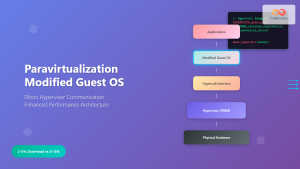
Paravirtualization: Modified Guest Operating System Architecture and Implementation
What is Paravirtualization? Paravirtualization is a virtualization technique where the guest operating system is modified to be aware that it's...