
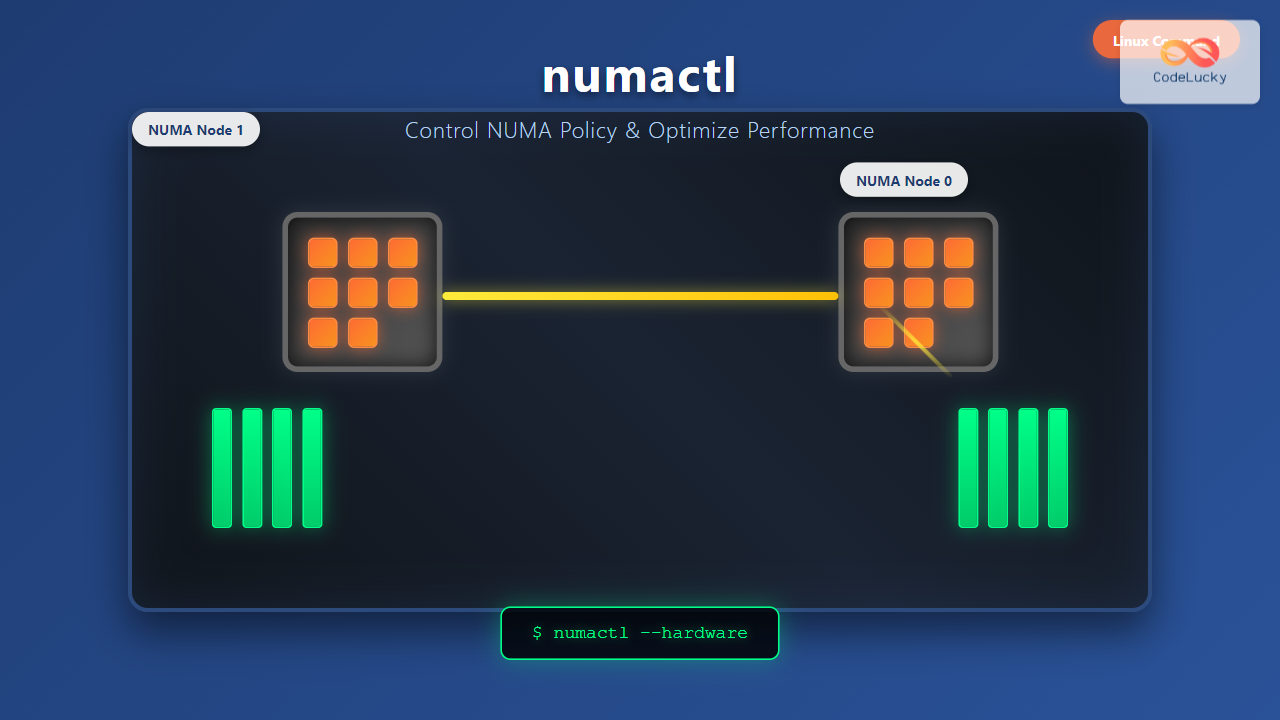
The numactl command is a powerful Linux utility that allows system administrators and developers to control Non-Uniform Memory Access (NUMA) policies on multi-processor systems. Understanding and properly utilizing NUMA policies can significantly impact application performance, especially on high-end servers with multiple CPU sockets.
What is NUMA and Why Does It Matter?
NUMA (Non-Uniform Memory Access) is a computer memory design used in multiprocessor systems where memory access time depends on the memory location relative to the processor. In NUMA systems, each processor has its own local memory, and accessing remote memory (attached to other processors) takes longer than accessing local memory.
The numactl command helps you:
- Control memory allocation policies for processes
- Set CPU affinity for optimal performance
- Display NUMA topology information
- Migrate pages between NUMA nodes
- Monitor memory usage across NUMA nodes
Installing numactl
Most Linux distributions include numactl in their repositories. Here’s how to install it:
Ubuntu/Debian:
sudo apt update
sudo apt install numactl
CentOS/RHEL/Fedora:
sudo yum install numactl
# or for newer versions
sudo dnf install numactl
Arch Linux:
sudo pacman -S numactlBasic numactl Syntax
The basic syntax of the numactl command is:
numactl [options] [command [arguments...]]Checking NUMA Information
Before using numactl to control NUMA policies, it’s essential to understand your system’s NUMA topology.
Display NUMA Topology
numactl --hardwareSample Output:
available: 2 nodes (0-1)
node 0 cpus: 0 1 2 3 8 9 10 11
node 0 size: 32759 MB
node 0 free: 28945 MB
node 1 cpus: 4 5 6 7 12 13 14 15
node 1 size: 32768 MB
node 1 free: 30121 MB
node distances:
node   0   1
  0:  10  21
  1:  21  10
This output shows a dual-socket system with:
- 2 NUMA nodes (0 and 1)
- 8 CPU cores per node
- Approximately 32GB RAM per node
- Distance matrix showing memory access costs
Show Current Process NUMA Policy
numactl --showSample Output:
policy: default
preferred node: current
physcpubind: 0 1 2 3 4 5 6 7 8 9 10 11 12 13 14 15
cpubind: 0 1
nodebind: 0 1
membind: 0 1
Memory Allocation Policies
The numactl command supports several memory allocation policies:
1. Interleave Policy
Spreads memory allocations evenly across specified NUMA nodes:
numactl --interleave=0,1 your_applicationExample:
numactl --interleave=all stress --vm 1 --vm-bytes 2G --timeout 30s2. Bind Policy
Forces memory allocation to specific NUMA nodes:
numactl --membind=0 your_applicationExample:
numactl --membind=1 mysql --defaults-file=/etc/mysql/my.cnf3. Preferred Policy
Prefers a specific NUMA node but allows fallback:
numactl --preferred=0 your_application4. Local Policy
Allocates memory on the local node where the thread is running:
numactl --localalloc your_applicationCPU Affinity Control
You can bind processes to specific CPUs or NUMA nodes:
Bind to Specific CPUs
numactl --physcpubind=0,2,4,6 your_applicationBind to NUMA Node CPUs
numactl --cpunodebind=0 your_applicationPractical Example:
numactl --cpunodebind=0 --membind=0 nginx -g "daemon off;"This command runs nginx bound to CPUs and memory of NUMA node 0.
Advanced numactl Usage
Combining Multiple Policies
You can combine CPU and memory policies for fine-tuned control:
numactl --cpunodebind=0 --membind=0 --interleave=1 database_serverMigration Commands
Move pages from one NUMA node to another:
numactl --migrate 1024 --from=0 --to=1Touch Memory Pages
Force allocation of memory pages on specific nodes:
numactl --touch --membind=1 large_memory_appPractical Examples
Example 1: Database Server Optimization
For a database server that requires consistent memory access:
# Bind PostgreSQL to NUMA node 1
numactl --cpunodebind=1 --membind=1 postgres -D /var/lib/postgresql/data
Example 2: High-Performance Computing
For CPU-intensive applications that benefit from memory interleaving:
# Run scientific computation with interleaved memory
numactl --interleave=all --cpunodebind=0,1 ./scientific_simulation
Example 3: Web Server Load Balancing
Running multiple web server instances on different NUMA nodes:
# First instance on node 0
numactl --cpunodebind=0 --membind=0 apache2 -f /etc/apache2/node0.conf &

# Second instance on node 1
numactl --cpunodebind=1 --membind=1 apache2 -f /etc/apache2/node1.conf &
Monitoring NUMA Performance
Check Memory Statistics
numastatSample Output:
                           node0           node1
numa_hit              5247471203    4852963419
numa_miss                7584991       8739043
numa_foreign             8739043       7584991
interleave_hit            847621        845789
local_node            5239887451    4845378672
other_node              15168743      16323790
Per-Process NUMA Statistics
numastat -p PIDnumactl Options Reference
| Option | Description |
|---|---|
--interleave=nodes |
Interleave memory allocations across specified nodes |
--membind=nodes |
Bind memory allocations to specified nodes |
--cpunodebind=nodes |
Bind process to CPUs of specified NUMA nodes |
--physcpubind=cpus |
Bind process to specific physical CPUs |
--preferred=node |
Prefer allocations on specified node |
--localalloc |
Allocate memory on local node |
--hardware |
Display hardware NUMA topology |
--show |
Display current NUMA policy |
Best Practices and Tips
1. Performance Testing
Always benchmark your applications with different NUMA policies:
# Test without NUMA control
time your_application

# Test with specific NUMA binding
time numactl --cpunodebind=0 --membind=0 your_application

# Test with interleaving
time numactl --interleave=all your_application
2. Application-Specific Strategies
- Memory-intensive applications: Use
--membindto ensure local memory access - CPU-bound applications: Use
--cpunodebindfor consistent CPU access - Multi-threaded applications: Consider
--interleavefor balanced memory distribution
3. System Monitoring
Regularly monitor NUMA statistics to identify performance bottlenecks:
# Create a monitoring script
#!/bin/bash
while true; do
    echo "=== NUMA Stats at $(date) ==="
    numastat
    sleep 60
done
Troubleshooting Common Issues
Permission Errors
If you encounter permission errors, you might need to adjust system limits:
# Check current limits
cat /proc/sys/kernel/numa_balancing

# Disable automatic NUMA balancing if needed
echo 0 | sudo tee /proc/sys/kernel/numa_balancing
Invalid Node Specification
Always verify your NUMA topology before using node numbers:
numactl --hardware | grep "available"Integration with System Services
You can integrate numactl with systemd services for persistent NUMA policies:
# /etc/systemd/system/myapp.service
[Unit]
Description=My Application with NUMA Control
After=network.target

[Service]
ExecStart=/usr/bin/numactl --cpunodebind=0 --membind=0 /opt/myapp/bin/myapp
Restart=always
User=myapp

[Install]
WantedBy=multi-user.target
Conclusion
The numactl command is an essential tool for optimizing application performance on NUMA systems. By understanding your system’s NUMA topology and applying appropriate memory and CPU binding policies, you can achieve significant performance improvements for memory-intensive and CPU-bound applications.
Remember to always test different NUMA policies with your specific workloads, as the optimal configuration varies depending on the application’s memory access patterns and computational requirements. Regular monitoring using numastat will help you identify potential NUMA-related performance bottlenecks and optimize your system accordingly.
Whether you’re managing database servers, high-performance computing clusters, or multi-threaded applications, mastering numactl will give you fine-grained control over system resources and help you extract maximum performance from your NUMA-enabled hardware.
Related Posts

DMA in Operating System: Complete Guide to Direct Memory Access Controllers
Direct Memory Access (DMA) is a crucial feature in modern operating systems that allows hardware devices to transfer data directly...

Virtual Memory in OS: Complete Guide to Paging, Segmentation and Address Translation
Virtual memory is one of the most fundamental concepts in modern operating systems, enabling efficient memory management and providing crucial...

Memory Allocation Techniques: Contiguous vs Non-contiguous Management Strategies
Memory allocation is a fundamental aspect of operating system design that determines how programs and data are stored and accessed...

Memory Management in Operating System: Virtual and Physical Memory Fundamentals
Introduction to Memory Management Memory management is one of the most critical functions of an operating system, responsible for efficiently...

Garbage Collection in Operating System: Complete Guide to Automatic Memory Management
What is Garbage Collection in Operating Systems? Garbage collection is an automatic memory management technique used by operating systems and...

Thread vs Process: Complete Guide to Differences and When to Use Each
Understanding the fundamental differences between threads and processes is crucial for system programming, application design, and performance optimization. While both...

Process in Operating System: Complete Guide to Definition, States and Lifecycle
What is a Process in Operating System? A process is a program in execution that consists of the program code...

Shared Memory: Complete Guide to IPC Through Memory Segments
Introduction to Shared Memory IPC Shared Memory is one of the most efficient Inter-Process Communication (IPC) mechanisms available in modern...
getrlimit Command Linux: Complete Guide to System Resource Limits Management
The getrlimit system call in Linux is a fundamental tool for retrieving information about resource limits imposed on processes. Understanding...

Demand Paging: Loading Pages on Demand for Efficiency
Introduction to Demand Paging Demand paging is a sophisticated memory management technique used by modern operating systems to optimize memory...

Kernel in Operating System: Core Functions and Memory Management
The kernel stands as the fundamental cornerstone of any operating system, serving as the critical bridge between hardware components and...

Multithreading in Operating Systems: Benefits, Challenges, and Implementation Guide
What is Multithreading in Operating Systems? Multithreading is a fundamental concept in modern operating systems that allows a single process...





