Imagine your app needs to store user profiles, but next week the product team wants to add a “favorite playlists” field, and the week after that, nested address objects with optional fields. In a rigid table-based system, every change means migrations and headaches. This flexibility problem is exactly where MongoDB shines, and it’s a big reason this MongoDB tutorial exists. If you’ve ever felt boxed in by strict schemas, you’re going to enjoy what comes next.
By the time you finish, you’ll understand how MongoDB stores data, how to install it, how to run real queries, and how to avoid the mistakes that trip up newcomers. No prior database experience is assumed, but if you know a little JavaScript, you’ll feel right at home.
What Is MongoDB?
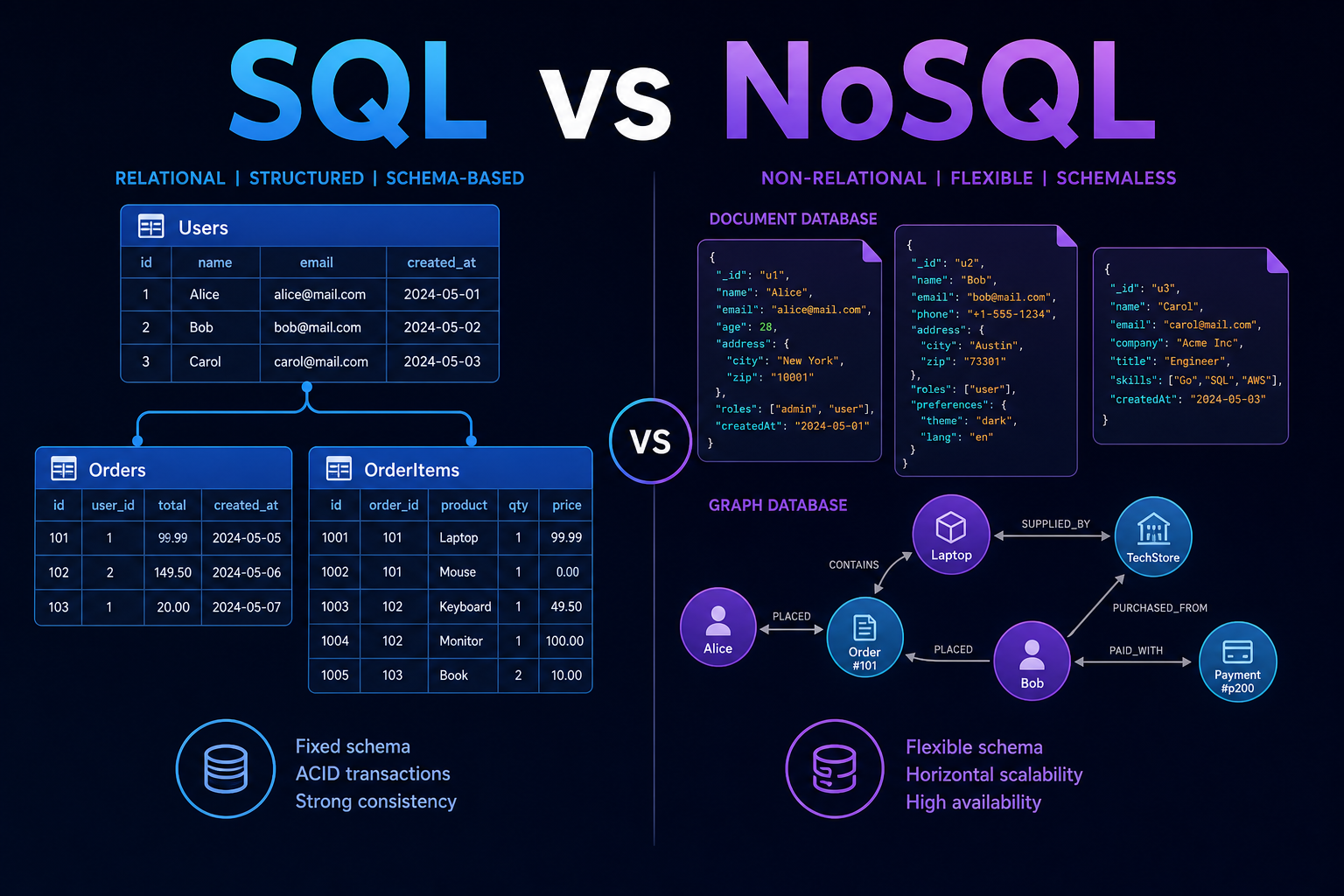
MongoDB is an open-source, document-oriented NoSQL database that stores data as flexible, JSON-like documents instead of rows and columns. Each document can have its own structure, which makes MongoDB ideal for applications with evolving requirements, hierarchical data, or rapid development cycles where the data model is still taking shape.
Instead of spreading related information across multiple tables and joining them, MongoDB lets you keep related data together in a single document. Think of a document as a self-contained record, like a folder that holds everything about one user, one order, or one blog post in one place.
A document database trades the strict guarantees of fixed schemas for speed and flexibility. That trade-off is a feature, not a shortcut, when your data naturally varies from record to record.
SQL vs NoSQL: How MongoDB Is Different
If you’ve used a relational database like MySQL or PostgreSQL, the vocabulary maps over with a few twists. The table below shows how core concepts translate so you can reuse what you already know.
| Relational (SQL) | MongoDB (NoSQL) | What It Holds |
|---|---|---|
| Database | Database | A container for collections |
| Table | Collection | A group of related documents |
| Row | Document | A single record |
| Column | Field | A key-value pair inside a document |
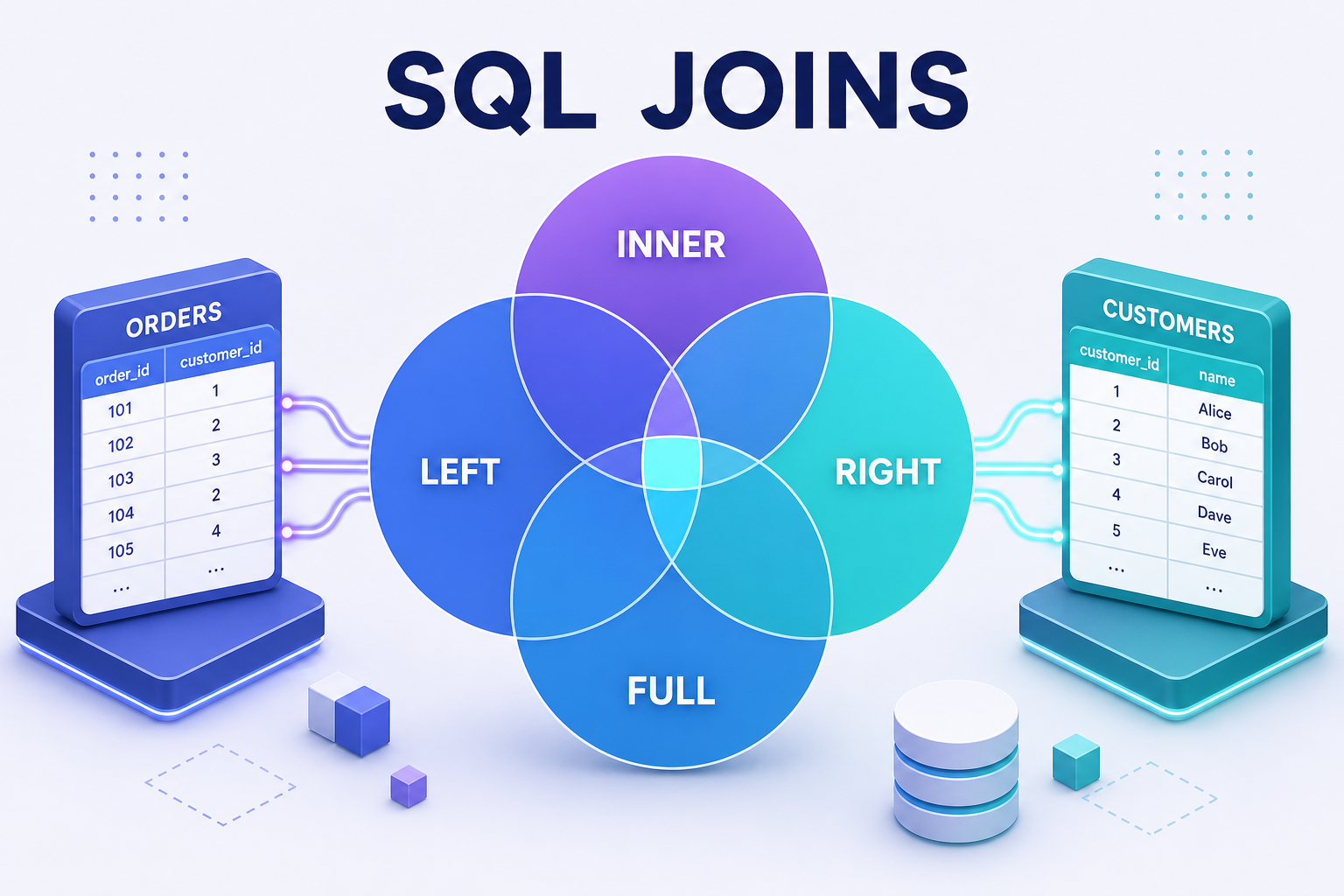
| JOIN | Embedding or $lookup |
Combining related data |
The headline difference is the schema. SQL databases require you to define columns and types up front. MongoDB lets each document differ, so one user record can have a phone field while another skips it entirely. That freedom is powerful, but it also means data validation becomes your responsibility, a point we’ll return to in the pitfalls section.
Understanding Documents, Collections, and BSON
A MongoDB document looks almost exactly like a JavaScript object. Here’s a single user document as you’d see it:
{
  "_id": "65f1a2b3c4d5e6f7a8b9c0d1",
  "name": "Aarav Sharma",
  "email": "[email protected]",
  "age": 28,
  "interests": ["coding", "chess", "hiking"],
  "address": {
    "city": "Pune",
    "country": "India"
  }
}
Notice how interests is an array and address is a nested object. This is what “hierarchical data in one place” means in practice. Every document automatically gets a unique _id field, which acts as its primary key. If you don’t provide one, MongoDB generates an ObjectId for you.
Under the hood, MongoDB doesn’t store plain JSON. It uses BSON (Binary JSON), a binary-encoded format that supports extra data types like dates, 64-bit integers, and binary data, while staying fast to scan and traverse. You write JSON-style syntax, and MongoDB handles the binary conversion for you.
Installing MongoDB and Choosing Your Setup
You have two practical paths to start using MongoDB in 2026: run it locally, or use the managed cloud service. Most beginners should start with the cloud option because it removes installation friction entirely.
Option 1: MongoDB Atlas (Cloud, Recommended for Beginners)
MongoDB Atlas offers a free tier that’s perfect for learning and small projects. You sign up, create a free cluster, whitelist your IP address, create a database user, and copy a connection string. No software to install, and your data lives on a managed server.
Option 2: Local Installation with the Community Server
If you prefer running MongoDB on your own machine, download the MongoDB Community Server for your operating system. After installing, you can verify it’s running and open the interactive shell with:
# Check the installed version
mongod --version

# Launch the MongoDB Shell and connect to your local server
mongosh
The mongod command runs the database server process, while mongosh opens the modern shell where you type commands. If mongosh connects without errors, your installation works. For a visual experience, install MongoDB Compass, the official GUI that lets you browse collections and build queries by clicking instead of typing.
CRUD Operations: The Heart of This MongoDB Tutorial
CRUD stands for Create, Read, Update, and Delete, the four operations every database app relies on. Once you’re comfortable with these, you can build real features. The examples below use mongosh syntax, which is also how the Node.js driver behaves.
Create: Inserting Documents
// Switch to (or create) a database named "blog"
use blog

// Insert a single document into the "users" collection
db.users.insertOne({
  name: "Priya Mehta",
  email: "[email protected]",
  age: 24,
  isActive: true
})

// Insert multiple documents at once
db.users.insertMany([
  { name: "Rahul Verma", age: 31, isActive: false },
  { name: "Sara Khan", age: 27, isActive: true }
])
The use blog command selects a database, creating it lazily the first time you write data to it. insertOne adds a single document, while insertMany takes an array. Notice that Rahul’s document has no email field, which MongoDB accepts without complaint.
Read: Querying Documents
// Find every document in the collection
db.users.find()

// Find all active users
db.users.find({ isActive: true })

// Find one user by a specific field
db.users.findOne({ name: "Priya Mehta" })

// Return only selected fields (1 = include, 0 = exclude)
db.users.find({ isActive: true }, { name: 1, _id: 0 })
The first argument to find is the filter, and the optional second argument is the projection that controls which fields come back. Trimming the fields you return is a simple performance win, especially when documents are large.
Update: Modifying Documents
// Update one user's age using the $set operator
db.users.updateOne(
  { name: "Sara Khan" },
  { $set: { age: 28 } }
)

// Deactivate every user older than 30
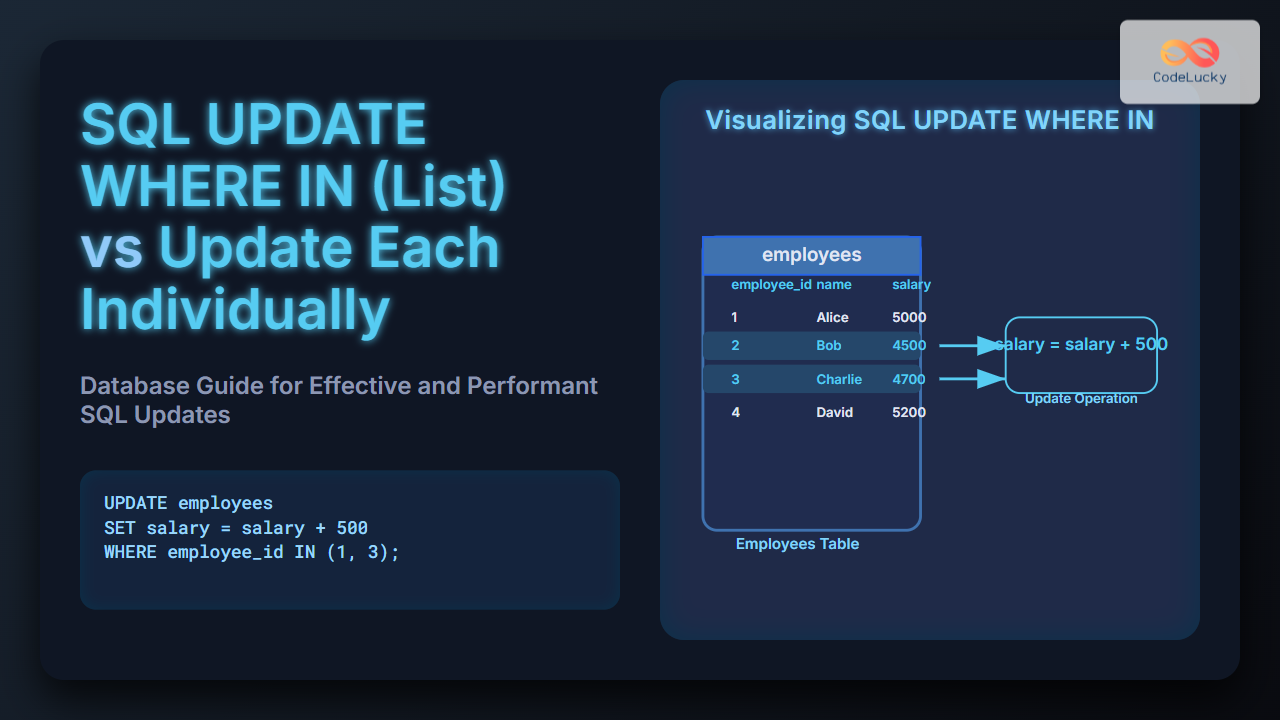
db.users.updateMany(
  { age: { $gt: 30 } },
  { $set: { isActive: false } }
)
Always use update operators like $set rather than passing a plain object. If you skip $set and pass { age: 28 } directly, MongoDB replaces the entire document with just that field, wiping out everything else. This is one of the most common beginner mistakes.
Delete: Removing Documents
// Delete a single matching document
db.users.deleteOne({ name: "Rahul Verma" })

// Delete all inactive users
db.users.deleteMany({ isActive: false })
Both delete methods take a filter, just like find. Be careful: an empty filter {} passed to deleteMany erases every document in the collection. Test destructive queries with find first to confirm exactly what they match.
Querying and Filtering Data Like a Pro
Real applications rarely fetch everything. You filter, sort, and limit. MongoDB provides a rich set of query operators that go far beyond exact matches. The most useful ones compare values, match arrays, and combine conditions.
// Users aged between 25 and 30 (inclusive)
db.users.find({ age: { $gte: 25, $lte: 30 } })

// Users whose name is in a list of values
db.users.find({ name: { $in: ["Priya Mehta", "Sara Khan"] } })

// Combine conditions with $or
db.users.find({
  $or: [{ age: { $lt: 25 } }, { isActive: true }]
})

// Sort by age descending, then limit to the first 5 results
db.users.find().sort({ age: -1 }).limit(5)
Here, $gte and $lte mean “greater than or equal” and “less than or equal,” $in matches any value in an array, and $or returns documents that satisfy at least one condition. Chaining sort and limit lets you build pagination and “top N” lists with very little code. For the full operator reference, the official MongoDB query operator documentation is the authoritative source.
Indexing for Performance
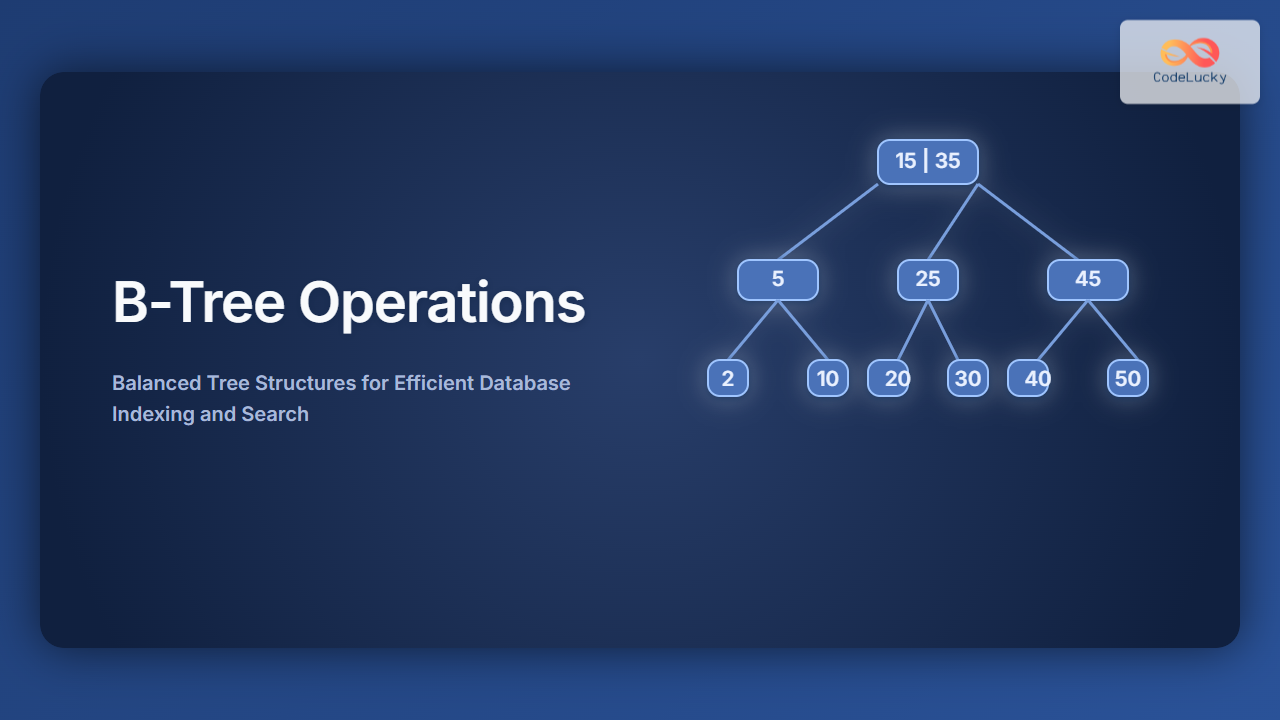
By default, MongoDB scans every document in a collection to answer a query, which is fine for a hundred records but disastrous for a million. An index is a sorted data structure that lets the database jump straight to matching documents, the same way a book index sends you to the right page instead of reading cover to cover.
// Create an index on the email field for fast lookups
db.users.createIndex({ email: 1 })

// Create a compound index on two fields
db.users.createIndex({ isActive: 1, age: -1 })

// See how a query is executed and whether it uses an index
db.users.find({ email: "[email protected]" }).explain("executionStats")
The 1 means ascending order and -1 means descending. Use explain("executionStats") to confirm a query uses an index instead of scanning the whole collection. Index the fields you filter and sort on most often, but don’t over-index: each index consumes memory and slows down writes, so it’s a balance.
Using MongoDB with Node.js and Mongoose
Most beginners reach MongoDB through a backend app. In the JavaScript world, Mongoose is the most popular library because it adds schemas and validation on top of the raw driver, giving you guardrails without losing flexibility.
const mongoose = require("mongoose");

// Connect to your database (use your Atlas string in production)
await mongoose.connect("mongodb://127.0.0.1:27017/blog");

// Define a schema with types and validation rules
const userSchema = new mongoose.Schema({
  name: { type: String, required: true },
  email: { type: String, unique: true },
  age: { type: Number, min: 0 }
});

// Create a model bound to the "users" collection
const User = mongoose.model("User", userSchema);

// Create and save a new document
const user = await User.create({
  name: "Neha Gupta",
  email: "[email protected]",
  age: 30
});

console.log("Saved user with id:", user._id);
Mongoose schemas reintroduce structure on purpose. The required, unique, and min rules catch bad data before it ever reaches the database. This gives you the best of both worlds: MongoDB’s flexible storage with predictable, validated documents at the application layer. You can read more in the official Mongoose documentation.
Common Pitfalls and Mistakes to Avoid
Knowing what not to do saves hours of debugging. These are the traps beginners fall into most often when starting with MongoDB.
- Forgetting
$seton updates. Passing a plain object replaces the whole document. Always wrap field changes in an update operator. - Over-embedding data. Embedding is great, but a document that grows without bound (like an array of every comment ever) hits the 16MB document size limit. Use references for large, fast-growing relationships.
- No indexes on filtered fields. Queries feel fine in development with 50 records, then crawl in production. Index early based on how you actually query.
- Treating MongoDB as schemaless means structureless. Flexible does not mean chaotic. Decide on a consistent shape and enforce it with Mongoose or schema validation rules.
- Exposing the database to the public internet. Always require authentication, restrict IP access, and never commit connection strings to version control.
Frequently Asked Questions About MongoDB
Is MongoDB free to use?
Yes. The MongoDB Community Server is free and open-source, and MongoDB Atlas offers a free cloud tier that’s perfect for learning and small projects. Paid plans add scaling, advanced security, and support for production workloads.
When should I use MongoDB instead of SQL?
Choose MongoDB when your data is hierarchical, varies between records, or evolves quickly during development. Stick with relational databases when you need complex multi-table joins, strict transactions across many entities, or a fixed, well-understood schema.
Do I need to know JavaScript to use MongoDB?
Not strictly, since MongoDB has official drivers for Python, Java, Go, C#, and more. That said, the shell and many tutorials use JavaScript syntax, so basic JavaScript makes the learning curve gentler.
What is the difference between MongoDB and Mongoose?
MongoDB is the database itself. Mongoose is a Node.js library that sits on top of it, adding schemas, validation, and convenience methods. You can use MongoDB without Mongoose, but Mongoose makes Node.js development more structured.
Can MongoDB handle relationships between data?
Yes, in two ways: embedding related data inside a single document, or referencing other documents by their _id and joining them with the $lookup aggregation stage. Embedding suits tightly coupled data, while references suit large or independently changing data.
Conclusion: Your MongoDB Journey Starts Now
You’ve covered a lot of ground in this MongoDB tutorial: what a document database is, how MongoDB compares to SQL, how to install it, and how to perform full CRUD operations. You also learned to filter data with query operators, speed things up with indexes, connect from Node.js using Mongoose, and sidestep the mistakes that catch most beginners.
The best way to lock in these concepts is to build something small. Spin up a free Atlas cluster, model a simple to-do list or blog, and practice inserting, querying, and updating real documents. Each query you write makes the next one easier, and before long, working with MongoDB will feel as natural as writing the JavaScript objects it was modeled after.