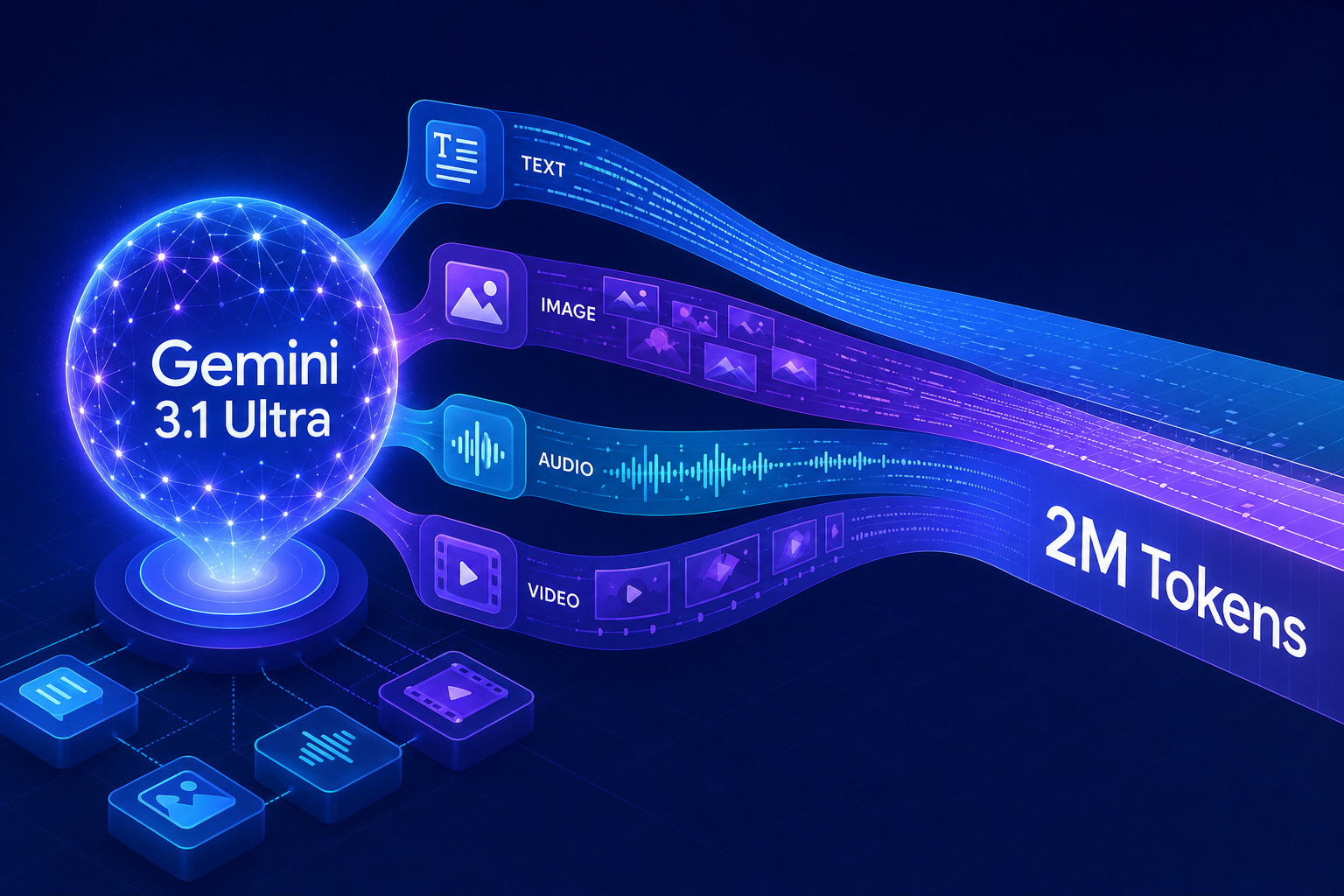
Imagine feeding an AI model your entire codebase, three hours of meeting recordings, a 400-page legal contract, and a product demo video — all in a single prompt — and getting a coherent answer back in seconds. That is the headline pitch behind Google Gemini 3.1 Ultra, the latest flagship from Google DeepMind, which lands with a 2-million token context window that works uniformly across text, images, audio, and video. For developers who have been juggling chunking pipelines and retrieval-augmented generation patches just to squeeze long documents into a model, this release reshuffles the deck.
This article breaks down what Gemini 3.1 Ultra actually changes, how the unified multimodal context works under the hood, what the benchmarks look like, and where you should — and should not — reach for it in production. You will also see working code for calling the model with mixed media inputs, a comparison against current rivals, and a list of pitfalls that surface only when you start pushing past the 1-million token mark.
What Is Google Gemini 3.1 Ultra?
Gemini 3.1 Ultra is the top-tier model in Google’s Gemini 3.x family, designed for the most demanding reasoning, coding, and multimodal workloads. It accepts up to 2 million input tokens and emits up to 64,000 output tokens per response, while treating text, images, audio, and video as first-class citizens within the same context window — no separate encoders, no separate APIs, no manual stitching.
That definition sounds compact, but each part of it carries weight. The 2-million token figure roughly translates to about 1.5 million words of English text, two hours of video at default sampling, or 22 hours of audio. The multimodal uniformity means a single attention mechanism reasons over all of it together, rather than passing summaries between specialized sub-models.
Why a 2-Million Token Context Window Matters
Context length is one of those numbers that sounds abstract until you hit a wall with it. Most production AI systems built between 2023 and 2025 leaned on retrieval-augmented generation (RAG) to fake long memory: chunk documents, embed them, retrieve the top-k matches, and stuff those into a smaller window. RAG works, but it leaks information at every step — chunk boundaries split arguments, embeddings miss nuance, and reranking can drop the very passage you needed.
A genuine 2-million token window changes the cost-benefit math. You can now:
- Drop an entire monorepo (within reason) into a single prompt for refactoring or audit.
- Feed a full feature-length film and ask for scene-by-scene continuity notes.
- Provide a quarter of customer support transcripts and ask for thematic clustering without pre-aggregation.
- Let the model see a textbook plus all of its companion lecture videos before answering a student question.
RAG is not dead — for fast, low-cost, frequently updated knowledge bases, it is still the right tool. But for one-shot deep reasoning over a corpus that fits in 2M tokens, calling Gemini 3.1 Ultra directly is now competitive on quality and often simpler to maintain.
Unified Multimodal Context: How It Actually Works
Earlier multimodal models often glued together a vision encoder, an audio encoder, and a text decoder with cross-attention bridges. That works, but each modality occupies a different slice of the context budget under different rules, and reasoning across modalities depends on how well those bridges were trained.
Gemini 3.1 Ultra extends the unified-token approach Google has been refining since the original Gemini 1.5: every modality is converted into a sequence of tokens that share a single embedding space. Images are tiled into visual tokens, audio is segmented into acoustic tokens at roughly 25 frames per second, and video frames are sampled (typically 1 frame per second by default) and encoded into the same stream. The attention mechanism then treats them all alike.
The practical upshot: you can ask a question that requires correlating a chart on page 47 of a PDF, a sentence from minute 12 of a podcast, and a paragraph in a Markdown spec — and the model can answer it without you orchestrating three separate calls.
Token Budget by Modality
| Modality | Approximate Token Cost | What Fits in 2M Tokens |
|---|---|---|
| Text | ~1 token per 4 characters | ~1.5M words / ~3,000 pages |
| Image (default detail) | ~258 tokens per image | ~7,750 images |
| Audio | ~32 tokens per second | ~17 hours |
| Video (1 fps, with audio) | ~290 tokens per second | ~1 hour 55 minutes |
These figures vary slightly with detail settings and whether you enable high-resolution image mode, but they are accurate enough to budget against when designing prompts.
Benchmark Highlights and Where Gemini 3.1 Ultra Leads
Benchmarks are imperfect, but they remain the most consistent signal we have for cross-model comparison. On Google’s published evaluations, Gemini 3.1 Ultra shows the largest gains in three areas: long-context recall, video understanding, and multi-step coding tasks that span many files.
- Needle-in-a-haystack tests at 2M tokens stay above 99% recall in both text and interleaved multimodal variants — meaningful, because earlier long-context models often degraded sharply past the 500k mark.
- Video reasoning suites (such as Video-MME and EgoSchema) show double-digit improvements over the prior Gemini 2.5 Pro generation, especially on questions that require correlating dialogue with on-screen action.
- Software engineering benchmarks like SWE-Bench Verified see gains driven less by raw pattern matching and more by the model’s ability to keep an entire repository’s call graph in working memory.
Where it does not obviously lead: latency-sensitive chat, where smaller models in the same family (Gemini 3.1 Flash, for instance) remain a better fit, and tasks where a specialist model — say, a coding-only model with deep test-time search — still has the edge on raw competitive-programming scores.
Calling Gemini 3.1 Ultra: A Practical Code Example
Here is a minimal Python example using the official Google Generative AI SDK. It uploads a long PDF, attaches a video file, and asks a cross-modal question.
import os
from google import genai
from google.genai import types

# Initialize the client with your API key
client = genai.Client(api_key=os.environ["GEMINI_API_KEY"])

# Upload large files via the Files API to avoid bloating the request body
report_pdf = client.files.upload(file="annual_report_2025.pdf")
demo_video = client.files.upload(file="product_demo.mp4")

# Wait until both files finish processing
for f in (report_pdf, demo_video):
    while f.state.name == "PROCESSING":
        f = client.files.get(name=f.name)

prompt = (
    "Compare the strategic priorities described in the annual report "
    "against the features actually shown in the product demo video. "
    "List any gaps where the demo does not reflect a stated priority."
)

response = client.models.generate_content(
    model="gemini-3.1-ultra",
    contents=[report_pdf, demo_video, prompt],
    config=types.GenerateContentConfig(
        temperature=0.2,
        max_output_tokens=4096,
    ),
)

print(response.text)
Two details matter here. First, the files.upload call routes large media through Google’s Files API, which is the right pattern for anything beyond a few megabytes — inlining base64 in the request works for small images but quickly hits payload limits. Second, the contents list mixes file references and a string; the SDK assembles them into a single multimodal prompt automatically.
Streaming Long Responses
For interactive UIs, switch to streaming so users see tokens as they arrive instead of waiting for a full 4,000-token analysis to complete:
stream = client.models.generate_content_stream(
    model="gemini-3.1-ultra",
    contents=[report_pdf, demo_video, prompt],
)

for chunk in stream:
    if chunk.text:
        print(chunk.text, end="", flush=True)
Streaming is essentially free on the server side and dramatically lowers perceived latency, especially for the longer responses Ultra-tier models tend to produce.
Pricing, Context Caching, and Cost Control
A 2-million token request is not free, and naively sending the same long document on every turn of a conversation will burn budget quickly. Two features change the cost picture meaningfully.
Context caching lets you upload a large prompt prefix once — the report, the codebase, the video — and pay a discounted rate (typically around 25% of the standard input price) for subsequent reuses within the cache TTL. For long-running analytical sessions over the same corpus, this is the single biggest lever you have.
Batch mode trades latency for cost. If you are processing a backlog of documents asynchronously, batched requests run at roughly half price with a service-level objective measured in hours rather than seconds.
Rule of thumb: if your workload reuses the same large prefix across more than three calls per hour, configure context caching before doing anything else. The savings dwarf almost every other optimization.
Gemini 3.1 Ultra vs the Competition
The frontier-model field in 2026 is crowded, and the right answer depends on workload shape rather than a single leaderboard. Here is a pragmatic comparison.
| Capability | Gemini 3.1 Ultra | Typical Frontier Rivals |
|---|---|---|
| Max context window | 2,000,000 tokens | 200k – 1,000,000 tokens |
| Native video input | Yes, unified | Often via separate API or frame extraction |
| Native audio input | Yes, including non-speech | Usually transcription-based |
| Tool use / function calling | Parallel and recursive | Comparable |
| Best for | Long-context, multimodal, repo-scale code | Specialized reasoning, lower-latency chat |
If your application is primarily English text under 100k tokens with no media, the case for Ultra over a smaller model is weaker. If you regularly handle hour-long videos, multi-hundred-page documents, or whole-repo refactors, the case is unusually strong.
Real-World Use Cases Worth Building
The patterns that benefit most from Gemini 3.1 Ultra share a common shape: one expensive call replaces a fragile pipeline of cheaper ones.
- Legal and compliance review — feed contracts, regulations, and prior decisions together; ask for clause-level risk analysis with citations back into the source documents.
- Codebase modernization — drop an entire service, ask for a migration plan from one framework to another, and get patches that respect cross-file invariants.
- Educational tutoring — combine a textbook chapter, the student’s notes, and a recorded lecture; produce personalized practice questions that target the gaps.
- Media analytics — ingest a podcast season; generate searchable show notes, recurring-theme reports, and clip suggestions in one pass.
- Customer insight synthesis — combine support tickets, call recordings, and product analytics for a single quarter; surface root-cause clusters without preprocessing.
For an authoritative rundown of the API surface, the Gemini long context guide is the reference to bookmark.
Common Pitfalls When Working With Long Multimodal Context
The model is impressive, but a 2-million token window changes the failure modes you need to plan for. The biggest issues teams run into in the first weeks of adoption tend to be these.
- Prompt position still matters. Even with strong long-context recall, instructions placed at the very end of a 1.8M-token prompt are followed more reliably than instructions buried in the middle. Put the task statement last.
- Cost surprises from video. A two-hour 4K video at default sampling can consume hundreds of thousands of tokens. Always log token counts during development and consider downsampling frame rates for tasks that do not need fine-grained motion.
- Cache invalidation oversights. If you append even one token to a cached prefix, the cache reuses up to that point but recomputes the rest. Order your prompt so that stable content (documents, system instructions) comes before variable content (the user’s current question).
- Over-trusting cross-modal correlation. The model can correlate a chart with a sentence, but it can also confidently match the wrong ones if asked vaguely. Ask for citations — page numbers, timestamps, file paths — and verify them.
- Latency at the tail. Median latency on a half-million-token request is fast, but p99 can be several times longer. Build retries, timeouts, and progress UI accordingly.
Best Practices for Production Deployments
If you are moving Gemini 3.1 Ultra from prototype to production, a handful of disciplines pay for themselves quickly.
- Measure before you optimize. Log input tokens, output tokens, cache hit rate, and end-to-end latency per request. Without these, every cost discussion is guesswork.
- Use structured output. Constrain responses with JSON schemas when you need to consume them programmatically — it eliminates a whole category of parsing bugs.
- Set safety and grounding policies explicitly. Default safety settings are reasonable, but production apps usually need explicit thresholds tuned to their domain.
- Fall back gracefully. Route short, simple queries to a faster, cheaper model in the same family. Reserve Ultra for the requests that justify it.
- Pin model versions. When Google issues a new minor version, evaluate it against your eval set before flipping production traffic. Behaviors shift even when names look stable.
The Google AI responsible development documentation is worth a careful read before any consumer-facing launch.
Frequently Asked Questions About Gemini 3.1 Ultra
Is Gemini 3.1 Ultra available through the public API?
Yes. It is accessible through both the Gemini API on Google AI Studio and through Vertex AI for enterprise deployments. Vertex AI adds VPC controls, customer-managed encryption keys, and regional residency options that most regulated workloads will need.
Does the 2-million token limit apply to output too?
No. The 2M figure is the input ceiling. The output ceiling for Gemini 3.1 Ultra is 64,000 tokens per response, which is comfortably enough for long technical reports but not for, say, generating an entire book in one call.
How does Gemini 3.1 Ultra handle non-English languages and mixed-script documents?
Multilingual performance is a major focus of the 3.x line, with strong results across roughly 100 high-resource languages and meaningful improvements on lower-resource ones. Mixed-script documents — for example, code comments in Japanese inside an otherwise English codebase — are handled within the same context without manual segmentation.
Can I fine-tune Gemini 3.1 Ultra on my own data?
Direct full fine-tuning of the Ultra-tier model is not currently available. For most domain adaptation use cases, the recommended path is parameter-efficient tuning on a smaller Gemini variant, combined with grounding and retrieval against your data at inference time. For an overview of supported tuning options, see the Vertex AI tuning documentation.
Is the model good for real-time applications like voice agents?
Ultra is optimized for depth and breadth, not latency. For real-time voice or other interactive use cases, the Flash-tier siblings or a streaming-first model with lower time-to-first-token are usually a better match. Use Ultra in offline or asynchronous parts of those pipelines — for example, after-call analysis rather than the live conversation itself.
How should I think about data privacy when sending large documents?
On Vertex AI, customer data sent to generative models is not used to train the underlying model and is governed by enterprise-grade data handling commitments. On the consumer-grade Gemini API, terms differ, so always check the current policy that matches your tier and region before sending sensitive content.
Conclusion
Google Gemini 3.1 Ultra is not a marginal upgrade — it is the moment the 2-million token, fully multimodal context window stops being a research demo and becomes a tool you can responsibly build a product on. The release rewards developers who think in terms of fewer, smarter calls rather than long pipelines of small ones, and it punishes naive usage patterns that ignore caching, prompt ordering, and output shape.
If you take three things away from this guide: prefer cached, well-ordered long-context prompts over RAG when the corpus fits; treat video and audio as first-class inputs with real token costs you can budget; and pair Gemini 3.1 Ultra with smaller models in the same family so each request runs on the cheapest tier that can answer it. The teams that internalize those habits early will get most of the value from the new context window — and pay a fraction of what their competitors do for the same quality.