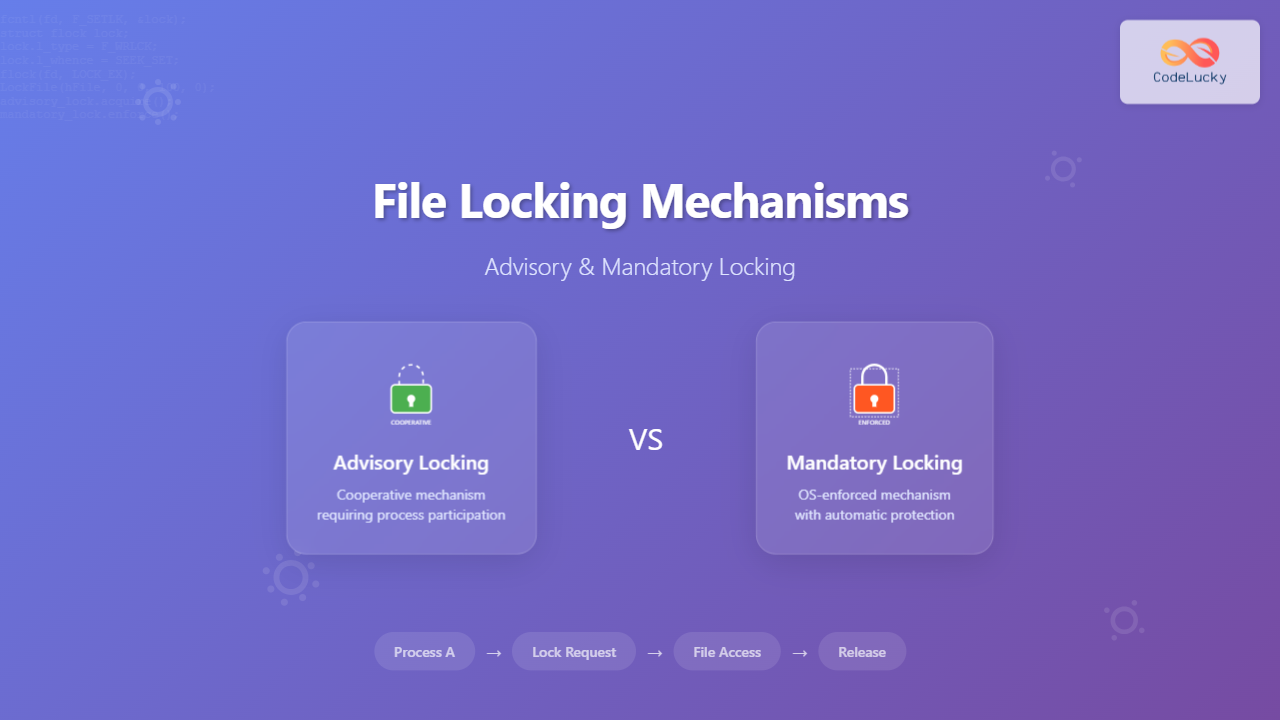
File locking mechanisms are essential components of modern operating systems that prevent data corruption and ensure data integrity when multiple processes attempt to access the same file simultaneously. Understanding these mechanisms is crucial for system programmers and developers working on multi-process applications.
What is File Locking?
File locking is a synchronization mechanism that controls access to files in a multi-process environment. When a process locks a file, it prevents other processes from performing certain operations on that file, ensuring data consistency and preventing race conditions.

Types of File Locking
There are two primary types of file locking mechanisms:
- Advisory Locking: Cooperative locking where processes voluntarily check for locks
- Mandatory Locking: Enforced locking where the operating system prevents access to locked files
Advisory Locking
Advisory locking relies on the cooperation of all processes accessing a file. The operating system provides the locking mechanism, but it doesn’t enforce the lock automatically. Processes must explicitly check for locks before accessing the file.
Characteristics of Advisory Locking
- Processes must voluntarily participate in the locking protocol
- No automatic enforcement by the operating system
- More flexible and commonly used
- Better performance due to reduced kernel intervention
Advisory Locking Example in C
#include <stdio.h>
#include <fcntl.h>
#include <unistd.h>
#include <sys/file.h>

int main() {
    int fd;
    struct flock lock;

    // Open file
    fd = open("example.txt", O_RDWR | O_CREAT, 0644);

    // Configure lock structure
    lock.l_type = F_WRLCK;    // Write lock
    lock.l_whence = SEEK_SET; // Start of file
    lock.l_start = 0;         // Offset from whence
    lock.l_len = 0;           // Lock entire file

    // Attempt to acquire lock
    if (fcntl(fd, F_SETLK, &lock) == -1) {
        printf("File is already locked by another process\n");
        close(fd);
        return 1;
    }

    printf("Lock acquired successfully\n");

    // Perform file operations
    write(fd, "Hello, World!", 13);

    // Release lock
    lock.l_type = F_UNLCK;
    fcntl(fd, F_SETLK, &lock);

    printf("Lock released\n");
    close(fd);
    return 0;
}
Output Example
$ gcc advisory_lock.c -o advisory_lock
$ ./advisory_lock
Lock acquired successfully
Lock released

# If another process tries to lock the same file:
$ ./advisory_lock & ./advisory_lock
Lock acquired successfully
File is already locked by another process
Lock released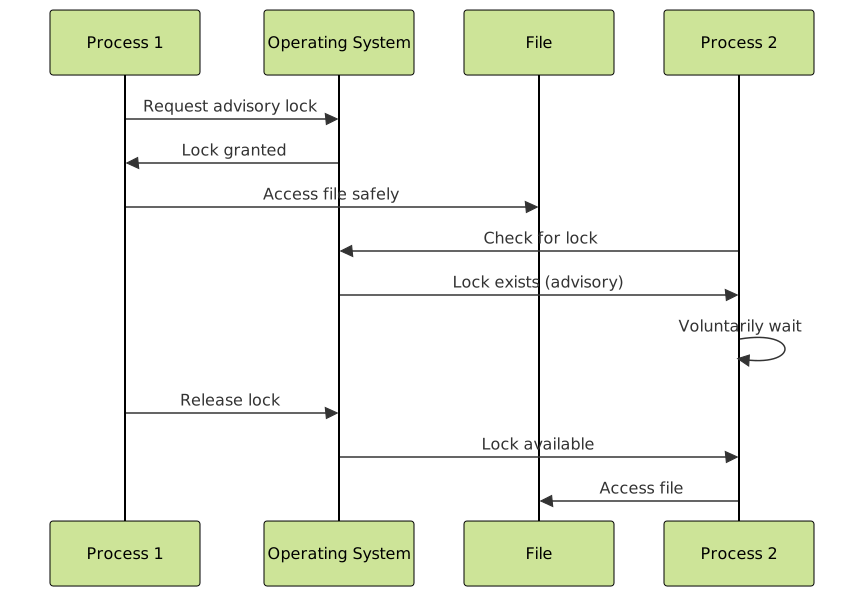
Mandatory Locking
Mandatory locking is enforced by the operating system kernel. When a file is locked with mandatory locking, the kernel automatically blocks any process that attempts to access the locked regions of the file, regardless of whether the process checks for locks.
Characteristics of Mandatory Locking
- Automatically enforced by the operating system
- No cooperation required from processes
- Higher security and data integrity
- Performance overhead due to kernel enforcement
- Limited availability across different operating systems
Enabling Mandatory Locking
To enable mandatory locking on a file, you need to:
- Set the setgid bit on the file
- Remove the group execute permission
- Mount the filesystem with mandatory locking support
# Enable mandatory locking on a file
chmod g+s,g-x example.txt

# Mount filesystem with mandatory locking
mount -o mand /dev/sda1 /mnt/mandatory
Mandatory Locking Example
#include <stdio.h>
#include <fcntl.h>
#include <unistd.h>
#include <errno.h>

int main() {
    int fd;
    struct flock lock;
    char buffer[100];

    // Open file with mandatory locking enabled
    fd = open("mandatory_file.txt", O_RDWR | O_CREAT, 02644);

    // Configure lock
    lock.l_type = F_WRLCK;
    lock.l_whence = SEEK_SET;
    lock.l_start = 0;
    lock.l_len = 0;

    // Apply lock
    if (fcntl(fd, F_SETLK, &lock) == -1) {
        perror("Failed to acquire mandatory lock");
        close(fd);
        return 1;
    }

    printf("Mandatory lock acquired\n");

    // Any other process attempting to read/write will be blocked
    sleep(10); // Simulate work

    // Release lock
    lock.l_type = F_UNLCK;
    fcntl(fd, F_SETLK, &lock);

    printf("Mandatory lock released\n");
    close(fd);
    return 0;
}
Lock Types and Modes
Both advisory and mandatory locking support different lock types:
Read Locks (Shared Locks)
- Multiple processes can hold read locks simultaneously
- Prevents write operations while active
- Represented by
F_RDLCKin POSIX systems
Write Locks (Exclusive Locks)
- Only one process can hold a write lock
- Prevents both read and write operations from other processes
- Represented by
F_WRLCKin POSIX systems
Lock Compatibility Matrix
| Current Lock | Read Request | Write Request |
|---|---|---|
| None | ✅ Granted | ✅ Granted |
| Read Lock | ✅ Granted | ❌ Blocked |
| Write Lock | ❌ Blocked | ❌ Blocked |
Implementation Across Operating Systems
Linux Implementation
Linux supports both advisory and mandatory locking through the POSIX fcntl() system call and the flock() system call:
// Using fcntl() for fine-grained locking
struct flock lock;
lock.l_type = F_WRLCK;
lock.l_whence = SEEK_SET;
lock.l_start = 100;  // Lock from byte 100
lock.l_len = 50;     // Lock 50 bytes
fcntl(fd, F_SETLK, &lock);

// Using flock() for whole-file locking
flock(fd, LOCK_EX);  // Exclusive lock
flock(fd, LOCK_SH);  // Shared lock
flock(fd, LOCK_UN);  // Unlock
Windows Implementation
Windows primarily uses mandatory locking through the LockFile() and LockFileEx() APIs:
// Windows file locking example
HANDLE hFile = CreateFile("example.txt", GENERIC_READ | GENERIC_WRITE,
                         0, NULL, OPEN_EXISTING, FILE_ATTRIBUTE_NORMAL, NULL);

// Lock 100 bytes starting from position 0
if (LockFile(hFile, 0, 0, 100, 0)) {
    printf("File locked successfully\n");

    // Perform file operations

    // Unlock the file
    UnlockFile(hFile, 0, 0, 100, 0);
}

CloseHandle(hFile);
Performance Considerations
Advisory Locking Performance
- Faster: Minimal kernel involvement
- Scalable: Better performance with many processes
- Flexible: Applications can implement custom logic
Mandatory Locking Performance
- Slower: Kernel checks on every file operation
- Resource intensive: Higher memory and CPU usage
- Reliable: Guaranteed enforcement without application cooperation

Best Practices and Use Cases
When to Use Advisory Locking
- High-performance applications
- Trusted application environments
- Fine-grained control over locking behavior
- Cross-platform compatibility requirements
When to Use Mandatory Locking
- Security-critical applications
- Untrusted application environments
- Simple locking requirements
- Data integrity is paramount
Common Pitfalls to Avoid
- Deadlocks: Always acquire locks in the same order
- Forgetting to release locks: Use proper error handling
- Lock granularity: Balance between performance and concurrency
- Platform assumptions: Test locking behavior across different systems
Debugging File Locking Issues
Linux Debugging Tools
# View current file locks
cat /proc/locks

# Monitor file access
lsof filename

# Check lock information
fuser -v filename
Common Error Codes
| Error Code | Description | Meaning |
|---|---|---|
| EAGAIN/EACCES | Resource temporarily unavailable | Lock is held by another process |
| ENOLCK | No locks available | System lock table is full |
| EDEADLK | Resource deadlock avoided | Operation would cause deadlock |
Conclusion
File locking mechanisms are fundamental to maintaining data integrity in multi-process environments. Advisory locking offers flexibility and performance benefits but requires application cooperation, while mandatory locking provides automatic enforcement at the cost of performance overhead. Understanding the trade-offs between these approaches enables developers to choose the appropriate locking strategy based on their specific requirements for security, performance, and reliability.
The choice between advisory and mandatory locking should be based on your application’s trust model, performance requirements, and the level of control needed over concurrent file access. Modern applications typically favor advisory locking due to its flexibility and superior performance characteristics, implementing additional application-level safeguards when necessary.
Related Posts

Process Synchronization: Critical Sections and Race Conditions in Operating Systems
Introduction to Process Synchronization Process synchronization is a fundamental concept in operating systems that ensures multiple processes can safely access...

File System in Operating System: Complete Guide to Structure and Organization
Introduction to File Systems A file system is a fundamental component of any operating system that provides a structured way...

Thread Synchronization: Mutexes, Semaphores and Deadlocks in Operating Systems
Introduction to Thread Synchronization Thread synchronization is a fundamental concept in operating systems that ensures multiple threads can safely access...

Spin Locks in Operating System: Complete Guide to Busy Waiting Synchronization
Spin locks are fundamental synchronization primitives in operating systems that implement busy waiting mechanisms to protect critical sections from concurrent...
Multithreading in Operating Systems: Benefits, Challenges, and Implementation Guide
What is Multithreading in Operating Systems? Multithreading is a fundamental concept in modern operating systems that allows a single process...

Readers Writers Problem: Complete Guide to Database Synchronization
The Readers Writers Problem is one of the most fundamental synchronization challenges in operating systems and database management. This classic...

Critical Section Problem: Complete Guide to Mutual Exclusion Solutions in Operating Systems
What is the Critical Section Problem? The critical section problem is a fundamental challenge in operating systems where multiple processes...

Thread vs Process: Complete Guide to Differences and When to Use Each
Understanding the fundamental differences between threads and processes is crucial for system programming, application design, and performance optimization. While both...

Monitor in Operating System: High-level Synchronization for Process Coordination
What is a Monitor in Operating System? A monitor is a high-level synchronization construct in operating systems that provides a...
Deadlock Detection and Recovery: Graph-based Algorithms for Operating Systems
Introduction to Deadlock Detection and Recovery Deadlock is one of the most critical challenges in operating systems where multiple processes...

Encryption in Operating System: Complete Guide to Data Protection Methods
Operating system encryption serves as the cornerstone of modern data protection, safeguarding sensitive information from unauthorized access, data breaches, and...
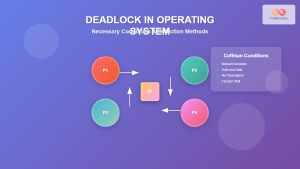
Deadlock in Operating System: Complete Guide to Necessary Conditions and Detection Methods
Deadlock is one of the most critical challenges in operating system design, where multiple processes become permanently blocked while waiting...