
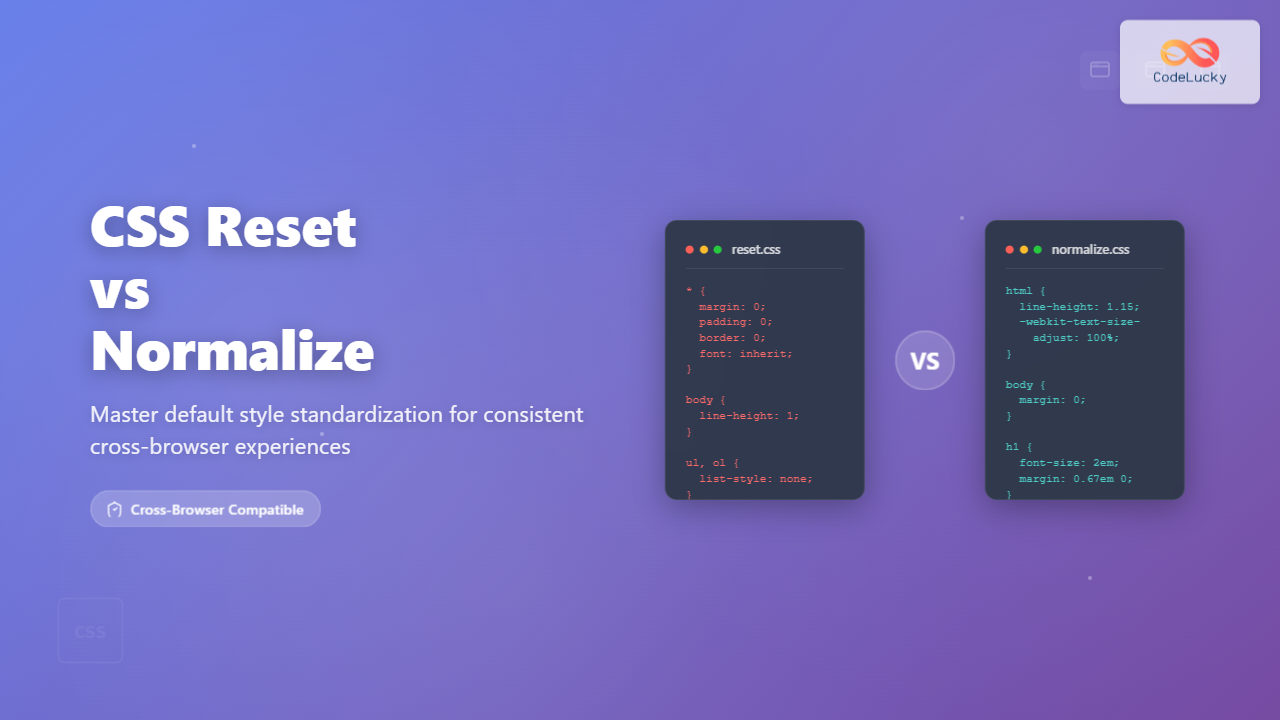
Every web browser comes with its own set of default styles, creating inconsistencies across different platforms. CSS Reset and Normalize.css are two fundamental approaches to achieving uniform styling across all browsers. Understanding when and how to use each method is crucial for creating professional, consistent web experiences.
Understanding Browser Default Styles
Before diving into solutions, let’s examine why default styles cause problems. Each browser applies its own user agent stylesheet, resulting in different margins, paddings, font sizes, and element behaviors.
Common Default Style Issues:
- Margin and Padding Inconsistencies: Different default spacing for headings, paragraphs, and lists
- Font Rendering Differences: Varying default fonts and line heights
- Form Element Styling: Inconsistent button, input, and select appearances
- Table Styling: Different border-collapse and spacing behaviors
CSS Reset: The Nuclear Approach
CSS Reset takes an aggressive approach by removing virtually all default browser styling. This method gives developers complete control over every element’s appearance but requires more initial setup work.
Popular CSS Reset Implementation
/* Eric Meyer's CSS Reset v2.0 */
html, body, div, span, applet, object, iframe,
h1, h2, h3, h4, h5, h6, p, blockquote, pre,
a, abbr, acronym, address, big, cite, code,
del, dfn, em, img, ins, kbd, q, s, samp,
small, strike, strong, sub, sup, tt, var,
b, u, i, center,
dl, dt, dd, ol, ul, li,
fieldset, form, label, legend,
table, caption, tbody, tfoot, thead, tr, th, td {
  margin: 0;
  padding: 0;
  border: 0;
  font-size: 100%;
  font: inherit;
  vertical-align: baseline;
}

/* HTML5 display-role reset for older browsers */
article, aside, details, figcaption, figure,
footer, header, hgroup, menu, nav, section {
  display: block;
}

body {
  line-height: 1;
}

ol, ul {
  list-style: none;
}

blockquote, q {
  quotes: none;
}

table {
  border-collapse: collapse;
  border-spacing: 0;
}
Pros and Cons of CSS Reset
✅ Advantages
- Complete control over styling
- Consistent starting point
- Removes all unwanted defaults
- Predictable cross-browser behavior
❌ Disadvantages
- Removes useful default styles
- Requires extensive custom styling
- Can impact accessibility features
- More initial development time
Normalize.css: The Preservation Approach
Normalize.css takes a more conservative approach by preserving useful default styles while correcting inconsistencies and bugs across browsers. This method maintains readability and accessibility while ensuring cross-browser compatibility.
Key Features of Normalize.css
/* Normalize.css v8.0.1 - Key Examples */

/* Document */
html {
  line-height: 1.15; /* Correct line height in all browsers */
  -webkit-text-size-adjust: 100%; /* Prevent font scaling in iOS */
}

/* Sections */
body {
  margin: 0; /* Remove default margin */
}

main {
  display: block; /* Render consistently in IE */
}

h1 {
  font-size: 2em;
  margin: 0.67em 0; /* Correct margin in Chrome, Firefox, Safari */
}

/* Grouping content */
hr {
  box-sizing: content-box; /* Show overflow in Edge and IE */
  height: 0;
  overflow: visible;
}

/* Text-level semantics */
abbr[title] {
  border-bottom: none; /* Remove underline in Chrome 57- */
  text-decoration: underline;
  text-decoration: underline dotted;
}

/* Forms */
button, input, optgroup, select, textarea {
  font-family: inherit; /* Correct font inheritance */
  font-size: 100%;
  line-height: 1.15;
  margin: 0;
}
Normalize.css Benefits
- Preserves Useful Defaults: Maintains semantic meaning and accessibility
- Corrects Bugs: Fixes known browser inconsistencies
- Detailed Documentation: Every rule is explained and justified
- Modern Approach: Regularly updated for current browsers
- Smaller Learning Curve: Less custom styling required
Visual Comparison: Reset vs Normalize
Interactive Comparison Tool
When to Use CSS Reset vs Normalize
Choose CSS Reset When:
- Building custom design systems
- Need complete control over styling
- Working with unique, non-standard designs
- Creating highly customized interfaces
- Team prefers explicit styling approach
Choose Normalize When:
- Building content-heavy websites
- Need to maintain accessibility
- Working with semantic HTML
- Rapid prototyping and development
- Preserving readable defaults is important
Implementation Best Practices
CSS Reset Implementation
When implementing CSS Reset, follow these guidelines to ensure optimal results:
/* 1. Include reset at the very beginning */
@import url('reset.css');

/* 2. Define your base styles immediately after */
body {
  font-family: -apple-system, BlinkMacSystemFont, 'Segoe UI', Roboto, sans-serif;
  line-height: 1.6;
  color: #333;
  background-color: #fff;
}

/* 3. Set consistent heading hierarchy */
h1 { font-size: 2.5rem; font-weight: 700; margin-bottom: 1rem; }
h2 { font-size: 2rem; font-weight: 600; margin-bottom: 0.875rem; }
h3 { font-size: 1.5rem; font-weight: 600; margin-bottom: 0.75rem; }

/* 4. Define paragraph and text spacing */
p { margin-bottom: 1rem; }

/* 5. Style lists appropriately */
ul, ol {
  margin-bottom: 1rem;
  padding-left: 1.25rem;
}

ul { list-style-type: disc; }
ol { list-style-type: decimal; }
Normalize.css Implementation
Normalize.css can be easily integrated and customized:
/* Method 1: CDN Link */
<link rel="stylesheet" href="https://cdnjs.cloudflare.com/ajax/libs/normalize/8.0.1/normalize.min.css">

/* Method 2: NPM Installation */
npm install normalize.css

/* Method 3: Custom Integration */
@import url('normalize.css');

/* Add your custom styles after normalize */
body {
  font-family: 'Inter', sans-serif;
  font-size: 16px;
  line-height: 1.5;
}

/* Enhance normalize with additional consistency */
*, *::before, *::after {
  box-sizing: border-box;
}

img {
  max-width: 100%;
  height: auto;
}
Modern Alternatives and Hybrid Approaches
Contemporary web development has introduced new approaches that combine the best of both worlds:
Custom Hybrid Solution
/* Modern Hybrid Reset/Normalize Approach */

/* Box-sizing reset */
*, *::before, *::after {
  box-sizing: border-box;
}

/* Remove default margins but preserve some structure */
* {
  margin: 0;
}

/* Body defaults */
html, body {
  height: 100%;
}

body {
  line-height: 1.5;
  -webkit-font-smoothing: antialiased;
}

/* Media defaults */
img, picture, video, canvas, svg {
  display: block;
  max-width: 100%;
}

/* Form defaults */
input, button, textarea, select {
  font: inherit;
}

/* Avoid text overflows */
p, h1, h2, h3, h4, h5, h6 {
  overflow-wrap: break-word;
}

/* Improve line wrapping */
p {
  text-wrap: pretty;
}

h1, h2, h3, h4, h5, h6 {
  text-wrap: balance;
}
Utility-First Framework Approach
Modern CSS frameworks like Tailwind CSS include their own normalization layer called Preflight, which combines elements from both approaches:
Tailwind CSS Preflight Features:
- Removes default margins and paddings
- Sets consistent box-sizing
- Normalizes form elements
- Provides sensible defaults for common elements
- Optimized for utility-first development
Performance Considerations
The choice between CSS Reset and Normalize affects your website’s performance in different ways:
CSS Reset Performance
- File Size: Smaller initial file (~2KB)
- Render Time: Faster initial render
- Additional CSS: Requires more custom styles
- Total Impact: May increase overall CSS size
Normalize.css Performance
- File Size: Larger file (~8KB)
- Render Time: Slightly slower initial render
- Additional CSS: Less custom styling needed
- Total Impact: Often smaller overall CSS
Real-World Implementation Examples
E-commerce Website Example
For an e-commerce site prioritizing accessibility and content readability:
/* E-commerce: Normalize + Custom Enhancements */
@import url('normalize.css');

/* Enhance for e-commerce needs */
body {
  font-family: 'Inter', system-ui, sans-serif;
  font-size: 16px;
  line-height: 1.6;
  color: #2d3748;
}

/* Product grid consistency */
.product-grid {
  display: grid;
  grid-template-columns: repeat(auto-fit, minmax(280px, 1fr));
  gap: 1.5rem;
}

/* Form styling for checkout */
input, select, textarea {
  border: 1px solid #d2d6dc;
  border-radius: 6px;
  padding: 0.75rem;
  font-size: 1rem;
}

button {
  background: #3182ce;
  color: white;
  border: none;
  border-radius: 6px;
  padding: 0.75rem 1.5rem;
  font-weight: 600;
  cursor: pointer;
}
Creative Portfolio Example
For a creative portfolio requiring complete design control:
/* Creative Portfolio: Custom Reset + Artistic Styling */
/* Complete reset for creative control */
* {
  margin: 0;
  padding: 0;
  border: 0;
  font-size: 100%;
  font: inherit;
  vertical-align: baseline;
  box-sizing: border-box;
}

/* Artistic base styling */
body {
  font-family: 'Söhne', 'Helvetica Neue', Arial, sans-serif;
  background: #0a0a0a;
  color: #ffffff;
  overflow-x: hidden;
}

/* Custom typography scale */
.display-xl { font-size: clamp(3rem, 8vw, 8rem); }
.display-lg { font-size: clamp(2rem, 6vw, 6rem); }
.display-md { font-size: clamp(1.5rem, 4vw, 4rem); }

/* Creative layout utilities */
.full-bleed {
  width: 100vw;
  margin-left: calc(50% - 50vw);
}

/* Custom scroll behavior */
html {
  scroll-behavior: smooth;
  scrollbar-width: thin;
  scrollbar-color: #333 transparent;
}
Testing Cross-Browser Compatibility
Regardless of your chosen approach, thorough testing across different browsers and devices is essential:
Testing Checklist:
- Desktop Browsers: Chrome, Firefox, Safari, Edge
- Mobile Browsers: Chrome Mobile, Safari iOS, Samsung Internet
- Rendering Engines: Webkit, Blink, Gecko
- Legacy Support: Test older browser versions if required
- Accessibility Tools: Screen readers and keyboard navigation
Conclusion
The choice between CSS Reset and Normalize.css depends on your project’s specific requirements, team preferences, and design goals. CSS Reset provides maximum control but requires more initial setup, while Normalize.css offers a balanced approach that preserves accessibility and semantic meaning.
For most modern web projects, Normalize.css or a custom hybrid approach provides the best balance of consistency, maintainability, and accessibility. However, projects requiring unique visual designs or complete stylistic control may benefit from CSS Reset’s clean slate approach.
Consider your project’s complexity, timeline, accessibility requirements, and long-term maintenance needs when making this decision. Both approaches are valid solutions to the cross-browser consistency challenge, and either can serve as the foundation for exceptional web experiences.
Pro Tip: Many successful projects combine elements from both approaches. Start with Normalize.css for its solid foundation, then add targeted resets for specific elements that need complete control. This hybrid method often provides the best of both worlds.
Related Posts

CSS Graceful Degradation: Essential Fallback Strategies for Modern Web Development
CSS graceful degradation is a fundamental web development strategy that ensures your website remains functional and accessible across all browsers,...
CSS Style paddingRight Property: CSS Padding Right
Understanding the CSS padding-right Property The padding-right property in CSS is used to set the amount of space between the...
CSS Browser Compatibility: Essential Guide to Vendor Prefixes and Fallbacks
Browser compatibility remains one of the most critical challenges in modern web development. Different browsers implement CSS features at varying...
CSS Specificity: Complete Guide to Style Priority and Cascade Resolution
CSS specificity is one of the most crucial concepts every web developer must master. It determines which styles the browser...
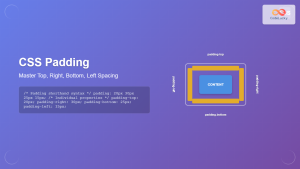
CSS Padding: Complete Guide to Top, Right, Bottom, Left Spacing Properties
CSS padding is one of the most fundamental properties for controlling spacing in web design. It creates space between an...
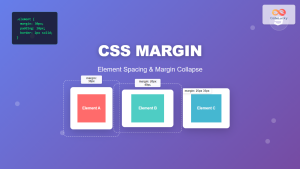
CSS Margin: Complete Guide to Element Spacing and Margin Collapse
Understanding CSS Margin: The Foundation of Element Spacing CSS margin is one of the most fundamental properties for controlling spacing...
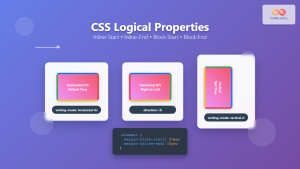
CSS Logical Properties: Master Inline-Start, Inline-End, Block-Start, Block-End for Modern Web Design
CSS logical properties revolutionize how we approach layout and spacing in modern web development. Unlike traditional physical properties that rely...
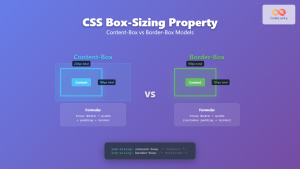
CSS Box-Sizing Property: Master Content-Box vs Border-Box for Perfect Layouts
The CSS box-sizing property is one of the most crucial yet often misunderstood concepts in web development. It determines how...
CSS Border: Complete Guide to Width, Style and Color Properties
CSS borders are fundamental styling elements that define the visual boundaries of HTML elements. Understanding how to effectively use border-width,...
CSS Background-Color: Complete Guide to Setting Element Background Colors
The CSS background-color property is one of the most fundamental styling tools in web development, allowing you to set the...
CSS Box Model: Master Content, Padding, Border and Margin for Perfect Layouts
The CSS Box Model is the fundamental concept that governs how elements are sized and spaced in web layouts. Understanding...

HTML CSS: Styling Your Web Pages with Selectors, Properties, and the Cascade
Introduction Ever wondered how websites go from plain text to visually stunning experiences? The magic lies in CSS (Cascading Style...





