
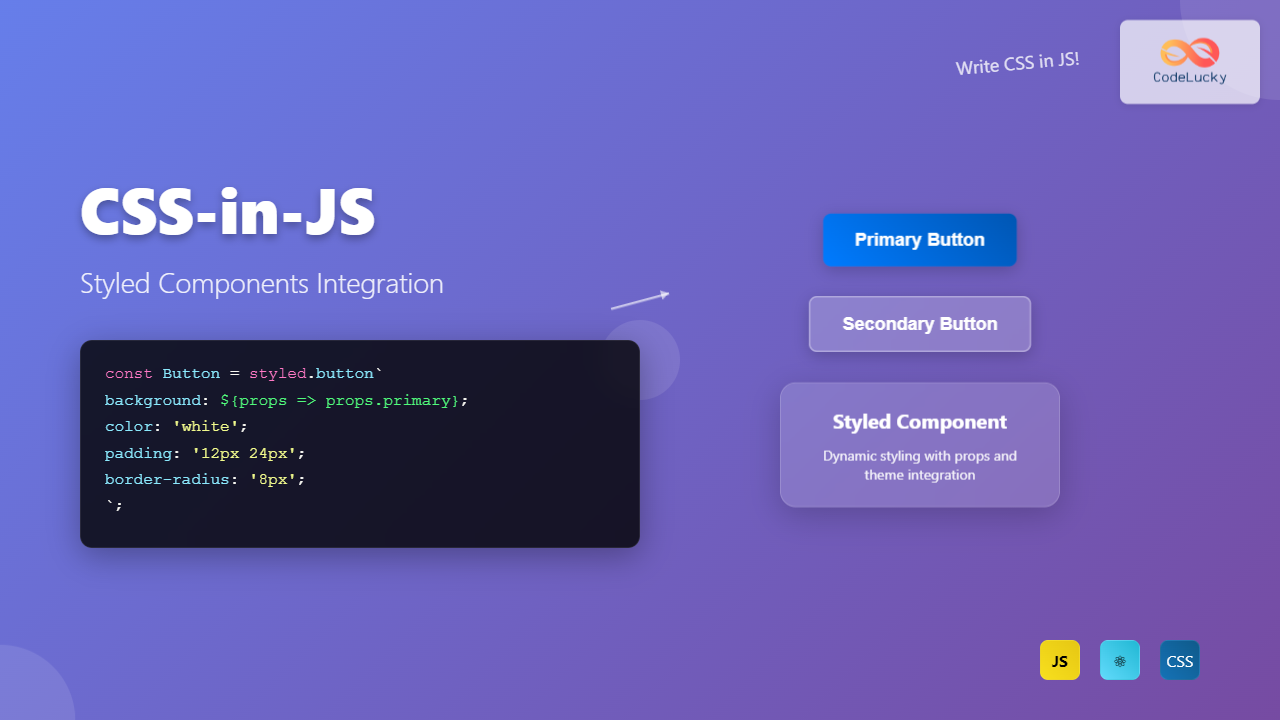
CSS-in-JS has revolutionized how developers approach styling in modern web applications. Among the various CSS-in-JS solutions, Styled Components stands out as one of the most popular and powerful libraries, offering a seamless way to write CSS directly within JavaScript components while maintaining all the benefits of traditional CSS.
What is CSS-in-JS and Styled Components?
CSS-in-JS is a styling technique where CSS styles are written using JavaScript instead of traditional CSS files. Styled Components takes this concept further by allowing you to create React components with embedded styles using tagged template literals.
The library provides several key advantages:
- Automatic critical CSS: Only the styles for rendered components are injected
- No class name bugs: Generates unique class names automatically
- Easier deletion of CSS: Styles are tied to components
- Dynamic styling: Styles can change based on props or state
- Painless maintenance: No need to hunt across different files
Installation and Setup
Getting started with Styled Components is straightforward. Install the library using npm or yarn:
npm install styled-components
# or
yarn add styled-components
For TypeScript projects, you’ll also want to install the type definitions:
npm install @types/styled-components --save-devHere’s a basic setup example:
import React from 'react';
import styled from 'styled-components';

const StyledButton = styled.button`
  background-color: #007bff;
  color: white;
  padding: 12px 24px;
  border: none;
  border-radius: 4px;
  font-size: 16px;
  cursor: pointer;
  transition: background-color 0.3s ease;

  &:hover {
    background-color: #0056b3;
  }
`;

function App() {
  return (
    <div>
      <StyledButton>Click me!</StyledButton>
    </div>
  );
}
Basic Styled Components Syntax
Styled Components uses tagged template literals to define styles. The basic syntax follows this pattern:
const ComponentName = styled.elementType`
  css-property: value;
  another-property: value;
`;
You can style any HTML element or even existing React components:
// Styling HTML elements
const Title = styled.h1`
  font-size: 2rem;
  color: #333;
  margin-bottom: 1rem;
`;

const Container = styled.div`
  max-width: 1200px;
  margin: 0 auto;
  padding: 0 20px;
`;

// Styling existing components
const StyledLink = styled(Link)`
  text-decoration: none;
  color: #007bff;

  &:hover {
    text-decoration: underline;
  }
`;
Dynamic Styling with Props
One of the most powerful features of Styled Components is the ability to create dynamic styles based on component props. This eliminates the need for conditional class names:
const Button = styled.button`
  padding: 12px 24px;
  border: none;
  border-radius: 4px;
  font-size: 16px;
  cursor: pointer;
  transition: all 0.3s ease;

  background-color: ${props =>
    props.variant === 'primary' ? '#007bff' :
    props.variant === 'danger' ? '#dc3545' :
    '#6c757d'
  };

  color: ${props => props.variant === 'outline' ? '#007bff' : 'white'};
  border: ${props => props.variant === 'outline' ? '2px solid #007bff' : 'none'};

  opacity: ${props => props.disabled ? 0.6 : 1};
  cursor: ${props => props.disabled ? 'not-allowed' : 'pointer'};

  &:hover {
    transform: ${props => props.disabled ? 'none' : 'translateY(-2px)'};
    box-shadow: ${props => props.disabled ? 'none' : '0 4px 8px rgba(0,0,0,0.1)'};
  }
`;

// Usage
<Button variant="primary">Primary Button</Button>
<Button variant="danger">Danger Button</Button>
<Button variant="outline">Outline Button</Button>
<Button disabled>Disabled Button</Button>
Theming with ThemeProvider
Styled Components provides a powerful theming system through the ThemeProvider component. This allows you to define a consistent design system across your entire application:
import styled, { ThemeProvider } from 'styled-components';

// Define your theme
const theme = {
  colors: {
    primary: '#007bff',
    secondary: '#6c757d',
    success: '#28a745',
    danger: '#dc3545',
    light: '#f8f9fa',
    dark: '#343a40'
  },
  fonts: {
    primary: 'Arial, sans-serif',
    secondary: 'Georgia, serif'
  },
  breakpoints: {
    mobile: '768px',
    tablet: '1024px',
    desktop: '1200px'
  },
  spacing: {
    small: '8px',
    medium: '16px',
    large: '24px',
    xlarge: '32px'
  }
};

// Components that use the theme
const ThemedButton = styled.button`
  background-color: ${props => props.theme.colors.primary};
  color: white;
  padding: ${props => props.theme.spacing.medium};
  font-family: ${props => props.theme.fonts.primary};
  border: none;
  border-radius: 4px;
  cursor: pointer;

  @media (max-width: ${props => props.theme.breakpoints.mobile}) {
    padding: ${props => props.theme.spacing.small};
    font-size: 14px;
  }
`;

const ThemedCard = styled.div`
  background-color: ${props => props.theme.colors.light};
  border: 1px solid ${props => props.theme.colors.secondary};
  padding: ${props => props.theme.spacing.large};
  margin: ${props => props.theme.spacing.medium};
  border-radius: 8px;
`;

// App component with theme
function App() {
  return (
    <ThemeProvider theme={theme}>
      <div>
        <ThemedCard>
          <h2>Themed Component</h2>
          <p>This card uses theme values for consistent styling.</p>
          <ThemedButton>Themed Button</ThemedButton>
        </ThemedCard>
      </div>
    </ThemeProvider>
  );
}
Advanced Features and Patterns
Extending Styles
You can extend existing styled components to create variations while maintaining the base styles:
const BaseButton = styled.button`
  padding: 12px 24px;
  border: none;
  border-radius: 4px;
  font-size: 16px;
  cursor: pointer;
  transition: all 0.3s ease;
`;

const PrimaryButton = styled(BaseButton)`
  background-color: #007bff;
  color: white;

  &:hover {
    background-color: #0056b3;
  }
`;

const OutlineButton = styled(BaseButton)`
  background-color: transparent;
  color: #007bff;
  border: 2px solid #007bff;

  &:hover {
    background-color: #007bff;
    color: white;
  }
`;
CSS Helper Functions
Styled Components provides several helper functions for more complex styling scenarios:
import styled, { css, keyframes } from 'styled-components';

// Keyframes for animations
const fadeIn = keyframes`
  from {
    opacity: 0;
    transform: translateY(20px);
  }
  to {
    opacity: 1;
    transform: translateY(0);
  }
`;

// CSS helper for conditional styles
const buttonVariants = css`
  ${props => props.variant === 'large' && css`
    padding: 16px 32px;
    font-size: 18px;
  `}

  ${props => props.variant === 'small' && css`
    padding: 8px 16px;
    font-size: 14px;
  `}
`;

const AnimatedCard = styled.div`
  animation: ${fadeIn} 0.5s ease-in-out;
  background: white;
  border-radius: 8px;
  box-shadow: 0 2px 10px rgba(0,0,0,0.1);
  padding: 24px;
  ${buttonVariants}
`;
Attrs for Dynamic Attributes
The attrs method allows you to attach additional props or attributes to components:
const Input = styled.input.attrs(props => ({
  type: props.type || 'text',
  placeholder: props.placeholder || 'Enter text...'
}))`
  width: 100%;
  padding: 12px;
  border: 2px solid ${props => props.error ? '#dc3545' : '#dee2e6'};
  border-radius: 4px;
  font-size: 16px;

  &:focus {
    outline: none;
    border-color: ${props => props.error ? '#dc3545' : '#007bff'};
    box-shadow: 0 0 0 0.2rem ${props => props.error ? 'rgba(220,53,69,0.25)' : 'rgba(0,123,255,0.25)'};
  }
`;

// Usage
<Input placeholder="Enter email" type="email" />
<Input placeholder="Enter password" type="password" error />
Integration Patterns and Best Practices
Component Organization
Organize your styled components effectively for maintainability:
// styles/Button.js
import styled from 'styled-components';

export const Button = styled.button`
  /* base styles */
`;

export const PrimaryButton = styled(Button)`
  /* primary variant */
`;

export const SecondaryButton = styled(Button)`
  /* secondary variant */
`;

// components/UserCard.js
import React from 'react';
import styled from 'styled-components';
import { PrimaryButton } from '../styles/Button';

const CardContainer = styled.div`
  background: white;
  border-radius: 8px;
  padding: 24px;
  box-shadow: 0 2px 8px rgba(0,0,0,0.1);
`;

const UserAvatar = styled.img`
  width: 60px;
  height: 60px;
  border-radius: 50%;
  margin-bottom: 16px;
`;

const UserName = styled.h3`
  margin: 0 0 8px 0;
  color: #333;
`;

const UserEmail = styled.p`
  margin: 0 0 16px 0;
  color: #666;
  font-size: 14px;
`;

export const UserCard = ({ user, onContactClick }) => (
  <CardContainer>
    <UserAvatar src={user.avatar} alt={user.name} />
    <UserName>{user.name}</UserName>
    <UserEmail>{user.email}</UserEmail>
    <PrimaryButton onClick={onContactClick}>
      Contact User
    </PrimaryButton>
  </CardContainer>
);
Performance Optimization
Follow these practices to ensure optimal performance:
// ❌ Avoid creating styled components inside render
function BadComponent() {
  const DynamicDiv = styled.div`
    color: ${props => props.color};
  `;

  return <DynamicDiv color="red">Bad practice</DynamicDiv>;
}

// ✅ Create components outside render
const GoodDiv = styled.div`
  color: ${props => props.color};
`;

function GoodComponent() {
  return <GoodDiv color="red">Good practice</GoodDiv>;
}

// ✅ Use shouldForwardProp for better performance
const OptimizedButton = styled.button.withConfig({
  shouldForwardProp: (prop, defaultValidatorFn) =>
    !['variant', 'size'].includes(prop) && defaultValidatorFn(prop),
})`
  background: ${props => props.variant === 'primary' ? '#007bff' : '#6c757d'};
  padding: ${props => props.size === 'large' ? '16px 32px' : '12px 24px'};
`;
Real-World Integration Examples
Form Components
Here’s a complete form implementation using Styled Components:
import React, { useState } from 'react';
import styled from 'styled-components';

const FormContainer = styled.form`
  max-width: 400px;
  margin: 0 auto;
  padding: 32px;
  background: white;
  border-radius: 8px;
  box-shadow: 0 4px 6px rgba(0, 0, 0, 0.1);
`;

const FormGroup = styled.div`
  margin-bottom: 24px;
`;

const Label = styled.label`
  display: block;
  margin-bottom: 8px;
  font-weight: 600;
  color: #333;
`;

const Input = styled.input`
  width: 100%;
  padding: 12px;
  border: 2px solid ${props => props.error ? '#dc3545' : '#e1e5e9'};
  border-radius: 4px;
  font-size: 16px;
  transition: border-color 0.2s;

  &:focus {
    outline: none;
    border-color: ${props => props.error ? '#dc3545' : '#007bff'};
  }
`;

const ErrorMessage = styled.span`
  display: block;
  margin-top: 4px;
  color: #dc3545;
  font-size: 14px;
`;

const SubmitButton = styled.button`
  width: 100%;
  padding: 12px;
  background: #007bff;
  color: white;
  border: none;
  border-radius: 4px;
  font-size: 16px;
  cursor: pointer;
  transition: background-color 0.2s;

  &:hover:not(:disabled) {
    background: #0056b3;
  }

  &:disabled {
    background: #6c757d;
    cursor: not-allowed;
  }
`;

const ContactForm = () => {
  const [formData, setFormData] = useState({
    name: '',
    email: '',
    message: ''
  });
  const [errors, setErrors] = useState({});
  const [isSubmitting, setIsSubmitting] = useState(false);

  const handleSubmit = async (e) => {
    e.preventDefault();
    setIsSubmitting(true);

    // Simulate form submission
    setTimeout(() => {
      setIsSubmitting(false);
      alert('Form submitted successfully!');
    }, 2000);
  };

  const handleChange = (e) => {
    setFormData({
      ...formData,
      [e.target.name]: e.target.value
    });
  };

  return (
    <FormContainer onSubmit={handleSubmit}>
      <FormGroup>
        <Label htmlFor="name">Name</Label>
        <Input
          id="name"
          name="name"
          value={formData.name}
          onChange={handleChange}
          error={errors.name}
          required
        />
        {errors.name && <ErrorMessage>{errors.name}</ErrorMessage>}
      </FormGroup>

      <FormGroup>
        <Label htmlFor="email">Email</Label>
        <Input
          id="email"
          name="email"
          type="email"
          value={formData.email}
          onChange={handleChange}
          error={errors.email}
          required
        />
        {errors.email && <ErrorMessage>{errors.email}</ErrorMessage>}
      </FormGroup>

      <FormGroup>
        <Label htmlFor="message">Message</Label>
        <Input
          as="textarea"
          id="message"
          name="message"
          rows="4"
          value={formData.message}
          onChange={handleChange}
          error={errors.message}
          required
        />
        {errors.message && <ErrorMessage>{errors.message}</ErrorMessage>}
      </FormGroup>

      <SubmitButton type="submit" disabled={isSubmitting}>
        {isSubmitting ? 'Submitting...' : 'Send Message'}
      </SubmitButton>
    </FormContainer>
  );
};
Responsive Navigation Component
import React, { useState } from 'react';
import styled from 'styled-components';

const Nav = styled.nav`
  background: #fff;
  box-shadow: 0 2px 4px rgba(0,0,0,0.1);
  position: sticky;
  top: 0;
  z-index: 100;
`;

const NavContainer = styled.div`
  max-width: 1200px;
  margin: 0 auto;
  padding: 0 20px;
  display: flex;
  justify-content: space-between;
  align-items: center;
  height: 70px;
`;

const Logo = styled.div`
  font-size: 24px;
  font-weight: bold;
  color: #007bff;
`;

const NavLinks = styled.ul`
  display: flex;
  list-style: none;
  margin: 0;
  padding: 0;
  gap: 32px;

  @media (max-width: 768px) {
    display: ${props => props.isOpen ? 'flex' : 'none'};
    position: absolute;
    top: 70px;
    left: 0;
    right: 0;
    background: white;
    flex-direction: column;
    padding: 20px;
    box-shadow: 0 2px 4px rgba(0,0,0,0.1);
    gap: 16px;
  }
`;

const NavLink = styled.li`
  a {
    text-decoration: none;
    color: #333;
    font-weight: 500;
    transition: color 0.2s;

    &:hover {
      color: #007bff;
    }
  }
`;

const MenuToggle = styled.button`
  display: none;
  background: none;
  border: none;
  font-size: 24px;
  cursor: pointer;

  @media (max-width: 768px) {
    display: block;
  }
`;

const Navigation = () => {
  const [isOpen, setIsOpen] = useState(false);

  return (
    <Nav>
      <NavContainer>
        <Logo>CodeLucky</Logo>

        <NavLinks isOpen={isOpen}>
          <NavLink><a href="#home">Home</a></NavLink>
          <NavLink><a href="#about">About</a></NavLink>
          <NavLink><a href="#services">Services</a></NavLink>
          <NavLink><a href="#contact">Contact</a></NavLink>
        </NavLinks>

        <MenuToggle onClick={() => setIsOpen(!isOpen)}>
          ☰
        </MenuToggle>
      </NavContainer>
    </Nav>
  );
};
Interactive Demo
Interactive Styled Components Demo
Try different button variants and themes:
Styled Component Card
This card demonstrates hover effects and theming capabilities. The styles are dynamically applied based on the selected theme.
Hover over this card to see the animation effect!
Common Pitfalls and Solutions
Avoiding Performance Issues
Here are common mistakes and their solutions:
// ❌ Creating components inside render causes re-creation
function BadComponent({ color }) {
  const DynamicDiv = styled.div`
    color: ${color};
  `;
  return <DynamicDiv>Text</DynamicDiv>;
}

// ✅ Create outside or use useMemo
const GoodDiv = styled.div`
  color: ${props => props.color};
`;

function GoodComponent({ color }) {
  return <GoodDiv color={color}>Text</GoodDiv>;
}

// ✅ For dynamic creation, use useMemo
function ConditionalComponent({ shouldStyle, color }) {
  const Component = useMemo(() =>
    shouldStyle
      ? styled.div`color: ${color};`
      : 'div'
  , [shouldStyle, color]);

  return <Component>Content</Component>;
}
Debugging Styled Components
Enable better debugging with the Babel plugin and displayName:
// .babelrc
{
  "plugins": [
    ["babel-plugin-styled-components", {
      "displayName": true,
      "fileName": true
    }]
  ]
}

// Or set displayName manually
const Button = styled.button`
  /* styles */
`;
Button.displayName = 'CustomButton';
Migration Strategies
When migrating from traditional CSS to Styled Components:
Gradual Migration Approach
// 1. Start with new components
const NewButton = styled.button`
  /* new styled component */
`;

// 2. Wrap existing components
const ExistingComponentWrapper = styled(ExistingComponent)`
  /* additional styles */
`;

// 3. Convert CSS classes incrementally
// Before:
// .card { background: white; padding: 20px; }

// After:
const Card = styled.div`
  background: white;
  padding: 20px;
  /* Add component-specific enhancements */
  border-radius: 8px;
  box-shadow: 0 2px 4px rgba(0,0,0,0.1);
`;
Testing Styled Components
Testing styled components requires specific approaches:
import React from 'react';
import { render } from '@testing-library/react';
import { ThemeProvider } from 'styled-components';
import { Button } from './Button';

const theme = {
  colors: {
    primary: '#007bff'
  }
};

const renderWithTheme = (component) => {
  return render(
    <ThemeProvider theme={theme}>
      {component}
    </ThemeProvider>
  );
};

describe('Button Component', () => {
  test('renders with correct styles', () => {
    const { container } = renderWithTheme(
      <Button variant="primary">Test Button</Button>
    );

    const button = container.firstChild;
    expect(button).toHaveStyle('background-color: #007bff');
  });

  test('applies theme colors', () => {
    const { container } = renderWithTheme(
      <Button>Themed Button</Button>
    );

    const button = container.firstChild;
    const computedStyle = window.getComputedStyle(button);
    expect(computedStyle.backgroundColor).toBe('rgb(0, 123, 255)');
  });
});
Future of CSS-in-JS and Styled Components
The CSS-in-JS ecosystem continues to evolve with new features and performance improvements. Styled Components v6 introduces several enhancements:
- Improved TypeScript support with better type inference</li
Related Posts
JavaScript DOM CSS: Modifying Element Styles with JavaScript
JavaScript's ability to manipulate the Document Object Model (DOM) extends beyond just changing content and structure. It also provides powerful...
CSS PostCSS: Complete Guide to Modern Plugin-Based CSS Processing
PostCSS has revolutionized how developers write and process CSS by providing a powerful, plugin-based ecosystem that transforms your stylesheets with...
HTML style Property: Element Style
HTML style Property: Element Style The HTML style property allows you to apply inline CSS styles directly to individual HTML...
JavaScript CSSStyleDeclaration Object: CSS Style Manipulation
JavaScript CSSStyleDeclaration Object: CSS Style Manipulation The CSSStyleDeclaration object in JavaScript represents a collection of CSS properties applied to an...
HTML DOM Style Object: Accessing Style Elements
HTML DOM Style Object: Accessing and Modifying Styles The HTML DOM style object provides a powerful interface to dynamically access...
CSS Syntax: Complete Guide to Rules, Selectors, Properties and Values
CSS (Cascading Style Sheets) is the cornerstone of web design, transforming plain HTML into visually stunning websites. Understanding CSS syntax...

CSS Integration: Complete Guide to Inline, Internal and External Stylesheet Methods
Understanding CSS integration methods is fundamental to web development. Whether you're styling a simple webpage or building a complex web...
JavaScript jQuery CSS: Styling Elements with jQuery
jQuery, the popular JavaScript library, offers a powerful and intuitive way to manipulate CSS styles of HTML elements. This article...
CSS Introduction: Complete Guide to Styling HTML with Cascading Style Sheets
CSS (Cascading Style Sheets) is the cornerstone technology that transforms plain HTML documents into visually stunning, professional websites. While HTML...
CSS Style cssText Property: CSS Text
CSS Style cssText Property: Comprehensive Guide The CSS cssText property in JavaScript is a powerful way to get or set...
CSS Architecture: Atomic CSS Utility-First Approach – Complete Guide to Modern CSS Design
CSS architecture has evolved significantly over the years, and one of the most revolutionary approaches is Atomic CSS with a...
HTML Styles: Mastering Inline, Internal, and External CSS
Introduction Have you ever looked at a website and wondered how all the elements are so beautifully arranged and styled?...





