Your company wants an AI assistant that books meetings, answers policy questions, and pulls live data from internal systems — and leadership wants it shipped this quarter. The first real decision isn’t the prompt or the model. It’s the platform. In 2026, two names dominate that conversation: Microsoft Copilot Studio and the OpenAI Agents SDK. Choosing wrong can cost you months of rework, a blown budget, or a security review that never ends.
This breakdown of Copilot Studio vs OpenAI Agents SDK cuts through the marketing. You’ll see how each tool actually builds an agent, what they cost, how they handle governance, and which one fits your team. There’s no universal winner here — only the right call for your constraints.
What Are Enterprise AI Agents?
An enterprise AI agent is a software system that uses a large language model to reason about a goal, decide which actions to take, call external tools or APIs, and complete a multi-step task with limited human oversight. Unlike a simple chatbot that only replies with text, an agent can look up an order, update a record, and email a customer in one flow.
The shift from chatbots to agents is the defining trend of business AI right now. The question is no longer “can the model answer?” but “can the model act safely on our systems?” Both platforms in this comparison answer yes — they just take very different roads to get there. If you want the academic grounding, the concept maps closely to the classic definition of an intelligent agent in computer science.
Microsoft Copilot Studio at a Glance
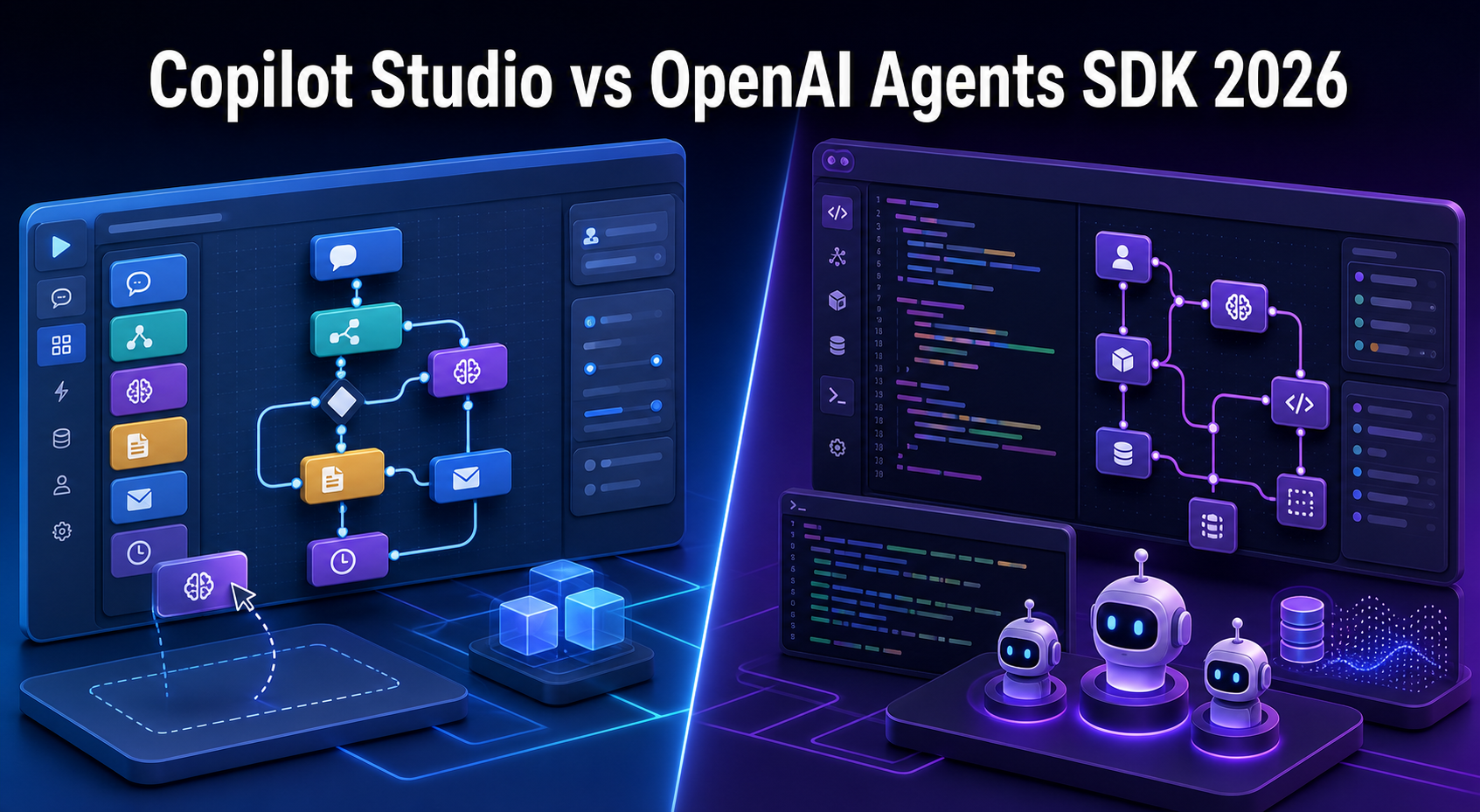
Microsoft Copilot Studio is a low-code platform for building, deploying, and managing AI agents inside the Microsoft ecosystem. You design agents in a visual canvas using topics, triggers, and conversational flows, then connect them to data and actions through the Power Platform connector library.
Its biggest advantage is reach. An agent built here can drop straight into Microsoft Teams, Microsoft 365 apps, SharePoint, or a public website with almost no extra plumbing. For organizations already standardized on Microsoft 365, that integration story is hard to beat.
- Build model: Visual designer plus Power Fx formulas for logic.
- Audience: Business analysts, “fusion teams,” and citizen developers — not only engineers.
- Knowledge sources: SharePoint, Dataverse, public websites, and uploaded documents with built-in retrieval.
- Actions: Over a thousand prebuilt connectors plus custom Power Automate flows.
- Multi-agent: Connected agents let one orchestrator hand work to specialized child agents.
You can read the official capabilities in the Microsoft Copilot Studio documentation, which Microsoft updates frequently as the product evolves.
OpenAI Agents SDK at a Glance
The OpenAI Agents SDK is a lightweight, code-first framework for building agentic applications in Python or TypeScript. It is the production-ready successor to OpenAI’s earlier Swarm experiment, and it gives developers direct control over agent logic, tools, and orchestration.
Where Copilot Studio hides complexity behind a canvas, the Agents SDK exposes it as clean primitives you compose in code. There are only a handful of core concepts — agents, tools, handoffs, guardrails, and sessions — and that small surface area is the point. You get power without a heavy framework getting in your way.
- Build model: Pure code (Python first, with a TypeScript SDK available).
- Audience: Software engineers who want full control and version-controlled logic.
- Tools: Any Python function becomes a tool with a decorator; call any API you can reach in code.
- Orchestration: Handoffs between agents and the “agents-as-tools” pattern for delegation.
- Observability: Built-in tracing, plus OpenTelemetry export for your own dashboards.
The full reference lives in the OpenAI Agents SDK documentation, which is open source and community-readable.
Copilot Studio vs OpenAI Agents SDK: Head-to-Head
The clearest way to compare these platforms is across the dimensions that actually drive enterprise decisions. Here’s how they stack up in 2026.
| Dimension | Microsoft Copilot Studio | OpenAI Agents SDK |
|---|---|---|
| Build style | Low-code visual + Power Fx | Code-first (Python / TypeScript) |
| Primary user | Business + fusion teams | Software engineers |
| Hosting | Managed SaaS (Microsoft cloud) | Your own infrastructure |
| Model choice | OpenAI + Microsoft-hosted models | OpenAI models (others via LiteLLM) |
| Integrations | 1,000+ Power Platform connectors | Any API you can call in code |
| Governance | Purview, DLP, Entra ID built in | You assemble your own stack |
| Observability | Built-in analytics dashboard | Built-in tracing + OpenTelemetry |
| Time to first agent | Minutes | Hours |
| Customization ceiling | Medium | Very high |
Read the table as a spectrum, not a scoreboard. Copilot Studio trades flexibility for speed and built-in governance. The Agents SDK trades convenience for near-unlimited control. Your team’s makeup usually decides which trade-off is worth it.
Building a Simple Agent in Each Platform
Nothing clarifies the difference faster than seeing the same idea built both ways. Imagine a support agent that looks up an order status. Here is the OpenAI Agents SDK version.
# Install first: pip install openai-agents
from agents import Agent, Runner, function_tool

@function_tool
def get_order_status(order_id: str) -> str:
    """Look up the current status of a customer order."""
    # In production you would query your database or order API here
    return f"Order {order_id} shipped and arrives tomorrow."

# Define the agent: instructions are its system prompt, tools are its actions
support_agent = Agent(
    name="Support Agent",
    instructions="You help customers track orders. Be concise and friendly.",
    tools=[get_order_status],
)

# Run the agent against a user message
result = Runner.run_sync(support_agent, "Where is order #4471?")
print(result.final_output)
This code defines one tool with the @function_tool decorator, attaches it to an agent, and runs a single turn. The model decides on its own whether to call get_order_status based on the user’s question — you never write that branching logic yourself. That decision-making is what makes it an agent rather than a script.
Copilot Studio has no equivalent file you write end to end, because you assemble most of the agent in the visual designer. Logic that does live in text is written in Power Fx, Microsoft’s formula language. A validation step inside a topic might look like this.
// Power Fx expression inside a Copilot Studio topic condition
// Confirms the user supplied an order ID of at least four digits
If(
    !IsBlank(Topic.OrderID) && IsMatch(Topic.OrderID, "^\d{4,}$"),
    "valid",
    "invalid"
)
This expression checks that the captured OrderID variable is not blank and matches a numeric pattern before the agent calls a connector. You’d wire the rest — the trigger phrase, the connector call, the response — through the canvas. The contrast is stark: one platform is code you commit to Git, the other is a configuration you click together.
Governance, Security, and Compliance
This is where many enterprise pilots live or die, and it’s the strongest argument for Copilot Studio. Because it runs inside the Microsoft cloud, agents inherit Microsoft Entra ID authentication, data loss prevention policies, and Microsoft Purview auditing without extra work. Your security team likely already governs those tools.
The OpenAI Agents SDK takes the opposite stance: it gives you primitives and gets out of the way. It ships guardrails that can validate inputs and outputs, and tracing that records every step for review. But identity, secrets management, network isolation, and audit retention are yours to build and own.
If your compliance team needs an answer to “where does the data go and who approved it” before launch, a managed platform shortens that conversation by months. If you need a custom data-residency setup no SaaS offers, owning the stack is the only path.
Neither approach is safer in the abstract. A well-architected Agents SDK deployment can exceed Copilot Studio’s controls; a sloppy one can leak data the same day. The difference is who carries the responsibility.
Pricing and Total Cost of Ownership
Surface pricing is easy to find; true cost is not. Copilot Studio bills primarily through a message-based model, where each interaction consumes capacity you buy in packs or through a Microsoft 365 license bundle. The headline rate looks predictable, but heavy generative usage and premium connectors add up.
The OpenAI Agents SDK is free — you pay only for model tokens you consume through the API. That sounds cheaper, and at low volume it often is. The hidden cost is engineering. Someone has to build the hosting, monitoring, retries, and deployment pipeline that Copilot Studio includes by default.
- Copilot Studio cost centers: message packs, premium connectors, and Power Platform licensing.
- Agents SDK cost centers: model tokens, cloud hosting, and ongoing developer time.
- Break-even insight: low-volume internal tools often favor the SDK; broad rollouts to non-technical staff often favor Copilot Studio once you count maintenance.
Run a realistic 90-day pilot with both before committing. Token estimates and message counts on a whiteboard rarely survive contact with real traffic.
When to Choose Copilot Studio vs OpenAI Agents SDK
After weighing build style, governance, and cost, the decision usually comes down to your team and your control requirements. Here’s a direct recommendation for each platform.
Choose Microsoft Copilot Studio when
- Your organization runs on Microsoft 365 and Teams already.
- Business users, not just engineers, need to build and maintain agents.
- You want governance, identity, and compliance handled by the platform.
- Speed to a working internal agent matters more than deep customization.
Choose the OpenAI Agents SDK when
- You have engineers who want logic in version control and full test coverage.
- Your agent needs custom orchestration that no visual tool supports.
- You require precise control over models, data flow, and hosting.
- You’re embedding agents into an existing software product, not an office workflow.
Many mature teams end up using both: Copilot Studio for employee-facing productivity agents, and the Agents SDK for customer-facing or product-embedded automation. Treating them as complementary rather than competing is often the smartest move.
Common Pitfalls to Avoid
Both platforms fail in predictable ways. Watch for these before they cost you a sprint.
- Picking by hype, not team skills. A code-first SDK in a no-code shop stalls fast, and the reverse frustrates engineers who want real control.
- Ignoring observability until production. Turn on tracing and analytics from day one. Debugging an agent’s reasoning without logs is guesswork.
- Skipping guardrails. An agent with tool access and no input validation will eventually take an action you didn’t intend. Constrain it early.
- Underestimating maintenance. The “free” SDK is only free until you staff the hosting, upgrades, and on-call coverage it needs.
- Letting agents over-reach. Give each agent the narrowest set of tools that completes its job. Broad permissions are the biggest security risk in agentic systems.
Frequently Asked Questions
Is Copilot Studio better than the OpenAI Agents SDK for beginners?
Yes, for non-developers. Copilot Studio’s visual canvas lets a business analyst ship a working agent without writing code. The OpenAI Agents SDK assumes Python or TypeScript fluency, so it suits engineering teams better than first-time builders.
Can the OpenAI Agents SDK use models other than OpenAI’s?
Yes. While it’s optimized for OpenAI models, the SDK supports other providers through LiteLLM and any API that follows a compatible interface. That flexibility lets you avoid vendor lock-in on the model layer if that’s a priority.
Does Copilot Studio require a full Microsoft 365 license?
Not strictly, but it’s far more cost-effective inside the Microsoft ecosystem. You can buy standalone capacity, yet the connectors, identity, and governance benefits assume you’re using Microsoft 365, Teams, or the Power Platform.
Which platform handles multi-agent workflows better?
Both support multi-agent setups. Copilot Studio uses connected agents where an orchestrator delegates to child agents. The Agents SDK uses handoffs and the agents-as-tools pattern, giving developers finer control over how and when delegation happens.
Can I migrate an agent from one platform to the other later?
There’s no automated path. The logic concepts transfer, but you rebuild the implementation. This is why the team-skills decision matters early — switching means rewriting, not exporting.
Conclusion
The Copilot Studio vs OpenAI Agents SDK choice isn’t about which platform is more advanced — both build capable enterprise agents in 2026. It’s about matching the tool to your team, your governance needs, and how much control you actually require.
Reach for Microsoft Copilot Studio when speed, built-in governance, and Microsoft 365 integration matter most, and when business users need to build alongside engineers. Reach for the OpenAI Agents SDK when you want code-first control, custom orchestration, and agents embedded deep inside your own product. Run a short pilot with real traffic, watch the total cost rather than the sticker price, and remember that the strongest enterprise strategy often uses both for different jobs.