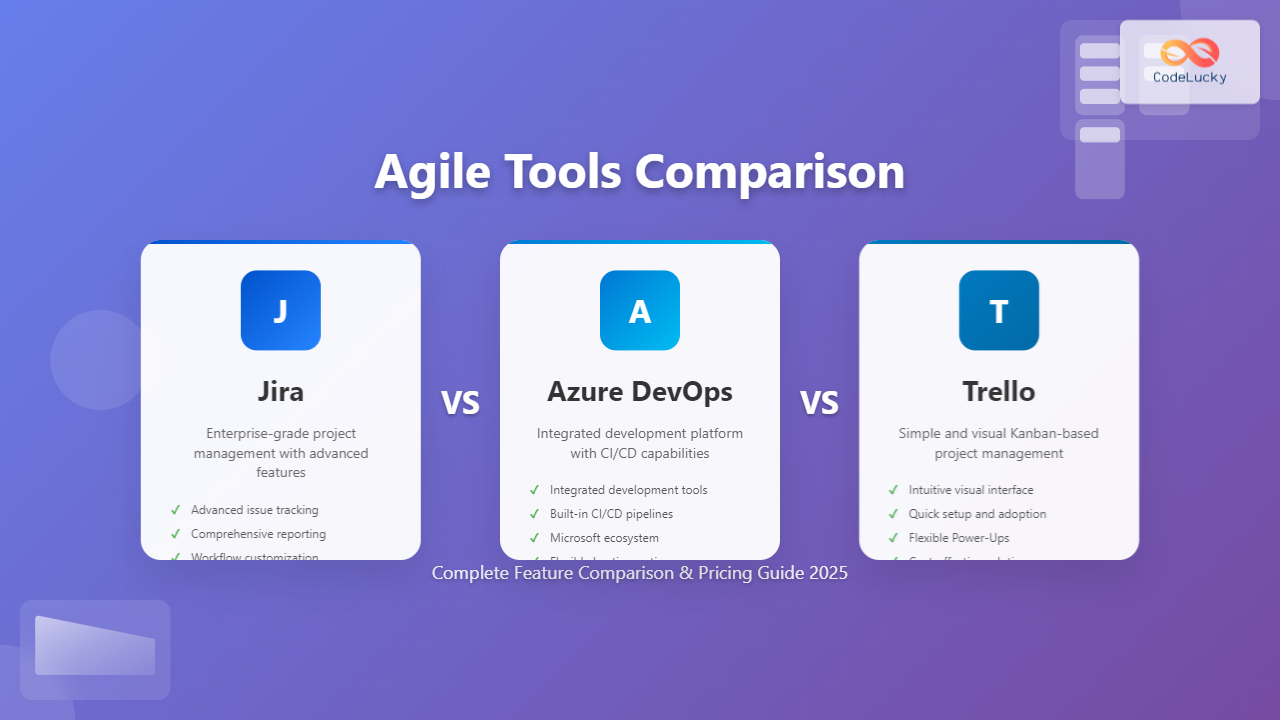
Choosing the right Agile tool can make or break your team’s productivity and project success. With countless options available, three platforms consistently rise to the top: Jira, Azure DevOps, and Trello. Each offers unique strengths for different team sizes, project complexities, and organizational needs.
This comprehensive comparison will help you understand the key differences, features, and pricing models of these popular Agile tools, enabling you to make an informed decision for your development team.
Understanding Agile Tool Requirements
Before diving into specific tools, it’s essential to understand what makes an effective Agile project management platform. Modern teams need tools that support:
- Sprint Planning and Management: Tools for creating, managing, and tracking sprints with clear timelines and deliverables
- Backlog Management: Prioritization features for user stories, epics, and tasks
- Team Collaboration: Communication features, file sharing, and real-time updates
- Reporting and Analytics: Burndown charts, velocity tracking, and performance metrics
- Integration Capabilities: Seamless connection with development tools, CI/CD pipelines, and third-party applications
- Customization Options: Flexible workflows, custom fields, and adaptable board layouts
Jira: The Enterprise Agile Powerhouse
Overview and Target Audience
Atlassian’s Jira stands as the most widely adopted Agile project management tool in enterprise environments. Originally designed for bug tracking, Jira has evolved into a comprehensive platform supporting Scrum, Kanban, and hybrid methodologies. It’s particularly popular among software development teams working on complex, large-scale projects.
Key Features and Capabilities
Advanced Issue Tracking: Jira excels in detailed issue management with customizable issue types, priority levels, and status workflows. Teams can create complex hierarchies with epics, stories, tasks, and subtasks, providing granular control over project components.
Robust Reporting Suite: The platform offers extensive reporting capabilities including burndown charts, velocity reports, cumulative flow diagrams, and sprint reports. Advanced analytics help teams identify bottlenecks and optimize their processes.
Flexible Workflow Engine: Jira’s workflow customization allows teams to model their exact processes, from simple three-step workflows to complex multi-stage approval processes with conditional transitions and automated actions.
Powerful Integration Ecosystem: With thousands of add-ons available through the Atlassian Marketplace, Jira integrates seamlessly with development tools like Bitbucket, Confluence, and numerous third-party applications.
Advantages of Using Jira
- Scalability: Handles projects from small teams to enterprise-level organizations with thousands of users
- Customization Depth: Extensive configuration options for fields, workflows, and permissions
- Advanced Reporting: Comprehensive analytics and reporting capabilities for data-driven decisions
- Strong API: Robust REST API for custom integrations and automation
- Mature Ecosystem: Large community, extensive documentation, and professional support options
Limitations and Considerations
- Complexity: Steep learning curve, especially for new Agile practitioners
- Performance Issues: Can become slow with large datasets or extensive customizations
- Cost Escalation: Pricing increases significantly with team size and additional features
- Over-Engineering Risk: Easy to create overly complex workflows that hinder productivity
Pricing Structure
Jira offers tiered pricing starting at $10 per user per month for teams up to 10 users. The Standard plan costs $7.75 per user monthly for larger teams, while Premium features require $15.25 per user monthly. Enterprise pricing is available for organizations needing advanced security and compliance features.
Azure DevOps: Microsoft’s Integrated Development Platform
Overview and Target Audience
Microsoft Azure DevOps provides a comprehensive suite of development tools combining project management, version control, build automation, and deployment capabilities. It’s designed for teams already invested in the Microsoft ecosystem and those seeking an all-in-one development platform.
Core Services and Features
Azure Boards: The project management component offers Kanban boards, sprint planning, and backlog management with support for Scrum and Agile methodologies. Teams can track work items, manage sprints, and visualize progress through customizable dashboards.
Azure Repos: Git repositories with advanced branching strategies, pull requests, and code review capabilities. Integration with popular IDEs and seamless connection to other Azure services.
Azure Pipelines: Continuous integration and deployment with support for multiple platforms, languages, and cloud providers. Automated testing and deployment workflows streamline the development lifecycle.
Azure Artifacts: Package management for sharing code across teams and organizations, supporting npm, NuGet, Maven, and Python packages.
Strengths of Azure DevOps
- Integrated Ecosystem: Seamless integration between all development lifecycle stages
- Microsoft Integration: Native compatibility with Visual Studio, Office 365, and other Microsoft tools
- Flexible Hosting: Available as cloud service or on-premises installation
- Generous Free Tier: Substantial functionality available at no cost for small teams
- Multi-Platform Support: Works across Windows, macOS, and Linux environments
Potential Drawbacks
- Microsoft Dependency: Less attractive for teams avoiding Microsoft ecosystem
- Learning Curve: Complex platform with many features requiring significant time investment
- Limited Third-Party Extensions: Smaller marketplace compared to competitors
- Interface Complexity: Can feel overwhelming for users seeking simplicity
Pricing Model
Azure DevOps offers competitive pricing with the first five users free for Azure Boards. Additional users cost $6 per month, making it an attractive option for growing teams. Azure Pipelines provides 1,800 minutes monthly for free, with additional capacity available through paid plans.
Trello: Simple and Visual Project Management
Overview and Philosophy
Trello, also owned by Atlassian, emphasizes simplicity and visual project management through its card-based Kanban approach. It’s designed for teams preferring intuitive, easy-to-use tools over feature-rich complexity. Trello excels in scenarios where quick setup and immediate productivity are priorities.
Core Features and Functionality
Kanban-Based Interface: Visual boards with cards representing tasks, moving through customizable lists that represent project stages. The drag-and-drop interface makes it intuitive for team members of all technical levels.
Power-Ups and Integrations: Extensible through Power-Ups that add functionality like calendar views, time tracking, and integrations with external services. Popular Power-Ups include GitHub, Slack, and Google Drive connections.
Collaboration Features: Team members can comment on cards, attach files, set due dates, and receive notifications. Activity feeds keep everyone informed about project changes and updates.
Mobile Applications: Full-featured mobile apps for iOS and Android ensure team members can stay connected and update projects from anywhere.
Advantages of Trello
- Ease of Use: Minimal learning curve with intuitive visual interface
- Quick Setup: Teams can start using Trello productively within minutes
- Visual Appeal: Clean, modern interface that encourages engagement
- Flexible Application: Suitable for various project types beyond software development
- Affordable Pricing: Cost-effective solution for small to medium teams
Limitations of Trello
- Limited Reporting: Basic analytics compared to enterprise-focused alternatives
- Scalability Concerns: Becomes unwieldy with very large projects or complex workflows
- Advanced Feature Gaps: Lacks sophisticated project management features like Gantt charts or advanced time tracking
- Customization Limits: Fewer configuration options compared to Jira or Azure DevOps
Pricing Options
Trello offers a generous free tier supporting unlimited personal boards and cards. The paid Standard plan costs $10 per user monthly, providing unlimited Power-Ups, larger file attachments, and advanced features. Premium plans at $17.50 per user monthly add calendar view, dashboard view, and advanced administrative controls.
Feature-by-Feature Comparison
Sprint Planning and Management
Jira provides the most comprehensive sprint planning capabilities with detailed sprint reports, capacity planning, and velocity tracking. Teams can estimate story points, track sprint progress, and analyze historical data for future planning.
Azure DevOps offers robust sprint planning through Azure Boards with sprint burndown charts, capacity management, and team velocity metrics. The integration with development tools provides real-time progress updates.
Trello supports basic sprint management through board organization and Power-Ups but lacks native sprint planning features. Teams must rely on third-party integrations or manual processes for advanced sprint management.
Reporting and Analytics
Jira leads in reporting capabilities with built-in reports including burndown charts, velocity reports, and custom dashboards. Advanced reporting requires additional paid add-ons but provides enterprise-level analytics.
Azure DevOps includes comprehensive reporting through Azure Analytics with burndown charts, cumulative flow diagrams, and custom queries. Integration with Power BI enables advanced data visualization.
Trello offers basic reporting through Power-Ups but lacks native advanced analytics. Teams requiring detailed reporting must integrate with external tools or export data manually.
Integration Ecosystem
Jira boasts thousands of add-ons through the Atlassian Marketplace, covering everything from advanced reporting to specialized workflow automation. The mature ecosystem supports virtually any integration need.
Azure DevOps integrates seamlessly with Microsoft tools and popular development platforms. While the extension marketplace is smaller than Jira’s, it covers essential integrations for most development workflows.
Trello supports integrations through Power-Ups and Zapier connections. While not as extensive as Jira, it covers common business applications and development tools needed by smaller teams.
Choosing the Right Tool for Your Team
When to Choose Jira
Select Jira for complex software development projects requiring detailed issue tracking, advanced reporting, and extensive customization. It’s ideal for:
- Enterprise teams with dedicated project managers
- Projects requiring detailed audit trails and compliance reporting
- Teams needing complex workflow automation
- Organizations with budget for training and setup time
When Azure DevOps Makes Sense
Choose Azure DevOps for teams seeking an integrated development platform combining project management with version control and CI/CD. Consider it when:
- Your team already uses Microsoft development tools
- You need integrated source control and deployment pipelines
- Cost-effectiveness for medium-sized teams is important
- On-premises installation is required
When Trello is the Right Choice
Opt for Trello when simplicity and visual project management are priorities over advanced features. It works well for:
- Small teams needing quick project setup
- Non-technical team members requiring easy-to-use tools
- Projects with straightforward workflows
- Budget-conscious organizations starting with Agile practices
Implementation Best Practices
Getting Started Successfully
Regardless of your chosen tool, successful implementation requires careful planning and team buy-in. Start with a pilot project to test workflows and identify customization needs before full deployment.
Training and Adoption: Invest in proper training for team members, especially with complex tools like Jira or Azure DevOps. Create internal documentation and establish clear usage guidelines.
Workflow Design: Map your existing processes before configuring workflows in your chosen tool. Avoid over-complicating initial setups – start simple and add complexity gradually as teams become comfortable.
Integration Planning: Identify key integrations needed with existing tools and plan implementation phases. Test integrations thoroughly before rolling out to the entire team.
Measuring Success
Establish metrics to evaluate tool effectiveness including team velocity, sprint completion rates, and user adoption. Regular retrospectives should include discussions about tool effectiveness and potential improvements.
Future Considerations and Trends
The Agile tool landscape continues evolving with artificial intelligence, automation, and enhanced collaboration features. Consider how your chosen platform’s roadmap aligns with your long-term needs.
AI and Automation: Look for tools incorporating predictive analytics, automated task assignment, and intelligent reporting. These features will become increasingly important for competitive advantage.
Remote Work Support: Evaluate collaboration features, mobile capabilities, and real-time synchronization as remote and hybrid work models become permanent fixtures in software development.
Scalability Planning: Consider how your chosen tool will handle team growth, increased project complexity, and evolving organizational needs over the next 2-3 years.
Conclusion
Selecting the right Agile tool depends on your team’s specific needs, technical expertise, and organizational goals. Jira offers unmatched depth and customization for complex enterprise environments, Azure DevOps provides integrated development workflows with cost-effective pricing, and Trello delivers simplicity and ease of use for straightforward project management needs.
The best choice isn’t necessarily the most feature-rich option but rather the tool that aligns with your team’s workflow, technical capabilities, and long-term objectives. Consider starting with free tiers or trials to evaluate each platform’s fit with your specific requirements before making a final decision.
Remember that tool selection is just the beginning – successful Agile implementation requires ongoing commitment to process improvement, team collaboration, and adaptation to changing project needs. Choose the platform that will grow with your team and support your journey toward more effective, collaborative software development.
Related Posts
Agile Project Management Tools: Complete Feature Comparison Guide 2025
Selecting the right Agile project management tool can make or break your team's productivity and project success. With dozens of...
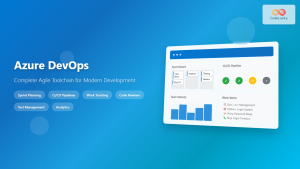
Azure DevOps: Complete Agile Toolchain for Modern Software Development
Azure DevOps has emerged as one of the most comprehensive platforms for implementing Agile methodologies in modern software development. This...
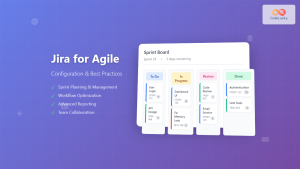
Jira for Agile: Complete Configuration Guide and Best Practices for Teams
Jira has become the backbone of Agile development for millions of teams worldwide, offering powerful tools to manage sprints, track...

Tools for Remote Agile: Essential Collaboration Platforms for Distributed Teams
Remote Agile development has become the norm for countless software teams worldwide. The success of distributed Agile teams heavily depends...
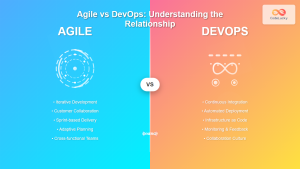
Agile vs DevOps: Understanding the Relationship Between Two Powerful Software Development Methodologies
In today's fast-paced software development landscape, organizations are constantly seeking methodologies that can accelerate delivery while maintaining quality. Two prominent...
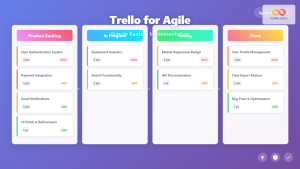
Trello for Agile: Complete Guide to Simple Kanban Implementation for Development Teams
Trello has revolutionized how development teams implement Agile methodologies, offering an intuitive visual approach to project management that makes Kanban...
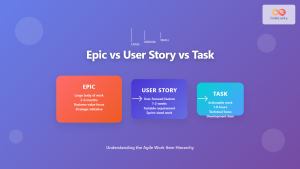
Epic vs User Story vs Task: Complete Guide to Agile Work Item Hierarchy
Understanding the relationship between Epics, User Stories, and Tasks is fundamental to successful Agile project management. This hierarchical structure forms...
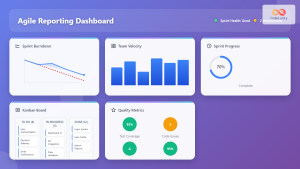
Agile Reporting: Complete Guide to Real-Time Dashboards and Performance Insights
Agile reporting transforms raw project data into actionable insights that drive successful software delivery. Unlike traditional waterfall reporting that focuses...

DevOps and Agile: Extending Agility to Operations – Complete Guide for Modern Software Delivery
The evolution of software development has witnessed remarkable transformations, from traditional waterfall methodologies to Agile practices, and now to the...
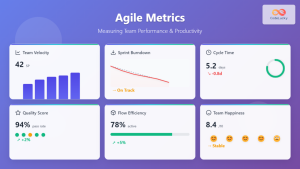
Agile Metrics: Complete Guide to Measuring Team Performance and Productivity
Measuring team performance in agile environments requires a strategic approach that goes beyond traditional project management metrics. Agile metrics provide...

Miro for Agile: Complete Guide to Visual Collaboration and Team Productivity
Visual collaboration has become the cornerstone of successful Agile teams, especially in today's distributed work environment. Miro stands out as...
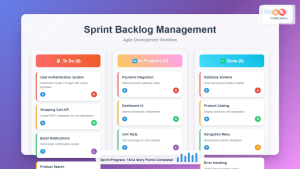
Sprint Backlog: Complete Guide to Creation and Management in Agile Development
The sprint backlog serves as the heart of Agile development, acting as a dynamic roadmap that guides development teams through...