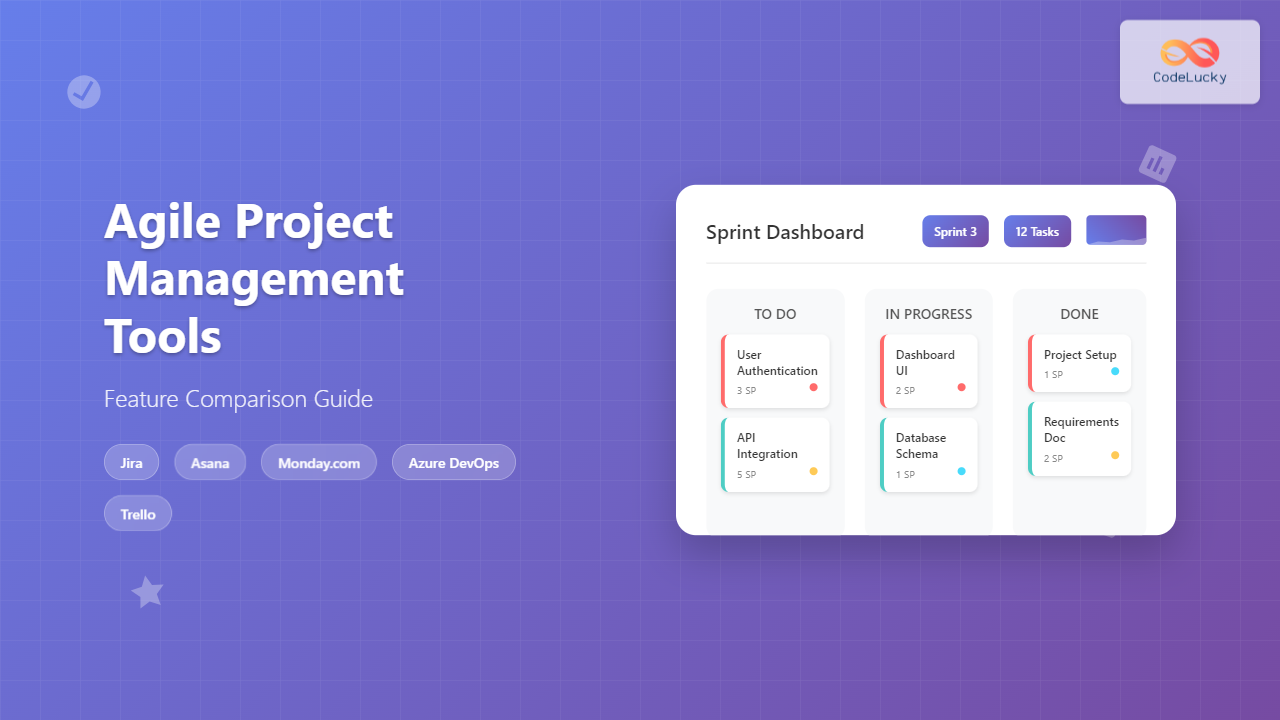
Selecting the right Agile project management tool can make or break your team’s productivity and project success. With dozens of options available, each offering unique features and capabilities, making an informed decision requires understanding what each tool brings to the table.
This comprehensive guide examines the leading Agile project management tools, comparing their features, strengths, and ideal use cases to help you choose the perfect solution for your team’s needs.
What Makes a Great Agile Project Management Tool?
Before diving into specific tools, it’s essential to understand the core features that define an effective Agile project management platform:
Sprint Planning and Management: The ability to create, manage, and track sprints with clear timelines, goals, and deliverables. This includes sprint backlogs, burndown charts, and velocity tracking.
Backlog Management: Comprehensive product and sprint backlog management with prioritization features, user story creation, and requirement tracking.
Kanban Boards: Visual workflow management with customizable columns, card limits, and automation rules to optimize team productivity.
Reporting and Analytics: Real-time insights into team performance, project progress, and bottlenecks through dashboards, charts, and custom reports.
Team Collaboration: Built-in communication tools, file sharing, commenting systems, and integration with popular collaboration platforms.
Customization and Flexibility: The ability to adapt the tool to your team’s specific workflow, methodologies, and organizational requirements.
Top Agile Project Management Tools Compared
Jira Software by Atlassian
Best For: Software development teams and organizations already using Atlassian ecosystem
Jira Software stands as the industry standard for Agile project management, particularly among software development teams. Its robust feature set and deep Agile methodology support make it a popular choice for organizations of all sizes.
Key Features:
- Advanced Scrum and Kanban board support with customizable workflows
- Comprehensive sprint planning with story points, time tracking, and estimation
- Extensive reporting capabilities including burndown charts, velocity reports, and custom dashboards
- Powerful issue tracking with custom fields, priorities, and resolution workflows
- Native integration with development tools like Bitbucket, GitHub, and Jenkins
- Marketplace with thousands of add-ons and plugins
Pricing Structure: Starts at $7.50 per user per month for teams up to 10 users, with higher tiers offering additional features and support.
Strengths: Jira excels in handling complex projects with multiple teams and stakeholders. Its integration ecosystem is unmatched, and the platform scales exceptionally well from small teams to enterprise organizations.
Considerations: The learning curve can be steep for new users, and the interface may feel overwhelming for teams not familiar with Agile methodologies. Setup and configuration require significant time investment.
Asana
Best For: Cross-functional teams and organizations prioritizing ease of use
Asana offers a user-friendly approach to Agile project management, combining powerful features with an intuitive interface that makes adoption straightforward for teams new to Agile methodologies.
Key Features:
- Multiple project views including Kanban boards, Gantt charts, and calendar views
- Goal tracking and OKR management integration
- Timeline view for dependency management and project planning
- Custom fields and project templates for consistency
- Proofing and approval workflows for creative teams
- Mobile apps with full feature parity
Pricing Structure: Free tier available for teams up to 15 members, with premium plans starting at $10.99 per user per month.
Strengths: Asana’s intuitive design makes it accessible to non-technical teams while still providing robust project management capabilities. The platform offers excellent flexibility in project visualization and workflow management.
Considerations: While Asana supports Agile workflows, it lacks some specialized Agile features found in dedicated tools like advanced sprint planning and velocity tracking.
Monday.com
Best For: Teams seeking high customization and visual project management
Monday.com positions itself as a work operating system, offering extensive customization options and visual project management capabilities that can be adapted to various Agile frameworks.
Key Features:
- Highly customizable boards with multiple column types and automation
- Time tracking and resource management tools
- Visual project dashboards with charts and widgets
- Integration hub with 200+ third-party applications
- Workload management and capacity planning
- Advanced permission and privacy controls
Pricing Structure: Basic plan starts at $8 per user per month, with more advanced features available in higher-tier plans.
Strengths: The platform’s visual approach and extensive customization options make it adaptable to various project management methodologies. Strong automation capabilities help streamline repetitive tasks.
Considerations: The abundance of customization options can lead to complexity, and the platform may require significant setup time to align with specific Agile practices.
Azure DevOps
Best For: Microsoft-centric organizations and DevOps-focused teams
Azure DevOps provides a comprehensive suite of development tools integrated with Agile project management capabilities, making it ideal for organizations following DevOps practices.
Key Features:
- Integrated source control with Git repositories
- Built-in CI/CD pipelines and deployment management
- Advanced work item tracking with custom fields and queries
- Sprint planning and backlog management tools
- Test management and automated testing integration
- Comprehensive reporting and analytics dashboard
Pricing Structure: Free tier for up to 5 users, with additional features and users available through paid plans starting at $6 per user per month.
Strengths: Seamless integration between project management and development tools creates a unified workflow. Strong support for enterprise-scale projects and complex development processes.
Considerations: The platform can be overwhelming for non-technical team members, and full utilization requires familiarity with Microsoft development ecosystem.
Trello
Best For: Small teams and simple Kanban-style project management
Trello offers a simplified approach to Agile project management through its card-based Kanban system, making it accessible for teams new to project management tools.
Key Features:
- Simple Kanban board interface with drag-and-drop functionality
- Butler automation for rule-based task management
- Power-ups for extended functionality and integrations
- Mobile applications with offline capability
- Team collaboration through comments and mentions
- Template gallery for quick project setup
Pricing Structure: Free tier available with basic features, premium plans start at $5 per user per month.
Strengths: Extremely user-friendly interface with minimal learning curve. Perfect for teams that prefer visual simplicity over complex feature sets.
Considerations: Limited advanced Agile features like sprint planning, velocity tracking, and comprehensive reporting capabilities.
Feature Comparison Matrix
| Feature | Jira | Asana | Monday.com | Azure DevOps | Trello |
|---|---|---|---|---|---|
| Kanban Boards | ✅ | ✅ | ✅ | ✅ | ✅ |
| Sprint Planning | ✅ | ⚠️ | ⚠️ | ✅ | ❌ |
| Backlog Management | ✅ | ✅ | ✅ | ✅ | ⚠️ |
| Burndown Charts | ✅ | ⚠️ | ✅ | ✅ | ❌ |
| Time Tracking | ✅ | ✅ | ✅ | ✅ | ⚠️ |
| Custom Workflows | ✅ | ✅ | ✅ | ✅ | ⚠️ |
| Third-party Integrations | ✅ | ✅ | ✅ | ✅ | ✅ |
| Mobile Apps | ✅ | ✅ | ✅ | ✅ | ✅ |
| Free Tier Available | ✅ | ✅ | ❌ | ✅ | ✅ |
Legend: ✅ Full Support | ⚠️ Limited Support | ❌ Not Available
Choosing the Right Tool for Your Team
Selecting the optimal Agile project management tool depends on several critical factors specific to your organization and project requirements.
Team Size and Structure
Small Teams (5-15 members): Trello or Asana provide sufficient functionality without overwhelming complexity. These tools offer intuitive interfaces and essential Agile features that support effective collaboration without extensive setup requirements.
Medium Teams (15-50 members): Monday.com or Asana scale well for growing teams, offering advanced features like workload management and custom reporting while maintaining user-friendly interfaces.
Large Teams/Enterprise (50+ members): Jira Software or Azure DevOps provide the scalability, advanced features, and enterprise-grade security required for complex organizational structures.
Technical Expertise
Consider your team’s technical background when evaluating tools. Non-technical teams benefit from user-friendly interfaces like Asana or Monday.com, while development-focused teams can leverage the advanced capabilities of Jira or Azure DevOps.
Budget Considerations
Evaluate both initial costs and long-term scalability. While free tiers exist for most tools, advanced features typically require paid subscriptions. Consider the total cost of ownership, including training, setup time, and ongoing maintenance.
Integration Requirements
Assess your existing tool ecosystem and integration needs. Teams heavily invested in Microsoft products benefit from Azure DevOps integration, while Atlassian ecosystem users find value in Jira’s seamless connectivity with other Atlassian products.
Implementation Best Practices
Successful tool adoption requires strategic planning and thoughtful implementation. Start with a pilot project involving a small team to test workflows and identify potential issues before organization-wide rollout.
Training and Onboarding: Invest in comprehensive team training to maximize tool utilization. Most platforms offer extensive documentation, video tutorials, and certification programs to accelerate adoption.
Workflow Standardization: Establish consistent processes and naming conventions across teams to ensure uniformity and facilitate collaboration between different groups.
Regular Review and Optimization: Schedule periodic assessments of tool usage and effectiveness. Gather team feedback and adjust configurations to optimize workflows and address emerging needs.
Future Trends in Agile Project Management Tools
The landscape of Agile project management tools continues evolving with technological advancements and changing workplace dynamics.
AI and Machine Learning Integration: Modern tools increasingly incorporate AI capabilities for predictive analytics, automated task assignment, and intelligent reporting. These features help teams identify potential bottlenecks and optimize resource allocation.
Remote and Hybrid Work Support: Enhanced collaboration features, real-time synchronization, and mobile optimization address the growing need for distributed team management.
DevOps and CI/CD Integration: Closer integration between project management and development tools streamlines the entire software delivery pipeline, reducing context switching and improving efficiency.
Making Your Final Decision
The right Agile project management tool transforms team productivity and project outcomes. Consider your specific requirements, team dynamics, and organizational goals when making your selection.
For software development teams seeking comprehensive Agile features, Jira Software remains the gold standard. Organizations prioritizing ease of use and cross-functional collaboration benefit from Asana’s intuitive approach. Teams requiring extensive customization find Monday.com’s flexibility appealing, while Microsoft-centric environments leverage Azure DevOps’ integrated ecosystem.
Remember that the most powerful tool is one your team actively uses and embraces. Prioritize user adoption and workflow alignment over feature complexity to ensure long-term success with your chosen platform.
Take advantage of free trials and demos to test tools with your actual workflows before committing to a solution. This hands-on evaluation reveals how well each tool aligns with your team’s specific needs and working style.
Related Posts
Agile Tools: Complete Jira vs Azure DevOps vs Trello Comparison Guide 2025
Choosing the right Agile tool can make or break your team's productivity and project success. With countless options available, three...
Sprint Backlog: Complete Guide to Creation and Management in Agile Development
The sprint backlog serves as the heart of Agile development, acting as a dynamic roadmap that guides development teams through...
Product Backlog Management: Complete Guide to Prioritization and Refinement Strategies
Product backlog management forms the cornerstone of successful Agile development, directly impacting team productivity, stakeholder satisfaction, and project outcomes. As...
Agile Reporting: Complete Guide to Real-Time Dashboards and Performance Insights
Agile reporting transforms raw project data into actionable insights that drive successful software delivery. Unlike traditional waterfall reporting that focuses...

Sprint Planning: Complete Guide and Best Practices for Agile Teams
Sprint planning forms the cornerstone of successful agile development, serving as the critical bridge between product vision and executable work....
Tools for Remote Agile: Essential Collaboration Platforms for Distributed Teams
Remote Agile development has become the norm for countless software teams worldwide. The success of distributed Agile teams heavily depends...

Stakeholder Management: Complete Guide to Engaging All Parties in Agile Projects
Effective stakeholder management is the cornerstone of successful Agile projects. In today's complex business environment, projects involve multiple parties with...
Agile Metrics: Complete Guide to Measuring Team Performance and Productivity
Measuring team performance in agile environments requires a strategic approach that goes beyond traditional project management metrics. Agile metrics provide...
Scrum Artifacts: Product Backlog, Sprint Backlog, Increment – Complete Guide
Scrum artifacts form the foundation of successful agile project management, providing transparency, inspection, and adaptation opportunities throughout the development process....
Epic vs User Story vs Task: Complete Guide to Agile Work Item Hierarchy
Understanding the relationship between Epics, User Stories, and Tasks is fundamental to successful Agile project management. This hierarchical structure forms...
Jira for Agile: Complete Configuration Guide and Best Practices for Teams
Jira has become the backbone of Agile development for millions of teams worldwide, offering powerful tools to manage sprints, track...
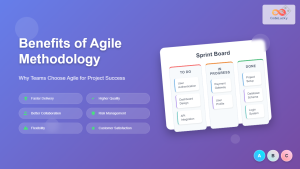
Benefits of Agile Methodology: Why Teams Choose Agile for Project Success
Agile methodology has revolutionized how teams approach project management and software development. Since its introduction through the Agile Manifesto in...