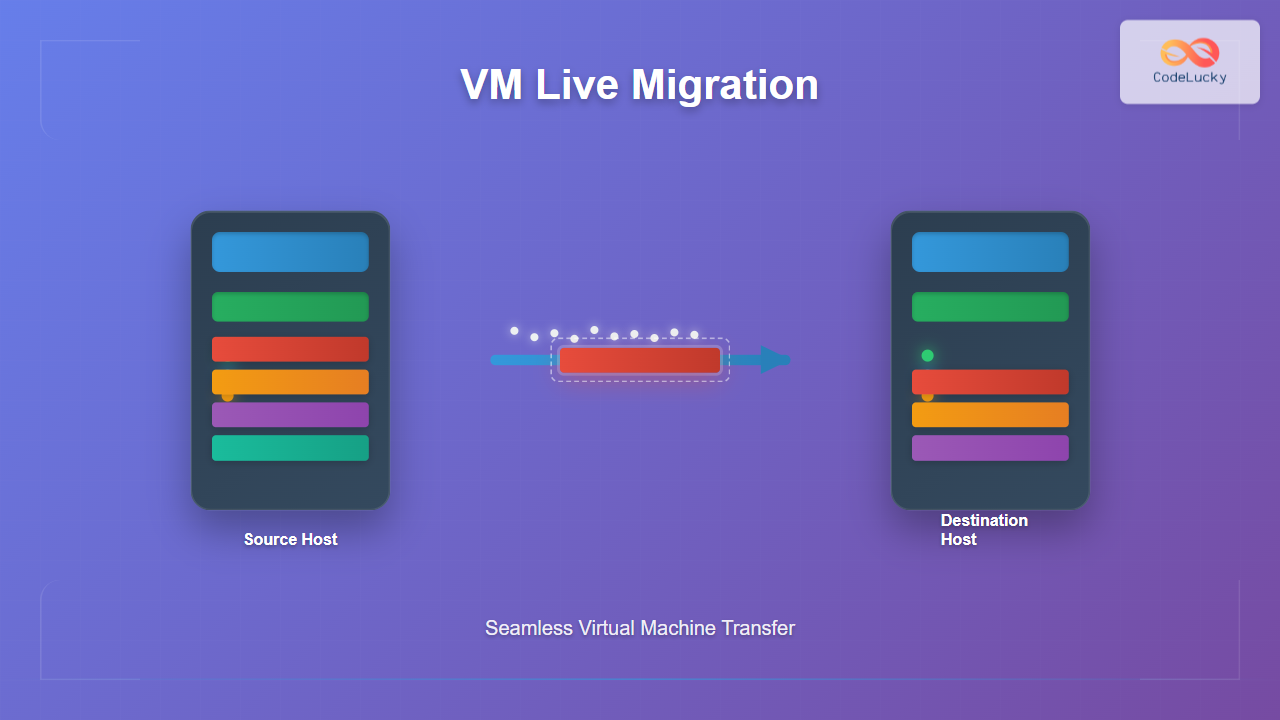
Virtual machine live migration represents one of the most critical capabilities in modern virtualization environments, enabling seamless movement of running VMs between physical hosts without service interruption. This process has revolutionized data center operations, cloud computing, and enterprise IT infrastructure management.
What is Virtual Machine Live Migration?
Live migration is the process of moving a running virtual machine from one physical host to another while maintaining continuous operation. Unlike traditional migration methods that require downtime, live migration ensures zero or minimal service interruption, making it invaluable for:
- Load balancing across physical servers
- Hardware maintenance without service disruption
- Energy optimization by consolidating workloads
- Disaster recovery and fault tolerance
- Resource optimization in cloud environments
Core Components of Live Migration
Understanding the fundamental components involved in live migration is essential for grasping how the process works:
Memory State Transfer
The VM’s memory state, including RAM contents and processor state, must be transferred to the destination host. This represents the most complex aspect of live migration due to the large amounts of data involved.
Storage Migration
VM disk images and associated storage must be accessible from the destination host, either through shared storage systems or by copying storage data during migration.
Network State Preservation
Network connections, IP addresses, and active network sessions must be maintained throughout the migration process.

Live Migration Techniques
Pre-Copy Migration
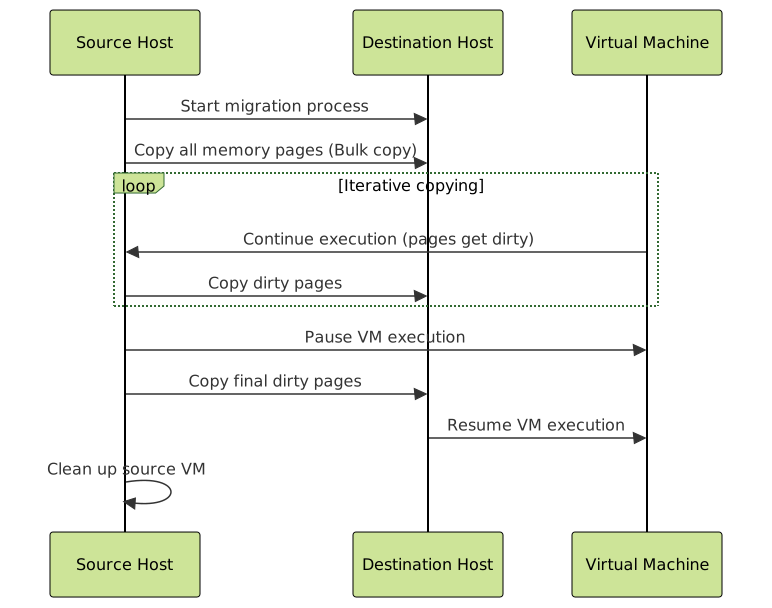
Pre-copy migration is the most widely implemented technique, where memory pages are copied iteratively while the VM continues running on the source host.
Pre-Copy Process Steps:
- Initial Bulk Copy: Copy all memory pages to destination
- Iterative Copy: Copy pages that were modified during previous iteration
- Stop-and-Copy: Briefly pause VM and copy remaining dirty pages
- Resume Operation: Start VM on destination host
Pre-Copy Advantages:
- Predictable downtime (typically 100ms-1s)
- Well-tested and widely supported
- Suitable for most workloads
Pre-Copy Limitations:
- High network bandwidth requirements
- Longer total migration time
- May not converge for write-intensive workloads
Post-Copy Migration
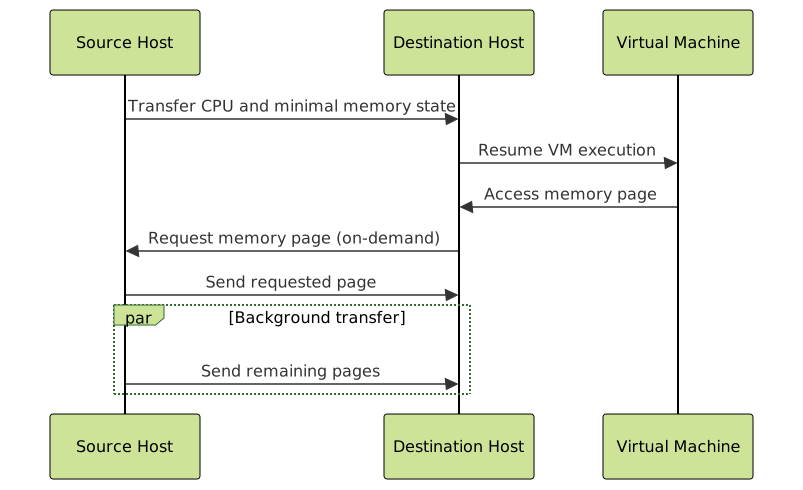
Post-copy migration moves the VM first, then pulls memory pages on-demand as they’re accessed.
Post-Copy Process Steps:
- Transfer CPU State: Move processor state to destination
- Resume VM: Start VM on destination with minimal memory
- On-Demand Paging: Fetch memory pages as needed
- Background Transfer: Copy remaining pages in background
Post-Copy Advantages:
- Minimal downtime (typically 10-100ms)
- Guaranteed convergence
- Lower total migration time
Post-Copy Limitations:
- Performance degradation during background transfer
- Risk of VM failure if source host crashes
- More complex implementation
Memory Transfer Optimization Techniques
Compression
Memory compression reduces the amount of data transferred over the network. Common algorithms include:
- LZ4: Fast compression with moderate ratio
- ZSTD: Balanced speed and compression ratio
- Delta compression: Only transfer differences between memory pages
Deduplication
Identical memory pages are identified and transferred only once, significantly reducing migration time for VMs with similar workloads.
Multi-threaded Transfer
Parallel memory transfer streams increase throughput and reduce migration time.
Storage Migration Strategies
Shared Storage
The simplest approach where VM storage is accessible from both source and destination hosts through:
- SAN (Storage Area Network)
- NFS (Network File System)
- Distributed storage systems (VMware VSAN, Ceph)
Storage Live Migration
When shared storage isn’t available, storage must be migrated alongside the VM:
- Mirror storage to destination host
- Synchronize changes during VM migration
- Switch storage access to destination
Network State Management
Layer 2 Connectivity
Maintaining the same network segment ensures IP addresses and MAC addresses remain unchanged:
- VLAN extension across hosts
- Software-defined networking (SDN)
- Network virtualization overlays
Connection State Preservation
Active network connections must be maintained through:
- TCP connection state tracking
- ARP table updates
- Routing table modifications
Implementation Across Different Hypervisors
VMware vSphere vMotion
VMware’s implementation includes:
- Enhanced vMotion Compatibility (EVC) for CPU compatibility
- Cross-vCenter vMotion for data center migration
- Long Distance vMotion with up to 150ms RTT
Microsoft Hyper-V Live Migration
Hyper-V features:
- Shared Nothing Live Migration without shared storage
- Constrained delegation for authentication
- Compression and SMB Direct for performance
KVM/QEMU Live Migration
Open-source implementation with:
- RDMA support for high-performance networks
- Multi-threaded migration
- Post-copy migration support

Performance Considerations and Optimization
Network Requirements
Successful live migration depends heavily on network performance:
- Bandwidth: Minimum 1Gbps, recommended 10Gbps+
- Latency: Under 5ms for optimal performance
- Dedicated migration network to avoid congestion
CPU Compatibility
Processor compatibility between hosts is crucial:
- Same CPU family or compatibility mode
- Feature masking to hide incompatible CPU features
- EVC clusters for automated compatibility
Memory Considerations
Memory usage patterns affect migration performance:
- High memory churn increases migration time
- Large memory allocations require more bandwidth
- Memory ballooning can reduce migration overhead
Challenges and Limitations
Technical Challenges
- Hardware dependencies: USB devices, GPU passthrough
- Real-time workloads: Strict timing requirements
- High I/O applications: Database systems with intensive disk operations
- Network-intensive applications: May experience brief interruptions
Resource Requirements
- Network bandwidth proportional to memory size
- CPU overhead during migration process
- Storage performance impact during storage migration
Best Practices for Live Migration
Planning and Preparation
- Assess workload suitability for live migration
- Verify hardware compatibility between hosts
- Test migration procedures in non-production environments
- Plan migration timing during low-usage periods
Infrastructure Design
- Implement dedicated migration networks
- Use shared storage systems where possible
- Ensure redundant network paths
- Monitor network and storage performance
Monitoring and Troubleshooting
- Track migration metrics: time, downtime, data transferred
- Monitor application performance during and after migration
- Implement automated rollback procedures
- Maintain migration logs for analysis

Future Trends in Live Migration
Container Migration
Extending live migration concepts to containerized applications using technologies like CRIU (Checkpoint/Restore in Userspace).
GPU Migration
Developing techniques for migrating VMs with GPU resources, crucial for AI/ML workloads.
Cross-Cloud Migration
Enabling VM migration between different cloud providers and hybrid environments.
Predictive Migration
Using machine learning to predict optimal migration timing and destinations based on workload patterns and resource utilization.
Conclusion
Live migration of virtual machines represents a cornerstone technology in modern virtualized environments, enabling unprecedented flexibility in resource management and service continuity. Understanding the underlying techniques—from pre-copy and post-copy methods to storage and network considerations—is essential for IT professionals managing virtualized infrastructure.
As workloads become increasingly diverse and infrastructure more complex, live migration continues to evolve with new optimization techniques and broader platform support. Success in implementing live migration depends on careful planning, proper infrastructure design, and understanding the specific requirements and limitations of different workload types.
The technology’s impact extends beyond simple VM mobility, enabling advanced capabilities like automated load balancing, proactive maintenance, and disaster recovery scenarios that were previously impossible or required significant downtime. As organizations continue to embrace cloud-native architectures and hybrid deployments, mastering live migration techniques becomes increasingly valuable for maintaining competitive advantage in today’s fast-paced digital landscape.
Related Posts
Server Virtualization: Complete Guide to Consolidation and Resource Optimization
Introduction to Server Virtualization Server virtualization is a revolutionary technology that enables multiple virtual machines (VMs) to run on a...
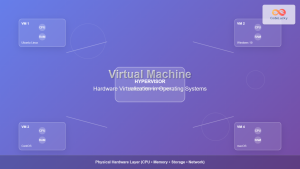
Virtual Machine in Operating System: Complete Guide to Hardware Virtualization Technology
What is a Virtual Machine in Operating System? A Virtual Machine (VM) is a software-based emulation of a physical computer...
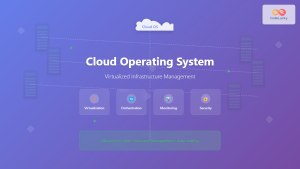
Cloud Operating System: Complete Guide to Virtualized Infrastructure Management
Cloud Operating Systems represent a paradigm shift in how we manage and orchestrate computing resources across distributed environments. Unlike traditional...
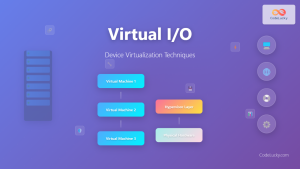
Virtual I/O: Complete Guide to Device Virtualization Techniques and Implementation
Introduction to Virtual I/O and Device Virtualization Virtual Input/Output (Virtual I/O) represents one of the most critical components in modern...
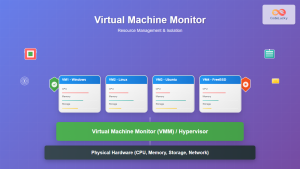
Virtual Machine Monitor: Complete Guide to Resource Management and Isolation
A Virtual Machine Monitor (VMM), also known as a hypervisor, is a critical software layer that creates and manages virtual...
Full Virtualization: Complete Hardware Abstraction and Implementation Guide
Full virtualization represents one of the most significant breakthroughs in modern computing, enabling complete hardware abstraction that allows multiple operating...
Network Virtualization: Complete Guide to SDN and NFV Technologies
Network virtualization has revolutionized modern IT infrastructure by decoupling network functions from physical hardware, enabling unprecedented flexibility and efficiency. This...
Clone Virtual Machine: Complete Guide to VM Duplication Techniques and Best Practices
Virtual machine cloning is a fundamental virtualization technique that creates identical copies of existing VMs, enabling rapid deployment, testing environments,...
Desktop Virtualization: Complete VDI Implementation Guide for Modern Enterprises
Introduction to Desktop Virtualization Desktop virtualization represents a paradigm shift in how organizations deliver computing resources to end users. By...
Container Virtualization: Complete Guide to OS-level Virtualization Technology
Container virtualization represents a revolutionary approach to application deployment and resource management through OS-level virtualization. Unlike traditional hardware virtualization, containers...
Paravirtualization: Modified Guest Operating System Architecture and Implementation
What is Paravirtualization? Paravirtualization is a virtualization technique where the guest operating system is modified to be aware that it's...
nomad Linux: Complete Guide to HashiCorp’s Workload Orchestrator
What is HashiCorp Nomad? HashiCorp Nomad is a simple yet powerful workload orchestrator that enables organizations to deploy and manage...
- What is Virtual Machine Live Migration?
- Core Components of Live Migration
- Live Migration Techniques
- Memory Transfer Optimization Techniques
- Storage Migration Strategies
- Network State Management
- Implementation Across Different Hypervisors
- Performance Considerations and Optimization
- Challenges and Limitations
- Best Practices for Live Migration
- Future Trends in Live Migration
- Conclusion