

Introduction to Memory Overcommitment
Memory overcommitment is a fundamental virtualization technique that allows hypervisors to allocate more virtual memory to guest systems than the physical RAM available on the host machine. This powerful capability enables higher virtual machine (VM) density and improved resource utilization, making it essential for modern cloud computing and enterprise virtualization deployments.
In traditional physical servers, each application has exclusive access to its allocated memory. However, in virtualized environments, multiple VMs share the same physical memory pool, creating opportunities for optimization through intelligent memory management strategies.

Understanding Virtual Memory Architecture
Before diving into overcommitment strategies, it’s crucial to understand the layered memory architecture in virtualized environments:
Memory Abstraction Layers
- Virtual Memory (VM Perspective): Each guest OS sees a contiguous memory space starting from address 0
- Physical Memory (Guest): What the guest OS considers “physical” memory
- Machine Memory (Host): The actual physical RAM in the host system
- Memory Management Unit (MMU): Hardware component translating virtual to physical addresses

Memory Overcommitment Techniques
1. Memory Ballooning
Memory ballooning is a cooperative technique where the hypervisor communicates with guest operating systems through a special balloon driver. When the host experiences memory pressure, the balloon driver inflates, consuming memory within the guest and forcing it to use its own memory management mechanisms.
Ballooning Process:
# Example: VMware ESXi balloon driver status
esxtop -b -n 1 | grep MEMCTL

# Sample output showing balloon inflation
MEMCTL: 2048MB (balloon inflated to reclaim 2GB from guest)
Advantages and Limitations:
| Advantages | Limitations |
|---|---|
| Preserves guest OS memory management intelligence | Requires balloon driver installation |
| Guest chooses which pages to swap/compress | Adds latency during memory pressure events |
| Maintains performance for active memory | May cause guest OS to swap prematurely |
2. Hypervisor Swapping
When cooperative methods fail or aren’t available, hypervisors can forcibly swap guest memory pages to disk. This technique bypasses guest OS knowledge and directly manages memory at the hypervisor level.
# Pseudocode for hypervisor swap decision
def hypervisor_swap_candidate(page):
    if page.access_time < threshold and page.dirty == False:
        return True
    elif memory_pressure > critical_threshold:
        return page.access_time < emergency_threshold
    return False

# Example swap configuration (KVM/QEMU)
# /etc/libvirt/qemu.conf
memory_backing_dir = "/var/lib/libvirt/qemu/swap"
3. Memory Compression
Modern hypervisors implement memory compression to store more data in the same physical space. Pages are compressed in-memory using algorithms like LZ4 or zstd, trading CPU cycles for memory space.
# VMware ESXi memory compression statistics
vsish -e get /memory/compression/stats

# Sample output:
# Compressed pages: 524288
# Compression ratio: 2.1:1
# CPU overhead: 3.2%

Memory Sharing and Deduplication
Content-Based Page Sharing (CBPS)
Many VMs run similar operating systems and applications, creating opportunities for memory sharing. Hypervisors can identify identical memory pages across VMs and store only one copy, with multiple VMs referencing the same physical page.
# ESXi transparent page sharing statistics
esxtop -b -n 1 | grep SHR

# Sample output showing shared pages
SHR: 45% (4.5GB of 10GB shared across VMs)

# KVM memory deduplication with KSM
echo 1 > /sys/kernel/mm/ksm/run
cat /sys/kernel/mm/ksm/sharing
# Output: 2097152 (2GB worth of pages deduplicated)
Copy-on-Write (CoW) Implementation
When shared pages are modified, the hypervisor creates private copies using copy-on-write semantics. This ensures memory integrity while maximizing sharing opportunities.

Performance Impact and Optimization
Monitoring Overcommitment Metrics
Successful memory overcommitment requires continuous monitoring of key performance indicators:
| Metric | Threshold | Action Required |
|---|---|---|
| Balloon Inflation Rate | > 10% of VM memory | Investigate memory pressure |
| Swap Activity | > 100MB/s sustained | Add memory or reduce VMs |
| Memory Compression Ratio | < 1.5:1 | Compression overhead too high |
| Page Sharing Percentage | < 15% | Limited sharing benefits |
Best Practices for Memory Overcommitment
1. Conservative Overcommitment Ratios
# Example overcommitment guidelines
production_environments:
  maximum_ratio: "1.5:1"
  recommended_ratio: "1.2:1"

development_environments:
  maximum_ratio: "2.0:1"
  recommended_ratio: "1.8:1"

# Calculation example
physical_memory: 64GB
safe_allocation: 76.8GB  # 1.2:1 ratio
maximum_allocation: 96GB   # 1.5:1 ratio
2. Memory Reservation Strategies
# VMware memory reservation example
vim-cmd vmsvc/getallvms | grep critical-db
vim-cmd vmsvc/get.config 123 | grep memoryReservation
# Set 8GB reservation for critical database VM
vim-cmd vmsvc/memory.reservation 123 8192
3. Workload-Aware Placement
Consider memory usage patterns when placing VMs:
- Memory-intensive workloads: Limit overcommitment ratio
- Idle or seasonal applications: Higher overcommitment acceptable
- Similar OS deployments: Maximize page sharing opportunities
- Complementary usage patterns: Peak usage at different times
Troubleshooting Memory Issues
Common Symptoms and Diagnostics
# Diagnosing memory pressure in ESXi
esxtop -b -d 5 -n 12 > memory_analysis.csv

# Key columns to monitor:
# PMEM - Physical memory usage
# VMKMEM - VMkernel memory usage
# SWPUSED - Swap space used
# CACHEUSD - Compression cache usage

# Linux guest memory analysis
free -h
cat /proc/meminfo | grep -E "(MemTotal|MemFree|Buffers|Cached|SwapTotal|SwapFree)"

# Windows guest memory analysis (PowerShell)
Get-Counter "\Memory\Available MBytes"
Get-Counter "\Memory\Pages/sec"
Recovery Procedures

Advanced Memory Management Features
Memory Hot-Add
Modern virtualization platforms support adding memory to running VMs without downtime:
# VMware vSphere memory hot-add
vim-cmd vmsvc/device.hot.add 123 memory 4096

# KVM/QEMU memory hot-add via libvirt
virsh setmem vm-name 8G --live --config

# Verify hot-add success in guest
dmesg | tail -10 | grep memory
# Expected: "memory hot-add successful"
NUMA Awareness
Non-Uniform Memory Access (NUMA) considerations become critical with memory overcommitment:
# Check NUMA topology
numactl --hardware
lscpu | grep NUMA

# VMware NUMA memory affinity
esxcli hardware memory get
vim-cmd hostsvc/hosthardware | grep -A 20 "numaInfo"

# Optimize VM placement for NUMA
# Place memory-intensive VMs within single NUMA nodes when possible
Security Considerations
Memory Isolation
While memory sharing improves efficiency, it introduces potential security risks:
- Side-channel attacks: Timing analysis of shared pages
- Memory disclosure: Improper page zeroing between VMs
- Cache-based attacks: Shared CPU caches revealing information
# Disable transparent page sharing for security
# VMware ESXi
vim-cmd hostsvc/advopt/update Mem.ShareForceSalting int 2

# Enable memory zeroing
vim-cmd hostsvc/advopt/update Mem.AllocGuestLargePage bool false
Future Trends and Technologies
Persistent Memory Integration
Technologies like Intel Optane DC Persistent Memory blur the lines between memory and storage, enabling new overcommitment strategies:
# Configure persistent memory as volatile memory
ipmctl create -goal MemoryMode=100

# Use persistent memory for swap/page cache
echo "/dev/pmem0 none swap sw 0 0" >> /etc/fstab
Machine Learning-Based Memory Management
AI-driven memory management systems predict memory usage patterns and optimize allocation decisions:
- Predictive ballooning: Proactive memory reclamation
- Intelligent placement: ML-driven VM scheduling
- Dynamic sizing: Automatic memory adjustments based on workload
Conclusion
Virtual memory overcommitment is a powerful technique that enables efficient resource utilization in virtualized environments. Success depends on understanding the various techniques available—from cooperative ballooning to aggressive hypervisor swapping—and implementing appropriate monitoring and management strategies.
The key to successful memory overcommitment lies in balancing resource efficiency with performance requirements. Conservative overcommitment ratios, proper monitoring, and workload-aware placement decisions ensure that virtualized environments can achieve higher density without compromising application performance.
As virtualization technologies continue to evolve, new memory management techniques and hardware innovations will further enhance the capabilities of memory overcommitment, making it an increasingly important skill for system administrators and cloud architects.
Related Posts

Windows Memory Management: Virtual Memory Implementation and Optimization Guide
Introduction to Windows Virtual Memory Windows virtual memory is a sophisticated memory management system that allows programs to use more...
Memory Management in Operating System: Virtual and Physical Memory Fundamentals
Introduction to Memory Management Memory management is one of the most critical functions of an operating system, responsible for efficiently...

Virtual Memory in OS: Complete Guide to Paging, Segmentation and Address Translation
Virtual memory is one of the most fundamental concepts in modern operating systems, enabling efficient memory management and providing crucial...
Full Virtualization: Complete Hardware Abstraction and Implementation Guide
Full virtualization represents one of the most significant breakthroughs in modern computing, enabling complete hardware abstraction that allows multiple operating...
Storage Virtualization: Complete Guide to Abstract Storage Resources in Modern Computing
Storage virtualization represents one of the most critical technologies in modern computing infrastructure, enabling organizations to abstract physical storage resources...
Virtual I/O: Complete Guide to Device Virtualization Techniques and Implementation
Introduction to Virtual I/O and Device Virtualization Virtual Input/Output (Virtual I/O) represents one of the most critical components in modern...
Virtual Machine in Operating System: Complete Guide to Hardware Virtualization Technology
What is a Virtual Machine in Operating System? A Virtual Machine (VM) is a software-based emulation of a physical computer...
Memory Protection: Hardware and Software Mechanisms for Secure Computing
Understanding Memory Protection in Modern Computing Memory protection is a fundamental security mechanism that prevents programs from accessing memory regions...
Server Virtualization: Complete Guide to Consolidation and Resource Optimization
Introduction to Server Virtualization Server virtualization is a revolutionary technology that enables multiple virtual machines (VMs) to run on a...

Memory Allocation Techniques: Contiguous vs Non-contiguous Management Strategies
Memory allocation is a fundamental aspect of operating system design that determines how programs and data are stored and accessed...
Virtual Machine Monitor: Complete Guide to Resource Management and Isolation
A Virtual Machine Monitor (VMM), also known as a hypervisor, is a critical software layer that creates and manages virtual...
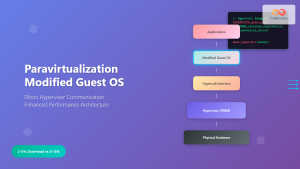
Paravirtualization: Modified Guest Operating System Architecture and Implementation
What is Paravirtualization? Paravirtualization is a virtualization technique where the guest operating system is modified to be aware that it's...





