
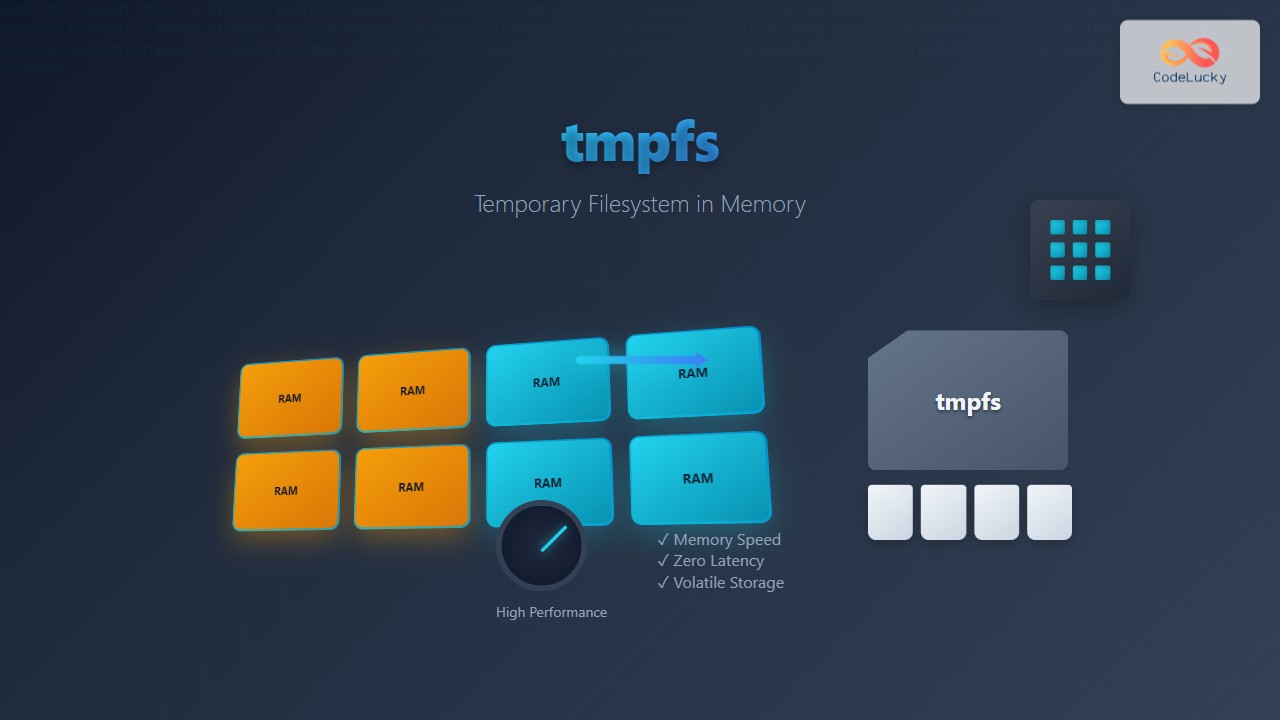
tmpfs (temporary file system) is a powerful Linux feature that creates a virtual filesystem stored entirely in RAM and swap space. Unlike traditional filesystems that store data on disk, tmpfs provides lightning-fast access to files by keeping them in memory, making it ideal for temporary data, cache storage, and performance-critical applications.
What is tmpfs in Linux?
tmpfs is a virtual filesystem that appears as a mounted filesystem but stores all files in virtual memory instead of persistent storage devices. When the system reboots or the tmpfs is unmounted, all data stored in tmpfs is permanently lost. This characteristic makes it perfect for storing temporary files, logs, and cache data that doesn’t need to survive system restarts.
Key Characteristics of tmpfs
- Memory-based storage: Files are stored in RAM and swap space
- Volatile nature: Data is lost on unmount or system reboot
- Dynamic sizing: Grows and shrinks based on actual usage
- High performance: Faster than disk-based filesystems
- POSIX compliance: Supports standard file operations
Benefits of Using tmpfs
Understanding the advantages of tmpfs helps determine when and where to implement it in your Linux systems:
Performance Advantages
- Speed: Memory access is significantly faster than disk I/O
- Low latency: Eliminates disk seek times and rotational delays
- Reduced disk wear: Minimizes write operations to SSDs and HDDs
- Better system responsiveness: Reduces I/O bottlenecks
System Benefits
- Automatic cleanup: Temporary files are automatically removed on reboot
- Memory efficiency: Only uses memory for actual data stored
- No fragmentation: Virtual memory management handles allocation
How tmpfs Works
tmpfs operates by creating a virtual filesystem layer that interfaces with the kernel’s virtual memory subsystem. When you write files to a tmpfs mount point, the data is stored in RAM pages. If the system runs low on physical memory, tmpfs pages can be swapped to disk, but they’re still managed as temporary storage.
Creating and Mounting tmpfs
Creating a tmpfs filesystem is straightforward using the mount command. Here are various methods to create and configure tmpfs:
Basic tmpfs Mount
# Create a mount point
sudo mkdir /mnt/tmpfs-example

# Mount tmpfs with default settings
sudo mount -t tmpfs tmpfs /mnt/tmpfs-example

# Verify the mount
df -h /mnt/tmpfs-example
Expected output:
Filesystem      Size  Used Avail Use% Mounted on
tmpfs           2.0G     0  2.0G   0% /mnt/tmpfs-example
tmpfs with Size Limit
# Mount tmpfs with 512MB size limit
sudo mount -t tmpfs -o size=512M tmpfs /mnt/tmpfs-512mb

# Mount with percentage of total RAM
sudo mount -t tmpfs -o size=25% tmpfs /mnt/tmpfs-percentage
tmpfs with Additional Options
# Mount with specific permissions and ownership
sudo mount -t tmpfs -o size=1G,uid=1000,gid=1000,mode=0755 tmpfs /mnt/user-tmpfs

# Mount with noexec option for security
sudo mount -t tmpfs -o size=256M,noexec,nosuid tmpfs /mnt/secure-tmpfs
tmpfs Mount Options
tmpfs supports numerous mount options to customize its behavior:
| Option | Description | Example |
|---|---|---|
| size | Maximum size of the filesystem | size=512M, size=2G |
| nr_blocks | Maximum number of blocks | nr_blocks=1024 |
| nr_inodes | Maximum number of inodes | nr_inodes=1000 |
| mode | Root directory permissions | mode=0755 |
| uid | Owner user ID | uid=1000 |
| gid | Owner group ID | gid=1000 |
Practical tmpfs Examples
Example 1: High-Performance Build Directory
Create a tmpfs for compiling software to speed up build processes:
# Create build directory tmpfs
sudo mkdir /mnt/build-tmpfs
sudo mount -t tmpfs -o size=2G,noatime tmpfs /mnt/build-tmpfs

# Change to build directory and compile
cd /mnt/build-tmpfs
wget https://example.com/source.tar.gz
tar -xzf source.tar.gz
cd source
make -j$(nproc)

# Check build speed improvement
time make clean && time make -j$(nproc)
Example 2: Web Server Cache Directory
# Create cache directory for web server
sudo mkdir /var/cache/web-tmpfs
sudo mount -t tmpfs -o size=1G,uid=www-data,gid=www-data tmpfs /var/cache/web-tmpfs

# Verify permissions
ls -la /var/cache/ | grep web-tmpfs
Expected output:
drwxr-xr-x 2 www-data www-data 40 Aug 25 09:27 web-tmpfsExample 3: Database Temporary Files
# Create tmpfs for database temporary operations
sudo mkdir /mnt/db-temp
sudo mount -t tmpfs -o size=512M,uid=mysql,gid=mysql,mode=0750 tmpfs /mnt/db-temp

# Configure MySQL to use tmpfs for temporary tables
echo "tmpdir = /mnt/db-temp" | sudo tee -a /etc/mysql/mysql.conf.d/tmpfs.cnf
Making tmpfs Persistent with /etc/fstab
To automatically mount tmpfs at boot time, add entries to /etc/fstab:
# Edit fstab file
sudo nano /etc/fstab

# Add tmpfs entries
tmpfs /mnt/tmpfs-persistent tmpfs defaults,size=1G,mode=0755 0 0
tmpfs /var/cache/app-cache tmpfs defaults,size=512M,uid=1000,gid=1000 0 0
tmpfs /tmp tmpfs defaults,size=2G,mode=1777 0 0
After editing fstab, test the configuration:
# Test mount configuration
sudo mount -a

# Verify all tmpfs mounts
mount | grep tmpfs
Monitoring tmpfs Usage
Regular monitoring of tmpfs usage helps prevent memory exhaustion:
Check tmpfs Usage
# View all tmpfs filesystems
df -h -t tmpfs

# Detailed tmpfs information
findmnt -t tmpfs

# Memory usage including tmpfs
free -h
Example output:
Filesystem      Size  Used Avail Use% Mounted on
tmpfs           2.0G  245M  1.8G  12% /mnt/tmpfs-example
tmpfs           1.0G  512K  1.0G   1% /var/cache/web-tmpfs
tmpfs           512M   34M  478M   7% /mnt/db-temp
Monitor tmpfs in Real-time
# Watch tmpfs usage continuously
watch -n 2 'df -h -t tmpfs'

# Monitor specific tmpfs mount
watch -n 1 'du -sh /mnt/tmpfs-example/*'
tmpfs vs Other Filesystems
Understanding the differences between tmpfs and other filesystem types helps choose the right solution:
| Feature | tmpfs | ramfs | ext4 |
|---|---|---|---|
| Storage location | RAM + Swap | RAM only | Disk |
| Size limit | Configurable | No limit | Disk capacity |
| Persistence | No | No | Yes |
| Swappable | Yes | No | N/A |
Security Considerations
When using tmpfs, consider these security aspects:
Permission Control
# Mount with restrictive permissions
sudo mount -t tmpfs -o size=1G,mode=0700,uid=1000 tmpfs /mnt/secure-tmpfs

# Mount with noexec and nosuid for security
sudo mount -t tmpfs -o size=512M,noexec,nosuid,nodev tmpfs /mnt/restricted-tmpfs
Memory Security
- Data in memory: tmpfs data resides in RAM and may be accessible to privileged processes
- Swap security: Sensitive data might be written to swap files
- Memory dumps: System crashes could expose tmpfs content in memory dumps
Common Use Cases for tmpfs
1. Application Temporary Files
# Mount tmpfs for application temp files
sudo mkdir /opt/app/temp
sudo mount -t tmpfs -o size=256M,uid=appuser tmpfs /opt/app/temp
2. Log File Buffering
# Create tmpfs for log buffering
sudo mkdir /var/log/tmpfs-buffer
sudo mount -t tmpfs -o size=100M,mode=0755 tmpfs /var/log/tmpfs-buffer

# Configure rsyslog to use tmpfs buffer
echo '$WorkDirectory /var/log/tmpfs-buffer' | sudo tee -a /etc/rsyslog.conf
3. Container Temporary Storage
# Docker with tmpfs mount
docker run -d --tmpfs /tmp:size=100m,noexec nginx

# Kubernetes pod with tmpfs
apiVersion: v1
kind: Pod
spec:
  containers:
  - name: app
    image: nginx
    volumeMounts:
    - name: tmp-volume
      mountPath: /tmp
  volumes:
  - name: tmp-volume
    emptyDir:
      medium: Memory
      sizeLimit: 256Mi
Performance Testing tmpfs
Compare tmpfs performance against disk-based filesystems:
# Test write performance
time dd if=/dev/zero of=/mnt/tmpfs-example/testfile bs=1M count=100
time dd if=/dev/zero of=/home/testfile bs=1M count=100

# Test read performance
time dd if=/mnt/tmpfs-example/testfile of=/dev/null bs=1M
time dd if=/home/testfile of=/dev/null bs=1M

# Random I/O test with fio
fio --name=tmpfs-test --directory=/mnt/tmpfs-example --size=500M --bs=4k --rw=randwrite --numjobs=4 --runtime=30
Troubleshooting tmpfs Issues
Common Problems and Solutions
tmpfs Full Error
# Check current usage
df -h /mnt/tmpfs-example

# Clean up files or remount with larger size
sudo umount /mnt/tmpfs-example
sudo mount -t tmpfs -o size=2G tmpfs /mnt/tmpfs-example
Permission Denied Errors
# Check current permissions
ls -la /mnt/tmpfs-example

# Fix permissions
sudo chmod 755 /mnt/tmpfs-example
sudo chown user:group /mnt/tmpfs-example
Mount Fails at Boot
# Check fstab syntax
sudo mount -fav

# View systemd mount errors
sudo journalctl -u *.mount | grep tmpfs
Best Practices for tmpfs
- Size limits: Always specify size limits to prevent memory exhaustion
- Monitor usage: Regularly check tmpfs utilization
- Backup critical data: Never store irreplaceable data in tmpfs
- Clean up processes: Ensure applications clean up temporary files
- Security options: Use noexec, nosuid options when appropriate
- Memory planning: Account for tmpfs usage in system memory planning
Advanced tmpfs Configuration
Dynamic tmpfs with systemd
# Create systemd mount unit
sudo nano /etc/systemd/system/mnt-dynamic-tmpfs.mount

[Unit]
Description=Dynamic tmpfs mount
Before=local-fs.target

[Mount]
What=tmpfs
Where=/mnt/dynamic-tmpfs
Type=tmpfs
Options=size=1G,mode=0755

[Install]
WantedBy=local-fs.target

# Enable and start the mount
sudo systemctl enable mnt-dynamic-tmpfs.mount
sudo systemctl start mnt-dynamic-tmpfs.mount
Automated tmpfs Cleanup
# Create cleanup script
sudo nano /usr/local/bin/tmpfs-cleanup.sh

#!/bin/bash
# Clean up old files in tmpfs
find /mnt/tmpfs-example -type f -mtime +1 -delete
find /mnt/tmpfs-example -type d -empty -delete

# Add to cron
echo "0 2 * * * /usr/local/bin/tmpfs-cleanup.sh" | sudo crontab -
Conclusion
tmpfs is a powerful Linux feature that provides high-performance temporary storage by utilizing system memory. Its speed advantages make it ideal for temporary files, caches, build directories, and other scenarios where fast I/O is critical and data persistence isn’t required.
When implementing tmpfs, remember to set appropriate size limits, monitor memory usage, and consider security implications. With proper configuration and monitoring, tmpfs can significantly improve system performance for memory-intensive applications while reducing wear on storage devices.
The key to successful tmpfs usage lies in understanding your system’s memory constraints and application requirements. Start with small tmpfs instances, monitor their usage patterns, and gradually optimize based on your specific needs.
Related Posts

File System Types: FAT32, NTFS, ext4 and Modern Linux Filesystems Explained
Understanding File Systems: The Foundation of Data Storage A file system is the method and data structure that an operating...

File System Implementation: Boot Block, Super Block and Inodes Explained
Understanding File System Implementation File system implementation is a critical component of operating systems that manages how data is stored,...
devtmpfs Linux: Complete Guide to Device Temporary Filesystem Management
The devtmpfs (Device Temporary Filesystem) is a crucial component of modern Linux systems that revolutionizes how device nodes are managed...
sysfs Linux: Complete Guide to Understanding and Using /sys Filesystem
The sysfs filesystem is one of Linux's most powerful yet underutilized features, providing a window into the kernel's internal operations...

File System in Operating System: Complete Guide to Structure and Organization
Introduction to File Systems A file system is a fundamental component of any operating system that provides a structured way...
proc filesystem Linux: Complete Guide to Understanding /proc Directory Structure and Commands
What is the Linux /proc Filesystem? The /proc filesystem is a virtual filesystem in Linux that provides a window into...

File System Cache: Buffer Cache and Page Cache Explained with Examples
File system caching is a fundamental performance optimization technique in modern operating systems that dramatically reduces disk I/O operations by...
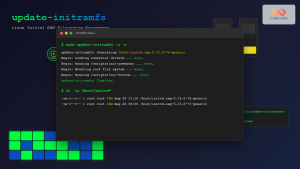
update-initramfs Command Linux: Complete Guide to Initial RAM Filesystem Management
The update-initramfs command is a crucial Linux system administration tool that manages the initial RAM filesystem (initramfs). This command creates,...
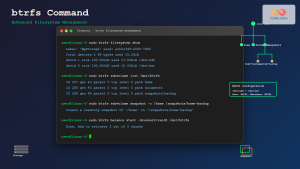
btrfs Command Linux: Complete Guide to Advanced Filesystem Management
The btrfs command is a powerful utility for managing the B-tree filesystem (Btrfs) in Linux, offering advanced features like snapshots,...

Memory Management in Operating System: Virtual and Physical Memory Fundamentals
Introduction to Memory Management Memory management is one of the most critical functions of an operating system, responsible for efficiently...
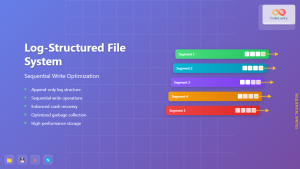
Log-structured File System: Sequential Write Optimization for High-Performance Storage
Log-structured File Systems (LFS) represent a revolutionary approach to data storage that fundamentally changes how operating systems handle file operations....
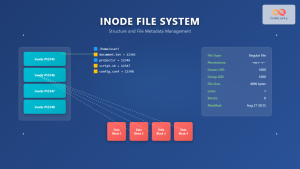
Inode in File System: Complete Guide to Structure and File Metadata
What is an Inode? An inode (index node) is a fundamental data structure in Unix-like file systems that stores metadata...





