What is Thrashing in Operating System?
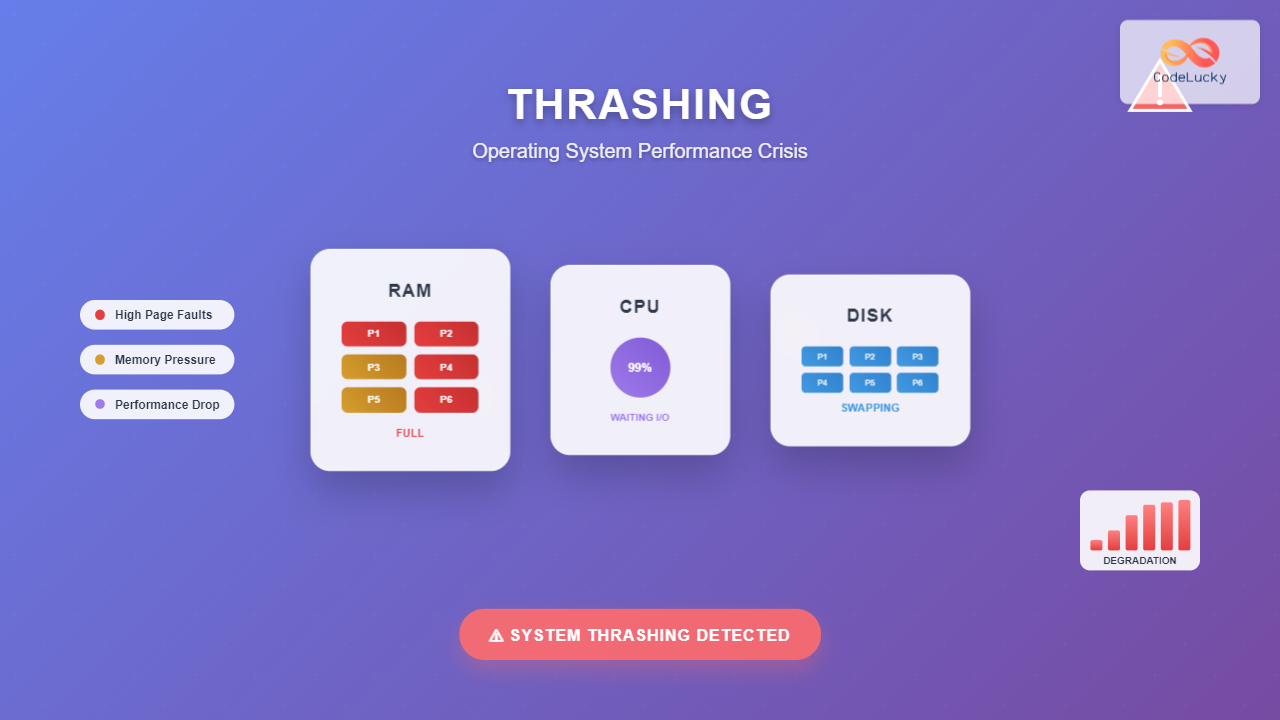
Thrashing is a critical performance degradation condition in operating systems where the system spends more time swapping pages between main memory (RAM) and secondary storage (hard disk) than executing actual processes. This phenomenon occurs when the system lacks sufficient physical memory to accommodate the working sets of all active processes, leading to excessive page faults and dramatically reduced system performance.
In a thrashing state, the CPU utilization paradoxically remains high while actual productive work decreases significantly. The system becomes trapped in a cycle of continuous page swapping, making it nearly unresponsive to user requests.

Understanding Virtual Memory and Page Faults
To comprehend thrashing, we must first understand how virtual memory works. Virtual memory allows the operating system to use secondary storage as an extension of main memory, enabling processes to run even when their complete memory requirements exceed available RAM.
Page Fault Mechanism
A page fault occurs when a process references a page that isn’t currently in physical memory. The operating system must:
- Interrupt the current process
- Locate the required page on secondary storage
- Find a free frame in memory or select a victim page
- Load the page from disk to memory
- Update the page table
- Resume process execution
// Example: Page fault handling simulation
#include
#include
#include

struct PageFault {
    int page_number;
    int process_id;
    clock_t fault_time;
    int disk_access_time;
};

void handle_page_fault(struct PageFault *fault) {
    printf("Page Fault: Process %d requesting page %d\n",
           fault->process_id, fault->page_number);

    // Simulate disk access time (much slower than RAM)
    fault->disk_access_time = 10000; // microseconds
    printf("Disk access time: %d microseconds\n", fault->disk_access_time);

    // Update memory management structures
    printf("Page loaded into memory frame\n");
}

int main() {
    struct PageFault fault = {42, 1001, clock(), 0};
    handle_page_fault(&fault);
    return 0;
}
Primary Causes of Thrashing
1. Insufficient Physical Memory
The most common cause of thrashing is over-commitment of memory resources. When the combined working sets of all processes exceed available physical memory, the system enters a state where pages are constantly being swapped in and out.
2. Poor Page Replacement Algorithm
Inefficient page replacement policies can lead to thrashing by repeatedly selecting pages that will be needed again soon. The Belady’s anomaly demonstrates how increasing the number of frames can sometimes increase page faults with certain algorithms.

3. High Degree of Multiprogramming
Running too many processes simultaneously can cause thrashing. Each process requires a minimum working set of pages to execute efficiently. When this requirement isn’t met, excessive paging occurs.
# Example: Memory pressure simulation
import random
import time

class Process:
    def __init__(self, pid, working_set_size):
        self.pid = pid
        self.working_set_size = working_set_size
        self.pages_in_memory = set()
        self.page_faults = 0

    def access_page(self, page_number):
        if page_number not in self.pages_in_memory:
            self.page_faults += 1
            print(f"Process {self.pid}: Page fault on page {page_number}")
            # Simulate disk I/O delay
            time.sleep(0.01)  # 10ms delay
            return True
        return False

def simulate_thrashing():
    processes = [Process(i, random.randint(10, 50)) for i in range(5)]
    available_memory = 100  # Total memory frames

    for _ in range(1000):  # Simulation steps
        for process in processes:
            page = random.randint(0, process.working_set_size)
            process.access_page(page)

    total_faults = sum(p.page_faults for p in processes)
    print(f"Total page faults: {total_faults}")

    if total_faults > 500:  # Threshold for thrashing
        print("⚠️  THRASHING DETECTED!")

simulate_thrashing()
4. Locality of Reference Violation
Locality of reference is the tendency of programs to access memory locations that are close to recently accessed locations. Poor program design or data structures can violate this principle, leading to increased page faults.
Detecting Thrashing in System Performance
Key Performance Indicators
System administrators can identify thrashing through several metrics:
- High page fault rate: Excessive page faults per second
- Increased disk I/O activity: Constant disk read/write operations
- Low CPU utilization effectiveness: High CPU usage with low throughput
- Increased response time: Applications become unresponsive
- High memory pressure: Available memory consistently near zero

Monitoring Commands and Tools
# Monitor page fault statistics
vmstat 1 5

# Check memory usage and swap activity
free -h

# Monitor I/O statistics
iostat -x 1

# Check system load and process memory usage
top -o %MEM

# Advanced memory analysis
cat /proc/meminfo | grep -E "(MemTotal|MemFree|MemAvailable|SwapTotal|SwapFree)"
Prevention and Mitigation Techniques
1. Working Set Model Implementation
The working set model ensures each process maintains its minimum required pages in memory. This approach prevents thrashing by guaranteeing that processes have sufficient memory to execute efficiently.
// Working Set Management Example
#include
#include

#define MAX_PAGES 100
#define WINDOW_SIZE 10

struct WorkingSet {
    int pages[MAX_PAGES];
    int window[WINDOW_SIZE];
    int window_index;
    int size;
};

void update_working_set(struct WorkingSet *ws, int page_reference) {
    // Add to reference window
    ws->window[ws->window_index] = page_reference;
    ws->window_index = (ws->window_index + 1) % WINDOW_SIZE;

    // Recalculate working set
    bool page_exists[MAX_PAGES] = {false};
    ws->size = 0;

    for (int i = 0; i < WINDOW_SIZE; i++) {
        int page = ws->window[i];
        if (page >= 0 && !page_exists[page]) {
            page_exists[page] = true;
            ws->pages[ws->size++] = page;
        }
    }
}

bool should_admit_process(struct WorkingSet *ws, int available_memory) {
    return ws->size <= available_memory;
}
2. Page Fault Frequency (PFF) Algorithm
The PFF algorithm monitors page fault rates for each process and adjusts memory allocation accordingly. If a process’s fault rate exceeds an upper threshold, it receives more memory frames. If it falls below a lower threshold, frames are reclaimed.

3. Load Control and Admission Policies
Load control prevents thrashing by limiting the degree of multiprogramming. The system suspends or swaps out entire processes when memory pressure becomes too high.
# Load Control Implementation Example
class LoadController:
    def __init__(self, memory_threshold=0.8):
        self.memory_threshold = memory_threshold
        self.active_processes = []
        self.suspended_processes = []

    def check_memory_pressure(self, total_memory, used_memory):
        utilization = used_memory / total_memory
        return utilization > self.memory_threshold

    def suspend_process(self, process):
        """Suspend a process to reduce memory pressure"""
        if process in self.active_processes:
            self.active_processes.remove(process)
            self.suspended_processes.append(process)
            print(f"Suspended process {process.pid} to prevent thrashing")

    def resume_process(self, process):
        """Resume a suspended process when memory is available"""
        if process in self.suspended_processes:
            self.suspended_processes.remove(process)
            self.active_processes.append(process)
            print(f"Resumed process {process.pid}")

    def manage_load(self, total_memory, used_memory):
        if self.check_memory_pressure(total_memory, used_memory):
            # Suspend least recently used process
            if self.active_processes:
                victim = min(self.active_processes, key=lambda p: p.last_access_time)
                self.suspend_process(victim)
        elif used_memory / total_memory < 0.6 and self.suspended_processes:
            # Resume a suspended process
            candidate = self.suspended_processes[0]
            self.resume_process(candidate)
4. Improved Page Replacement Algorithms
Advanced page replacement algorithms like Least Recently Used (LRU) and Clock Algorithm can reduce thrashing by making better victim page selections.
5. Memory Optimization Techniques
- Memory pooling: Reuse memory allocations to reduce fragmentation
- Compression: Compress inactive pages to increase effective memory
- Prefetching: Anticipate future page requirements
- Page clustering: Group related pages for efficient I/O
Real-World Impact and Case Studies
Database Server Thrashing
Database servers are particularly susceptible to thrashing when buffer pools are undersized relative to the working set of active queries. This can cause query performance to degrade from milliseconds to minutes.
-- Example: Database query causing memory pressure
SELECT customers.name, orders.total, products.description
FROM customers
JOIN orders ON customers.id = orders.customer_id
JOIN order_items ON orders.id = order_items.order_id
JOIN products ON order_items.product_id = products.id
WHERE orders.date >= '2024-01-01'
ORDER BY orders.total DESC;

-- Without proper indexing and memory allocation,
-- this query might cause excessive page faults
Web Server Performance
Web servers handling multiple concurrent requests can experience thrashing when each request requires significant memory for session data, caching, or processing large files.
Modern Solutions and Technologies
Container-Based Resource Isolation
Modern containerization technologies like Docker and Kubernetes provide memory limits that prevent individual applications from causing system-wide thrashing.
# Docker container with memory limit
apiVersion: v1
kind: Pod
spec:
  containers:
  - name: web-app
    image: nginx:latest
    resources:
      limits:
        memory: "512Mi"
      requests:
        memory: "256Mi"
Solid State Drives (SSDs)
SSDs significantly reduce the performance impact of page faults due to their faster access times compared to traditional hard drives. While thrashing still degrades performance, the impact is less severe.

Best Practices for System Administration
Proactive Monitoring
- Set up alerts for high page fault rates
- Monitor memory utilization trends
- Track application working set sizes
- Implement automated scaling based on memory pressure
Capacity Planning
- Size memory based on peak working set requirements
- Account for memory fragmentation overhead
- Plan for growth in application memory usage
- Consider memory requirements of all system components
Application Design Considerations
- Implement efficient data structures that exhibit good locality
- Use memory mapping for large files when appropriate
- Implement proper caching strategies
- Design applications to handle memory pressure gracefully
Conclusion
Thrashing represents one of the most significant performance challenges in operating systems, capable of rendering even powerful systems nearly unusable. Understanding its causes—insufficient memory, poor page replacement algorithms, excessive multiprogramming, and locality violations—is crucial for both system administrators and developers.
Prevention strategies like working set management, page fault frequency algorithms, load control, and modern technologies such as containerization and SSDs provide effective tools for combating thrashing. The key lies in proactive monitoring, proper capacity planning, and implementing systems that can detect and respond to memory pressure before it reaches critical levels.
As systems continue to evolve with larger memory capacities and faster storage technologies, the fundamental principles of thrashing prevention remain relevant. By applying these concepts and techniques, system administrators can ensure optimal performance and prevent the devastating effects of memory thrashing in production environments.
Related Posts
Demand Paging: Loading Pages on Demand for Efficiency
Introduction to Demand Paging Demand paging is a sophisticated memory management technique used by modern operating systems to optimize memory...
Page Replacement Algorithms: FIFO, LRU, Optimal – Complete Guide
Introduction to Page Replacement Algorithms Page replacement algorithms are fundamental components of virtual memory systems in modern operating systems. When...
Garbage Collection in Operating System: Complete Guide to Automatic Memory Management
What is Garbage Collection in Operating Systems? Garbage collection is an automatic memory management technique used by operating systems and...
Operating System Functions: Core Components and System Responsibilities
An operating system (OS) serves as the fundamental software layer that manages computer hardware resources and provides essential services to...
Thread in Operating System: Lightweight Processes and Multithreading Explained
What are Threads in Operating Systems? A thread is the smallest unit of execution within a process that can be...
Working Set Model: Memory Management Strategy for Operating Systems
The Working Set Model is a fundamental memory management strategy that revolutionized how operating systems handle virtual memory allocation and...
Process in Operating System: Complete Guide to Definition, States and Lifecycle
What is a Process in Operating System? A process is a program in execution that consists of the program code...
Multithreading in Operating Systems: Benefits, Challenges, and Implementation Guide
What is Multithreading in Operating Systems? Multithreading is a fundamental concept in modern operating systems that allows a single process...
Operating System Basics: Complete Guide to What is an OS and How it Works
An operating system (OS) is the fundamental software that manages computer hardware and software resources, acting as an intermediary between...
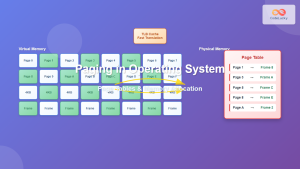
Paging in Operating System: Complete Guide to Memory Management and Page Tables
What is Paging in Operating Systems? Paging is a memory management scheme that allows the operating system to store and...
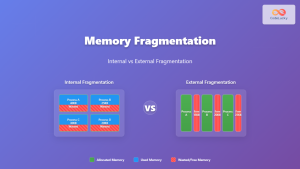
Memory Fragmentation: Internal vs External Fragmentation in Operating Systems
Memory fragmentation is one of the most critical challenges in operating system memory management, directly impacting system performance and resource...
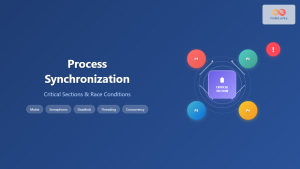
Process Synchronization: Critical Sections and Race Conditions in Operating Systems
Introduction to Process Synchronization Process synchronization is a fundamental concept in operating systems that ensures multiple processes can safely access...