The source command in Linux is a powerful built-in shell command that executes commands from a file within the current shell environment. Unlike running a script directly, sourcing allows you to load functions, variables, and aliases into your current session without spawning a new shell process.
What is the source Command?
The source command reads and executes commands from a specified file in the current shell environment. It’s equivalent to the dot (.) command in POSIX-compliant shells. This functionality is crucial for loading configuration files, defining functions, and setting environment variables that persist in your current session.
Basic Syntax
source filename
# OR
. filename
Key Differences: source vs Direct Execution
Understanding the difference between sourcing a file and executing it directly is fundamental:
Direct Execution
# Creates a new shell process
./script.sh
# OR
bash script.sh
Sourcing
# Executes in current shell
source script.sh
# OR
. script.sh
Practical Examples and Use Cases
1. Loading Environment Variables
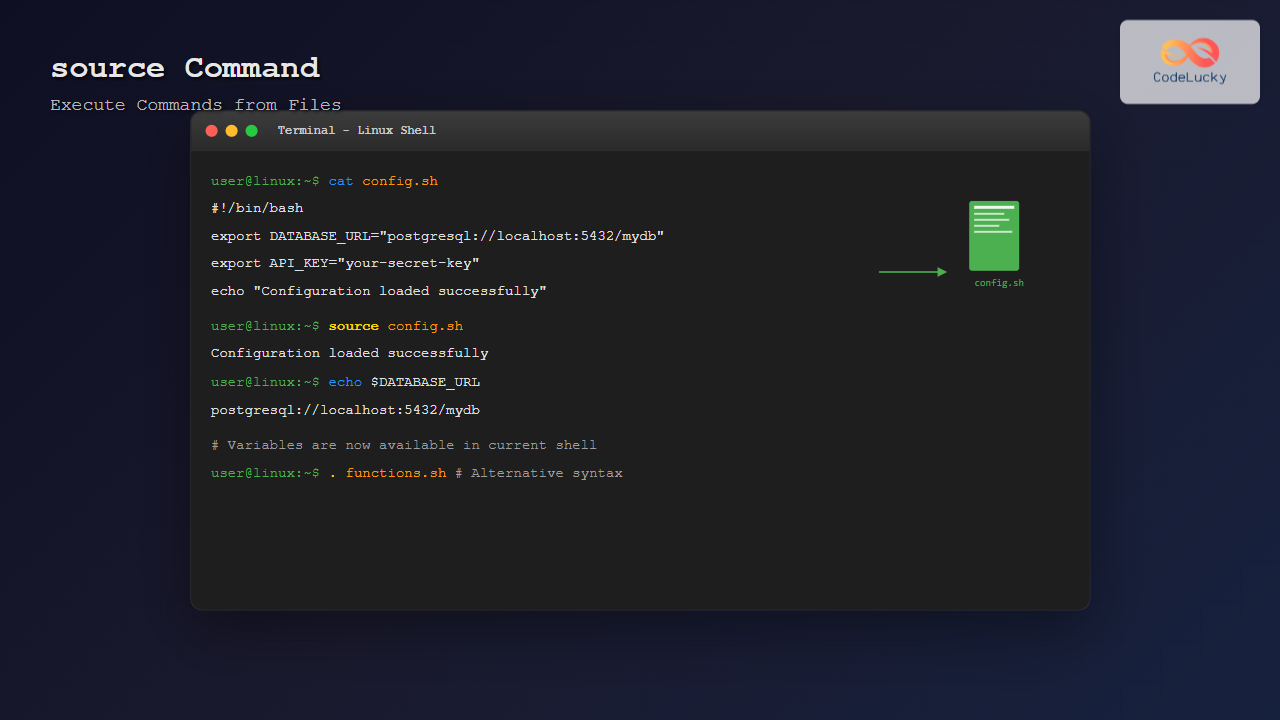
Create a configuration file to set environment variables:
# Create config.sh
cat > config.sh << EOF
export DATABASE_URL="postgresql://localhost:5432/mydb"
export API_KEY="your-secret-key"
export DEBUG_MODE="true"
EOF
Source the configuration:
source config.sh
echo $DATABASE_URL
Output:
postgresql://localhost:5432/mydb2. Loading Shell Functions
Create a utility functions file:
# Create utilities.sh
cat > utilities.sh << 'EOF'
# Function to create backup
backup_file() {
    if [ $# -eq 0 ]; then
        echo "Usage: backup_file <filename>"
        return 1
    fi
    cp "$1" "$1.backup.$(date +%Y%m%d_%H%M%S)"
    echo "Backup created for $1"
}

# Function to check disk usage
check_disk() {
    df -h | grep -E '^/dev/' | awk '{print $5 " " $1}' | while read output;
    do
        usage=$(echo $output | awk '{print $1}' | sed 's/%//g')
        partition=$(echo $output | awk '{print $2}')
        if [ $usage -ge 80 ]; then
            echo "Warning: Partition $partition is ${usage}% full"
        fi
    done
}
EOF
Source and use the functions:
source utilities.sh
backup_file important_document.txt
Output:
Backup created for important_document.txt3. Loading Aliases
Create an aliases file:
# Create aliases.sh
cat > aliases.sh << EOF
alias ll='ls -alF'
alias la='ls -A'
alias l='ls -CF'
alias grep='grep --color=auto'
alias ..='cd ..'
alias ...='cd ../..'
EOF
Source the aliases:
source aliases.sh
ll
4. Conditional Sourcing
You can implement conditional logic when sourcing files:
# Create environment-specific config
cat > dev_config.sh << EOF
if [ "\$ENVIRONMENT" = "development" ]; then
    export LOG_LEVEL="debug"
    export DATABASE_URL="postgresql://localhost:5432/myapp_dev"
    echo "Development environment loaded"
elif [ "\$ENVIRONMENT" = "production" ]; then
    export LOG_LEVEL="error"
    export DATABASE_URL="postgresql://prod-server:5432/myapp"
    echo "Production environment loaded"
else
    echo "Unknown environment"
fi
EOF
Use with different environments:
ENVIRONMENT="development"
source dev_config.sh
Output:
Development environment loadedAdvanced source Command Features
1. Sourcing with Parameters
You can pass parameters when sourcing a file:
# Create parameterized script
cat > setup_project.sh << 'EOF'
PROJECT_NAME="$1"
PROJECT_TYPE="$2"

if [ -z "$PROJECT_NAME" ]; then
    echo "Error: Project name required"
    return 1
fi

export PROJECT_DIR="/home/user/projects/$PROJECT_NAME"
export PROJECT_CONFIG="$PROJECT_DIR/config"

echo "Setting up project: $PROJECT_NAME"
echo "Project type: ${PROJECT_TYPE:-default}"
echo "Project directory: $PROJECT_DIR"
EOF
Source with parameters:
source setup_project.sh "MyWebApp" "nodejs"Output:
Setting up project: MyWebApp
Project type: nodejs
Project directory: /home/user/projects/MyWebApp
2. Error Handling in Sourced Files
Implement proper error handling:
# Create robust_config.sh
cat > robust_config.sh << 'EOF'
#!/bin/bash

# Function to check if command exists
command_exists() {
    command -v "$1" >/dev/null 2>&1
}

# Load configuration with error checking
load_config() {
    local config_file="$1"

    if [ ! -f "$config_file" ]; then
        echo "Error: Configuration file $config_file not found" >&2
        return 1
    fi

    if [ ! -r "$config_file" ]; then
        echo "Error: Cannot read configuration file $config_file" >&2
        return 1
    fi

    source "$config_file"
    echo "Configuration loaded from $config_file"
}

# Check required tools
check_requirements() {
    local required_tools=("git" "docker" "node")
    local missing_tools=()

    for tool in "${required_tools[@]}"; do
        if ! command_exists "$tool"; then
            missing_tools+=("$tool")
        fi
    done

    if [ ${#missing_tools[@]} -ne 0 ]; then
        echo "Error: Missing required tools: ${missing_tools[*]}" >&2
        return 1
    fi

    echo "All required tools are available"
}
EOF
3. Sourcing Remote Files
You can source files from remote locations:
# Download and source a remote configuration
curl -s https://example.com/config.sh | source /dev/stdin

# Or download first, then source
wget -O remote_config.sh https://example.com/config.sh
source remote_config.sh
Common Use Cases and Best Practices
1. Shell Profile Management
Organize your shell configuration:
# In ~/.bashrc
if [ -f ~/.bash_aliases ]; then
    source ~/.bash_aliases
fi

if [ -f ~/.bash_functions ]; then
    source ~/.bash_functions
fi

if [ -f ~/.bash_local ]; then
    source ~/.bash_local
fi
2. Project Environment Setup
Create project-specific environments:
# Create project_env.sh
cat > project_env.sh << 'EOF'
# Project-specific environment variables
export PROJECT_ROOT="$(pwd)"
export PATH="$PROJECT_ROOT/bin:$PATH"
export PYTHONPATH="$PROJECT_ROOT/src:$PYTHONPATH"

# Project-specific functions
deploy() {
    echo "Deploying from $PROJECT_ROOT..."
    # Add deployment logic here
}

test() {
    echo "Running tests for project..."
    # Add test logic here
}

echo "Project environment loaded for: $(basename $PROJECT_ROOT)"
EOF
3. Conditional Loading
Load configurations based on conditions:
# Create conditional_loader.sh
cat > conditional_loader.sh << 'EOF'
# Load OS-specific configurations
case "$(uname -s)" in
    Linux*)
        [ -f ~/.config/linux_specific.sh ] && source ~/.config/linux_specific.sh
        ;;
    Darwin*)
        [ -f ~/.config/macos_specific.sh ] && source ~/.config/macos_specific.sh
        ;;
    CYGWIN*|MINGW*)
        [ -f ~/.config/windows_specific.sh ] && source ~/.config/windows_specific.sh
        ;;
esac

# Load hostname-specific configurations
HOSTNAME_CONFIG="~/.config/$(hostname).sh"
[ -f "$HOSTNAME_CONFIG" ] && source "$HOSTNAME_CONFIG"
EOF
Troubleshooting Common Issues
1. File Not Found Errors
Always check if the file exists before sourcing:
if [ -f "config.sh" ]; then
    source config.sh
else
    echo "Warning: config.sh not found"
fi
2. Permission Issues
Ensure the file is readable:
if [ -r "config.sh" ]; then
    source config.sh
else
    echo "Error: Cannot read config.sh"
    exit 1
fi
3. Syntax Errors in Sourced Files
Test syntax before sourcing:
# Check syntax first
bash -n config.sh && source config.sh
Performance Considerations
Optimizing Source Operations
For frequently sourced files, consider these optimizations:
# Use guard variables to prevent multiple loading
if [ -z "$MY_CONFIG_LOADED" ]; then
    # Configuration loading logic here
    export MY_CONFIG_LOADED="true"
    echo "Configuration loaded"
else
    echo "Configuration already loaded"
fi
Lazy Loading
Implement lazy loading for heavy configurations:
# Create lazy loader function
load_heavy_config() {
    if [ -z "$HEAVY_CONFIG_LOADED" ]; then
        echo "Loading heavy configuration..."
        source heavy_config.sh
        export HEAVY_CONFIG_LOADED="true"
    fi
}

# Only load when needed
alias start-project='load_heavy_config && start_project_function'
Security Best Practices
1. Validate File Integrity
# Check file checksum before sourcing
expected_checksum="abc123def456"
actual_checksum=$(sha256sum config.sh | cut -d' ' -f1)

if [ "$expected_checksum" = "$actual_checksum" ]; then
    source config.sh
else
    echo "Error: File integrity check failed"
    exit 1
fi
2. Restrict File Permissions
# Set secure permissions for configuration files
chmod 600 ~/.config/secrets.sh
source ~/.config/secrets.sh
Conclusion
The source command is an essential tool for Linux users and system administrators. It enables efficient management of environment variables, functions, and configurations while maintaining the current shell context. By understanding its capabilities and following best practices, you can create more organized, maintainable, and secure shell environments.
Remember to always validate files before sourcing them, implement proper error handling, and consider performance implications when designing your shell configuration strategy. The source command’s flexibility makes it invaluable for everything from simple alias loading to complex project environment management.
Related Posts
make Command Linux: Complete Guide to Building Programs from Source Code
The make command is one of the most essential tools in Linux for building and compiling software from source code....
bash Command Linux: Start New Shell Sessions and Execute Scripts Efficiently
The bash command is one of the most fundamental tools in Linux systems, serving as both a command-line interpreter and...
export Command Linux: Complete Guide to Environment Variables Management
The export command is one of the most fundamental tools in Linux for managing environment variables. Whether you're a system...
which Command Linux: Complete Guide to Locating Executable Commands in PATH
The which command is a fundamental Linux utility that helps you locate executable files in your system's PATH environment variable....
sh Command Linux: Complete Guide to Shell Script Execution and Commands
The sh command is one of the most fundamental tools in Linux and Unix-like systems, serving as the standard shell...
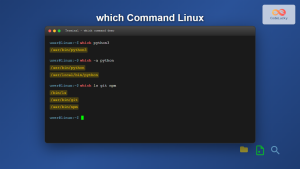
which Command Linux: Complete Guide to Finding Executable File Locations
The which command is one of the most fundamental utilities in Linux and Unix-like systems, designed to help users locate...
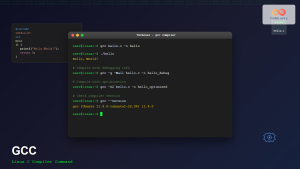
gcc Command Linux: Complete Guide to Compiling C Programs with Examples
The gcc (GNU Compiler Collection) is one of the most essential tools for C programmers working on Linux systems. This...
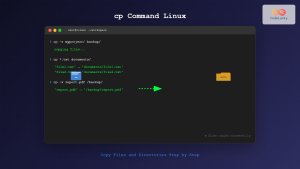
cp Command Linux: Copy Files and Directories with Examples and Best Practices
The cp command is one of the most fundamental and frequently used commands in Linux systems. It allows you to...

C Makefiles: Automating Compilation Process
In the world of C programming, efficiency is key. As projects grow larger and more complex, manually compiling each source...
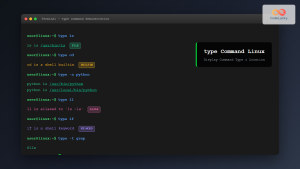
type Command Linux: Complete Guide to Display Command Type and Location
The type command is an essential Linux utility that helps you identify the nature and location of commands in your...
read Command Linux: Complete Guide to Reading User Input in Shell Scripts
The read command is one of the most fundamental tools in Linux shell scripting for creating interactive programs that capture...
python Command Linux: Complete Guide to Running Python Scripts and Interactive Sessions
The python command is one of the most essential tools for developers working with Python on Linux systems. Whether you're...