
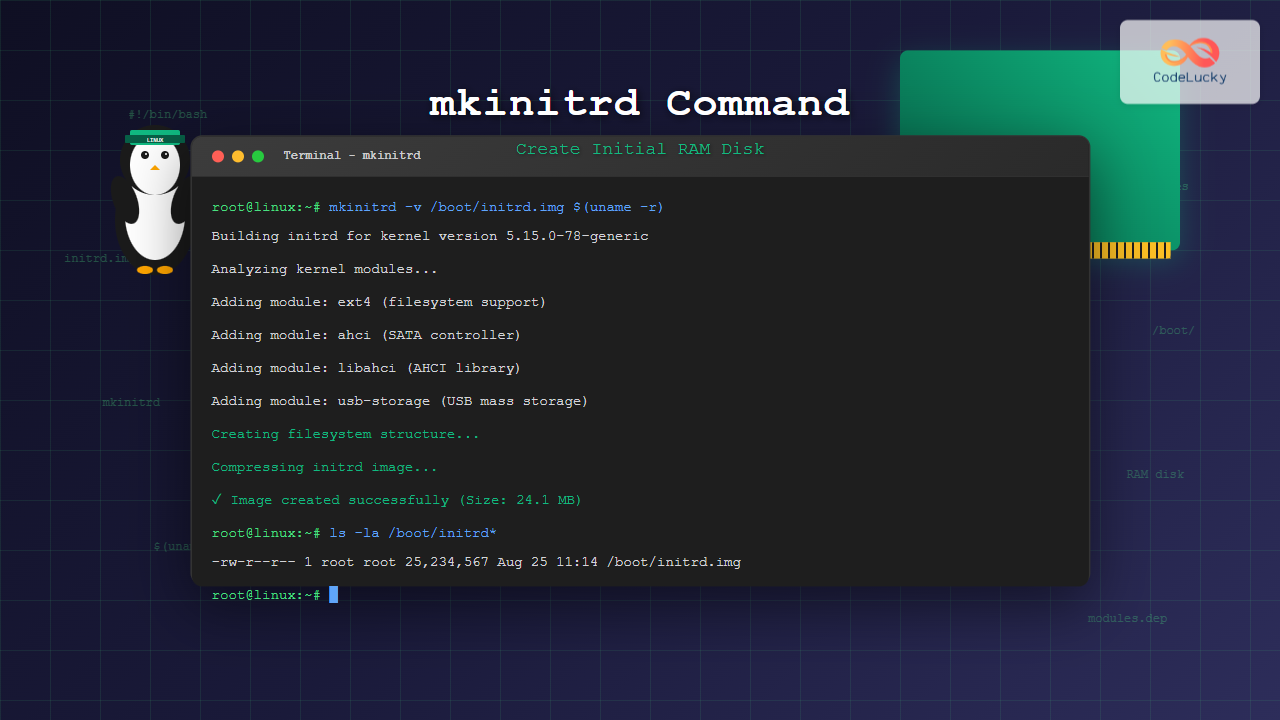
The mkinitrd command is a crucial Linux utility that creates initial RAM disk (initrd) images, which are essential for the boot process in modern Linux systems. This temporary file system loads into memory during boot time, containing necessary drivers and modules required to mount the root filesystem.
What is mkinitrd Command?
The mkinitrd (make initial RAM disk) command generates a compressed filesystem image that the kernel loads into memory during the boot process. This initrd image contains essential drivers, modules, and utilities needed to access the root filesystem before the actual root partition is mounted.
Key Features of mkinitrd:
- Creates bootable RAM disk images
- Includes necessary kernel modules and drivers
- Supports various filesystem types
- Handles device detection and initialization
- Provides emergency boot capabilities
mkinitrd Command Syntax
The basic syntax of the mkinitrd command follows this structure:
mkinitrd [OPTIONS] <initrd_image> <kernel_version>Common Parameters:
- initrd_image: Path and filename for the output initrd image
- kernel_version: Specific kernel version to build initrd for
Essential mkinitrd Command Options
| Option | Description |
|---|---|
-f |
Force overwrite existing initrd image |
-v |
Enable verbose output |
--preload |
Preload specified modules |
--omit-scsi-modules |
Exclude SCSI modules from initrd |
--omit-raid-modules |
Exclude RAID modules from initrd |
--with=MODULE |
Include specific kernel module |
--builtin=MODULE |
Treat module as built-in |
Basic mkinitrd Command Examples
Example 1: Creating a Basic initrd Image
sudo mkinitrd /boot/initrd-$(uname -r).img $(uname -r)Output:
Building initrd for kernel version 5.15.0-78-generic
Adding modules: ext4 ahci libahci libata scsi_mod sd_mod
Creating initrd image: /boot/initrd-5.15.0-78-generic.img
Image created successfully (Size: 23.4 MB)
Example 2: Force Overwrite Existing initrd
sudo mkinitrd -f /boot/initrd-custom.img $(uname -r)Output:
Overwriting existing initrd image: /boot/initrd-custom.img
Building initrd for kernel version 5.15.0-78-generic
Image creation completed
Example 3: Verbose Mode Creation
sudo mkinitrd -v /boot/initrd-verbose.img $(uname -r)Output:
mkinitrd: version 6.0.3
Using kernel version: 5.15.0-78-generic
Analyzing kernel modules...
Adding module: ext4 (filesystem support)
Adding module: ahci (SATA controller)
Adding module: libahci (AHCI library)
Adding module: usb-storage (USB mass storage)
Creating filesystem structure...
Compressing initrd image...
Final image size: 24.1 MB
Advanced mkinitrd Usage Examples
Example 4: Including Specific Modules
sudo mkinitrd --with=nvidia --with=ext4 /boot/initrd-nvidia.img $(uname -r)This command creates an initrd image that specifically includes the NVIDIA and ext4 modules.
Example 5: Preloading Network Modules
sudo mkinitrd --preload=e1000e --preload=r8169 /boot/initrd-network.img $(uname -r)Output:
Preloading modules: e1000e r8169
Building initrd with network support
Creating image: /boot/initrd-network.img
Network modules loaded successfully
Example 6: Omitting SCSI Modules
sudo mkinitrd --omit-scsi-modules /boot/initrd-no-scsi.img $(uname -r)This creates a smaller initrd image by excluding SCSI-related modules, useful for systems without SCSI devices.
Working with Different Kernel Versions
Example 7: Creating initrd for Specific Kernel
sudo mkinitrd /boot/initrd-5.10.0.img 5.10.0-genericExample 8: Listing Available Kernels
ls /lib/modules/Output:
5.10.0-generic
5.15.0-78-generic
5.19.0-42-generic
Troubleshooting mkinitrd Command
Common Error Solutions
Error: “Module not found”
# Check available modules
find /lib/modules/$(uname -r) -name "*.ko" | grep module_name

# Verify module dependencies
modinfo module_name
Error: “No space left on device”
# Check available space in /boot
df -h /boot

# Clean old initrd images
sudo rm /boot/initrd-old-version.img
Example 9: Checking initrd Contents
# Extract and examine initrd contents
mkdir /tmp/initrd_extract
cd /tmp/initrd_extract
zcat /boot/initrd-$(uname -r).img | cpio -i -d
Output:
bin/
dev/
etc/
lib/
proc/
sbin/
sys/
tmp/
var/
init
2847 blocks
Modern Alternatives to mkinitrd
While mkinitrd is still used in some distributions, many modern Linux systems have adopted alternative tools:
dracut Command (RHEL/CentOS/Fedora)
sudo dracut /boot/initramfs-$(uname -r).img $(uname -r)update-initramfs (Debian/Ubuntu)
sudo update-initramfs -c -k $(uname -r)Best Practices for mkinitrd Usage
1. Backup Existing initrd Images
sudo cp /boot/initrd-$(uname -r).img /boot/initrd-$(uname -r).img.backup2. Test New initrd Images
Always test new initrd images in a safe environment before deploying to production systems.
3. Include Essential Modules
Ensure all necessary drivers for your root filesystem and storage devices are included.
4. Regular Maintenance
# Remove old initrd images to save space
sudo find /boot -name "initrd-*" -mtime +30 -delete
Integration with Boot Loaders
GRUB Configuration
After creating a new initrd image, update your GRUB configuration:
sudo update-grubOr manually edit /boot/grub/grub.cfg to include the new initrd:
menuentry 'Custom Kernel' {
    linux /boot/vmlinuz-custom root=/dev/sda1
    initrd /boot/initrd-custom.img
}
Performance Considerations
Optimizing initrd Size
- Include only necessary modules
- Use compression options effectively
- Remove unused binaries and libraries
- Consider module loading order
Example 10: Creating Minimal initrd
sudo mkinitrd --omit-scsi-modules --omit-raid-modules \
  --builtin=ext4 /boot/initrd-minimal.img $(uname -r)
Security Considerations
When using mkinitrd, consider these security aspects:
- Protect initrd images from unauthorized modification
- Use secure boot when available
- Verify module signatures
- Regular security updates for included modules
Conclusion
The mkinitrd command remains an essential tool for Linux system administrators who need fine-grained control over the initial boot process. While newer alternatives like dracut and update-initramfs are becoming more common, understanding mkinitrd is valuable for working with legacy systems and situations requiring custom initrd creation.
By mastering the various options and techniques demonstrated in this guide, you can create optimized initrd images tailored to your specific system requirements, troubleshoot boot issues effectively, and maintain robust Linux systems.
Related Posts

dracut Command Linux: Complete Guide to Initial RAM Filesystem Creation and Management
The dracut command is a powerful utility in Linux systems that creates initial RAM disk (initramfs) images used during the...
update-initramfs Command Linux: Complete Guide to Initial RAM Filesystem Management
The update-initramfs command is a crucial Linux system administration tool that manages the initial RAM filesystem (initramfs). This command creates,...
mkfs Command Linux: Complete Guide to Creating Filesystems on Partitions
The mkfs command in Linux is a fundamental tool for creating filesystems on disk partitions. Whether you're setting up a...
devtmpfs Linux: Complete Guide to Device Temporary Filesystem Management
The devtmpfs (Device Temporary Filesystem) is a crucial component of modern Linux systems that revolutionizes how device nodes are managed...

init Command Linux: Complete Guide to Process Control and System Initialization
The init command in Linux serves as the cornerstone of system initialization and process control. As the first process started...
insmod Command Linux: Complete Guide to Insert Kernel Modules
The insmod command is a fundamental Linux utility that allows system administrators and developers to insert kernel modules into the...
lsblk Command Linux: Complete Guide to List and Manage Block Devices
The lsblk command is an essential Linux utility that displays information about block devices in a tree-like format. Whether you're...
proc filesystem Linux: Complete Guide to Understanding /proc Directory Structure and Commands
What is the Linux /proc Filesystem? The /proc filesystem is a virtual filesystem in Linux that provides a window into...
kpartx Command Linux: Create and Manage Partition Maps with Complete Examples
The kpartx command is a powerful Linux utility that creates device maps from partition tables, enabling you to access partitions...
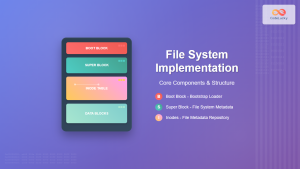
File System Implementation: Boot Block, Super Block and Inodes Explained
Understanding File System Implementation File system implementation is a critical component of operating systems that manages how data is stored,...

sysvinit Linux: Complete Guide to System V Initialization System
The System V initialization system (sysvinit) is a traditional init system that has been the backbone of Unix and Linux...
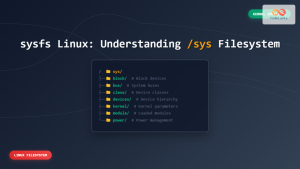
sysfs Linux: Complete Guide to Understanding and Using /sys Filesystem
The sysfs filesystem is one of Linux's most powerful yet underutilized features, providing a window into the kernel's internal operations...





