
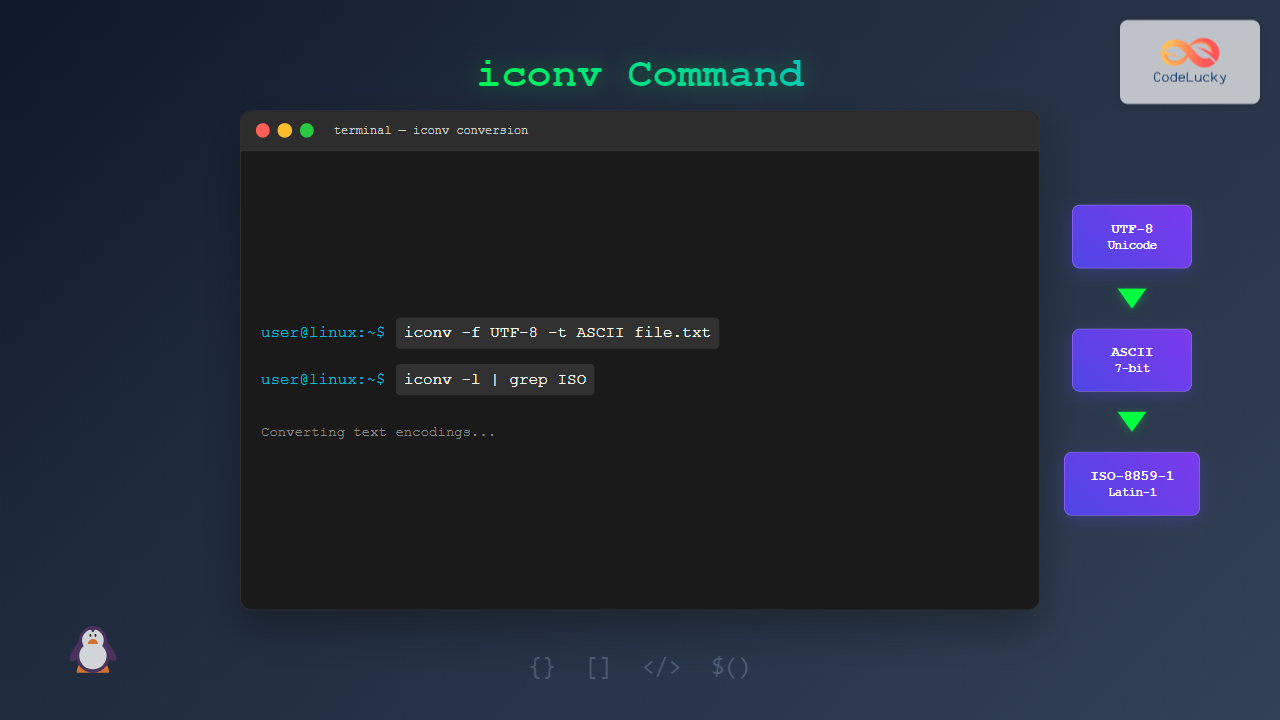
The iconv command in Linux is a powerful utility designed to convert text files from one character encoding to another. Whether you’re dealing with legacy systems, internationalization requirements, or file compatibility issues, iconv provides a reliable solution for character encoding conversion tasks.
What is Character Encoding?
Character encoding is a system that assigns numerical codes to characters, enabling computers to store and display text. Common encodings include:
- UTF-8: Universal character encoding supporting all languages
- ASCII: Basic English character set (7-bit)
- ISO-8859-1 (Latin-1): Western European character set
- UTF-16: Unicode encoding using 16-bit units
- CP1252: Windows-specific encoding
Basic Syntax and Options
The fundamental syntax of the iconv command follows this pattern:
iconv [OPTIONS] -f FROM_ENCODING -t TO_ENCODING [INPUT_FILE]Essential Options
| Option | Description |
|---|---|
-f, --from-code |
Specify source encoding |
-t, --to-code |
Specify target encoding |
-o, --output |
Specify output file |
-c |
Omit invalid characters |
-s, --silent |
Suppress error messages |
-l, --list |
List supported encodings |
Listing Available Encodings
Before converting files, you can view all supported encodings:
iconv -lSample Output:
The following list contains all the coded character sets known.
ASCII
UTF-8
UTF-16
UTF-16BE
UTF-16LE
UTF-32
ISO-8859-1
ISO-8859-2
...
CP1252
WINDOWS-1251
Basic Conversion Examples
Converting UTF-8 to ASCII
Create a sample file with UTF-8 encoding:
echo "Hello World! Café résumé" > utf8_file.txtConvert to ASCII (note that special characters may be lost):
iconv -f UTF-8 -t ASCII//IGNORE utf8_file.txtOutput:
Hello World! Caf rsumConverting Between UTF-8 and ISO-8859-1
iconv -f UTF-8 -t ISO-8859-1 input.txt -o output.txtConverting Windows Files to UTF-8
iconv -f CP1252 -t UTF-8 windows_file.txt -o unix_file.txtAdvanced Usage Scenarios
Handling Invalid Characters
When converting between incompatible encodings, use these suffixes:
//IGNORE– Skip invalid characters//TRANSLIT– Transliterate similar characters
# Skip invalid characters
iconv -f UTF-8 -t ASCII//IGNORE input.txt

# Transliterate characters
iconv -f UTF-8 -t ASCII//TRANSLIT input.txt
Example with transliteration:
echo "Café résumé naïve" | iconv -f UTF-8 -t ASCII//TRANSLITOutput:
Cafe' re'sume' nai"veBatch File Conversion
Convert multiple files using a shell script:
#!/bin/bash
for file in *.txt; do
    iconv -f ISO-8859-1 -t UTF-8 "$file" -o "${file%.txt}_utf8.txt"
done
Practical Use Cases
Database Migration
When migrating databases with different character sets:
mysqldump --default-character-set=latin1 database_name | \
iconv -f ISO-8859-1 -t UTF-8 | \
mysql --default-character-set=utf8 new_database_name
Web Development
Ensuring consistent encoding for web files:
find . -name "*.html" -exec iconv -f ISO-8859-1 -t UTF-8 {} -o {}.utf8 \;Log File Processing
Converting system logs for analysis:
iconv -f CP1252 -t UTF-8 system.log | grep "ERROR"Error Handling and Troubleshooting
Common Error Messages
Invalid input sequence:
iconv: illegal input sequence at position XSolution: Use //IGNORE or //TRANSLIT suffixes
Detecting File Encoding
Use the file command to identify encoding:
file -bi filename.txtOutput:
text/plain; charset=utf-8Performance Considerations
Processing Large Files
For large files, consider using pipes to avoid memory issues:
cat large_file.txt | iconv -f ISO-8859-1 -t UTF-8 > converted_file.txtMonitoring Progress
Use pv (pipe viewer) for progress monitoring:
pv large_file.txt | iconv -f UTF-16 -t UTF-8 > output.txtIntegration with Other Commands
Combining with sed
iconv -f UTF-8 -t ASCII//TRANSLIT input.txt | sed 's/[^a-zA-Z0-9 ]//g'Using with awk
iconv -f ISO-8859-1 -t UTF-8 data.csv | awk -F',' '{print $1, $3}'Best Practices
- Always backup original files before conversion
- Test with sample data before processing large datasets
- Verify encoding using
file -bicommand - Use appropriate suffixes (//IGNORE or //TRANSLIT) for lossy conversions
- Document encoding changes for team collaboration
Alternative Tools
While iconv is the standard, consider these alternatives:
- recode: More user-friendly interface
- uconv: ICU-based converter with advanced features
- dos2unix/unix2dos: Specific for line ending conversion
Conclusion
The iconv command is an essential tool for Linux system administrators and developers working with text files in different character encodings. Its versatility in handling various encoding formats, combined with powerful options for error handling, makes it indispensable for data processing, migration tasks, and internationalization projects.
By mastering iconv, you can ensure consistent text encoding across different systems, resolve compatibility issues, and maintain data integrity during file conversions. Remember to always test conversions with sample data and backup original files to prevent data loss.
Related Posts

C Character Handling: <ctype.h> Functions
In the world of C programming, character handling is a fundamental skill that every developer should master. The <ctype.h> header...

HTML Charsets and Encoding: A Comprehensive Guide
Introduction Have you ever visited a website and seen strange symbols instead of normal text? This often happens because of...
hexdump Command Linux: Complete Guide to Display File Contents in Hexadecimal Format
The hexdump command is a powerful Linux utility that displays the contents of files in hexadecimal format, making it an...
strings Command Linux: Extract and Analyze Text from Binary Files
The strings command is a powerful Linux utility that extracts printable character sequences from binary files. Whether you're analyzing executables,...
Python ascii() Function: Getting ASCII Representation
The ascii() function in Python is a powerful tool for representing strings in a way that is compatible with ASCII,...
Python String encode() Method: Encoding String into Bytes
The encode() method in Python is an essential tool for working with strings in various contexts, especially when you need...
locale Command Linux: Complete Guide to Display System Locale Information
The locale command is an essential Linux utility that displays and manages locale-specific information on your system. Locales define how...
HTML URL Encoding: How to Handle Special Characters in URLs
Introduction Have you ever clicked a link and noticed strange characters in the address bar, like %20 or %3F? Those...
od Command Linux: Complete Guide to Octal Dump File Contents and Binary Analysis
The od (octal dump) command is a powerful Linux utility that displays file contents in various formats including octal, hexadecimal,...
tr Command in Linux: Complete Guide to Character Translation and Deletion
The tr command is one of the most versatile text processing utilities in Linux, designed to translate, delete, or squeeze...
Python ord() Function: Getting Integer from Unicode Character
The ord() function in Python is a handy tool for converting a single character into its corresponding Unicode code point....

MySQL Character Sets: Handling Text Data with Precision
Character sets in MySQL are like the alphabets and symbols your database understands. They dictate how text data is stored,...





