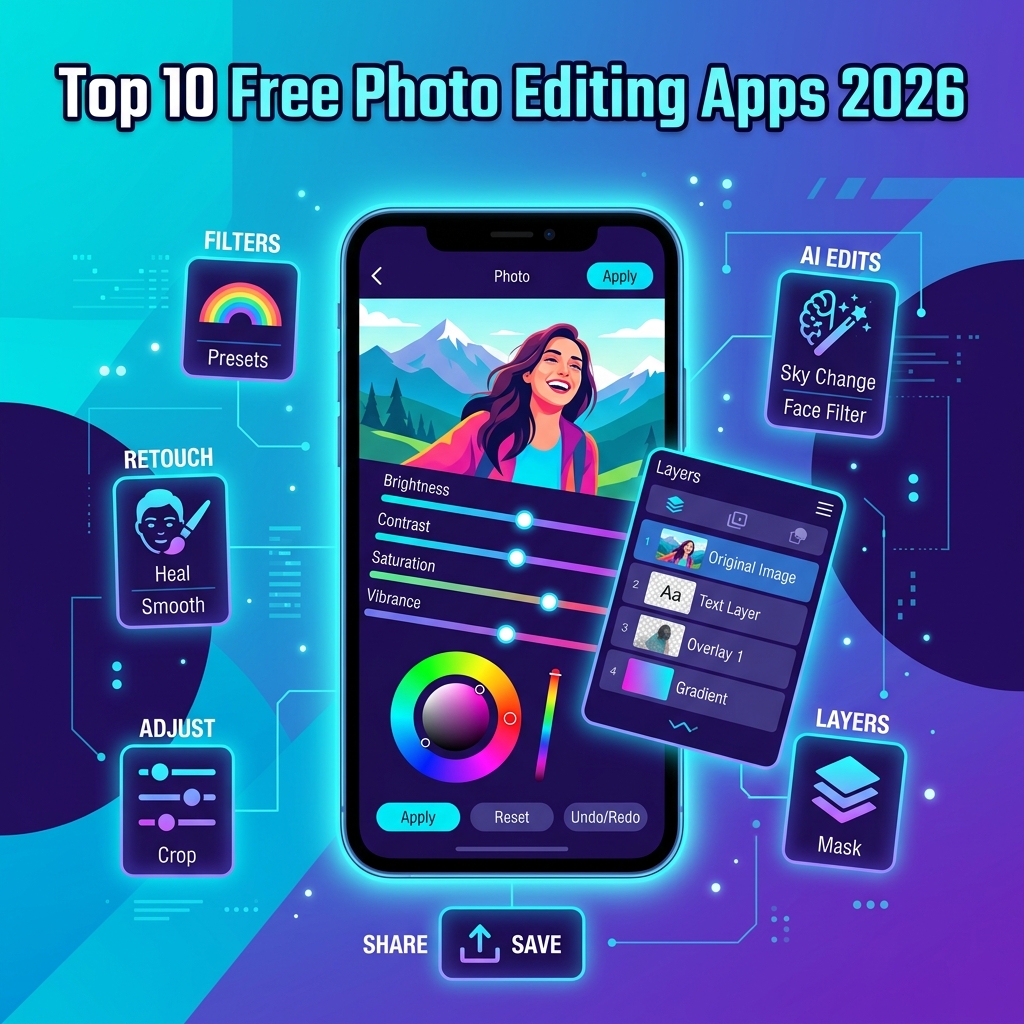
Your phone camera already shoots images that rival what professional DSLRs produced a decade ago, but the photo straight out of the lens is rarely the photo you want to share. The difference between a forgettable snapshot and a scroll-stopping post almost always lives inside an editing app — and in 2026, the best ones cost nothing. This roundup of the best free photo editing apps for mobile in 2026 cuts through the noise, ranks the top contenders for both Android and iOS, and tells you exactly which one to install for the kind of editing you actually do.
Some apps focus on AI-driven one-tap magic. Others give you Lightroom-grade curves and masks. A few specialise in social-ready aesthetics, while one or two are quietly the most powerful retouching tools on any platform. Below, you will find every category covered, plus honest notes on which apps lock the good stuff behind a paywall.
What Makes a Great Free Photo Editing App in 2026?
A great free mobile photo editor in 2026 is one that delivers professional-grade adjustments — exposure, color, masking, retouching, and AI-assisted cleanup — without forcing a subscription for everyday tasks, while remaining fast, privacy-respecting, and stable on mid-range phones. The best ones also export in full resolution, support RAW files, and avoid burning watermarks into your photos.
That definition rules out a lot of the App Store top charts. Many “free” editors today are trial-ware that lock cropping, healing, or even saving behind a paywall. The ten apps below all pass the baseline test: you can do real work, save in full quality, and never see a watermark unless you opt in.
How We Ranked the Top 10 Free Photo Editing Apps
The ranking blends four factors that matter to actual users, not marketing teams:
- Feature depth on the free tier — how much you can do without paying.
- Output quality — full resolution, RAW support, color accuracy.
- Speed and stability — performance on a typical 2024-era Android or iPhone.
- Learning curve — whether a beginner can be productive in under ten minutes.
Apps were tested across both platforms in early 2026. Where features differ between Android and iOS, the difference is called out explicitly.
1. Snapseed — The Best All-Round Free Editor
Google’s Snapseed remains the gold standard for free mobile photo editing, and the 2026 update finally added non-destructive layer masking and a redesigned curves panel. Twenty-nine “Tools and Filters” cover everything from selective brightness adjustments to perspective correction, healing, and double-exposure. There is no subscription, no watermark, and no ad layer — it is genuinely free.
The hidden superpower is the Selective tool, which lets you drop control points anywhere on the image and adjust brightness, contrast, saturation, and structure for that region only. It is the fastest way to dodge and burn on a phone.
- Best for: Photographers who want desktop-level control without paying.
- Platforms: Android and iOS.
- RAW support: Yes, full DNG editing.
- Watch out for: No cloud sync; everything stays local.
The official Snapseed overview on Wikipedia documents the app’s history if you want background on why Google still ships it as a no-strings tool.
2. Adobe Lightroom Mobile — Pro-Grade Color and RAW
Lightroom Mobile’s free tier is more generous than most realise. You get the full edit panel — light, color, effects, detail, optics, and geometry — plus profiles, presets, and the auto button powered by Adobe Sensei. The cloud sync, healing brush, masking, and Lightroom Camera RAW are paid, but for tone-and-color grading on JPEGs and most DNGs, you will not hit a wall.
If you shoot in Pro mode or use a phone with a 12-bit RAW capture (most flagships do), Lightroom is the cleanest way to recover highlights and shadows on a touchscreen.
Tip: Save your favourite tone curve as a preset before you start editing a batch. Free-tier users can apply presets across photos even without a Creative Cloud subscription.
3. VSCO — Film-Inspired Aesthetics for Social Creators
VSCO built its reputation on film-emulation presets, and the free tier still includes the ten foundational presets that defined a generation of Instagram feeds. The 2026 update modernised the interface and added a free Studio for organising drafts. Standard adjustments — exposure, contrast, saturation, grain, fade, tint — are all unlocked.
The paid VSCO Membership unlocks 200+ presets and AI tools, but if you only need a consistent look across your feed, the free presets paired with manual film-grain control are enough.
4. Pixlr — Browser-Class Editing on Mobile
Pixlr brings layered editing, blend modes, and AI cutouts to mobile without a subscription on the entry tier. The 2026 app added an on-device generative fill that works on small selections, useful for removing power lines, signs, or stray tourists from travel shots. Exports are full resolution, and there is no forced watermark.
Pixlr is ad-supported on the free tier. The ads are unobtrusive between sessions, but if you edit constantly, the upgrade to Premium is reasonable.
5. Photoshop Express — Quick Fixes from Adobe
Where Lightroom Mobile is about deep tone work, Photoshop Express is about fast, social-ready edits. The free tier includes collages, stickers, watermark-free export, blemish removal, and a respectable set of one-tap looks. The 2026 build added free generative background swap on photos under 12 megapixels.
- Best for: Quick fixes, stories, and reels covers.
- Platforms: Android and iOS.
- Watch out for: Adobe account required; some “Premium” labels are sprinkled across tools you might expect to be free.
6. Picsart — AI-Heavy Editing with a Big Free Tier
Picsart leans hard into AI: background remover, sky replacement, generative effects, and a thriving template library are all available on the free tier with daily usage limits. For social creators and meme makers, nothing else on this list matches the raw breadth of effects.
The trade-off is interface noise. Picsart’s home screen is busy, and the free tier nags toward upgrades. If you can ignore the upsells, it is one of the most capable free apps in 2026.
7. Polish — Apple’s Built-In Photos App, Reinvented
iOS 19’s Photos app upgraded the built-in editor with object isolation, generative cleanup, and a depth-aware portrait re-lighting tool — all free, all on-device, and all privacy-respecting. For iPhone users, the native Photos editor is now legitimately one of the best free options on the platform.
Android’s equivalent — Google Photos with the Magic Editor — is also free as of late 2025 across all Android devices, not just Pixels. If you only need quick tonal corrections and the occasional object removal, you may not need a third-party app at all.
8. Fotor — Beginner-Friendly with Clean Presets
Fotor is the friendliest app on this list for absolute beginners. The interface is laid out like a simple slider tray, the one-tap enhance is conservative (it does not over-saturate), and the free tier includes basic retouching, frames, and collages. RAW support is limited.
Choose Fotor if you find Snapseed intimidating and Lightroom Mobile overwhelming. You will not unlock pro-tier precision, but for everyday social photos, it is more than enough.
9. PhotoDirector — Strong Free Layers and Animation
CyberLink’s PhotoDirector punches above its weight with free layer support, AI sky replacement, and the standout Photo Animation tool that turns still photos into short looping clips perfect for Reels or TikTok. The free tier includes a daily AI credit budget; heavy users will see paywalls, but casual creators rarely hit them.
10. Darkroom — The iOS Power User’s Free Pick
Darkroom is iOS-only and the free tier is unusually generous: full RAW support, color and curve adjustments, batch processing of up to ten photos, and a clean watermark-free export. The premium subscription unlocks masking and video LUTs, but for stills, the free tier is a complete editor.
If you live inside Apple’s ecosystem and want a Lightroom-style experience without the Adobe account, Darkroom is the answer.
Side-by-Side Comparison Table
| App | Platform | RAW | Watermark-Free | Best Use Case |
|---|---|---|---|---|
| Snapseed | Android, iOS | Yes | Yes | All-round pro editing |
| Lightroom Mobile | Android, iOS | Yes | Yes | Color grading and tone |
| VSCO | Android, iOS | Yes | Yes | Film aesthetics |
| Pixlr | Android, iOS | Limited | Yes | Layered edits |
| Photoshop Express | Android, iOS | No | Yes | Quick social fixes |
| Picsart | Android, iOS | No | Yes | AI effects, templates |
| Native Photos / Google Photos | iOS / Android | Yes | Yes | On-device cleanup |
| Fotor | Android, iOS | Limited | Yes | Beginner edits |
| PhotoDirector | Android, iOS | Limited | Yes | Photo animation |
| Darkroom | iOS | Yes | Yes | Apple-ecosystem editing |
Pro Tips to Get More From Any Free Mobile Photo Editor
The app you choose matters less than the habits you build around it. A few practices will lift the quality of every edit, regardless of which of these free photo editing apps you settle on.
- Shoot in RAW when you can. Both modern iPhones and most Android flagships expose a RAW option in Pro mode. A RAW file gives you several stops of latitude in highlights and shadows that JPEGs throw away.
- Edit globally, then locally. Set your exposure, white balance, and overall contrast first. Only then reach for selective adjustments, healing, or masks.
- Use a reference image. Open a photo with the look you want in a split-screen window and match it. Your eye drifts toward over-saturation in a single-app session.
- Calibrate your screen brightness. Edit at around 70 percent brightness in a neutral room. Photos that look right at full brightness will look muddy on other people’s screens.
- Export at full resolution. Several apps default to “social” or “medium” quality. Find the export settings and switch to maximum.
Common Mistakes to Avoid When Editing on Mobile
Most edits go wrong in the same handful of ways. Knowing the patterns helps you stop making them.
- Over-sharpening. Phone sensors already apply sharpening at capture. Adding more creates halos around high-contrast edges. Keep sharpening under 25 unless the photo is intentionally soft.
- Crushing the blacks. Dragging the shadow slider too far destroys detail in dark areas. Use the curves tool and lift the lower-left point slightly instead.
- Filter stacking. Layering three presets to find a “look” almost always ruins skin tones. Apply one filter, then refine manually.
- Editing on auto-brightness. Your phone changes screen brightness without telling you, which means an edit you make outdoors will look completely different indoors.
- Ignoring color profiles. Some apps strip the embedded color profile on export. If your photo looks oversaturated on Instagram but normal in your camera roll, this is usually why.
Free vs. Paid: Do You Actually Need to Upgrade?
For most users in 2026, the answer is no. The free tiers across Snapseed, Lightroom Mobile, Darkroom (iOS), and the native Photos apps cover everything a casual creator or even a small-business social manager needs. You should consider paying when one of three things is true:
- You need cloud sync across phone, tablet, and desktop (Lightroom).
- You need advanced masking for client work or commercial retouching (Darkroom, Lightroom).
- You generate high volumes of AI edits per day and keep hitting free-tier credit caps (Picsart, PhotoDirector).
If you are unsure, edit the same photo in three different free apps before paying anything. The differences will be obvious, and one of them will fit your eye.
Privacy and Data Considerations in 2026
Photo editors increasingly send data to the cloud for AI features. That matters because your camera roll is one of the most sensitive datasets you carry. Snapseed and Darkroom process everything on-device. Lightroom Mobile, Photoshop Express, and Picsart upload to Adobe or Picsart servers for generative features.
Check each app’s privacy policy if you edit identifiable people, especially minors, or sensitive locations. The Electronic Frontier Foundation’s privacy resources are a good primer on what to look for in mobile-app data handling. Apple’s App Privacy labels on the App Store summarise data collection at a glance.
Frequently Asked Questions
Which is the best free photo editing app for Android in 2026?
For most Android users, Snapseed is the best free choice because it delivers professional-grade tools — selective adjustments, curves, healing, RAW editing — with no watermark, no subscription, and no ads. Google Photos with Magic Editor is the best built-in option if you want zero installs.
Which is the best free photo editing app for iPhone in 2026?
iPhone users have two strong picks. The native Photos app in iOS 19 covers most everyday needs with on-device AI cleanup, while Darkroom’s free tier is the best third-party option for serious editing including RAW, curves, and batch processing.
Are free photo editing apps safe to use?
Most major free editors from established developers are safe, but they vary in how much data they send to the cloud. Stick to apps from Google, Adobe, Apple, VSCO, or other reputable studios, review the App Store or Play Store privacy labels, and avoid clones with similar names but unfamiliar developers.
Can I edit RAW photos for free on mobile?
Yes. Snapseed, Lightroom Mobile, Darkroom (iOS), and the native iOS and Android camera apps all support RAW editing without a subscription. RAW gives you far more flexibility to recover highlight and shadow detail than JPEGs.
Do free photo editing apps add watermarks?
The ten apps in this list all export without watermarks on their free tiers in 2026. Many other “free” editors on the App Store and Play Store do add watermarks or limit export resolution, so always test the export workflow before you commit to an app for real projects.
Which free app is best for removing objects from photos?
Google Photos Magic Editor on Android and the native Photos app on iOS 19 both include free generative object removal. Snapseed’s Healing tool also works well for small distractions, and Pixlr’s generative fill handles medium-sized removals on the free tier.
Conclusion
The best free photo editing apps for mobile in 2026 are no longer compromised, stripped-down versions of paid software — they are genuinely capable tools that can carry an entire creative workflow. Snapseed remains the all-round champion. Lightroom Mobile owns color and tone. VSCO defines the social aesthetic. Native Photos apps on iOS and Android have quietly become some of the most powerful on-device editors available, and Darkroom is the iOS power-user pick that costs nothing for stills.
Pick one primary editor, learn its strengths, and add a second app only when you hit a real limit. The goal is not to install all ten — it is to find the one that disappears into your workflow and lets the photo do the talking.