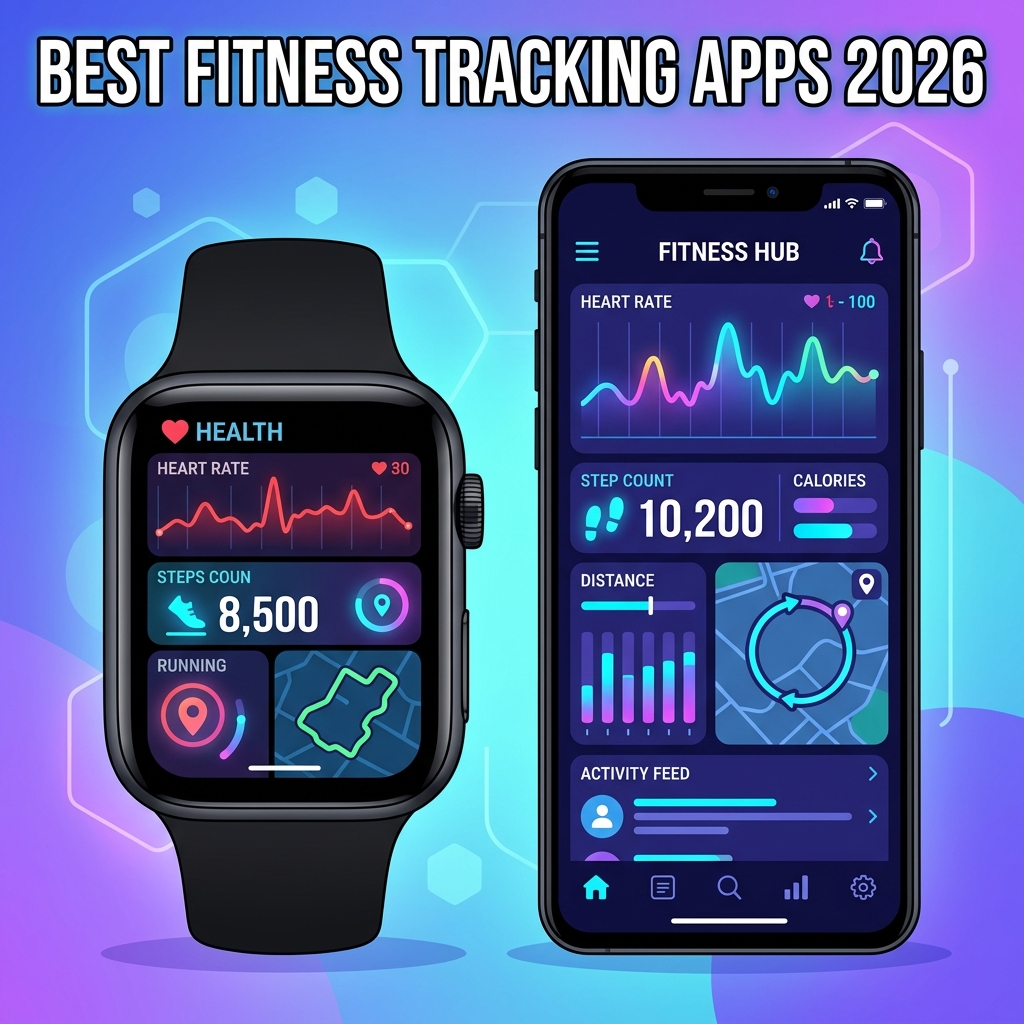
Your wrist already knows more about your body than your doctor did five years ago. It counts your steps, measures your VO2 max, flags irregular heart rhythms, and quietly judges you for skipping leg day. But the hardware is only half the story — the app you pair with it decides whether all that data turns into real progress or just sits in a dashboard collecting digital dust.
Choosing the best fitness tracking apps for Apple Watch and Android in 2026 is harder than it should be. The market is flooded with options, each promising AI coaches, longevity scores, and personalized training plans. Some deliver. Many don’t. This guide cuts through the marketing and walks you through the platforms that actually move the needle on strength, endurance, sleep, and recovery — whether you wear a Series 10, a Pixel Watch 3, or a Galaxy Watch 7.
What Makes a Fitness Tracking App Worth Installing in 2026
A modern fitness tracking app is software that ingests sensor data from a wearable or phone — heart rate, GPS coordinates, accelerometer signals, SpO2, skin temperature — and translates it into actionable insights about your training load, recovery, and long-term health trends. The best apps in 2026 do this with on-device machine learning, cross-platform syncing, and respect for the user’s privacy.
That definition matters because the bar has moved. A few years ago, counting steps and logging runs was enough. Today, you should expect adaptive workout plans, recovery scores backed by heart rate variability (HRV), and integrations with continuous glucose monitors and smart rings. If an app doesn’t offer at least three of those, it’s coasting on yesterday’s standards.
The Five Pillars of a Great Fitness App
- Accuracy — sensor fusion that filters noise from real signals.
- Insight — context for the numbers, not just the numbers themselves.
- Adaptability — plans that change when your performance changes.
- Ecosystem — clean syncing with Apple Health, Health Connect, Strava, and third-party gear.
- Privacy — clear data policies and local processing where possible.
Best All-Around Fitness Tracking Apps for Apple Watch
Apple Watch users have the deepest selection of any wearable platform. The native Fitness app is solid, but the ecosystem really opens up once you pair it with a specialist app that uses the watch’s sensors more aggressively than Apple does.
Apple Fitness+
Apple’s first-party service finally feels mature in 2026. The Custom Plans engine builds a multi-week program from your stated goals, available equipment, and history — and it rebalances weekly based on actual workout completion. The Vitals app integration means your morning recovery score is no longer a gimmick; it pulls HRV, wrist temperature, respiratory rate, and sleep duration into a single, honest number.
Where it still falls short: strength training. The set-and-rep logging is functional but feels bolted on compared to dedicated lifting apps.
Strava
For runners and cyclists, Strava remains the social and analytical home base. The 2026 redesign added an Athlete Intelligence layer that flags overtraining patterns weeks before they would have hurt you, plus route discovery that uses aggregated heatmaps to surface roads with low traffic. Segment chasing is still the main hook, and the leaderboards have never been more accurate after the verification overhaul.
Gentler Streak
If Apple’s closed-ring pressure has ever made you push through a sick day you should have rested, Gentler Streak is the antidote. It rewards consistency without punishing recovery, treating rest days as a feature rather than a failure. The Body Battery–style readiness score is well-calibrated for casual exercisers who don’t want to feel like a competitive athlete.
Best All-Around Fitness Tracking Apps for Android
Android’s wearable story used to be fragmented. With Health Connect now standard across Wear OS 5, Samsung One UI Watch, and most third-party devices, the situation has flipped — Android often has cleaner cross-app data flow than iOS.
Google Fit (Successor: Fitbit by Google)
After Google folded Fit’s functionality into the Fitbit app, the unified experience is one of the most polished on Android. Daily Readiness, Active Zone Minutes, and the sleep profile feel like a single coherent product. The Premium tier is worth it for the redesigned coaching plans and the new Recovery Outlook that predicts how a poor night’s sleep will affect tomorrow’s workout intensity.
Samsung Health
For Galaxy Watch owners, Samsung Health in 2026 is genuinely competitive with Apple Fitness+. Body Composition analysis via the bioelectrical impedance sensor is fast and reasonably accurate, AGEs Index gives a useful longevity proxy, and the Energy Score consolidates sleep, activity, and HRV into a single morning brief. The catch: many of the best features still work best inside Samsung’s walled garden.
adidas Running
Formerly Runtastic, adidas Running is the most polished training planner on Wear OS. Voice coaching is genuinely useful, the new heart-rate-based pacing is more reliable than GPS pacing on trails, and the training plan engine adapts to actual completion rather than punishing you for life getting in the way.
Specialist Apps That Outperform the Generalists
Generalist apps cover the basics; specialist apps win when you have a specific goal. The fitness tracking apps below are the ones serious athletes and coaches recommend in 2026.
For Strength Training: Hevy and Strong
Both work on Apple Watch and Wear OS. Hevy has overtaken Strong for community features, exercise library quality, and Apple Watch reliability. Its 2026 AI coach drafts progressive overload schemes from your previous logs and adjusts for missed sessions. Strong remains the cleaner, more minimalist option for lifters who just want fast logging without social features.
For Running: Runna and COROS Training Hub
Runna’s adaptive plans for 5K through marathon are the gold standard for amateur runners now. The integration with Apple Watch Ultra and the Pixel Watch 3 means workout structure is delivered to the wrist with clear interval cues. COROS Training Hub, while built around COROS watches, syncs cleanly with Apple Watch and provides the best long-term load monitoring outside of TrainingPeaks.
For Cycling: Wahoo SYSTM and Zwift
Both pull workouts directly to your wrist for outdoor sessions and to your phone for indoor training. SYSTM’s “4DP” testing profile builds a more nuanced power picture than a single FTP number.
For Yoga and Mobility: Down Dog and ROMWOD
Down Dog generates unique sessions every time, with Apple Watch heart rate streaming for proper zone awareness during flow sequences.
Feature Comparison: Top Fitness Tracking Apps in 2026
| App | Platform | Best For | Free Tier | Premium / Year | Standout Feature |
|---|---|---|---|---|---|
| Apple Fitness+ | Apple Watch | Guided workouts | No | $79.99 | Custom Plans engine |
| Strava | iOS & Android | Running, cycling | Limited | $79.99 | Athlete Intelligence |
| Fitbit by Google | Wear OS, iOS | Daily activity | Yes | $79.99 | Recovery Outlook |
| Samsung Health | Galaxy Watch | Body composition | Yes | Free | Energy Score |
| Hevy | iOS & Android | Strength training | Yes | $49.99 | AI overload planner |
| Runna | iOS & Android | Race plans | Trial only | $119.99 | Adaptive race plans |
| Gentler Streak | Apple Watch | Sustainable habits | Limited | $29.99 | Readiness-aware goals |
Pricing reflects standard 2026 annual subscriptions in USD. Family plans and bundles (Apple One, Google One Premium) often reduce the effective cost considerably.
How to Pick the Right Fitness App for Your Goals
The best fitness tracking app is the one that matches your actual training pattern, not the one with the most features. A simple framework helps you decide.
Match the App to the Goal, Not the Hype
- Define one primary outcome — fat loss, a half-marathon PR, hitting a 1.5x bodyweight squat, better sleep. Pick one.
- Identify two metrics that move that outcome — for marathon training, that’s weekly mileage and aerobic heart rate time. For strength, it’s session volume and progressive load.
- Choose the app that surfaces those two metrics fastest — without three taps and a paywall.
- Verify it syncs with your existing health hub — Apple Health or Health Connect, so your historical data isn’t fragmented.
If an app’s home screen doesn’t show the metric that drives your primary goal within two seconds of opening it, the app is wrong for you. Pretty dashboards are not the same as useful ones.
Cross-Platform Data Syncing in 2026
This used to be the most painful part of building a fitness stack. In 2026, Health Connect on Android and HealthKit on iOS handle most cross-app sharing automatically. If you switch phones, your years of historical data should travel with you — but only if you choose apps that export to open standards. Google’s Health Connect documentation and Apple’s HealthKit reference are good places to verify what an app actually shares.
Privacy and Data Ownership Considerations
Fitness apps collect some of the most sensitive personal data you generate — resting heart rate, sleep timing, menstrual cycles, location traces of your morning run starting from your front door. Treat that data with the same care you’d treat your bank login.
- Audit permissions on install. A meditation app does not need precise location.
- Disable public profile defaults. Strava’s home zone privacy radius should be set before your first ride.
- Prefer on-device processing. Apple Watch and Pixel Watch increasingly process biometric data locally; check the privacy label in the store.
- Export your data regularly. A monthly Health export gives you leverage if you ever want to switch platforms.
For a deeper dive into what categories of biometric data wearables collect and how they’re regulated in 2026, the Wikipedia overview of wearable technology is a reasonable starting point for the regulatory landscape across regions.
Common Pitfalls When Using Fitness Tracking Apps
Even the best apps can mislead you if you ignore the signals they were never designed to send.
Mistaking Activity for Fitness
A 12,000-step day at a leisurely pace barely touches cardiovascular adaptation. Steps measure movement, not training intensity. Pair step counts with time in heart rate zone 2 or above for a more honest read on aerobic work.
Ignoring Recovery Data
If your HRV drops 20% from baseline for three consecutive nights, training hard is counterproductive. The number is there for a reason — respect it more than the streak.
Calorie Counts Are Estimates, Not Facts
Wrist-based calorie expenditure is accurate within roughly 20% for steady-state cardio and far less accurate for strength training. Use it as a trend, not as a budget you can eat back precisely.
App Hopping
Every switch fragments your longitudinal data. Trends matter more than features. Pick a primary app and stick with it for at least six months before judging the value.
Frequently Asked Questions
Which fitness tracking app is most accurate for heart rate on Apple Watch?
For heart rate accuracy, the native Apple Workout app and Apple Fitness+ have the tightest integration with the Series 10 sensor stack. Third-party apps reading the same sensor data — Strava, Runna, Hevy — are equally accurate during steady-state work. Wrist HR remains less reliable than a chest strap during high-intensity intervals and heavy lifting, regardless of which app you use.
Do Apple Watch fitness apps work with Android phones?
No. Apple Watch is locked to iOS for the foreseeable future. If you switch to Android, you’ll need a Wear OS device, a Galaxy Watch, a Pixel Watch, or a Garmin, and you’ll need to migrate your data through Health Connect or a manual export.
Is a fitness app subscription worth it in 2026?
For most people, one well-chosen subscription beats three free apps with paywalls in your way. Runna’s race plans, Apple Fitness+’s Custom Plans, and Hevy Pro’s AI coach each genuinely earn the fee if you use the relevant feature weekly. Free tiers on Samsung Health, Strava, and Fitbit cover the basics well enough for casual users.
How do I sync data between multiple fitness apps?
On iOS, Apple Health is the central hub — give each app read/write access to the data types you want shared. On Android, Health Connect plays the same role. For cross-platform syncing (Apple Watch data to Strava, for example), most apps now support automatic background syncing with no manual export required.
Can fitness apps detect overtraining?
The better apps in 2026 — Strava’s Athlete Intelligence, Garmin’s Training Status, Apple Vitals, Samsung’s Energy Score — track patterns in HRV, resting heart rate, sleep quality, and training load to flag overtraining risk. They’re not infallible, but they’re directionally accurate enough to act on, especially when multiple indicators trend the same way for several days.
What’s the best free fitness tracking app for beginners?
For Apple Watch, the built-in Fitness app combined with Apple Health covers everything a beginner needs. For Android, Fitbit’s free tier or Samsung Health (on Galaxy devices) provides daily activity, sleep, and basic workout tracking with no subscription required.
Conclusion
The best fitness tracking apps for Apple Watch and Android in 2026 are no longer just step counters with a workout timer. They’re recovery-aware coaches that respect rest as much as effort, and they translate sensor data into the small decisions that decide whether you actually get fitter this year.
Pick one primary app that maps to your real goal — Apple Fitness+ or Runna if you train for endurance, Hevy if you lift, Gentler Streak or Fitbit if sustainable consistency is the bigger challenge. Layer a specialist app on top only when it earns its place by showing you something your main app cannot. Then commit long enough to let the trend data do its work.
Hardware will keep improving — newer sensors, finer-grained metrics, better battery life. But the right software, used consistently, beats the latest wearable used haphazardly every single time.