
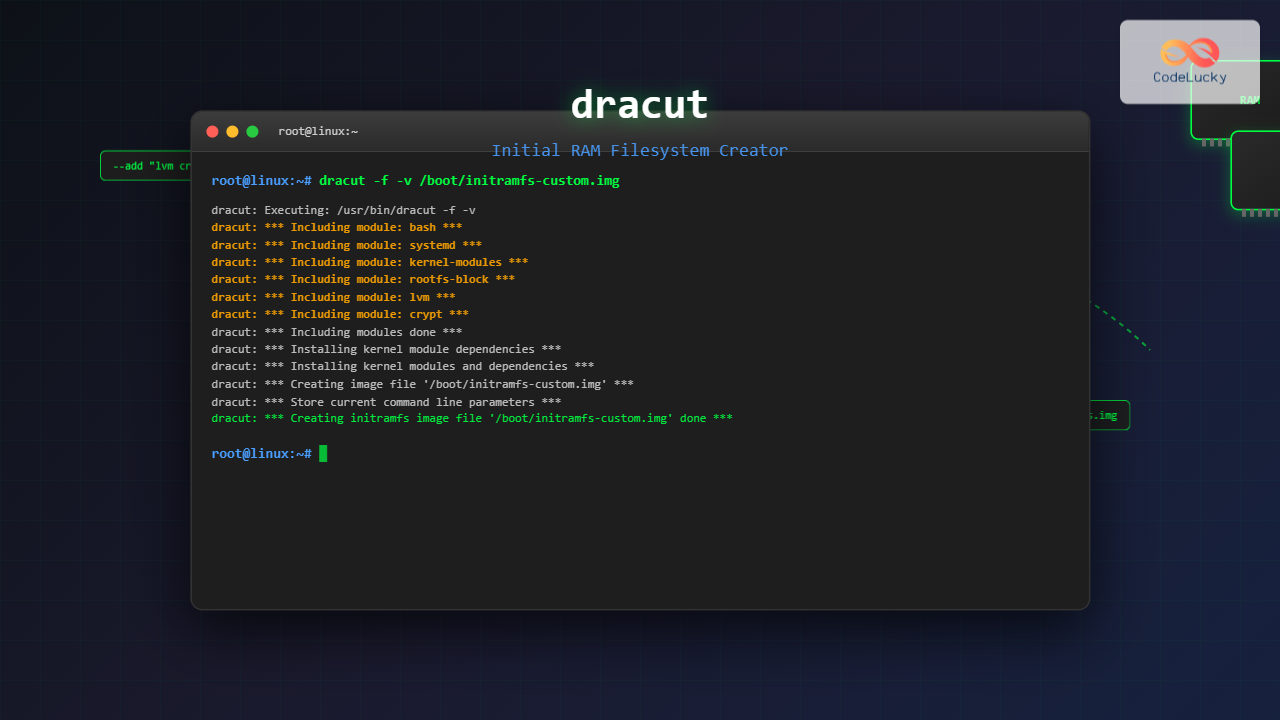
The dracut command is a powerful utility in Linux systems that creates initial RAM disk (initramfs) images used during the boot process. Unlike traditional initrd systems, dracut uses a modular approach to build lightweight, customized initial filesystems that contain only the necessary components to mount the root filesystem and continue the boot process.
What is dracut and Why It Matters
Dracut (Dynamic Root device Creation Utility) is the next-generation replacement for mkinitrd in many modern Linux distributions including Red Hat Enterprise Linux, CentOS, Fedora, and openSUSE. It creates an initramfs image that serves as a temporary root filesystem loaded into memory during system startup.
The initramfs is crucial because it:
- Loads essential drivers needed to access storage devices
- Handles complex storage configurations like LVM, RAID, and encrypted filesystems
- Manages network boot scenarios
- Provides emergency recovery capabilities
Basic dracut Command Syntax
The basic syntax of the dracut command follows this pattern:
dracut [OPTIONS] [<image> [<kernel version>]]Where:
<image>is the output file path for the initramfs<kernel version>specifies which kernel modules to include
Essential dracut Command Options
Common Options
| Option | Description |
|---|---|
-f, --force |
Overwrite existing initramfs file |
-v, --verbose |
Enable verbose output |
-M, --show-modules |
Show included dracut modules |
-l, --list-modules |
List available dracut modules |
--kver |
Specify kernel version |
Practical Examples and Use Cases
Example 1: Creating a Basic initramfs
To create a standard initramfs for the current kernel:
sudo dracut -fExpected Output:
dracut: Executing: /usr/bin/dracut -f
dracut: dracut module 'busybox' will not be installed, because command 'busybox' could not be found!
dracut: dracut module 'crypt' will not be installed, because command 'cryptsetup' could not be found!
dracut: *** Including module: bash ***
dracut: *** Including module: systemd ***
dracut: *** Including module: systemd-initrd ***
dracut: *** Including module: i18n ***
dracut: *** Skipping module: modsign ***
dracut: *** Including module: kernel-modules ***
dracut: *** Including module: kernel-modules-extra ***
dracut: *** Including module: rootfs-block ***
dracut: *** Including module: terminfo ***
dracut: *** Including module: udev-rules ***
dracut: *** Including module: dracut-systemd ***
dracut: *** Including module: usrmount ***
dracut: *** Including module: base ***
dracut: *** Including module: fs-lib ***
dracut: *** Including module: shutdown ***
dracut: *** Including modules done ***
Example 2: Creating initramfs with Verbose Output
sudo dracut -f -v /boot/initramfs-$(uname -r).imgThis command creates an initramfs with detailed output showing each step of the process.
Example 3: Listing Available Modules
dracut --list-modulesSample Output:
base
bash
biosdevname
bluetooth
btrfs
busybox
caps
cifs
crypt
crypt-gpg
dmsquash-live
dracut-systemd
fcoe
fcoe-uefi
fips
fs-lib
i18n
iscsi
kernel-modules
kernel-modules-extra
lvm
mdraid
multipath
network
nfs
plymouth
qemu
resume
rootfs-block
shutdown
systemd
systemd-initrd
terminfo
udev-rules
url-lib
usrmount
Example 4: Creating initramfs for Specific Kernel
sudo dracut -f /boot/initramfs-5.15.0-custom.img 5.15.0-customThis creates an initramfs specifically for kernel version 5.15.0-custom.
Advanced dracut Configuration
Configuration Files
Dracut uses several configuration files to customize behavior:
/etc/dracut.conf– Main configuration file/etc/dracut.conf.d/– Directory for additional configuration files/usr/lib/dracut/dracut.conf.d/– System-wide configuration directory
Example Configuration File
# /etc/dracut.conf
# Add specific modules
add_dracutmodules+=" lvm crypt "

# Omit modules not needed
omit_dracutmodules+=" network bluetooth "

# Add custom drivers
add_drivers+=" nvidia nouveau "

# Compression method
compress="xz"

# Verbose mode
verbose=yes
Example 5: Using Configuration Options
sudo dracut -f --add "lvm crypt" --omit "network" /boot/initramfs-secure.imgThis command creates an initramfs that includes LVM and encryption support while omitting network modules.
Troubleshooting and Debugging
Debug Mode
To create an initramfs with debugging enabled:
sudo dracut -f --debug /boot/initramfs-debug.imgChecking initramfs Contents
To examine what’s inside an existing initramfs:
lsinitrd /boot/initramfs-$(uname -r).imgSample Output:
Image: /boot/initramfs-5.15.0-76-generic.img: 85M
========================================================================
Early CPIO image
========================================================================
drwxr-xr-x   3 root     root            0 Aug 25 11:08 .
-rw-r--r--   1 root     root            2 Aug 25 11:08 early_cpio
drwxr-xr-x   3 root     root            0 Aug 25 11:08 kernel
drwxr-xr-x   3 root     root            0 Aug 25 11:08 kernel/x86
drwxr-xr-x   2 root     root            0 Aug 25 11:08 kernel/x86/microcode
-rw-r--r--   1 root     root       1048576 Aug 25 11:08 kernel/x86/microcode/GenuineIntel.bin
========================================================================
Version: dracut-055+5-1ubuntu2

Arguments: --force --kver '5.15.0-76-generic' --kmoddir '/lib/modules/5.15.0-76-generic/'

dracut modules:
base
bash
block
dracut-systemd
fs-lib
kernel-modules
kernel-modules-extra
rootfs-block
shutdown
systemd
systemd-initrd
terminfo
udev-rules
usrmount
Network Boot with dracut
Creating Network-Enabled initramfs
sudo dracut -f --add "network nfs" --kernel-cmdline "root=nfs:192.168.1.100:/nfsroot" /boot/initramfs-network.imgiSCSI Boot Configuration
sudo dracut -f --add "iscsi" --kernel-cmdline "netroot=iscsi:192.168.1.200::3260:iqn.2021-01.com.example:storage" /boot/initramfs-iscsi.imgEncryption and Security
LUKS Encrypted Root Filesystem
sudo dracut -f --add "crypt dm" /boot/initramfs-encrypted.imgFIPS Mode Support
sudo dracut -f --add "fips" --kernel-cmdline "fips=1" /boot/initramfs-fips.imgPerformance Optimization
Minimal initramfs Creation
sudo dracut -f --hostonly --no-hostonly-cmdline --strip --hardlink /boot/initramfs-minimal.imgOptions explanation:
--hostonly: Include only modules needed for current hardware--no-hostonly-cmdline: Don’t store kernel command line in initramfs--strip: Strip binaries to reduce size--hardlink: Use hard links to save space
Integration with Boot Loaders
GRUB Integration
After creating a custom initramfs, update GRUB configuration:
sudo update-grubOr manually edit /etc/default/grub:
GRUB_CMDLINE_LINUX="root=/dev/mapper/vg-root rd.lvm.lv=vg/root"Automation and Scripts
Automated initramfs Regeneration Script
#!/bin/bash
# /usr/local/bin/update-initramfs.sh

KERNEL_VERSION=$(uname -r)
BACKUP_DIR="/boot/backup"
INITRAMFS_PATH="/boot/initramfs-${KERNEL_VERSION}.img"

# Create backup
mkdir -p "$BACKUP_DIR"
if [ -f "$INITRAMFS_PATH" ]; then
    cp "$INITRAMFS_PATH" "$BACKUP_DIR/initramfs-${KERNEL_VERSION}.img.$(date +%Y%m%d_%H%M%S)"
fi

# Generate new initramfs
echo "Generating initramfs for kernel $KERNEL_VERSION..."
dracut -f --hostonly --compress=xz "$INITRAMFS_PATH" "$KERNEL_VERSION"

echo "initramfs updated successfully!"
Common Issues and Solutions
Missing Modules Error
If you encounter module-related errors:
dracut: FAILED: /usr/lib/dracut/dracut-install -D /var/tmp/dracut.xxx -a /usr/lib/systemd/systemdSolution: Install missing packages or use --force option to bypass non-critical errors.
Boot Failure with Custom initramfs
If the system fails to boot with a custom initramfs:
- Boot from a rescue disk or previous kernel
- Recreate initramfs with debug mode:
sudo dracut -f --debug --verbose /boot/initramfs-$(uname -r).img - Check kernel logs for specific error messages
Best Practices
Regular Maintenance
- Always backup existing initramfs before creating new ones
- Test new initramfs configurations in virtual environments first
- Keep configuration files in version control
- Document custom modules and their purposes
Security Considerations
- Use minimal module sets to reduce attack surface
- Enable FIPS mode for compliance requirements
- Regularly update dracut and related packages
- Monitor initramfs size to detect unexpected changes
Comparison with Other Tools
| Feature | dracut | mkinitrd | mkinitramfs |
|---|---|---|---|
| Modularity | Excellent | Limited | Good |
| Network Boot | Full Support | Basic | Limited |
| Encryption | Advanced | Basic | Good |
| Debugging | Comprehensive | Limited | Basic |
Conclusion
The dracut command is an essential tool for Linux system administrators and developers who need fine-grained control over the boot process. Its modular architecture, extensive configuration options, and robust support for modern storage and network technologies make it the preferred choice for creating initial RAM filesystems in enterprise environments.
By mastering dracut’s capabilities, you can create optimized, secure, and reliable boot configurations that meet specific system requirements. Whether you’re dealing with encrypted filesystems, network boot scenarios, or embedded systems with strict size constraints, dracut provides the flexibility and power needed to build effective initial RAM filesystems.
Remember to always test your configurations thoroughly and maintain proper backups of working initramfs images. With practice and understanding of the underlying concepts, dracut becomes an invaluable tool in your Linux administration toolkit.
Related Posts
mkinitrd Command Linux: Complete Guide to Creating Initial RAM Disks
The mkinitrd command is a crucial Linux utility that creates initial RAM disk (initrd) images, which are essential for the...
devtmpfs Linux: Complete Guide to Device Temporary Filesystem Management
The devtmpfs (Device Temporary Filesystem) is a crucial component of modern Linux systems that revolutionizes how device nodes are managed...
update-initramfs Command Linux: Complete Guide to Initial RAM Filesystem Management
The update-initramfs command is a crucial Linux system administration tool that manages the initial RAM filesystem (initramfs). This command creates,...
proc filesystem Linux: Complete Guide to Understanding /proc Directory Structure and Commands
What is the Linux /proc Filesystem? The /proc filesystem is a virtual filesystem in Linux that provides a window into...
mkfs Command Linux: Complete Guide to Creating Filesystems on Partitions
The mkfs command in Linux is a fundamental tool for creating filesystems on disk partitions. Whether you're setting up a...
devfs Linux: Complete Guide to Device Filesystem Management
The Device Filesystem (devfs) represents a revolutionary approach to device management in Linux systems, providing dynamic creation and removal of...
udev Command Linux: Complete Guide to Dynamic Device Management
The udev (userspace device manager) is a crucial component of modern Linux systems that handles dynamic device management. Unlike traditional...
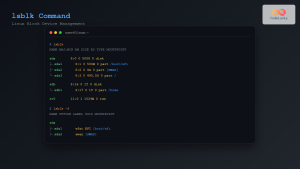
lsblk Command Linux: Complete Guide to List and Manage Block Devices
The lsblk command is an essential Linux utility that displays information about block devices in a tree-like format. Whether you're...

sysvinit Linux: Complete Guide to System V Initialization System
The System V initialization system (sysvinit) is a traditional init system that has been the backbone of Unix and Linux...
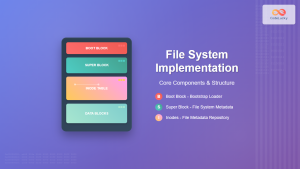
File System Implementation: Boot Block, Super Block and Inodes Explained
Understanding File System Implementation File system implementation is a critical component of operating systems that manages how data is stored,...
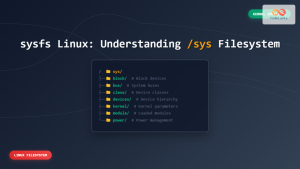
sysfs Linux: Complete Guide to Understanding and Using /sys Filesystem
The sysfs filesystem is one of Linux's most powerful yet underutilized features, providing a window into the kernel's internal operations...
losetup Command Linux: Complete Guide to Setup and Manage Loop Devices
The losetup command is a powerful Linux utility that allows you to associate loop devices with regular files, enabling you...





