
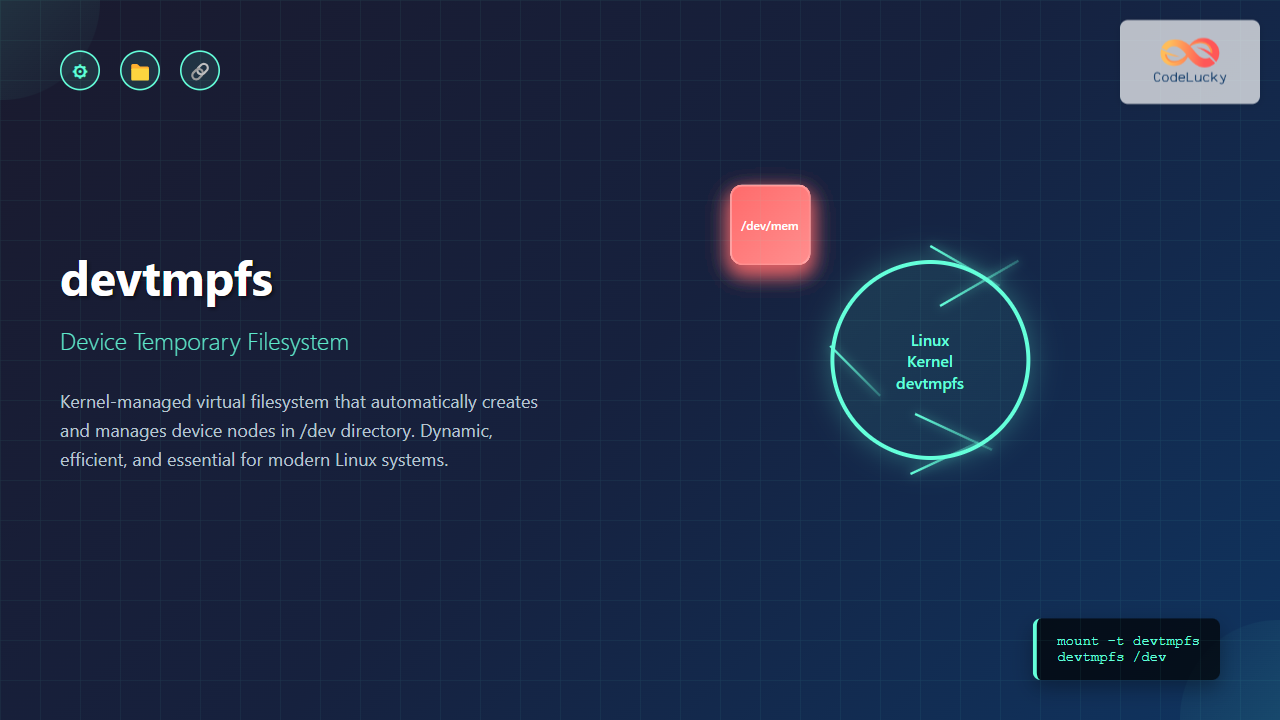
The devtmpfs (Device Temporary Filesystem) is a crucial component of modern Linux systems that revolutionizes how device nodes are managed in the /dev directory. Unlike traditional static device files, devtmpfs provides a dynamic, kernel-managed filesystem that automatically creates and removes device nodes as hardware is detected or removed.
What is devtmpfs?
devtmpfs is a virtual filesystem that serves as the foundation for device management in Linux. It’s mounted on /dev and provides a minimal set of device nodes that are created directly by the kernel. This approach ensures that essential device files are available immediately during the boot process, before userspace tools like udev have a chance to run.
Key Characteristics
- Kernel-managed: Device nodes are created and removed automatically by the kernel
- Temporary: Exists only in memory (RAM)
- Dynamic: Adapts to hardware changes in real-time
- Minimal overhead: Lightweight and efficient
How devtmpfs Works
When the Linux kernel detects new hardware or drivers register devices, devtmpfs automatically creates corresponding device nodes with appropriate permissions. This happens at the kernel level, making it faster and more reliable than userspace alternatives.
# View current devtmpfs mount
$ mount | grep devtmpfs
devtmpfs on /dev type devtmpfs (rw,nosuid,size=4058420k,nr_inodes=1014605,mode=755)
Integration with udev
devtmpfs works seamlessly with udev (userspace device manager). While devtmpfs provides basic device nodes, udev enhances them by:
- Creating symbolic links for easier device access
- Setting custom permissions and ownership
- Running scripts when devices are added or removed
- Providing persistent device naming
Enabling and Configuring devtmpfs
Kernel Configuration
To use devtmpfs, it must be enabled in the kernel configuration:
# Check if devtmpfs is enabled in current kernel
$ zcat /proc/config.gz | grep DEVTMPFS
CONFIG_DEVTMPFS=y
CONFIG_DEVTMPFS_MOUNT=y
The two important configuration options are:
CONFIG_DEVTMPFS=y: Enables devtmpfs supportCONFIG_DEVTMPFS_MOUNT=y: Automatically mounts devtmpfs on /dev
Manual Mounting
If automatic mounting is disabled, you can manually mount devtmpfs:
# Mount devtmpfs manually
$ sudo mount -t devtmpfs devtmpfs /dev

# Mount with specific options
$ sudo mount -t devtmpfs -o size=50M,mode=755 devtmpfs /dev
Exploring devtmpfs Structure
Basic Device Nodes
Let’s examine the typical structure of a devtmpfs-mounted /dev directory:
$ ls -la /dev/ | head -20
total 0
drwxr-xr-x  6 root root      380 Aug 25 11:47 .
drwxr-xr-x 18 root root     4096 Aug 25 10:30 ..
crw-rw-rw-  1 root tty     5,   0 Aug 25 11:47 tty
crw-------  1 root root    5,   1 Aug 25 11:47 console
crw-rw-rw-  1 root tty     5,   2 Aug 25 11:47 ptmx
crw-rw-rw-  1 root root    1,   3 Aug 25 11:47 null
crw-rw-rw-  1 root root    1,   5 Aug 25 11:47 zero
crw-rw-rw-  1 root root    1,   7 Aug 25 11:47 full
crw-rw-rw-  1 root root    1,   8 Aug 25 11:47 random
crw-rw-rw-  1 root root    1,   9 Aug 25 11:47 urandom
Device Types and Major/Minor Numbers
Each device file has specific characteristics:
- Character devices (c): Handle data as streams (keyboards, mice, serial ports)
- Block devices (b): Handle data in blocks (hard drives, USB drives)
- Major number: Identifies the device driver
- Minor number: Identifies specific device instance
# View block devices
$ ls -l /dev/sd*
brw-rw---- 1 root disk 8,  0 Aug 25 11:47 /dev/sda
brw-rw---- 1 root disk 8,  1 Aug 25 11:47 /dev/sda1
brw-rw---- 1 root disk 8,  2 Aug 25 11:47 /dev/sda2

# View character devices
$ ls -l /dev/tty[0-9]
crw--w---- 1 root tty 4, 0 Aug 25 11:47 /dev/tty0
crw--w---- 1 root tty 4, 1 Aug 25 11:47 /dev/tty1
Practical Examples and Use Cases
Monitoring Device Changes
You can monitor device changes in real-time using inotify tools:
# Install inotify-tools if not available
$ sudo apt install inotify-tools  # Debian/Ubuntu
$ sudo yum install inotify-tools  # CentOS/RHEL

# Monitor /dev for changes
$ inotifywait -m -r -e create,delete /dev/
Setting up watches.  Beware: since -r was given, this may take a while!
Watches established.
Checking devtmpfs Statistics
# Check devtmpfs filesystem information
$ df -h /dev
Filesystem      Size  Used Avail Use% Mounted on
devtmpfs        4.0G     0  4.0G   0% /dev

# Check detailed filesystem stats
$ stat -f /dev
  File: "/dev"
    ID: 0        Namelen: 255     Type: devtmpfs
Block size: 4096       Fundamental block size: 4096
Blocks: Total: 1014605    Free: 1014605    Available: 1014605
Inodes: Total: 1014605    Free: 1014563    Available: 1014563
Custom Device Node Creation
While devtmpfs creates nodes automatically, you can create custom ones for testing:
# Create a custom character device node
$ sudo mknod /dev/mydevice c 100 1

# Set appropriate permissions
$ sudo chmod 660 /dev/mydevice
$ sudo chown root:users /dev/mydevice

# Verify creation
$ ls -l /dev/mydevice
crw-rw---- 1 root users 100, 1 Aug 25 11:47 /dev/mydevice
devtmpfs vs Traditional /dev
Traditional Static /dev
Before devtmpfs, Linux systems used static device files stored on the root filesystem:
| Aspect | Traditional /dev | devtmpfs |
|---|---|---|
| Storage | Physical disk | RAM (temporary) |
| Device Creation | Manual or script-based | Automatic by kernel |
| Boot Dependency | Root filesystem required | Available immediately |
| Maintenance | Manual cleanup needed | Self-maintaining |
| Size | Fixed, large | Dynamic, minimal |
Troubleshooting devtmpfs Issues
Common Problems
1. devtmpfs Not Mounted
# Check if devtmpfs is mounted
$ mount | grep devtmpfs

# If not mounted, mount manually
$ sudo mount -t devtmpfs devtmpfs /dev

# Check kernel support
$ grep -i devtmpfs /boot/config-$(uname -r)
CONFIG_DEVTMPFS=y
2. Permission Issues
# Check /dev permissions
$ ls -ld /dev
drwxr-xr-x 6 root root 380 Aug 25 11:47 /dev

# Fix permissions if needed
$ sudo chmod 755 /dev
3. Insufficient Space
# Check devtmpfs usage
$ df -i /dev
Filesystem      Inodes   IUsed   IFree IUse% Mounted on
devtmpfs       1014605      42 1014563    1% /dev

# Remount with larger size
$ sudo mount -o remount,size=100M /dev
Debug Information
# Check kernel messages related to devtmpfs
$ dmesg | grep -i devtmpfs
[    0.625481] devtmpfs: initialized

# Check systemd journal for device events
$ journalctl -u systemd-udevd -f
Advanced Configuration
Boot Parameters
You can control devtmpfs behavior through kernel boot parameters:
# In GRUB configuration
devtmpfs.mount=1     # Enable automatic mounting
devtmpfs.size=50M    # Set size limit
Systemd Integration
Modern systemd-based systems handle devtmpfs mounting automatically:
# Check systemd mount unit
$ systemctl status dev-devtmpfs.mount

# View mount unit file
$ systemctl cat dev-devtmpfs.mount
Best Practices
System Administration
- Monitor disk usage: devtmpfs uses RAM, monitor size in memory-constrained environments
- Backup device permissions: Document custom device permissions for system recovery
- Use udev rules: Implement persistent device naming through udev rather than hardcoded paths
- Regular maintenance: Monitor for orphaned device nodes that might indicate driver issues
Security Considerations
# Mount devtmpfs with security options
$ sudo mount -t devtmpfs -o nosuid,noexec devtmpfs /dev

# Check current mount options
$ mount | grep devtmpfs
devtmpfs on /dev type devtmpfs (rw,nosuid,size=4058420k,nr_inodes=1014605,mode=755)
Performance Considerations
Memory Usage
devtmpfs is efficient but uses RAM. Monitor usage in resource-constrained environments:
# Check memory usage of devtmpfs
$ du -sh /dev
1.2M    /dev

# Detailed breakdown
$ du -sh /dev/* | sort -hr
512K    /dev/shm
128K    /dev/pts
64K     /dev/mqueue
Performance Benefits
- Faster boot times: Eliminates need to create device files during startup
- Reduced I/O: No disk operations for device node management
- Real-time updates: Immediate device availability upon hardware detection
Future of devtmpfs
devtmpfs continues to evolve with the Linux kernel, with improvements focusing on:
- Container support: Better isolation for containerized environments
- Security enhancements: Fine-grained permission controls
- Performance optimizations: Reduced memory footprint for embedded systems
- Integration improvements: Better coordination with systemd and other init systems
Conclusion
devtmpfs represents a significant advancement in Linux device management, providing a robust, efficient, and automatic solution for device node creation and management. By understanding its mechanisms, configuration options, and integration with other system components, system administrators can leverage its benefits while avoiding common pitfalls.
Whether you’re managing servers, embedded systems, or desktop environments, devtmpfs provides the foundation for reliable device access in modern Linux distributions. Its seamless integration with udev and systemd makes it an essential component of contemporary Linux systems.
As Linux continues to evolve, devtmpfs remains a critical component that simplifies device management while improving system reliability and performance. Understanding its operation and configuration is essential for anyone working with Linux systems at the administrative level.
Related Posts
devfs Linux: Complete Guide to Device Filesystem Management
The Device Filesystem (devfs) represents a revolutionary approach to device management in Linux systems, providing dynamic creation and removal of...
udev Command Linux: Complete Guide to Dynamic Device Management
The udev (userspace device manager) is a crucial component of modern Linux systems that handles dynamic device management. Unlike traditional...

mdev Command Linux: Complete Guide to Minimal Device Manager Configuration
The mdev command is a lightweight device manager for Linux systems, particularly popular in embedded environments and minimal distributions. As...
sysfs Linux: Complete Guide to Understanding and Using /sys Filesystem
The sysfs filesystem is one of Linux's most powerful yet underutilized features, providing a window into the kernel's internal operations...
update-initramfs Command Linux: Complete Guide to Initial RAM Filesystem Management
The update-initramfs command is a crucial Linux system administration tool that manages the initial RAM filesystem (initramfs). This command creates,...
proc filesystem Linux: Complete Guide to Understanding /proc Directory Structure and Commands
What is the Linux /proc Filesystem? The /proc filesystem is a virtual filesystem in Linux that provides a window into...

dracut Command Linux: Complete Guide to Initial RAM Filesystem Creation and Management
The dracut command is a powerful utility in Linux systems that creates initial RAM disk (initramfs) images used during the...
mkinitrd Command Linux: Complete Guide to Creating Initial RAM Disks
The mkinitrd command is a crucial Linux utility that creates initial RAM disk (initrd) images, which are essential for the...
tmpfs Linux: Complete Guide to Temporary Filesystem in Memory for Better Performance
tmpfs (temporary file system) is a powerful Linux feature that creates a virtual filesystem stored entirely in RAM and swap...

udevadm Command Linux: Complete Guide to Device Management and Udev Administration
The udevadm command is a powerful administrative tool in Linux systems that manages the udev device manager. It serves as...
File System Implementation: Boot Block, Super Block and Inodes Explained
Understanding File System Implementation File system implementation is a critical component of operating systems that manages how data is stored,...
lsblk Command Linux: Complete Guide to List and Manage Block Devices
The lsblk command is an essential Linux utility that displays information about block devices in a tree-like format. Whether you're...





