In this comprehensive programming guide, discover how to determine the size of an array in C. Arrays are fundamental data structures in C, and understanding their size is crucial for efficient and error-free programming. This article covers multiple methods with clear explanations, illustrative code examples, and visual diagrams to help you master array sizing in C.
Understanding Arrays in C
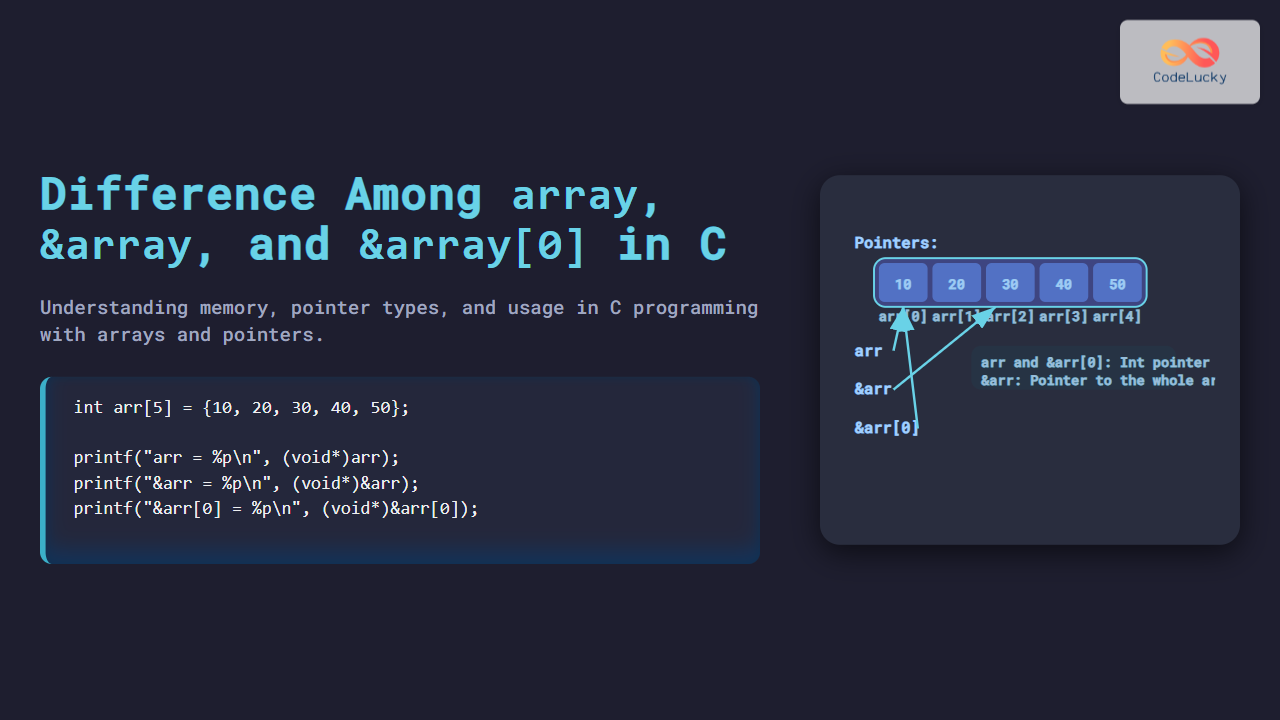
An array in C is a contiguous block of memory consisting of elements of a single data type. When you declare an array, you typically specify its size, but sometimes, you need to determine the size dynamically within your program. Knowing both the number of elements and the total byte size of an array is essential for operations like iteration, memory management, and debugging.

Method 1: Using sizeof Operator for Static Arrays
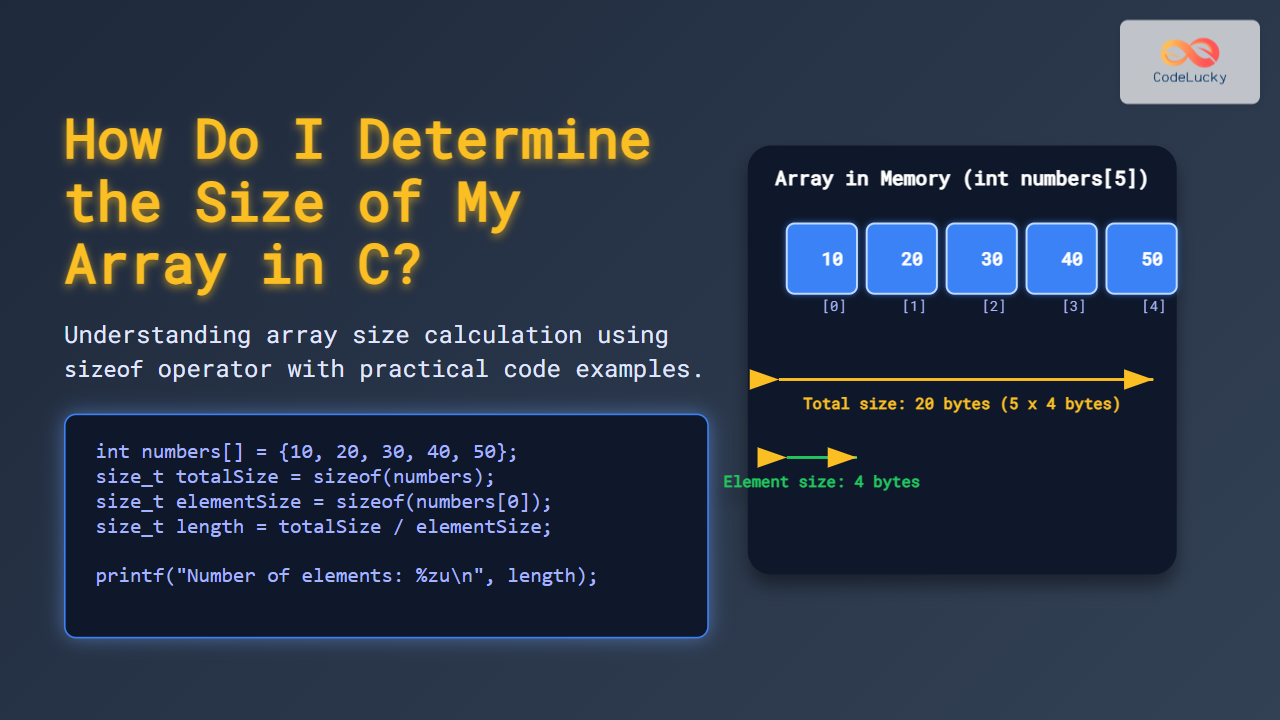
The sizeof operator is the most common way to determine the size of an array at compile time in C. When applied to an array, it returns the total byte size consumed by the complete array. To get the number of elements (length), divide the total size by the size of one element.
Example
#include <stdio.h>

int main() {
    int numbers[] = {10, 20, 30, 40, 50};

    // Total size in bytes of the array
    size_t totalSize = sizeof(numbers);

    // Size of one element
    size_t elementSize = sizeof(numbers[0]);

    // Number of elements in the array
    size_t length = totalSize / elementSize;

    printf("Total size in bytes: %zu\n", totalSize);
    printf("Size of one element: %zu\n", elementSize);
    printf("Number of elements: %zu\n", length);

    return 0;
}
Output:
Total size in bytes: 20
Size of one element: 4
Number of elements: 5
This method works well for arrays declared with fixed size at compile time.
Method 2: Arrays vs Pointers – Why sizeof Can Be Misleading
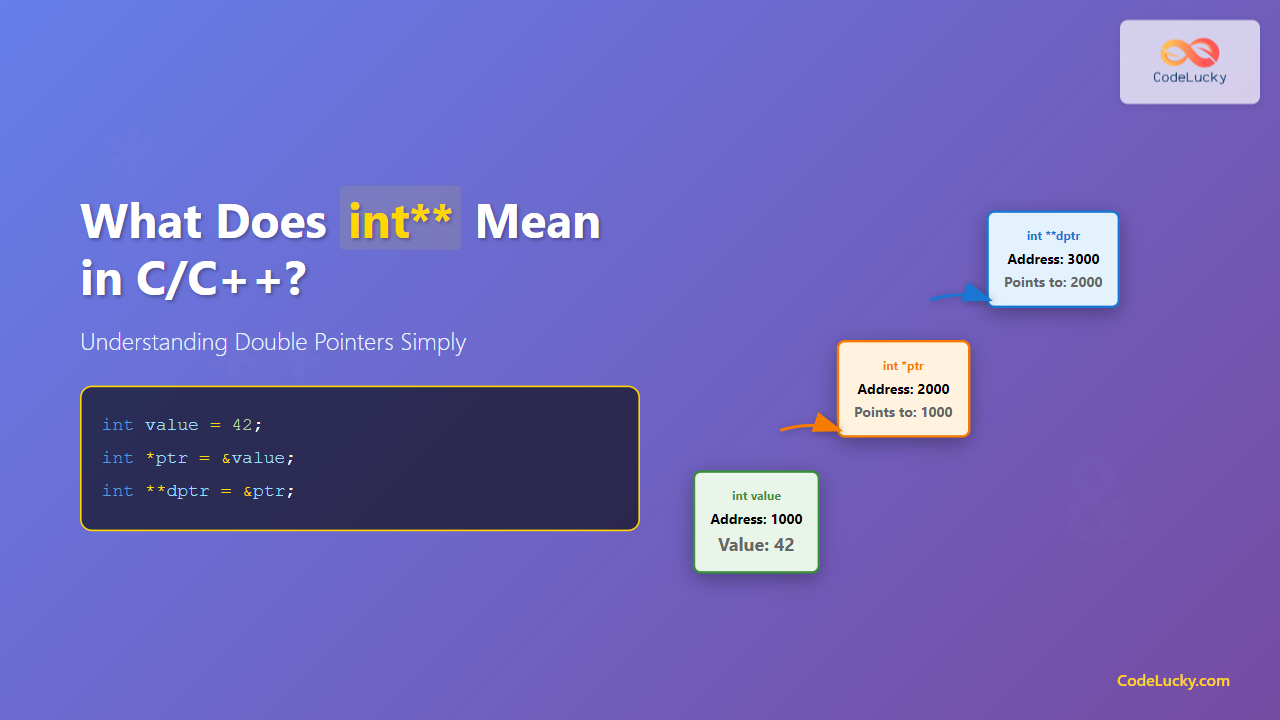
One common pitfall is using sizeof on pointers instead of arrays. In many functions, array parameters decay to pointers, meaning sizeof will return the size of the pointer itself (typically 4 or 8 bytes), not the array’s size.
Example Demonstrating sizeof on Pointer
#include <stdio.h>

void printSize(int *arr) {
    printf("Inside function sizeof(arr): %zu\n", sizeof(arr));
}

int main() {
    int numbers[] = {1, 2, 3, 4, 5};

    printf("In main sizeof(numbers): %zu\n", sizeof(numbers));

    printSize(numbers);

    return 0;
}
Output:
In main sizeof(numbers): 20
Inside function sizeof(arr): 8  // Size of pointer (varies by system)
This demonstrates why sizeof cannot be relied on inside functions to determine array size unless the size is passed explicitly.
Method 3: Passing Array Length as Parameter
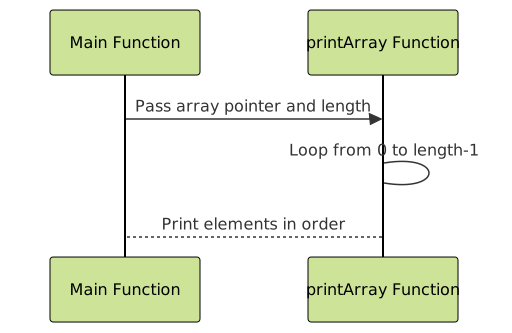
To handle array size within functions, pass the length as an additional parameter. This is the de facto standard in C programming to safely work with arrays.
Example
#include <stdio.h>

void printArray(int arr[], size_t length) {
    for (size_t i = 0; i < length; i++) {
        printf("%d ", arr[i]);
    }
    printf("\n");
}

int main() {
    int values[] = {5, 10, 15, 20};
    size_t length = sizeof(values) / sizeof(values[0]);

    printArray(values, length);

    return 0;
}
This method ensures correct array processing without ambiguity.
Method 4: Dynamic Arrays and Size Management
When using dynamically allocated arrays (via malloc or calloc), the array size is not known at compile time. You must manage and store the size manually, often using variables or data structures.
Example
#include <stdio.h>
#include <stdlib.h>

int main() {
    size_t length = 5;

    int *arr = (int *)malloc(length * sizeof(int));
    if (arr == NULL) {
        printf("Memory allocation failed\n");
        return 1;
    }

    for (size_t i = 0; i < length; i++) {
        arr[i] = (i + 1) * 10;
    }

    printf("Dynamic array elements: ");
    for (size_t i = 0; i < length; i++) {
        printf("%d ", arr[i]);
    }
    printf("\n");

    free(arr);
    return 0;
}
Summary of Key Points
- Use
sizeof(array) / sizeof(array[0])for static arrays to get element count. sizeofon pointers doesn’t give array size inside functions.- Always pass array size explicitly when dealing with array parameters in functions.
- Manage size manually when working with dynamic arrays allocated on the heap.

Further Tips
Remember, arrays in C have no built-in size metadata at runtime, so the programmer is responsible for accurate size tracking. Always be cautious about off-by-one errors when iterating, and use constants or macros for array sizes wherever applicable to improve maintainability.
Interactive Visual Explanation (Optional)
Try this small code snippet locally to see how sizes change:
#include <stdio.h>

#define ARRAY_SIZE(arr) (sizeof(arr) / sizeof(arr[0]))

int main() {
    int example[] = {2, 4, 6, 8, 10};
    printf("Array length using macro: %zu\n", ARRAY_SIZE(example));
    return 0;
}
This macro hides the division logic and makes your code cleaner and more readable.