
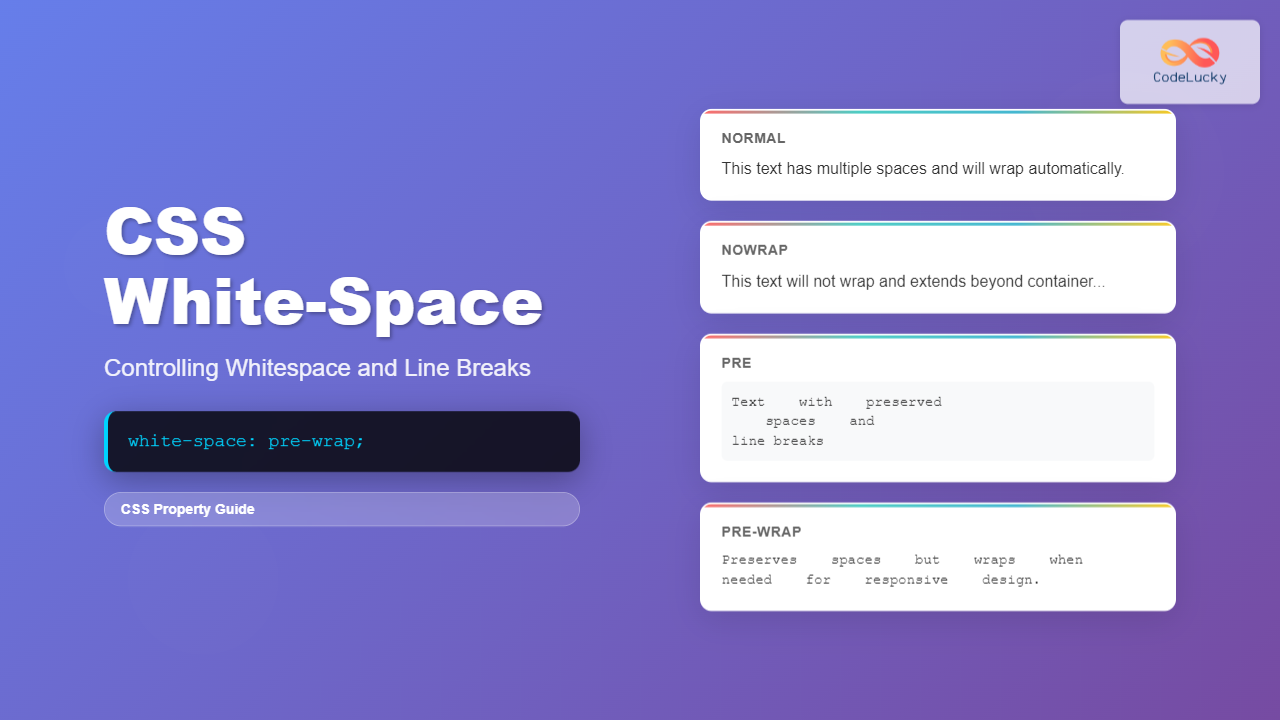
The CSS white-space property is a powerful tool that controls how browsers handle whitespace characters, line breaks, and text wrapping within elements. Understanding this property is essential for precise text formatting and creating professional-looking web layouts.
In this comprehensive guide, we’ll explore all aspects of the white-space property, from basic concepts to advanced techniques that will help you master text formatting in CSS.
What is CSS White-Space?
The white-space property determines how whitespace inside an element is handled by the browser. Whitespace includes spaces, tabs, line breaks, and other invisible characters that separate words and lines in your HTML content.
By default, browsers collapse multiple whitespace characters into a single space and wrap text automatically. The white-space property gives you control over this behavior, allowing you to preserve formatting exactly as written in your HTML or apply different wrapping rules.
CSS White-Space Values
The white-space property accepts several values, each with distinct behavior:
1. normal (Default)
This is the default behavior where sequences of whitespace are collapsed into a single space, and text wraps automatically to fit the container.
Example:
CSS:
white-space: normal;
2. nowrap
Whitespace is collapsed like normal, but text will not wrap to new lines. The text will extend beyond the container if necessary.
Example:
CSS:
white-space: nowrap;
3. pre
Whitespace is preserved exactly as written in the HTML. Text only wraps on explicit line breaks.
Example:
all spaces and
line breaks.
CSS:
white-space: pre;
4. pre-wrap
Whitespace is preserved, but text will wrap when it reaches the container edge or encounters a line break.
Example:
CSS:
white-space: pre-wrap;
5. pre-line
Sequences of whitespace are collapsed, but line breaks are preserved and text wraps normally.
Example:
but preserves
line breaks.
CSS:
white-space: pre-line;
6. break-spaces
Similar to pre-wrap, but allows breaking at any preserved whitespace characters.
Example:
CSS:
white-space: break-spaces;
Interactive Comparison Tool
Use this interactive tool to see how different white-space values affect the same text:
Select White-Space Value:
Result:
It also has line breaks to demonstrate different behaviors.
Practical Use Cases
Code Formatting
When displaying code snippets, you want to preserve the exact formatting including spaces and line breaks:
function greet(name) {
    if (name) {
        console.log("Hello, " + name + "!");
    } else {
        console.log("Hello, World!");
    }
}
CSS:
white-space: pre;
Poetry and Formatted Text
For poetry or formatted text where line breaks matter but you want text to wrap responsively:
Violets are blue,
CSS white-space
Helps format text too.
CSS:
white-space: pre-line;
Navigation Menus
Prevent menu items from wrapping to maintain layout integrity:
CSS:
white-space: nowrap;
Browser Compatibility
The white-space property has excellent browser support:
- Chrome: Full support from version 1
- Firefox: Full support from version 1
- Safari: Full support from version 1
- Edge: Full support from version 12
- Internet Explorer: Full support from version 8
The newer break-spaces value has more limited support and was introduced in modern browsers around 2020.
Common Mistakes to Avoid
1. Overusing nowrap
Using white-space: nowrap without considering responsive design can cause horizontal scrolling on mobile devices. Always test on different screen sizes.
2. Forgetting about pre formatting
When using white-space: pre, remember that all whitespace in your HTML will be preserved, including indentation from your code formatting.
3. Not considering accessibility
Ensure that text remains readable and accessible when using different white-space values, especially on smaller screens.
Advanced Techniques
Combining with Text Overflow
Use white-space: nowrap with text-overflow: ellipsis to create elegant text truncation:
CSS:
white-space: nowrap;

overflow: hidden;

text-overflow: ellipsis;
Responsive White-Space
Use media queries to adjust white-space behavior for different screen sizes:
@media (max-width: 768px) {

  .responsive-text {

    white-space: normal;

  }

}
@media (min-width: 769px) {

  .responsive-text {

    white-space: nowrap;

  }

}
Performance Considerations
The white-space property generally has minimal performance impact. However, keep these points in mind:
- pre and pre-wrap: Can increase memory usage for very large text blocks
- nowrap: May cause layout shifts if not properly contained
- break-spaces: Newer value with slightly more complex processing
Conclusion
The CSS white-space property is essential for controlling text formatting and layout in web development. By understanding the different values and their behaviors, you can create more precise and professional-looking text layouts.
Key takeaways:
- Use
normalfor standard text that should wrap naturally - Use
nowrapfor single-line text that shouldn’t break - Use
prefor code or formatted text that needs exact preservation - Use
pre-wrapwhen you need both preservation and responsive wrapping - Use
pre-linefor text that needs line breaks but not spaces preserved - Consider
break-spacesfor modern browsers when you need enhanced breaking behavior
Remember to always test your implementations across different devices and browsers to ensure the best user experience. The white-space property is a powerful tool that, when used correctly, can significantly improve the readability and visual appeal of your web content.
Related Posts
CSS white-space Property: Controlling Text White Space
CSS white-space Property: Controlling Text White Space The white-space property in CSS controls how whitespace characters (spaces, tabs, and line...
CSS Word-Spacing: Master Text Spacing for Better Typography
The word-spacing property in CSS is a powerful tool for controlling the spacing between words in your text content. This...
CSS Style wordBreak Property: CSS Word Break
CSS word-break Property: Comprehensive Guide The word-break property in CSS is used to specify how words should break when reaching...
CSS Style wordWrap Property: CSS Word Wrap
CSS word-wrap Property: Controlling Word Breaking in CSS The CSS word-wrap property (now standardized as overflow-wrap) is used to specify...
CSS Letter-Spacing: Complete Guide to Character Spacing Control
The letter-spacing property in CSS is a powerful typography tool that controls the horizontal space between characters in text. Whether...
CSS paddingBottom Property: CSS Padding Bottom
CSS paddingBottom Property: Mastering Bottom Padding The paddingBottom property in CSS is used to set the amount of padding space...
CSS Style padding Property: CSS Padding
CSS Padding Property: A Comprehensive Guide The CSS padding property is a fundamental tool in web development, allowing you to...
CSS Style wordSpacing Property: CSS Word Spacing
Understanding CSS word-spacing Property The word-spacing property in CSS is used to specify the amount of space between words. This...

CSS Margin: Complete Guide to Element Spacing and Margin Collapse
Understanding CSS Margin: The Foundation of Element Spacing CSS margin is one of the most fundamental properties for controlling spacing...
CSS Style paddingRight Property: CSS Padding Right
Understanding the CSS padding-right Property The padding-right property in CSS is used to set the amount of space between the...
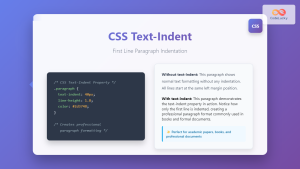
CSS Text-Indent: Complete Guide to First Line Paragraph Indentation
The CSS text-indent property is a fundamental typography tool that controls the indentation of the first line in a block...
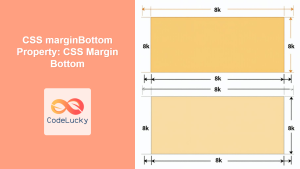
CSS marginBottom Property: CSS Margin Bottom
Understanding the CSS margin-bottom Property The margin-bottom property in CSS defines the space below an element. This margin is added...





