
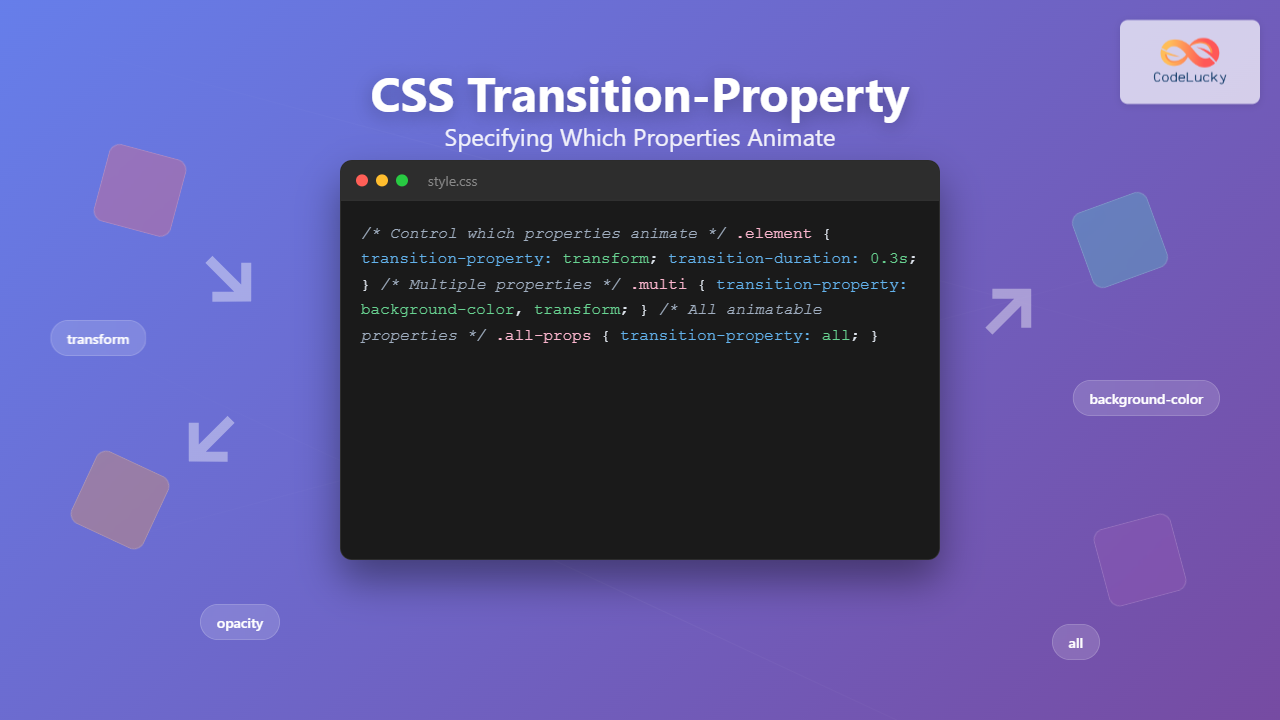
Understanding CSS Transition-Property
The CSS transition-property is a fundamental property that controls which CSS properties will animate when their values change. It’s the gatekeeper that determines exactly what transforms smoothly and what changes instantly, giving you precise control over your web animations.
When you hover over elements or trigger state changes, transition-property decides which properties participate in the smooth transformation. This level of control is essential for creating polished, professional animations that enhance user experience without overwhelming performance.
background only
Syntax and Basic Usage
The transition-property syntax is straightforward, accepting either specific property names or special keywords:
/* Examples */
transition-property: background-color;
transition-property: transform, opacity;
transition-property: all;
transition-property: none;
Available Values
| Value | Description | Example |
|---|---|---|
property-name |
Specific CSS property to animate | background-color, transform |
all |
Animates all animatable properties | Default behavior for most transitions |
none |
No properties will animate | Disables all transitions |
initial |
Resets to default value | Same as all |
inherit |
Inherits from parent element | Copies parent’s transition-property |
Single Property Transitions
Targeting specific properties gives you granular control over animations. This approach is perfect when you want to animate only certain aspects of an element while keeping others unchanged.
transform only
transition-property: transform;
transition-duration: 0.4s;
}
.element:hover {
transform: scale(1.2) rotate(15deg);
background-color: #4ecdc4; /* Won’t animate */
}
Multiple Property Transitions
You can specify multiple properties by separating them with commas. This gives you the flexibility to animate several properties simultaneously while excluding others.
background + transform
transition-property: background-color, transform;
transition-duration: 0.3s;
}
.multi-transition:hover {
background-color: #45b7d1;
transform: translateY(-10px);
box-shadow: 0 8px 25px rgba(0,0,0,0.3); /* Won’t animate */
}
The ‘all’ Keyword
Using all as the value makes every animatable property participate in transitions. This is the most common approach and often the default behavior you want.
all properties
transition-property: all;
transition-duration: 0.6s;
}
.all-transition:hover {
background-color: #f39c12;
transform: scale(1.1);
border-radius: 50%;
box-shadow: 0 8px 25px rgba(243, 156, 18, 0.4);
}
The ‘none’ Value
Setting transition-property to none completely disables transitions for an element, causing all property changes to happen instantly.
no transitions
transition-property: none;
transition-duration: 0.5s; /* Duration is ignored */
}
.no-transition:hover {
background-color: #e74c3c; /* Changes instantly */
transform: scale(1.3); /* Changes instantly */
}
Animatable Properties
Not all CSS properties can be animated. Only properties with interpolatable values (numerical, color, length, percentage) can transition smoothly between states.
Commonly Animated Properties
| Category | Properties | Performance Impact |
|---|---|---|
| Transform | transform, rotate, scale, translate | ✅ Excellent (GPU accelerated) |
| Opacity | opacity | ✅ Excellent (GPU accelerated) |
| Colors | background-color, color, border-color | ⚠️ Good (CPU intensive) |
| Dimensions | width, height, padding, margin | ❌ Poor (causes layout recalculation) |
| Position | top, left, right, bottom | ❌ Poor (causes layout recalculation) |
| Border | border-width, border-radius | ⚠️ Moderate |
Performance Considerations
Choosing the right properties to animate is crucial for smooth performance. Some properties trigger expensive layout recalculations, while others are optimized for smooth animation.
transform + opacity
width + height
transform and opacity properties whenever possible. These properties are GPU-accelerated and won’t trigger layout recalculations, resulting in smooth 60fps animations.
Interactive Playground
Experiment with different transition-property values to see how they affect animations:
0.5s
Common Patterns and Best Practices
1. Selective Animation Strategy
Instead of using all, specify only the properties you need to animate. This improves performance and prevents unintended animations.
.button {
transition-property: background-color, transform;
transition-duration: 0.2s;
}
/* Avoid – May animate unwanted properties */
.button {
transition-property: all;
transition-duration: 0.2s;
}
2. Combining with Different Durations
You can specify different durations for different properties using the shorthand or individual properties:
.element {
transition: background-color 0.3s, transform 0.5s;
}
/* Method 2: Individual properties */
.element {
transition-property: background-color, transform;
transition-duration: 0.3s, 0.5s;
}
3. Responsive Transition Control
Disable transitions on smaller screens to improve performance and reduce motion for users who prefer reduced motion:
transition-property: transform, opacity;
transition-duration: 0.3s;
}
/* Respect user preferences */
@media (prefers-reduced-motion: reduce) {
.element {
transition-property: none;
}
}
/* Disable on small screens */
@media (max-width: 768px) {
.element {
transition-property: none;
}
}
Troubleshooting Common Issues
Transitions Not Working
• Property is not animatable (e.g.,
display, visibility)• Missing transition-duration (defaults to 0s)
• Property name is misspelled
• Initial and final values are not interpolatable
Performance Problems
.slow-element {
transition-property: width, height, top, left;
}
/* Prefer – GPU accelerated */
.fast-element {
transition-property: transform, opacity;
}
Browser Support and Fallbacks
CSS transition-property has excellent browser support across all modern browsers. For older browsers, you can provide fallbacks using feature detection:
.element {
background-color: #3498db;
}
/* Enhanced experience with transitions */
@supports (transition-property: background-color) {
.element {
transition-property: background-color;
transition-duration: 0.3s;
}
}
Conclusion
Mastering CSS transition-property is essential for creating smooth, performant animations that enhance user experience. By understanding which properties to animate and when to use specific values versus all, you can create polished interfaces that feel responsive and professional.
Remember to prioritize performance by animating GPU-accelerated properties like transform and opacity, and always consider your users’ preferences for reduced motion. With these techniques, you’ll be able to create engaging animations that improve rather than hinder the user experience.
• Use specific property names for better performance and control
• Stick to GPU-accelerated properties when possible
• Consider user preferences and device capabilities
• Test your animations across different devices and browsers
Related Posts
CSS Transition Property: Complete Guide to Smooth Animation Effects
CSS transitions enable smooth, visually appealing animations when element properties change, transforming abrupt state changes into fluid motion. This powerful...
CSS Style transition Property: CSS Transition
CSS transition Property: A Comprehensive Guide The CSS transition property is a powerful tool for creating smooth animations when CSS...
CSS Transition-Duration: Complete Guide to Animation Timing Control
What is CSS Transition-Duration? The transition-duration property in CSS defines how long a transition animation should take to complete. It's...
CSS Animation-Duration: Complete Guide to Controlling Animation Timing and Speed
The animation-duration property is a fundamental CSS animation property that controls how long an animation takes to complete one full...
CSS Animation Property: Complete Guide to Keyframe-Based Animations
CSS animations bring life to web pages by allowing elements to transition smoothly between different states over time. The animation...
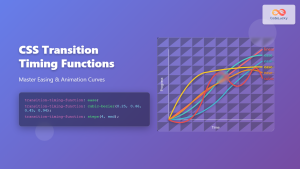
CSS Transition-Timing-Function: Master Easing and Animation Curves for Smooth Web Animations
The transition-timing-function property in CSS is a powerful tool that controls how intermediate values are calculated during a transition. It...
CSS Animation-Delay: Master Timing Control for Perfect Web Animations
What is CSS Animation-Delay? The animation-delay property in CSS controls when an animation starts after it's been applied to an...
CSS Style animationTimingFunction Property: CSS Animation Timing Function
CSS Style animationTimingFunction Property: A Comprehensive Guide The animation-timing-function property in CSS is a crucial component for controlling the pace...

CSS Style animationDelay Property: CSS Animation Delay
Understanding the CSS animationDelay Property The CSS animationDelay property specifies the amount of time to wait from when the element...
JavaScript TransitionEvent Object: CSS Transition Events
The JavaScript TransitionEvent Object: Mastering CSS Transition Events The JavaScript TransitionEvent object provides detailed information about CSS transition events, allowing...
CSS Style animation Property: CSS Animation
CSS animation Property: A Comprehensive Guide to CSS Animations The animation property in CSS is a shorthand property used to...
CSS Animation Timing Function: Complete Guide to Animation Easing Functions
The animation-timing-function property in CSS controls how an animation progresses through its duration, determining the acceleration and deceleration patterns that...





