
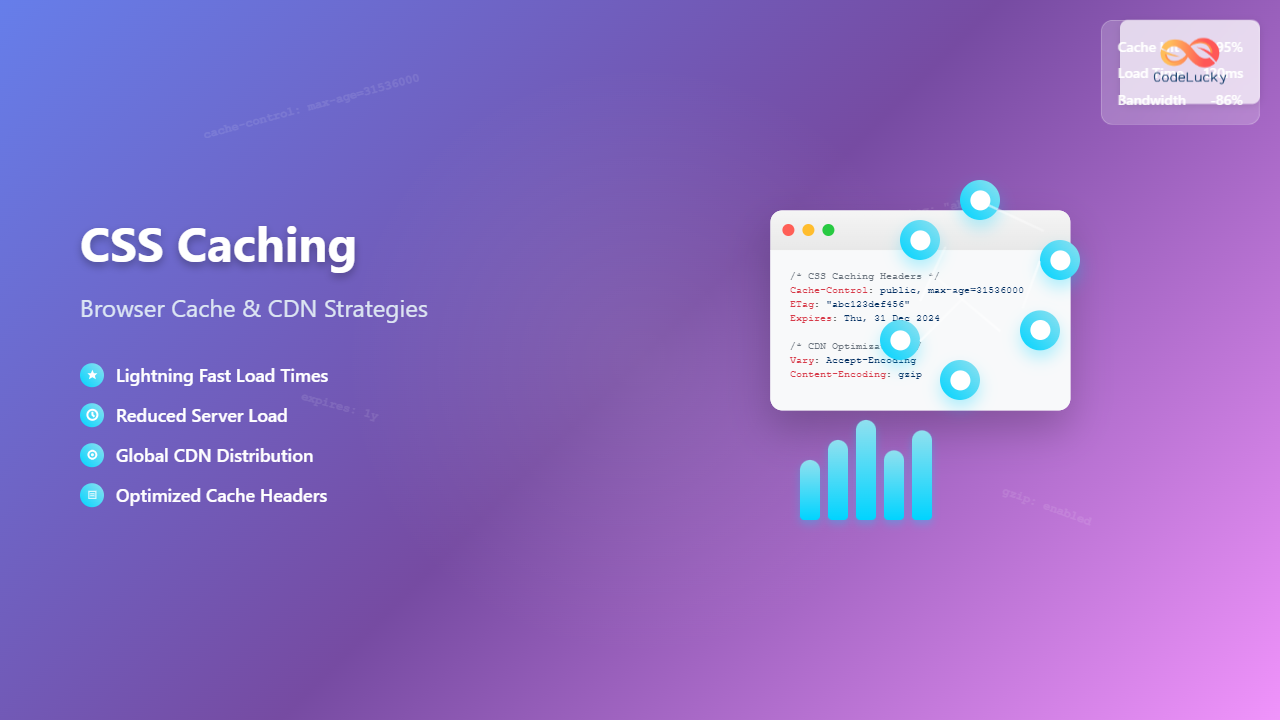
CSS caching is a fundamental performance optimization technique that dramatically reduces page load times and improves user experience. By implementing effective caching strategies, you can decrease server load, reduce bandwidth usage, and create lightning-fast websites that keep users engaged.
This comprehensive guide explores browser caching mechanisms, CDN strategies, and advanced optimization techniques that will transform your website’s performance.
Understanding CSS Caching Fundamentals
CSS caching works by storing stylesheet files in temporary storage locations closer to users, eliminating the need to download the same files repeatedly. When a browser requests a CSS file it has already cached, it can instantly load the local copy instead of making a network request.
The caching process involves three key components:
- Browser Cache: Local storage on the user’s device
- CDN Cache: Distributed servers worldwide storing your assets
- Server Cache: Origin server optimization for faster responses
How Browser Caching Works
When a browser first visits your website, it downloads all CSS files and stores them locally. On subsequent visits, the browser checks cache headers to determine whether to use the cached version or request a fresh copy from the server.
Cache Flow Example:
- User visits website for the first time
- Browser downloads styles.css (2.5kb)
- File stored in browser cache with expiration date
- User returns to website
- Browser checks cache headers
- If not expired, serves cached version instantly
Browser Cache Headers and Configuration
HTTP cache headers control how browsers handle CSS file caching. Understanding these headers is crucial for implementing effective caching strategies.
Essential Cache Headers
Cache-Control: The primary header for controlling caching behavior
/* Long-term caching for CSS files */
Cache-Control: public, max-age=31536000

/* No caching for development */
Cache-Control: no-cache, no-store, must-revalidate

/* Conditional caching */
Cache-Control: public, max-age=3600, must-revalidate
ETag: Provides version-based caching validation
ETag: "abc123def456"
If-None-Match: "abc123def456"
Last-Modified: Time-based cache validation
Last-Modified: Wed, 15 Nov 2023 08:12:31 GMT
If-Modified-Since: Wed, 15 Nov 2023 08:12:31 GMT
Server Configuration Examples
Apache (.htaccess):
# Cache CSS files for 1 year
<FilesMatch "\.(css)$">
    Header set Cache-Control "public, max-age=31536000"
    Header set Expires "Thu, 31 Dec 2024 23:59:59 GMT"
</FilesMatch>

# Enable ETags
FileETag MTime Size
Nginx:
location ~* \.(css)$ {
    expires 1y;
    add_header Cache-Control "public, immutable";
    add_header Vary Accept-Encoding;
}
CDN Strategies for CSS Optimization
Content Delivery Networks distribute your CSS files across global edge servers, reducing latency and improving load times for users worldwide. Implementing CDN strategies requires understanding edge caching, origin pulling, and invalidation processes.
CDN Cache Behavior
CDNs create multiple cache layers between your origin server and end users:
CDN Cache Flow:
User Request → Edge Server → Regional Cache → Origin Server
Each layer checks for cached content before passing the request upstream.
CDN Configuration Best Practices
Cache Key Optimization:
/* Version-based URLs for cache busting */
https://cdn.example.com/css/styles.v1.2.3.css
https://cdn.example.com/css/styles-abc123.css

/* Query parameter versioning */
https://cdn.example.com/css/styles.css?v=1.2.3
Compression and Minification:
/* Original CSS (12.5kb) */
.navigation-menu {
    background-color: #ffffff;
    border-radius: 8px;
    padding: 10px 20px;
}

/* Minified CSS (8.2kb) */
.navigation-menu{background-color:#fff;border-radius:8px;padding:10px 20px}

/* Gzipped CSS (2.1kb) */
/* Binary compressed format */
Advanced Caching Strategies
CSS Splitting and Selective Caching
Divide CSS files strategically to optimize caching effectiveness:
/* Critical CSS - inline in HTML */
<style>
.header, .hero { /* critical styles */ }
</style>

/* Framework CSS - long cache duration */
<link rel="stylesheet" href="/css/bootstrap.min.css">

/* Custom CSS - medium cache duration */
<link rel="stylesheet" href="/css/custom.css?v=2.1">
Conditional Loading and Progressive Enhancement
/* Load CSS based on media queries */
<link rel="stylesheet" href="/css/mobile.css" media="(max-width: 768px)">
<link rel="stylesheet" href="/css/desktop.css" media="(min-width: 769px)">

/* Preload critical CSS */
<link rel="preload" href="/css/critical.css" as="style" onload="this.onload=null;this.rel='stylesheet'">
Cache Invalidation and Versioning
Effective cache invalidation ensures users receive updated CSS files when changes occur. Implement versioning strategies that balance caching benefits with update requirements.
File Hash Versioning
/* Webpack configuration for hash-based naming */
module.exports = {
  output: {
    filename: '[name].[contenthash].css',
    path: path.resolve(__dirname, 'dist')
  }
};

/* Generated filenames */
main.a1b2c3d4.css
vendor.e5f6g7h8.css
Build Process Integration
/* Package.json build script */
{
  "scripts": {
    "build": "sass src/scss:dist/css --style=compressed",
    "build:hash": "sass src/scss:dist/css --style=compressed && gulp hash-css"
  }
}
Performance Monitoring and Optimization
Monitor caching effectiveness using browser developer tools and performance metrics. Key indicators include cache hit ratios, load times, and bandwidth savings.
Measuring Cache Performance
Key Performance Metrics:
- Cache Hit Ratio: Percentage of requests served from cache
- Time to First Byte (TTFB): Server response time measurement
- First Contentful Paint (FCP): Time to render first content
- Cumulative Layout Shift (CLS): Visual stability metric
Browser DevTools Analysis
/* Chrome DevTools Network Tab */
Size: 45.2 kB (disk cache)
Time: 0 ms (from cache)
Status: 200 (from disk cache)

/* Performance improvements */
Before optimization: 850ms load time
After caching: 120ms load time
Improvement: 86% faster loading
Common Caching Pitfalls and Solutions
Avoid these frequent caching mistakes that can harm performance or user experience:
Over-Aggressive Caching
Setting extremely long cache durations without proper versioning can prevent users from receiving important updates.
/* Problematic: No versioning with long cache */
Cache-Control: public, max-age=31536000
<link rel="stylesheet" href="/css/styles.css">
/* Solution: Versioned URLs with long cache */
Cache-Control: public, max-age=31536000
<link rel="stylesheet" href="/css/styles.v2.1.css">
Inconsistent Cache Headers
Mixed cache directives can cause unexpected behavior across different browsers and CDNs.
Testing and Validation
Implement comprehensive testing strategies to validate caching configuration across different environments and user scenarios.
Cache Testing Tools
- WebPageTest: Comprehensive performance analysis with cache behavior details
- GTmetrix: Cache optimization recommendations and performance scoring
- Browser DevTools: Real-time cache status monitoring
- Curl Commands: Header inspection and cache validation
/* Test cache headers with curl */
curl -I https://example.com/css/styles.css

/* Expected response */
HTTP/1.1 200 OK
Cache-Control: public, max-age=31536000
ETag: "abc123def456"
Last-Modified: Wed, 15 Nov 2023 08:12:31 GMT
Implementation Checklist
Follow this comprehensive checklist to implement effective CSS caching:
Pre-Implementation:
- Audit current CSS delivery and file sizes
- Analyze user behavior and return visitor patterns
- Choose appropriate CDN provider and configuration
- Plan file versioning and build process integration
Implementation:
- Configure server cache headers for optimal performance
- Set up CDN with proper cache rules and compression
- Implement file versioning and cache busting mechanisms
- Split CSS files strategically for better cache efficiency
Post-Implementation:
- Monitor cache hit ratios and performance metrics
- Test cache behavior across different browsers and devices
- Validate cache invalidation processes
- Optimize based on real-world performance data
Conclusion
CSS caching is a powerful performance optimization technique that significantly improves website speed and user experience. By implementing proper browser caching, CDN strategies, and versioning systems, you can achieve dramatic performance improvements while maintaining control over content updates.
The key to successful CSS caching lies in finding the right balance between cache duration and update flexibility. Start with conservative cache times, monitor performance metrics, and gradually optimize based on your specific use case and user behavior patterns.
Remember that caching is not a one-time setup but an ongoing optimization process. Regular monitoring, testing, and refinement ensure your caching strategy continues delivering optimal performance as your website evolves.
Related Posts
CSS Loading Strategies: Complete Guide to Render-Blocking and Non-Blocking Performance Optimization
CSS loading strategies are fundamental to web performance optimization, directly impacting user experience and search engine rankings. Understanding how different...

CSS Purge: Ultimate Guide to Removing Unused CSS for Lightning-Fast Performance
Website performance is crucial for user experience and SEO rankings. One of the most effective ways to improve loading times...
CSS Compression: Complete Guide to Minification and Gzip Optimization for Faster Websites
Website performance is crucial for user experience and SEO rankings. One of the most effective ways to improve loading times...

File System Cache: Buffer Cache and Page Cache Explained with Examples
File system caching is a fundamental performance optimization technique in modern operating systems that dramatically reduces disk I/O operations by...

CSS Performance Metrics: Complete Guide to CLS, FCP, LCP Optimization
Website performance directly impacts user experience, search rankings, and conversion rates. CSS plays a crucial role in three critical performance...

HTML Styles: Mastering Inline, Internal, and External CSS
Introduction Have you ever looked at a website and wondered how all the elements are so beautifully arranged and styled?...

CSS Graceful Degradation: Essential Fallback Strategies for Modern Web Development
CSS graceful degradation is a fundamental web development strategy that ensures your website remains functional and accessible across all browsers,...
CSS Security: Content Security Policy and Inline Styles – Complete Developer Guide
Web security has become more critical than ever, and CSS is no exception to security vulnerabilities. Content Security Policy (CSP)...

CSS Critical Path: Complete Guide to Above-Fold Optimization and Performance
The critical rendering path represents the sequence of steps browsers take to convert HTML, CSS, and JavaScript into pixels on...

PHP Caching: Improving Application Performance
In the world of web development, performance is king. As your PHP applications grow in complexity and user base, the...

CSS Progressive Enhancement: Build Resilient Web Experiences Layer by Layer
Progressive enhancement in CSS is a fundamental approach that ensures your web applications remain functional and accessible across all devices,...
CSS Introduction: Complete Guide to Styling HTML with Cascading Style Sheets
CSS (Cascading Style Sheets) is the cornerstone technology that transforms plain HTML documents into visually stunning, professional websites. While HTML...





