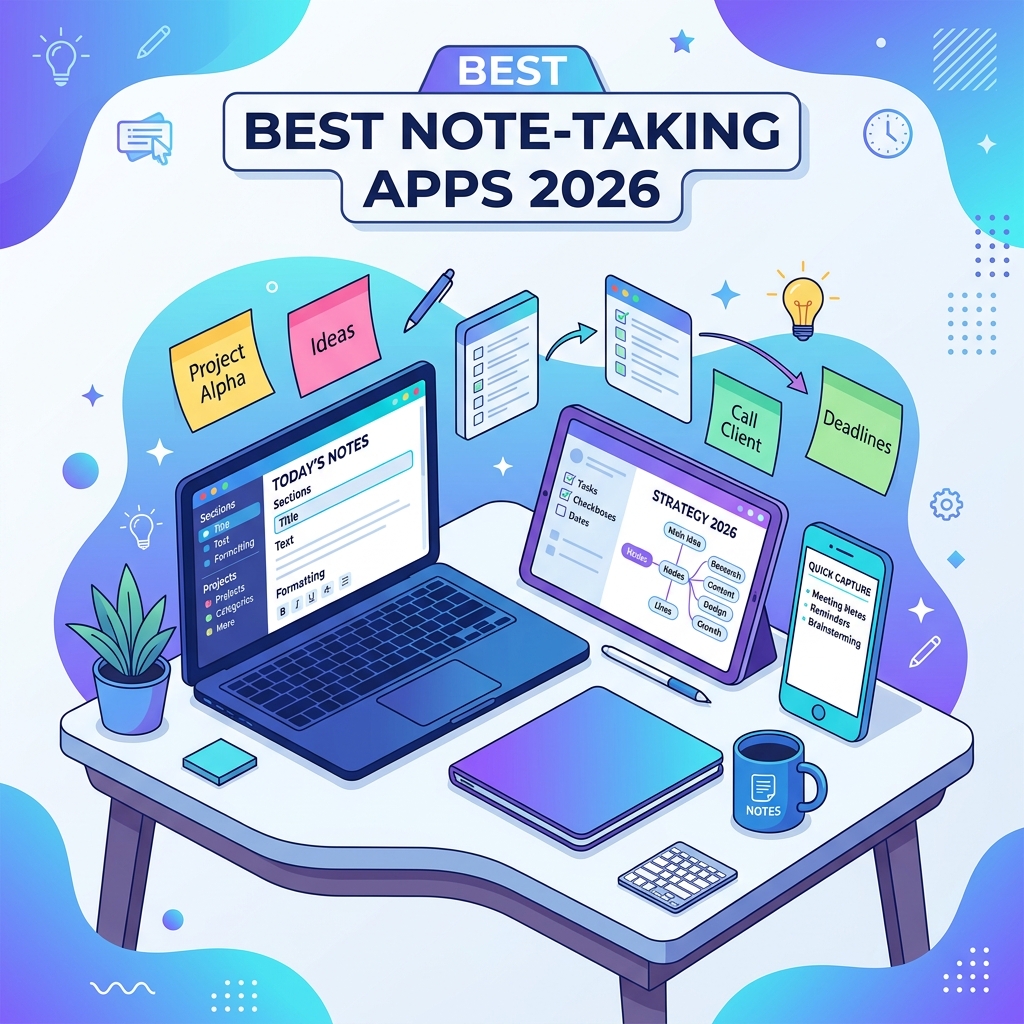
Your brain was not built to remember the password you set six months ago, the lecture slide your professor flashed for three seconds, or the brilliant idea you had in the shower. That is what notes are for, and in 2026 the best note-taking apps for students and professionals do far more than save plain text. They sync across devices, transcribe voice memos with AI, link ideas into searchable knowledge graphs, and replace half the apps cluttering your dock.
The problem is choice. Notion, Obsidian, Apple Notes, OneNote, Evernote, Logseq, Bear, Capacities, Mem, Reflect, AnyType, NotebookLM — every one of them claims to be the last note app you will ever need. This guide cuts through the marketing and shows you exactly which note-taking app fits your workflow, budget, and brain.
What Makes a Great Note-Taking App in 2026
A great note-taking app is a fast, reliable tool that captures any kind of information — text, voice, images, web clips, handwriting — and lets you find, link, and reuse that information later with minimal friction. In 2026 the bar also includes offline-first sync, AI-assisted search and summarization, end-to-end encryption options, and an export path that respects your data ownership.
Before you commit to any app, evaluate it against five practical criteria:
- Capture speed — how quickly can you go from “I have a thought” to “it is saved”?
- Retrieval power — full-text search, tags, backlinks, and AI question-answering over your notes.
- Cross-device sync — does it work seamlessly across Windows, macOS, iOS, Android, Linux, and the web?
- Data portability — can you export to Markdown, PDF, or another standard format if you leave?
- Pricing fit — free tier limits, student discounts, and total cost of ownership over three years.
Quick Comparison of the Top Note-Taking Apps
The table below summarizes the leading apps so you can spot your shortlist before reading the deep dives.
| App | Best For | Storage Model | Free Tier | Paid Plan (USD/month) |
|---|---|---|---|---|
| Notion | All-in-one workspaces, teams | Cloud | Generous | From $10 |
| Obsidian | Linked thinking, power users | Local Markdown | Full app free | $5 sync add-on |
| Apple Notes | Apple ecosystem users | iCloud | Free with device | Bundled in iCloud+ |
| Microsoft OneNote | Students, Office 365 users | OneDrive | Free | Included in M365 |
| NotebookLM | Research, source grounding | Google Cloud | Yes | From $20 (Plus) |
| Logseq | Outliners, privacy fans | Local files | Free | $5 sync add-on |
| Capacities | Object-based knowledge | Cloud | Limited | From $10 |
| Bear 2 | Writers on Apple devices | iCloud | Limited | $2.99 |
Best Note-Taking Apps for Students
Students need apps that handle lecture capture, PDF annotation, handwriting, flashcards, and group projects without a steep learning curve. The winners below cover most academic workflows from high school through graduate research.
Microsoft OneNote — The Free Classroom Workhorse
OneNote treats every notebook like a binder with tabs and pages, which mirrors how most students already organize coursework. You can ink with a stylus, drop in audio recordings that sync timestamps with your typed notes, embed equations, and clip whole web pages. Because most universities provide Microsoft 365 free of charge, the storage and collaboration features come at zero extra cost.
OneNote’s freeform canvas is a real advantage when you are sketching diagrams alongside text in a math, engineering, or chemistry class. The trade-off is that organization can become messy as notebooks grow, and the app has historically had several versions with inconsistent feature parity across platforms.
Apple Notes — Underrated and Powerful
If you live inside the Apple ecosystem, the built-in Notes app in 2026 is far more capable than most people assume. It supports collaboration, smart folders, hashtags, attached files, scanned documents, math notes that auto-solve equations, and Apple Intelligence summaries. The Quick Note feature on iPad lets you swipe from a corner with the Apple Pencil to jot anything from any app.
For most students who already own a Mac or iPad, Apple Notes is the highest value-per-dollar note app on the market, because the dollar amount is zero and the features rival paid competitors.
Goodnotes 6 — Handwriting and PDF Annotation
Goodnotes is purpose-built for handwritten notes and PDF markup, and version 6 added AI-powered handwriting recognition, math assistance, and spellcheck for ink. If your professor distributes lecture slides as PDFs, you can import them, annotate directly, and search your own handwriting later. Pair it with an iPad and Apple Pencil and you have a paper-equivalent workflow with infinite pages and instant backup.
Best Note-Taking Apps for Professionals
Professionals need notes that integrate with calendars, tasks, meetings, and CRMs. They also tend to value private, structured knowledge bases that survive job changes. The picks below excel in those areas.
Notion — The All-in-One Workspace
Notion blends documents, databases, wikis, and lightweight project management into one app. Blocks are the core unit, and you can transform any page into a kanban board, calendar, gallery, or relational database. Built-in AI summarizes long pages, drafts content, and answers questions across your workspace.
Notion shines when a team needs a single source of truth: meeting notes link to a project database that links to an OKR tracker that links to onboarding docs. The downside is that the same flexibility can lead to over-engineered systems and slower page loads on very large workspaces.
Obsidian — Your Second Brain on Local Files
Obsidian stores every note as a plain .md file in a folder on your machine. That single design decision gives you total control, lifetime portability, and an enormous plugin ecosystem. Bidirectional links and the graph view let you build a personal wiki where ideas connect across years of notes.
Below is what a typical Obsidian note looks like under the hood — pure Markdown that any editor can open today or in twenty years.
---
title: Weekly Review 2026-05-25
tags: [review, weekly]
---

# Highlights
- Shipped onboarding redesign with [[Priya]]
- Read [[Thinking in Systems]] chapter 4

# Open loops
- Follow up on [[Project Atlas]] budget
- Schedule 1:1 with [[Marcus]]

See also: [[Monthly Review 2026-05]]
Anything in double square brackets becomes a link to another note. Open the graph view and you see a living map of your thinking. Sync your vault with the official paid service, iCloud, Syncthing, or a git repository — your choice.
NotebookLM — AI-Grounded Research
Google’s NotebookLM is a different category of note app. You upload sources — PDFs, slides, URLs, YouTube videos — and the AI answers questions strictly grounded in those sources, with inline citations. It can generate audio overviews that sound like a podcast, mind maps, study guides, and timelines from the same material. For literature reviews, consulting research, or onboarding to a new codebase, it is genuinely useful.
Best Note-Taking Apps for Developers and Technical Writers
Developers usually want Markdown, code syntax highlighting, terminal-like keyboard control, and version control. Two apps stand out.
Logseq — Outliner with Daily Notes
Logseq is an open-source, block-based outliner that uses local Markdown or Org-mode files. The daily journal is the default capture surface, and every bullet point is addressable, embeddable, and queryable. The query language lets you treat your notes like a small database.
;; Show all unfinished TODO items tagged #project tagged with priority A
{:query [:find (pull ?b [*])
         :where
         [?b :block/marker "TODO"]
         [?b :block/refs ?p]
         [?p :block/name "project"]
         [?b :block/priority "A"]]}
That snippet is a Datalog query that returns every block marked TODO that references the #project tag with priority A. The power-user payoff is huge once you learn the syntax: your notes become a personal task tracker, journal, and knowledge graph in one.
VS Code with the Foam or Dendron Extensions
If you already live in Visual Studio Code, you can turn it into a note-taking environment with the Foam or Dendron extensions. You get Markdown, wiki-links, graph views, and git-backed history without leaving your editor. This is a fantastic option for engineers who want zero context-switching cost between code and notes.
Free vs Paid: What You Actually Get
The free tiers in 2026 are unusually generous. Before paying, ask whether you are buying features or buying peace of mind. Common upgrades worth paying for include unlimited cloud sync, AI credits, version history beyond 30 days, end-to-end encryption, and team collaboration. Upgrades that are rarely worth it for solo users include vanity custom domains, white-labeled exports, and admin SSO.
- Worth paying for: Obsidian Sync if you want zero-config encrypted sync, Notion AI if you summarize meetings weekly, Apple iCloud+ if you already own multiple Apple devices.
- Skip for now: Lifetime deals from unproven startups, AI add-ons you would only use once a month, and storage upgrades you have not actually outgrown.
How to Choose the Right App for You
Picking the best note-taking app is less about features and more about fit. Use this short decision flow:
- Define your primary capture mode. Typed, handwritten, voice, or web clipping?
- Pick your platform. Apple-only, Windows-heavy, cross-platform, or Linux?
- Decide who owns the data. Local files give you maximum control; cloud gives you maximum convenience.
- Choose a structure style. Folders and notebooks (OneNote, Apple Notes), linked Markdown (Obsidian, Logseq), or databases and blocks (Notion, Capacities)?
- Run a two-week trial. Migrate one course or project, not your whole life, and see whether the daily friction is acceptable.
Most people end up using two apps: a fast capture tool for fleeting notes and a deeper system for long-term knowledge. Apple Notes plus Obsidian, or Notion plus a voice memo app, are both proven combos.
Common Pitfalls to Avoid
Note-taking app addiction is real. The promise of a perfect system can pull you into endless setup at the cost of actual note-taking. Watch for these traps.
- App-hopping every quarter. Every migration loses metadata and momentum. Commit for at least six months before switching.
- Over-tagging. A note tagged with twenty labels is the same as a note tagged with none. Pick a small, stable tag vocabulary.
- Treating notes as a graveyard. If you never reread your notes, you do not have a knowledge base, you have a backup. Schedule weekly reviews.
- Trusting one vendor with no exports. Always confirm you can export to Markdown, HTML, or PDF before you invest hundreds of notes.
- Optimizing the system instead of the work. A clunky note system that you actually use beats a perfect system that you tinker with forever.
Privacy, Security, and Data Ownership in 2026
Notes often contain things you would never post publicly: medical details, salary numbers, business strategy, journal entries. Treat your note app like a vault. Prefer apps that offer end-to-end encryption, where even the provider cannot read your content. Obsidian Sync, Standard Notes, and Apple’s Advanced Data Protection for iCloud are good options.
Also check the export path. The right question to ask any vendor is, “If you shut down tomorrow, what format do I get my data in?” If the answer is anything other than an open standard like Markdown, HTML, or JSON, weigh that risk. For background reading, the Electronic Frontier Foundation’s Surveillance Self-Defense guide covers the basics of personal data hygiene.
Frequently Asked Questions
What is the best free note-taking app in 2026?
For most people the best free note-taking app is the one already on your device: Apple Notes on iPhone, iPad, or Mac, and Microsoft OneNote on Windows. Both offer cross-device sync, search, attachments, and collaboration at zero cost. If you want a more advanced free option, Obsidian is fully free for personal use and gives you local Markdown files you own forever.
Is Notion or Obsidian better?
Notion is better if you collaborate with a team and want one tool for docs, databases, and lightweight project management. Obsidian is better if you work alone, value privacy, want local files, and like building a long-term personal knowledge base with backlinks. Many people use both — Notion for team work, Obsidian for personal thinking.
Can I migrate notes between apps without losing data?
Mostly yes, but expect some friction. Apps that store notes as Markdown (Obsidian, Logseq, Bear) move between each other almost losslessly. Migrating from Notion, OneNote, or Evernote typically requires an exporter or third-party tool, and you may lose embedded databases, custom views, or version history. Always do a small test migration with twenty notes before moving thousands.
Do I need an AI-powered note-taking app?
Only if you take a high volume of notes or attend many meetings. AI features like meeting transcription, summarization, and question-answering over your knowledge base genuinely save hours for power users. For casual note-takers, the free non-AI tier of any major app is more than enough, and you can always add a standalone AI tool later.
What is the best note-taking app for handwritten notes?
On iPad, Goodnotes 6 and Notability lead by a wide margin thanks to mature handwriting recognition, PDF annotation, and shape recognition. On Windows tablets and Surface devices, OneNote remains the strongest option. Samsung Notes has improved significantly and is the best default on Galaxy Tab devices.
Are my notes safe in the cloud?
They are as safe as the provider’s security and your password hygiene make them. Enable two-factor authentication, use a unique strong password, and turn on end-to-end encryption when offered. For highly sensitive material, prefer apps that store data locally and let you choose your own sync method.
Conclusion
The best note-taking apps for students and professionals in 2026 are not the ones with the longest feature lists — they are the ones you will actually open every day. For students, OneNote, Apple Notes, and Goodnotes cover almost every academic scenario for free or very cheaply. For professionals, Notion handles team workspaces beautifully, Obsidian wins for private long-term thinking, and NotebookLM is a quiet game in the research category.
Choose based on platform, capture style, and data ownership rather than hype. Commit to one system for at least six months, schedule a weekly review so your notes stay alive, and remember that any note app you use consistently beats the perfect note app you keep configuring. Your future self — the one searching for that idea from three years ago — will thank you.