
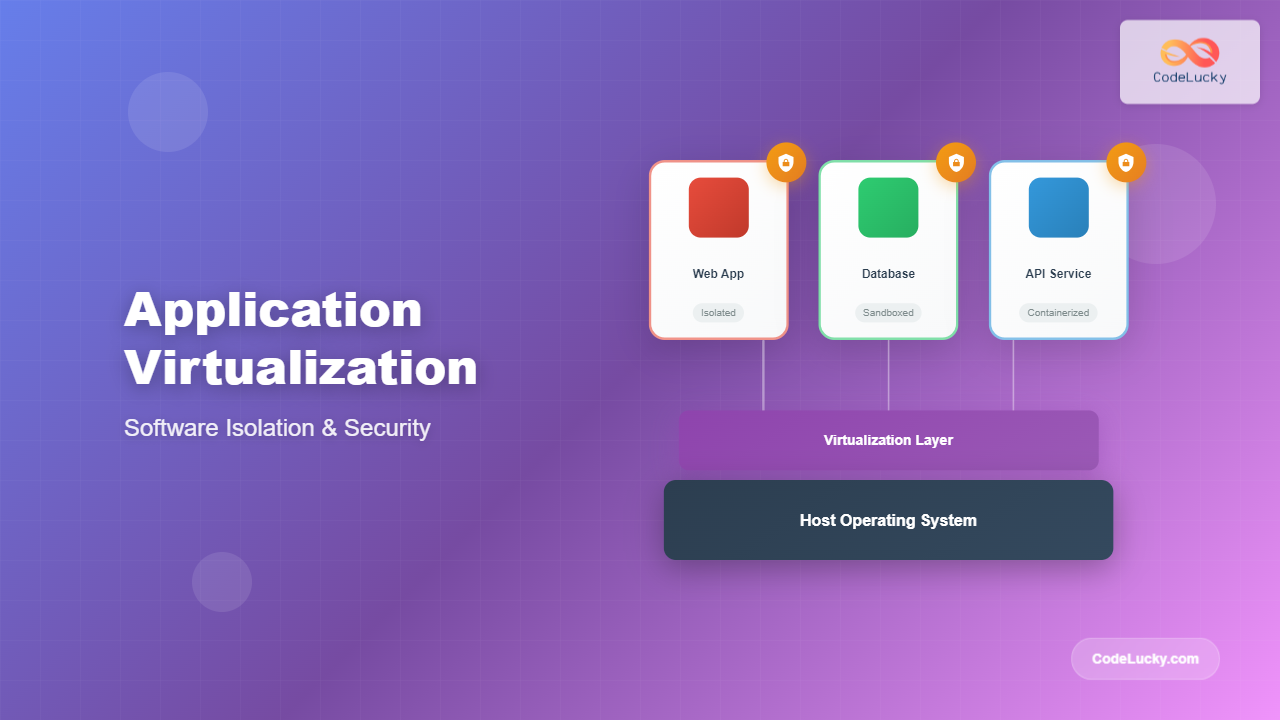
Application virtualization represents one of the most significant advances in modern computing, enabling organizations to run software applications in isolated environments separate from the underlying operating system. This comprehensive guide explores the fundamentals, technologies, and practical implementations of application virtualization and software isolation.
What is Application Virtualization?
Application virtualization is a technology that encapsulates applications from the underlying operating system, allowing them to run in isolated environments. Unlike traditional software installations that integrate directly with the host OS, virtualized applications operate within their own runtime environment, complete with necessary libraries, dependencies, and configuration files.

Core Benefits of Software Isolation
Enhanced Security
Software isolation provides multiple security layers by preventing applications from accessing unauthorized system resources. Each virtualized application operates within defined boundaries, reducing the attack surface and limiting potential security breaches.
Dependency Management
One of the most significant challenges in software deployment is managing conflicting dependencies. Application virtualization solves this by packaging each application with its specific version requirements, eliminating “DLL hell” and version conflicts.
System Stability
Isolated applications cannot interfere with each other or corrupt system files, leading to improved overall system stability and reliability.
Types of Application Virtualization
1. Operating System-Level Virtualization (Containers)
Containers represent the most popular form of application virtualization today. They share the host OS kernel while maintaining isolated user spaces for applications.
Docker Example
FROM node:18-alpine

WORKDIR /app

COPY package*.json ./
RUN npm install

COPY . .

EXPOSE 3000
CMD ["npm", "start"]
Output: This Dockerfile creates a lightweight container running a Node.js application with all dependencies isolated from the host system.
2. Application Streaming
Application streaming delivers applications on-demand from a central server, running them locally in isolated environments without full installation.
3. Application Encapsulation
This approach packages applications with all dependencies into portable executable files that can run on any compatible system without installation.

Popular Virtualization Technologies
Docker and Containerization
Docker revolutionized application virtualization by making containers mainstream. Here’s a practical example of containerizing a web application:
Python Flask Application Container
version: '3.8'
services:
  web:
    build: .
    ports:
      - "5000:5000"
    environment:
      - FLASK_ENV=production
    volumes:
      - ./data:/app/data
  database:
    image: postgres:13
    environment:
      POSTGRES_DB: myapp
      POSTGRES_USER: user
      POSTGRES_PASSWORD: password
    volumes:
      - postgres_data:/var/lib/postgresql/data

volumes:
  postgres_data:
Output: This Docker Compose configuration creates isolated environments for a Flask web application and PostgreSQL database, each running in separate containers with defined networking and storage.
Kubernetes Orchestration
Kubernetes extends container virtualization to enterprise-scale deployments:
apiVersion: apps/v1
kind: Deployment
metadata:
  name: web-app-deployment
spec:
  replicas: 3
  selector:
    matchLabels:
      app: web-app
  template:
    metadata:
      labels:
        app: web-app
    spec:
      containers:
      - name: web-app
        image: myapp:v1.0
        ports:
        - containerPort: 8080
        resources:
          limits:
            memory: "256Mi"
            cpu: "250m"
          requests:
            memory: "128Mi"
            cpu: "125m"
Virtual Machines vs Containers

Implementation Strategies
Sandboxing Techniques
Sandboxing creates secure execution environments that limit application access to system resources:
Linux Namespace Example
# Create a new process in isolated namespaces
unshare --pid --net --mount --uts --ipc --fork /bin/bash

# Inside the sandbox, processes are isolated
ps aux  # Shows only processes within the sandbox
ifconfig  # Shows isolated network configuration
Output: The unshare command creates a new process with isolated process ID, network, mount, UTS, and IPC namespaces, effectively sandboxing the bash shell.
Resource Limiting with cgroups
# Create a cgroup for memory limiting
echo "256M" > /sys/fs/cgroup/memory/myapp/memory.limit_in_bytes
echo $$ > /sys/fs/cgroup/memory/myapp/cgroup.procs

# Application now limited to 256MB RAM
./memory_intensive_app
Security Considerations
Isolation Boundaries
Understanding isolation boundaries is crucial for maintaining security. Different virtualization technologies offer varying levels of isolation:
- Process-level isolation: Applications run in separate processes with limited inter-process communication
- User-space isolation: Applications run under different user accounts with restricted permissions
- Kernel-level isolation: Containers share the kernel but maintain separate user spaces
- Hardware-level isolation: Virtual machines provide complete hardware abstraction
Security Best Practices
Container Security Example
# Use minimal base images
FROM alpine:3.18

# Create non-root user
RUN addgroup -g 1001 appuser && \
    adduser -D -u 1001 -G appuser appuser

# Set proper file permissions
COPY --chown=appuser:appuser app.py /app/
USER appuser

# Limit container capabilities
# Run with: docker run --cap-drop=ALL --cap-add=NET_BIND_SERVICE myapp
Performance Implications
Overhead Analysis
Different virtualization approaches have varying performance impacts:
| Technology | CPU Overhead | Memory Overhead | I/O Performance | Startup Time |
|---|---|---|---|---|
| Native | 0% | 0% | 100% | Fastest |
| Containers | 1-3% | 5-10MB | 95-99% | Fast |
| Virtual Machines | 5-10% | 512MB-2GB | 80-95% | Slow |
| Application Streaming | 10-15% | Variable | 70-85% | Medium |
Monitoring and Management
Container Monitoring Example
# Monitor container resource usage
docker stats --format "table {{.Container}}\t{{.CPUPerc}}\t{{.MemUsage}}\t{{.NetIO}}\t{{.BlockIO}}"

# Output shows real-time resource consumption:
CONTAINER    CPU %    MEM USAGE / LIMIT     NET I/O          BLOCK I/O
web-app-1    0.50%    45.6MiB / 256MiB     1.2kB / 648B    0B / 0B
database-1   2.1%     128MiB / 512MiB      648B / 1.2kB    4.1kB / 0B
Log Aggregation
# Docker Compose with centralized logging
version: '3.8'
services:
  app:
    image: myapp:latest
    logging:
      driver: "json-file"
      options:
        max-size: "10m"
        max-file: "3"
        labels: "service=myapp,env=production"
Troubleshooting Common Issues
Debugging Isolated Applications
Container Debugging Commands
# Enter running container for debugging
docker exec -it container_name /bin/bash

# Inspect container configuration
docker inspect container_name

# View container logs
docker logs --tail 50 -f container_name

# Check container processes
docker top container_name
Network Isolation Issues
# Test network connectivity between containers
docker network create mynetwork
docker run -d --name app1 --network mynetwork nginx
docker run -it --network mynetwork alpine ping app1

Best Practices for Production Deployment
Multi-Stage Builds
# Build stage
FROM node:18-alpine AS builder
WORKDIR /app
COPY package*.json ./
RUN npm ci --only=production

# Production stage
FROM node:18-alpine AS production
RUN addgroup -g 1001 -S nodejs
RUN adduser -S nextjs -u 1001
COPY --from=builder --chown=nextjs:nodejs /app/node_modules ./node_modules
COPY --chown=nextjs:nodejs . .
USER nextjs
EXPOSE 3000
CMD ["npm", "start"]
Health Checks and Resilience
HEALTHCHECK --interval=30s --timeout=3s --start-period=5s --retries=3 \
  CMD curl -f http://localhost:3000/health || exit 1
Future Trends and Technologies
WebAssembly (WASM) Isolation
WebAssembly is emerging as a new virtualization paradigm, offering near-native performance with strong isolation guarantees:
// Rust code compiled to WebAssembly
#[no_mangle]
pub extern "C" fn add(a: i32, b: i32) -> i32 {
    a + b
}

// Runs in isolated WASM runtime
// Memory access limited to allocated pages
// No direct system call access
Serverless Computing Integration
Application virtualization is evolving toward serverless architectures where isolation is handled automatically by cloud platforms, abstracting infrastructure complexity from developers.
Conclusion
Application virtualization and software isolation represent fundamental shifts in how we deploy, manage, and secure applications. By understanding the various technologies, implementation strategies, and best practices covered in this guide, organizations can leverage virtualization to build more secure, scalable, and maintainable systems.
The choice between different virtualization approaches depends on specific requirements including security needs, performance constraints, and operational complexity. As technologies continue to evolve, staying informed about emerging trends like WebAssembly and edge computing will be crucial for making informed architectural decisions.
Remember that successful application virtualization requires careful planning, proper monitoring, and adherence to security best practices. Start with simple containerization projects to gain experience, then gradually adopt more sophisticated orchestration and management tools as your expertise grows.
Related Posts
Full Virtualization: Complete Hardware Abstraction and Implementation Guide
Full virtualization represents one of the most significant breakthroughs in modern computing, enabling complete hardware abstraction that allows multiple operating...
Container Virtualization: Complete Guide to OS-level Virtualization Technology
Container virtualization represents a revolutionary approach to application deployment and resource management through OS-level virtualization. Unlike traditional hardware virtualization, containers...
Virtual Machine in Operating System: Complete Guide to Hardware Virtualization Technology
What is a Virtual Machine in Operating System? A Virtual Machine (VM) is a software-based emulation of a physical computer...
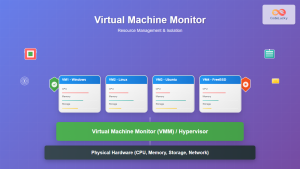
Virtual Machine Monitor: Complete Guide to Resource Management and Isolation
A Virtual Machine Monitor (VMM), also known as a hypervisor, is a critical software layer that creates and manages virtual...
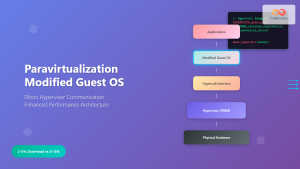
Paravirtualization: Modified Guest Operating System Architecture and Implementation
What is Paravirtualization? Paravirtualization is a virtualization technique where the guest operating system is modified to be aware that it's...
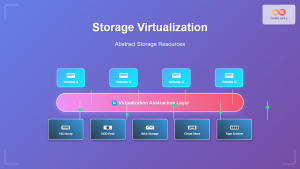
Storage Virtualization: Complete Guide to Abstract Storage Resources in Modern Computing
Storage virtualization represents one of the most critical technologies in modern computing infrastructure, enabling organizations to abstract physical storage resources...
Desktop Virtualization: Complete VDI Implementation Guide for Modern Enterprises
Introduction to Desktop Virtualization Desktop virtualization represents a paradigm shift in how organizations deliver computing resources to end users. By...
Virtual I/O: Complete Guide to Device Virtualization Techniques and Implementation
Introduction to Virtual I/O and Device Virtualization Virtual Input/Output (Virtual I/O) represents one of the most critical components in modern...
Exokernel: Application-level Resource Management Architecture in Operating Systems
Introduction to Exokernel Architecture The exokernel represents a revolutionary approach to operating system design that fundamentally challenges traditional kernel architectures....
Server Virtualization: Complete Guide to Consolidation and Resource Optimization
Introduction to Server Virtualization Server virtualization is a revolutionary technology that enables multiple virtual machines (VMs) to run on a...
Virtual Memory in OS: Complete Guide to Paging, Segmentation and Address Translation
Virtual memory is one of the most fundamental concepts in modern operating systems, enabling efficient memory management and providing crucial...
Container Operating Systems: Complete Guide to Docker and Kubernetes Platforms
Container operating systems have revolutionized how we deploy, manage, and scale applications in modern computing environments. Unlike traditional operating systems...





