
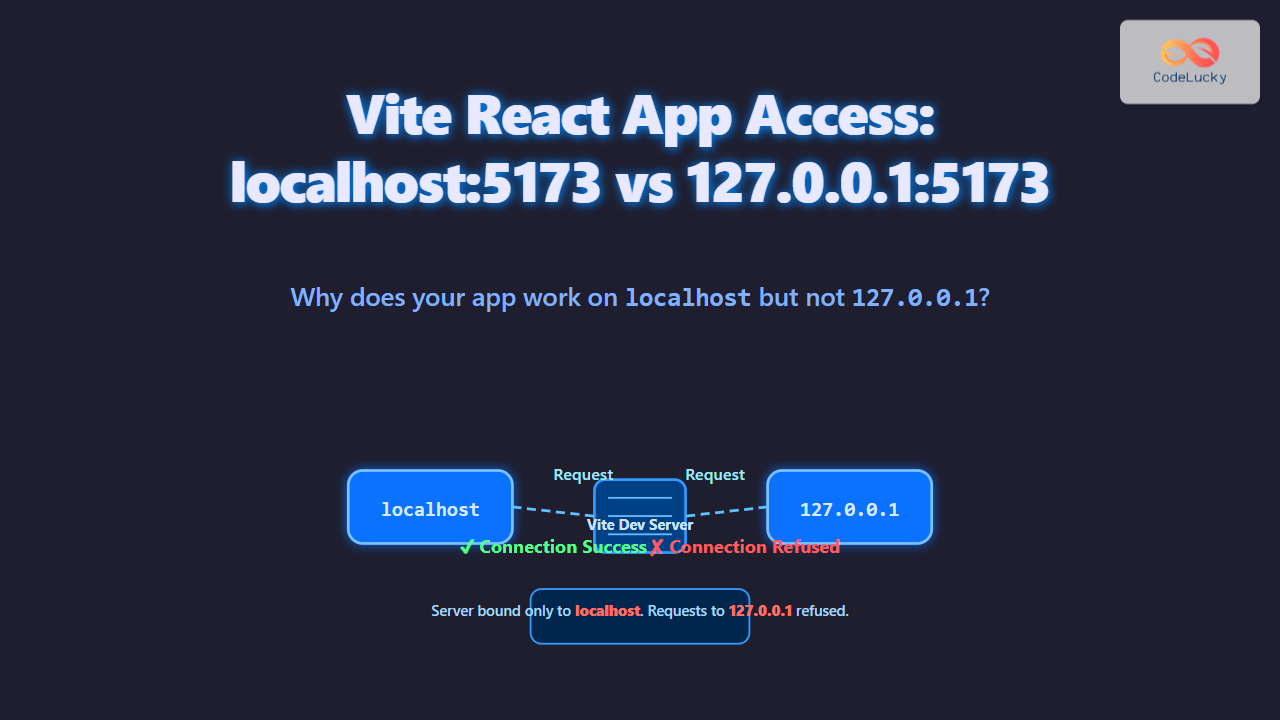
Vite has become a favorite modern build tool and dev server for React.js development due to its fast and lean setup. However, a common confusing issue developers face is that their Vite-powered React app works perfectly when accessed via localhost:5173, but fails or doesn’t load at all when accessed using 127.0.0.1:5173. This article dives deep into why this odd behavior occurs and provides detailed troubleshooting, explanations, and solutions tailored for React developers using Vite.
Understanding the localhost vs 127.0.0.1 Difference
Although localhost and 127.0.0.1 both refer to your local machine, they are not always identical in behavior:
localhostis a hostname that usually resolves to the IP127.0.0.1via your system’shostsfile.- Some developer tools or network configurations treat
localhostdifferently, especially with how they bind servers or handle CORS.
Modern dev servers like Vite can be configured to control which network addresses they accept connections from. This is the heart of the problem.

Why Does Vite Serve on localhost but Not 127.0.0.1?
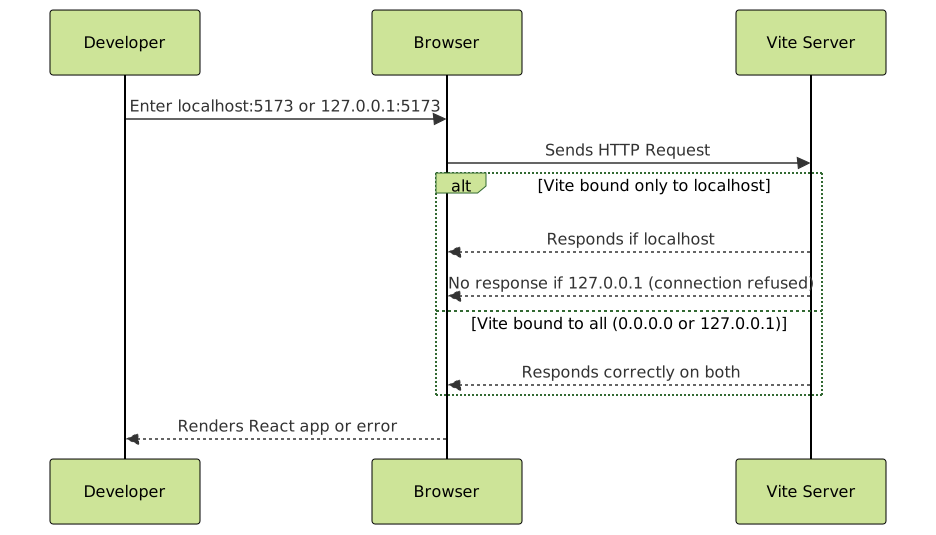
By default, Vite binds its development server to localhost. This means the server listens only on the localhost network interface, which may not include direct IP address access on 127.0.0.1. While localhost typically resolves to 127.0.0.1, the actual network socket binding may limit requests depending on your OS and environment.
If you attempt to access the app via 127.0.0.1:5173 but the server is only bound to localhost (or specifically IPv6 ::1), it might refuse connections.
Example: Vite Default Server Behavior
vite.config.js
export default {
  server: {
    host: 'localhost', // default binding
    port: 5173,
  }
}
This configuration restricts the dev server only to localhost hostname. Accessing 127.0.0.1 could fail.
How to Fix the Issue: Make Vite Listen on 127.0.0.1
The core fix is to configure Vite to listen on all network interfaces or specifically on 127.0.0.1. This makes the dev server accept requests regardless of whether a user types localhost or 127.0.0.1.
Configuring Vite for 127.0.0.1 Binding
vite.config.js
export default {
  server: {
    host: '127.0.0.1', // binds directly to 127.0.0.1
    port: 5173,
  }
}
Allow Binding on All Interfaces
Alternatively, bind to 0.0.0.0 to allow connections from all network interfaces (local IPs, LAN IPs, localhost, and 127.0.0.1):
vite.config.js
export default {
  server: {
    host: true, // shorthand for 0.0.0.0
    port: 5173,
  }
}
This is particularly useful for testing on multiple devices or within Docker environments.
Other Related Issues in React with Vite
Sometimes, even after binding changes, there might be hurdles due to browser security policies like CORS or SSL certificate issues when switching between localhost and 127.0.0.1. Adjustments in Vite’s config or your browser settings might be necessary.
- Check if your React app or external APIs enforce strict host header validation.
- If using HTTPS locally, certificates might be issued for
localhostonly, causing trust errors on127.0.0.1.
Example React Application to Test Access
This simple React component demonstrates a running Vite app:
import React from 'react';

export default function App() {
  return (

      Vite React.js Dev Server Test
      If you see this message, your Vite server is running correctly!
      Try accessing via localhost:5173 and 127.0.0.1:5173.

  );
}
Make sure to adjust your vite.config.js for the server host as shown above to experiment.
Summary and Best Practices
- Understand that
localhostand127.0.0.1bind and resolve differently on some systems and tools. - Configure your Vite dev server
hostproperty to'127.0.0.1'ortrue(for all interfaces) to enable consistent access. - Test your React app in multiple scenarios after config changes to avoid surprises in development.
- Consider security or network policies that might restrict hostname bindings or SSL trust during local development.
With these steps, the common confusion where Vite apps serve on localhost:5173 but not 127.0.0.1:5173 can be resolved effectively, leading to smoother React development experiences.





