

What is a Virtual Machine in Operating System?
A Virtual Machine (VM) is a software-based emulation of a physical computer system that runs on top of a host operating system. It creates an isolated environment where you can install and run different operating systems and applications as if they were running on separate physical hardware.
Virtual machines utilize hardware virtualization technology to partition physical system resources like CPU, memory, storage, and network interfaces among multiple virtual environments. This revolutionary technology has transformed how we deploy, manage, and utilize computing resources in modern IT infrastructure.

Understanding Hardware Virtualization
Hardware virtualization is the process of creating virtual versions of hardware platforms, storage devices, and network resources. Modern processors from Intel and AMD include built-in virtualization extensions (Intel VT-x and AMD-V) that enable efficient virtualization by providing hardware-level support for running multiple operating systems simultaneously.
Key Components of Hardware Virtualization
- CPU Virtualization: Allows multiple virtual CPUs to share physical processor cores
- Memory Virtualization: Maps virtual memory addresses to physical RAM locations
- I/O Virtualization: Provides virtual network adapters, storage controllers, and other peripherals
- Hardware-assisted Virtualization: Leverages processor extensions for improved performance
Types of Virtual Machines
1. System Virtual Machines (Full Virtualization)
System VMs provide a complete substitute for the underlying hardware platform. They run a full operating system with complete isolation from the host system.
Example: Running Windows 10 on a Linux host using VMware Workstation or VirtualBox.
# Example: Creating a VM with specific hardware specifications
VM Configuration:
- CPU Cores: 4
- RAM: 8 GB
- Storage: 100 GB SSD
- Network: Bridged Adapter
- Guest OS: Windows 10 Pro
2. Process Virtual Machines (Application Virtualization)
Process VMs run a single application or process in an isolated environment. They provide platform independence for specific applications.
Example: Java Virtual Machine (JVM) running Java applications on different operating systems.
# Java application running on JVM
public class VirtualMachineExample {
    public static void main(String[] args) {
        System.out.println("Running on JVM - Platform Independent!");
        System.out.println("OS: " + System.getProperty("os.name"));
        System.out.println("Architecture: " + System.getProperty("os.arch"));
    }
}

Output:
Running on JVM - Platform Independent!
OS: Linux
Architecture: amd64
Hypervisor Types and Architecture
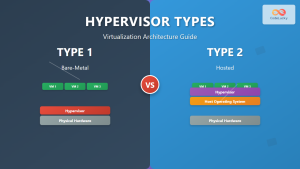
A hypervisor (Virtual Machine Monitor – VMM) is the core component that manages virtual machines and controls access to hardware resources.

Type 1 Hypervisor (Bare-metal)
Runs directly on the physical hardware without a host operating system. Provides better performance and security isolation.
Examples:
- VMware vSphere/ESXi
- Microsoft Hyper-V
- Citrix XenServer
- KVM (Kernel-based Virtual Machine)
Type 2 Hypervisor (Hosted)
Runs on top of a conventional operating system. Easier to set up but with some performance overhead.
Examples:
- Oracle VirtualBox
- VMware Workstation/Fusion
- Parallels Desktop
- QEMU
Virtual Machine Implementation Example
Let’s explore a practical example of setting up a virtual machine using VirtualBox:
Step 1: VM Creation and Configuration
# VirtualBox VM Creation Command Line Example
VBoxManage createvm --name "Ubuntu-VM" --register
VBoxManage modifyvm "Ubuntu-VM" --memory 4096 --cpus 2
VBoxManage modifyvm "Ubuntu-VM" --vram 128
VBoxManage modifyvm "Ubuntu-VM" --nic1 nat
VBoxManage modifyvm "Ubuntu-VM" --audio alsa --audiocontroller ac97

# Create virtual hard disk
VBoxManage createmedium disk --filename "Ubuntu-VM.vdi" --size 50000
VBoxManage modifyvm "Ubuntu-VM" --hda "Ubuntu-VM.vdi"
Step 2: Resource Allocation Output
Virtual Machine: Ubuntu-VM
┌─────────────────┬──────────────┐
│ Resource        │ Allocation   │
├─────────────────┼──────────────┤
│ CPU Cores       │ 2 cores      │
│ RAM             │ 4 GB         │
│ Video Memory    │ 128 MB       │
│ Hard Disk       │ 50 GB (VDI)  │
│ Network         │ NAT          │
│ Audio           │ AC97         │
└─────────────────┴──────────────┘

Status: VM Created Successfully
Boot Order: Hard Disk, CD/DVD, Network
Hardware Acceleration: Enabled (VT-x/AMD-V)
Memory Management in Virtual Machines
Virtual machines implement sophisticated memory management techniques to efficiently allocate and manage system memory among multiple guest operating systems.

Memory Virtualization Techniques
- Shadow Page Tables: Traditional method mapping guest virtual addresses to host physical addresses
- Hardware-assisted Paging: Intel EPT and AMD RVI for direct memory access
- Memory Ballooning: Dynamic memory reclamation from idle VMs
- Memory Deduplication: Sharing identical memory pages across VMs
Memory Allocation Example
# Memory allocation monitoring output
VM Memory Statistics:
==================
VM Name: WebServer-VM
Allocated Memory: 8192 MB
Active Memory: 6420 MB (78.3%)
Balloon Memory: 512 MB
Shared Memory: 1024 MB
Reserved Memory: 236 MB

Memory Performance:
- Page Swaps: 0 per second
- Memory Usage: Optimal
- Ballooning Status: Active
CPU Virtualization and Scheduling
CPU virtualization enables multiple virtual CPUs (vCPUs) to share physical processor cores efficiently. The hypervisor implements sophisticated scheduling algorithms to ensure fair resource allocation.
vCPU Scheduling Example
# CPU resource allocation across VMs
Physical CPU: Intel i7-10700K (8 cores, 16 threads)
┌──────────────┬──────────┬──────────┬─────────────┐
│ Virtual VM   │ vCPUs    │ CPU %    │ Priority    │
├──────────────┼──────────┼──────────┼─────────────┤
│ Database-VM  │ 4 vCPUs  │ 45%      │ High        │
│ Web-VM       │ 2 vCPUs  │ 25%      │ Normal      │
│ Test-VM      │ 2 vCPUs  │ 15%      │ Low         │
│ Host OS      │ -        │ 15%      │ System      │
└──────────────┴──────────┴──────────┴─────────────┘

CPU Scheduling: Round-robin with priority
Context Switches: 12,450 per second
CPU Efficiency: 92%
Virtual Network Implementation
Virtual networking creates software-defined network interfaces that connect virtual machines to each other and external networks.

Network Configuration Example
# Virtual network configuration
Network Adapter: NAT Network
┌─────────────────────┬──────────────────────┐
│ Property            │ Value                │
├─────────────────────┼──────────────────────┤
│ Adapter Type        │ Intel PRO/1000 MT    │
│ MAC Address         │ 08:00:27:3F:2A:B4    │
│ Network Name        │ NatNetwork           │
│ DHCP Server         │ Enabled              │
│ IPv4 Address        │ 10.0.2.15/24         │
│ Gateway             │ 10.0.2.1             │
│ DNS Server          │ 10.0.2.3             │
└─────────────────────┴──────────────────────┘

Port Forwarding Rules:
SSH: Host:2222 → Guest:22
HTTP: Host:8080 → Guest:80
HTTPS: Host:8443 → Guest:443
Storage Virtualization
Virtual machines use virtual disk files that emulate physical storage devices. These virtual disks provide isolated storage for each VM while being stored as files on the host system.
Virtual Disk Formats
- VMDK (Virtual Machine Disk): VMware format, widely supported
- VDI (Virtual Disk Image): VirtualBox native format
- VHD/VHDX: Microsoft Hyper-V format
- QCOW2: QEMU Copy-On-Write format with compression
Storage Performance Example
# Virtual disk performance metrics
Virtual Disk: WebServer.vmdk
=====================================
Disk Size: 100 GB (Dynamically allocated)
Used Space: 45.2 GB
Free Space: 54.8 GB
Disk Format: VMDK (Sparse)

Performance Metrics:
- Read IOPS: 1,250 per second
- Write IOPS: 890 per second
- Average Latency: 12ms
- Throughput: 125 MB/s read, 89 MB/s write

Storage Features:
✓ Snapshots: 3 available
✓ Compression: Enabled
✓ Encryption: AES-256
✓ Thin Provisioning: Active
VM Lifecycle Management
Virtual machines go through various states during their lifecycle, each representing different operational phases and resource consumption levels.

VM State Management Example
# VM lifecycle commands and output
$ virsh list --all
 Id   Name              State
----------------------------------
 1    web-server        running
 2    database-vm       running
 -    test-environment  shut off
 -    backup-vm         suspended

# VM state transition
$ virsh suspend database-vm
Domain database-vm suspended

$ virsh domstate database-vm
paused

# Resume VM
$ virsh resume database-vm
Domain database-vm resumed

Current State: Running
Uptime: 5 days, 12 hours
CPU Usage: 23%
Memory Usage: 2.1 GB / 4.0 GB
Advantages of Virtual Machines
- Resource Optimization: Better utilization of physical hardware
- Isolation: Complete separation between different environments
- Portability: Easy migration between different physical hosts
- Disaster Recovery: Quick backup and restoration capabilities
- Testing Environment: Safe sandboxing for development and testing
- Cost Reduction: Reduced hardware requirements and energy consumption
Disadvantages and Limitations
- Performance Overhead: Additional layer introduces latency
- Resource Competition: Multiple VMs competing for same hardware
- Complex Management: Requires specialized knowledge and tools
- Licensing Costs: Additional software licenses for hypervisors
- Security Concerns: Hypervisor vulnerabilities affect all VMs
Real-world Applications
Enterprise Data Centers
Large organizations use virtualization to consolidate servers, reduce hardware costs, and improve resource utilization. A typical data center might run hundreds of VMs on a fraction of the physical servers previously required.
Cloud Computing Platforms
Major cloud providers like AWS, Azure, and Google Cloud use virtualization to offer scalable computing resources. Each customer instance runs in an isolated virtual machine.
Software Development
Developers use VMs to create consistent development environments, test applications across different operating systems, and isolate potentially harmful code.
Disaster Recovery
Organizations use VM snapshots and replication to create robust disaster recovery solutions, enabling quick recovery from hardware failures or data corruption.
Best Practices for VM Management
- Right-sizing: Allocate appropriate resources based on actual requirements
- Regular Monitoring: Track performance metrics and resource utilization
- Snapshot Management: Regular backups without impacting performance
- Security Updates: Keep hypervisor and guest OS updated
- Network Segmentation: Implement proper network isolation and security
- Performance Tuning: Optimize VM settings for specific workloads
Future of Virtual Machine Technology
Virtual machine technology continues to evolve with advancements in hardware acceleration, container integration, and cloud-native architectures. Modern developments include:
- Nested Virtualization: Running hypervisors inside virtual machines
- GPU Virtualization: Sharing graphics processing units across VMs
- Container Integration: Hybrid approaches combining VMs and containers
- Edge Computing: Lightweight virtualization for IoT and edge devices
- Serverless Integration: Function-as-a-Service platforms built on VM technology
Virtual machines remain a cornerstone technology in modern computing infrastructure, providing the foundation for cloud computing, enterprise virtualization, and development environments. Understanding hardware virtualization principles and practical implementation helps system administrators, developers, and IT professionals leverage this powerful technology effectively.
Whether you’re setting up a simple test environment or designing enterprise-scale virtualization solutions, the concepts and examples covered in this guide provide the essential knowledge needed to work with virtual machines successfully in today’s technology landscape.
Related Posts
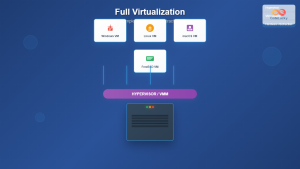
Full Virtualization: Complete Hardware Abstraction and Implementation Guide
Full virtualization represents one of the most significant breakthroughs in modern computing, enabling complete hardware abstraction that allows multiple operating...
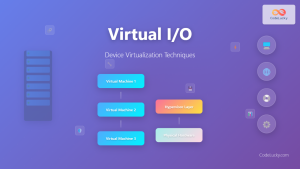
Virtual I/O: Complete Guide to Device Virtualization Techniques and Implementation
Introduction to Virtual I/O and Device Virtualization Virtual Input/Output (Virtual I/O) represents one of the most critical components in modern...
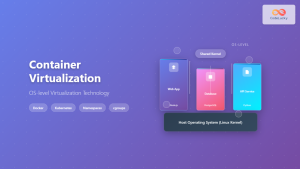
Container Virtualization: Complete Guide to OS-level Virtualization Technology
Container virtualization represents a revolutionary approach to application deployment and resource management through OS-level virtualization. Unlike traditional hardware virtualization, containers...
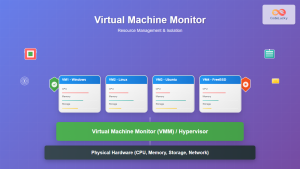
Virtual Machine Monitor: Complete Guide to Resource Management and Isolation
A Virtual Machine Monitor (VMM), also known as a hypervisor, is a critical software layer that creates and manages virtual...
Desktop Virtualization: Complete VDI Implementation Guide for Modern Enterprises
Introduction to Desktop Virtualization Desktop virtualization represents a paradigm shift in how organizations deliver computing resources to end users. By...
Hypervisor Types: Complete Guide to Type 1 and Type 2 Virtualization
Virtualization has revolutionized modern computing, allowing multiple operating systems to run simultaneously on a single physical machine. At the heart...
Cloud Operating System: Complete Guide to Virtualized Infrastructure Management
Cloud Operating Systems represent a paradigm shift in how we manage and orchestrate computing resources across distributed environments. Unlike traditional...
Storage Virtualization: Complete Guide to Abstract Storage Resources in Modern Computing
Storage virtualization represents one of the most critical technologies in modern computing infrastructure, enabling organizations to abstract physical storage resources...
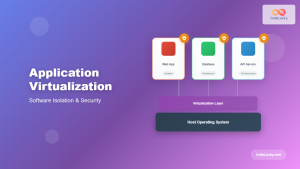
Application Virtualization: Complete Guide to Software Isolation and Virtual Environments
Application virtualization represents one of the most significant advances in modern computing, enabling organizations to run software applications in isolated...
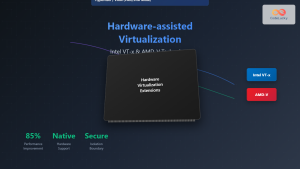
Hardware-assisted Virtualization: Intel VT-x and AMD-V Complete Guide
Introduction to Hardware-assisted Virtualization Hardware-assisted virtualization represents a revolutionary advancement in computing architecture, enabling efficient creation and management of virtual...
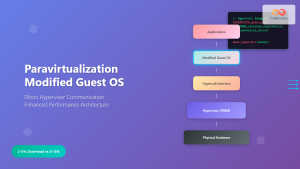
Paravirtualization: Modified Guest Operating System Architecture and Implementation
What is Paravirtualization? Paravirtualization is a virtualization technique where the guest operating system is modified to be aware that it's...
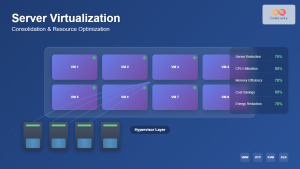
Server Virtualization: Complete Guide to Consolidation and Resource Optimization
Introduction to Server Virtualization Server virtualization is a revolutionary technology that enables multiple virtual machines (VMs) to run on a...





