Introduction to Virtual I/O and Device Virtualization
Virtual Input/Output (Virtual I/O) represents one of the most critical components in modern virtualization technology. As organizations increasingly rely on virtualized environments, understanding how virtual machines interact with physical hardware through sophisticated abstraction layers becomes essential for system administrators, developers, and IT professionals.
Device virtualization enables multiple virtual machines to share physical hardware resources efficiently while maintaining isolation and security. This technology transforms how we approach server consolidation, cloud computing, and resource optimization in enterprise environments.
Understanding Virtual I/O Architecture
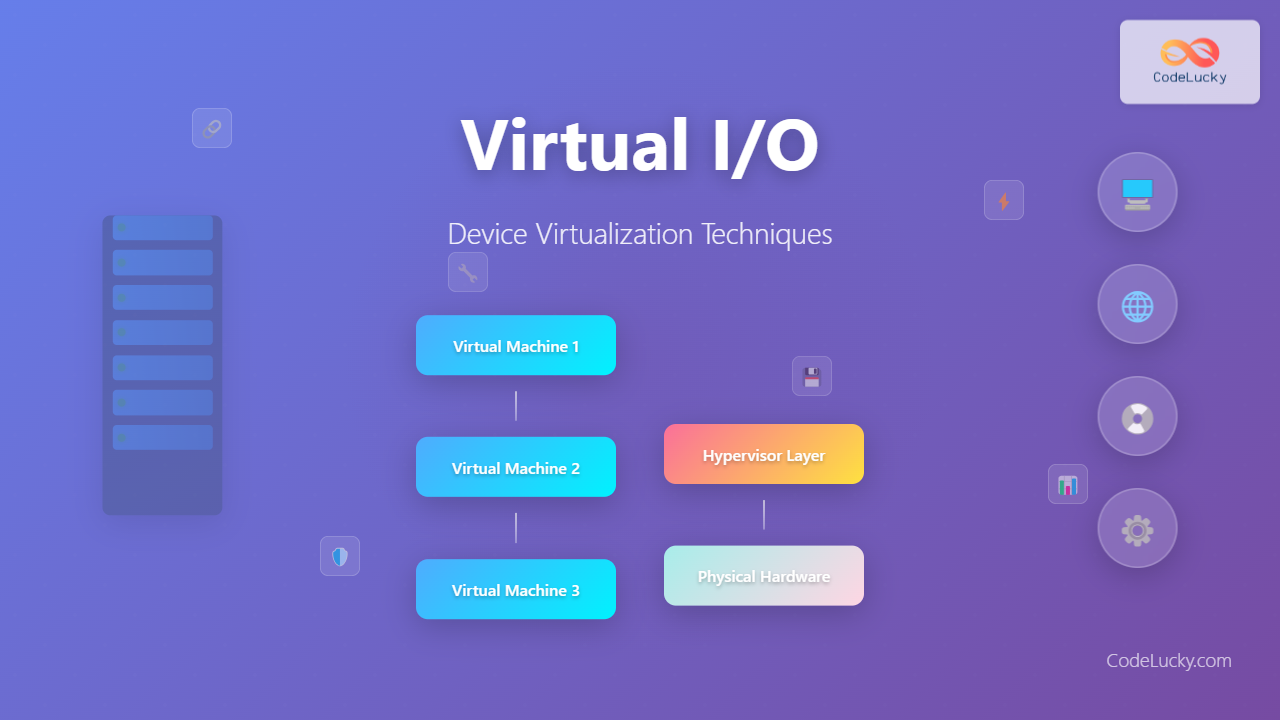
Virtual I/O operates through multiple abstraction layers that translate virtual machine requests into physical hardware operations. The architecture involves several key components working together to provide seamless device access.

Core Components of Virtual I/O
The virtual I/O stack consists of several interconnected layers:
- Guest Operating System: Runs inside the virtual machine and issues I/O requests
- Virtual Device Drivers: Translate guest OS requests into hypervisor-compatible formats
- Hypervisor Layer: Manages and coordinates all I/O operations between VMs and hardware
- Physical Device Drivers: Interface directly with actual hardware components
- Hardware Abstraction Layer: Provides consistent interface to diverse hardware
Device Virtualization Techniques
Full Virtualization
Full virtualization provides complete hardware emulation, allowing unmodified guest operating systems to run without awareness of the virtualized environment. This approach offers maximum compatibility but can introduce performance overhead.
Key characteristics:
- Complete hardware emulation
- No guest OS modifications required
- Higher CPU overhead due to instruction translation
- Broad compatibility with legacy systems
Implementation example:
# VMware ESXi full virtualization configuration
vim-cmd vmsvc/getallvms
vim-cmd vmsvc/get.config [vmid]

# Check virtualization settings
grep -i "hardware.version" /vmfs/volumes/datastore/VM/VM.vmx
grep -i "virtualHW.version" /vmfs/volumes/datastore/VM/VM.vmx
Paravirtualization
Paravirtualization requires guest operating system modifications to communicate directly with the hypervisor through specialized APIs. This approach significantly reduces overhead by eliminating the need for instruction translation.

Advantages of paravirtualization:
- Reduced CPU overhead (10-15% performance improvement)
- Lower memory consumption
- Enhanced I/O performance
- Better resource utilization
Xen paravirtualization example:
# Xen PV driver implementation snippet
class XenPVDevice:
    def __init__(self, device_type):
        self.device_type = device_type
        self.event_channel = self.setup_event_channel()
        self.grant_table = self.setup_grant_table()

    def setup_event_channel(self):
        # Setup communication channel with hypervisor
        return xen_evtchn_open()

    def io_request(self, data):
        # Direct hypercall to Xen hypervisor
        return hypercall(HYPERVISOR_io_op, self.device_type, data)
Hardware-Assisted Virtualization
Modern processors include virtualization extensions (Intel VT-x, AMD-V) that provide hardware support for virtualization operations. This technology combines the benefits of full virtualization with improved performance.
Intel VT-d features:
- DMA remapping for memory protection
- Interrupt remapping for security
- Device assignment capabilities
- IOMMU support for direct device access
Advanced Virtualization Technologies
Single Root I/O Virtualization (SR-IOV)
SR-IOV enables a single PCIe device to present multiple virtual instances to different virtual machines, providing near-native performance for network and storage devices.

SR-IOV configuration example:
# Enable SR-IOV on Intel network card
echo '4' > /sys/class/net/eth0/device/sriov_numvfs

# Verify virtual functions creation
lspci | grep -i virtual

# Assign VF to virtual machine
echo "0000:01:10.0" > /sys/bus/pci/drivers/vfio-pci/bind

# QEMU/KVM VM configuration
qemu-system-x86_64 \
  -device vfio-pci,host=01:10.0 \
  -machine q35 \
  -enable-kvm
Input-Output Memory Management Unit (IOMMU)
IOMMU provides memory protection and address translation for direct device assignment, enabling secure passthrough of physical devices to virtual machines.
IOMMU benefits:
- DMA protection and isolation
- Memory address translation
- Interrupt remapping
- Enhanced security for device passthrough
IOMMU configuration:
# Enable IOMMU in GRUB (Intel)
GRUB_CMDLINE_LINUX="intel_iommu=on iommu=pt"

# Enable IOMMU in GRUB (AMD)
GRUB_CMDLINE_LINUX="amd_iommu=on iommu=pt"

# Update GRUB and reboot
update-grub
reboot

# Verify IOMMU is enabled
dmesg | grep -i iommu
cat /proc/cmdline
Virtual Device Types and Implementation
Virtual Network Devices
Virtual network interfaces provide network connectivity to virtual machines through various implementation methods:
Bridged Networking:
# Create bridge interface
brctl addbr br0
brctl addif br0 eth0
ifconfig br0 192.168.1.100 up

# Add VM interface to bridge
brctl addif br0 vnet0
Virtual Switch Configuration:
# Open vSwitch configuration
ovs-vsctl add-br ovs-br0
ovs-vsctl add-port ovs-br0 eth0
ovs-vsctl add-port ovs-br0 vnet0 -- set interface vnet0 type=internal
Virtual Storage Devices
Storage virtualization involves multiple technologies for providing virtual machines with access to storage resources:

Virtual disk formats:
- VMDK: VMware virtual disk format
- VHD/VHDX: Microsoft Hyper-V format
- QCOW2: QEMU copy-on-write format
- Raw: Unformatted disk image
Storage performance optimization:
# Create optimized QCOW2 disk
qemu-img create -f qcow2 -o cluster_size=64k,preallocation=metadata vm_disk.qcow2 20G

# Convert and optimize existing disk
qemu-img convert -f vmdk -O qcow2 -o compression=on source.vmdk optimized.qcow2

# Check disk performance
qemu-img info vm_disk.qcow2
Performance Optimization Strategies
I/O Scheduling and Queuing
Effective I/O scheduling prevents bottlenecks and ensures fair resource allocation among virtual machines:
Multi-queue I/O implementation:
# Configure multi-queue virtio
echo mq-deadline > /sys/block/vda/queue/scheduler
echo 4 > /sys/block/vda/queue/nr_requests

# Optimize queue depth for SSD
echo noop > /sys/block/sda/queue/scheduler
echo 1 > /sys/block/sda/queue/nomerges
Interrupt Handling Optimization
Proper interrupt handling reduces CPU overhead and improves overall system responsiveness:
# Configure interrupt affinity
echo 2 > /proc/irq/24/smp_affinity
echo 4 > /proc/irq/25/smp_affinity

# Use MSI-X for better interrupt distribution
echo 1 > /sys/bus/pci/devices/0000:00:03.0/msi_bus

# Monitor interrupt distribution
watch -n 1 'cat /proc/interrupts | head -20'
Security Considerations in Virtual I/O
Isolation and Access Control
Virtual I/O security involves multiple layers of protection to prevent unauthorized access and maintain system integrity:
Device isolation mechanisms:
- IOMMU-based memory protection
- Interrupt remapping
- PCI access control
- Resource quotas and limits
Security configuration example:
# Configure device isolation
echo "0000:01:00.0" > /sys/bus/pci/drivers/pci-stub/bind
echo "vfio-pci" > /sys/bus/pci/devices/0000:01:00.0/driver_override

# Set memory limits for VMs
virsh setmaxmem vm-name 4194304
virsh setmem vm-name 2097152

# Configure CPU pinning for isolation
virsh vcpupin vm-name 0 2-3
virsh vcpupin vm-name 1 4-5
Monitoring and Auditing
Continuous monitoring ensures virtual I/O operations remain secure and performant:
# Python monitoring script for virtual I/O
import psutil
import libvirt
import time

def monitor_vm_io():
    conn = libvirt.open('qemu:///system')
    domains = conn.listAllDomains()

    for domain in domains:
        if domain.isActive():
            stats = domain.blockStats('vda')
            net_stats = domain.interfaceStats('vnet0')

            print(f"VM: {domain.name()}")
            print(f"Disk Read: {stats[1]} bytes")
            print(f"Disk Write: {stats[3]} bytes")
            print(f"Network RX: {net_stats[0]} bytes")
            print(f"Network TX: {net_stats[4]} bytes")
            print("-" * 40)

# Run monitoring every 5 seconds
while True:
    monitor_vm_io()
    time.sleep(5)
Troubleshooting Virtual I/O Issues
Common Performance Problems
Virtual I/O performance issues often stem from misconfigurations or resource contention:
Diagnostic commands:
# Check I/O wait and system load
iostat -x 1 5
sar -u 1 5

# Monitor virtual machine I/O
virsh domblkstat vm-name vda
virsh domifstat vm-name vnet0

# Analyze disk performance
iotop -ao
hdparm -tT /dev/vda
Network Connectivity Issues
Virtual network problems require systematic troubleshooting approaches:
# Check bridge configuration
brctl show
ip link show type bridge

# Verify virtual interface status
virsh domiflist vm-name
virsh domif-getlink vm-name vnet0

# Test network connectivity
ping -c 4 guest-ip
traceroute guest-ip
nmap -sn network/24
Future Trends in Virtual I/O
Emerging Technologies
The virtual I/O landscape continues evolving with new technologies addressing performance, security, and scalability challenges:

Cloud-Native Virtual I/O
Modern virtualization increasingly focuses on cloud-native architectures with enhanced automation and orchestration capabilities. Technologies like Kubernetes are driving new approaches to virtual I/O management through:
- Container Network Interface (CNI) plugins
- Container Storage Interface (CSI) drivers
- Service mesh integration
- Edge computing optimizations
Best Practices for Virtual I/O Implementation
Successfully implementing virtual I/O requires careful planning and adherence to proven methodologies:
Design Considerations
- Performance requirements: Assess workload I/O patterns and requirements
- Security policies: Implement appropriate isolation and access controls
- Scalability planning: Design for future growth and expansion
- Disaster recovery: Plan for backup and recovery scenarios
Implementation Checklist
# Pre-deployment validation
#!/bin/bash

# Check hardware virtualization support
grep -E '(vmx|svm)' /proc/cpuinfo

# Verify IOMMU support
dmesg | grep -i iommu

# Test SR-IOV capabilities
lspci -vvv | grep -i sr-iov

# Validate storage performance
fio --name=random-write --ioengine=libaio --rw=randwrite --bs=4k --size=1G --numjobs=4 --runtime=60

# Network performance baseline
iperf3 -s &
iperf3 -c localhost -t 30
Virtual I/O and device virtualization represent fundamental technologies enabling modern virtualized infrastructure. Understanding these concepts, implementation techniques, and optimization strategies ensures efficient, secure, and scalable virtualized environments. As technology continues advancing, staying current with emerging trends and best practices remains crucial for successful virtual I/O deployments.
The integration of artificial intelligence, edge computing, and quantum-safe technologies will further transform virtual I/O landscapes, requiring continuous learning and adaptation from IT professionals managing virtualized infrastructure.
Related Posts
Virtual Machine in Operating System: Complete Guide to Hardware Virtualization Technology
What is a Virtual Machine in Operating System? A Virtual Machine (VM) is a software-based emulation of a physical computer...
Full Virtualization: Complete Hardware Abstraction and Implementation Guide
Full virtualization represents one of the most significant breakthroughs in modern computing, enabling complete hardware abstraction that allows multiple operating...
Server Virtualization: Complete Guide to Consolidation and Resource Optimization
Introduction to Server Virtualization Server virtualization is a revolutionary technology that enables multiple virtual machines (VMs) to run on a...
Storage Virtualization: Complete Guide to Abstract Storage Resources in Modern Computing
Storage virtualization represents one of the most critical technologies in modern computing infrastructure, enabling organizations to abstract physical storage resources...
Desktop Virtualization: Complete VDI Implementation Guide for Modern Enterprises
Introduction to Desktop Virtualization Desktop virtualization represents a paradigm shift in how organizations deliver computing resources to end users. By...
Input Output Systems: Complete Guide to Device Management and I/O Operations
Input/Output (I/O) systems form the critical bridge between a computer's internal processing capabilities and the external world. These systems manage...
Virtual Machine Monitor: Complete Guide to Resource Management and Isolation
A Virtual Machine Monitor (VMM), also known as a hypervisor, is a critical software layer that creates and manages virtual...
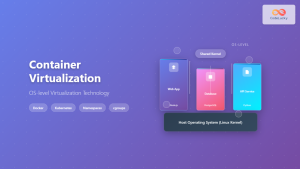
Container Virtualization: Complete Guide to OS-level Virtualization Technology
Container virtualization represents a revolutionary approach to application deployment and resource management through OS-level virtualization. Unlike traditional hardware virtualization, containers...
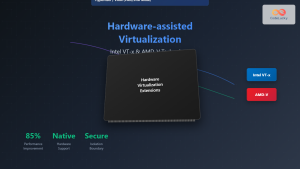
Hardware-assisted Virtualization: Intel VT-x and AMD-V Complete Guide
Introduction to Hardware-assisted Virtualization Hardware-assisted virtualization represents a revolutionary advancement in computing architecture, enabling efficient creation and management of virtual...
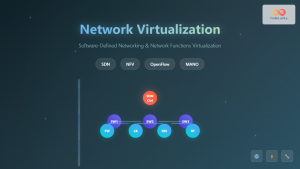
Network Virtualization: Complete Guide to SDN and NFV Technologies
Network virtualization has revolutionized modern IT infrastructure by decoupling network functions from physical hardware, enabling unprecedented flexibility and efficiency. This...
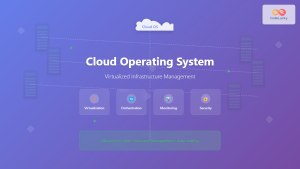
Cloud Operating System: Complete Guide to Virtualized Infrastructure Management
Cloud Operating Systems represent a paradigm shift in how we manage and orchestrate computing resources across distributed environments. Unlike traditional...
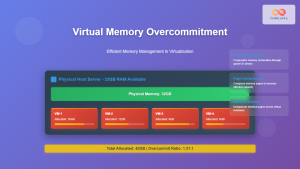
Virtual Memory in Virtualization: Memory Overcommitment Strategies and Implementation
Introduction to Memory Overcommitment Memory overcommitment is a fundamental virtualization technique that allows hypervisors to allocate more virtual memory to...