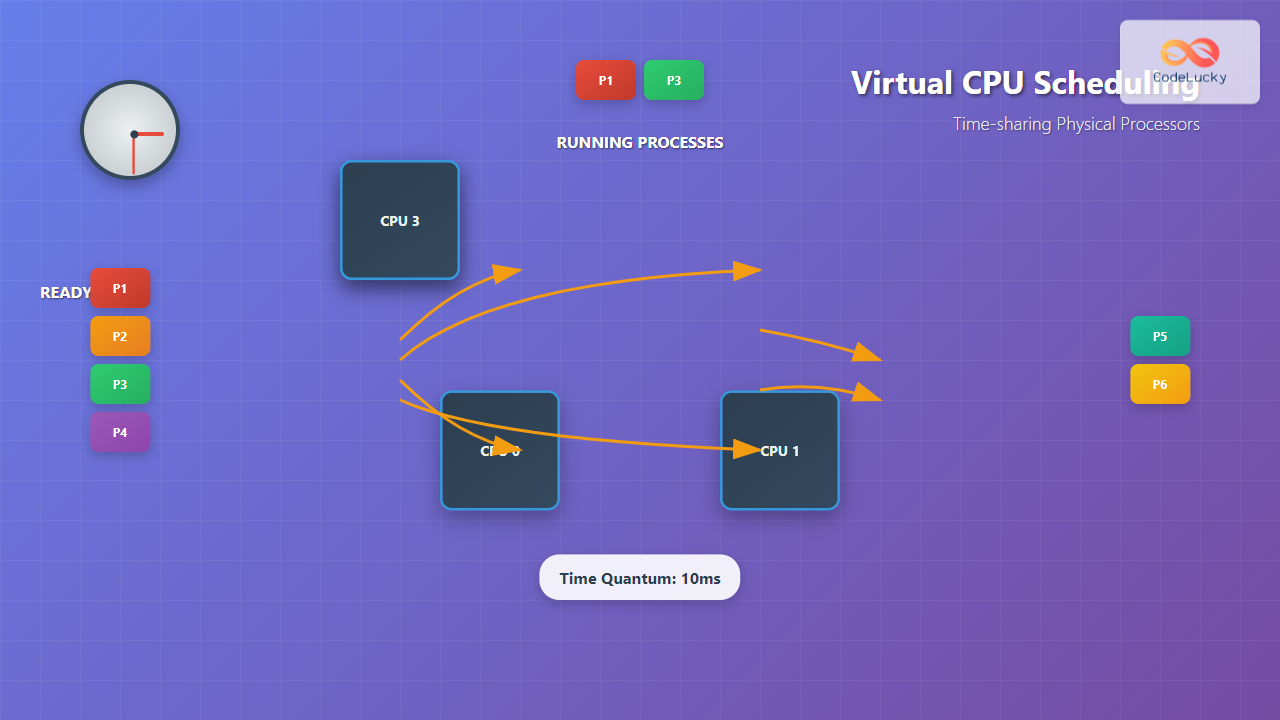
Virtual CPU scheduling is the cornerstone of modern operating systems, enabling multiple processes to share limited physical processors efficiently. This fundamental concept allows your computer to run dozens of applications simultaneously while maintaining the illusion that each process has dedicated access to the CPU.
Understanding Virtual CPU Scheduling
Virtual CPU scheduling, also known as process scheduling, is the mechanism by which an operating system decides which process should execute on the CPU at any given time. Since most systems have fewer physical CPU cores than running processes, the scheduler must time-share the available processors among competing processes.

The scheduler operates on three primary process states:
- Ready: Process is prepared to execute but waiting for CPU allocation
- Running: Process is currently executing on the CPU
- Blocked: Process is waiting for I/O operations or other resources
Core Scheduling Algorithms
First-Come, First-Served (FCFS)
FCFS is the simplest scheduling algorithm where processes are executed in the order they arrive in the ready queue. While easy to implement, it can lead to the convoy effect where short processes wait behind long-running ones.
class FCFSScheduler:
    def __init__(self):
        self.ready_queue = []
        self.current_time = 0

    def add_process(self, process):
        self.ready_queue.append(process)

    def schedule(self):
        if self.ready_queue:
            process = self.ready_queue.pop(0)
            self.current_time += process.burst_time
            return process
        return None

# Example usage
processes = [
    Process("P1", arrival_time=0, burst_time=8),
    Process("P2", arrival_time=1, burst_time=4),
    Process("P3", arrival_time=2, burst_time=2)
]

scheduler = FCFSScheduler()
for p in processes:
    scheduler.add_process(p)
Shortest Job First (SJF)
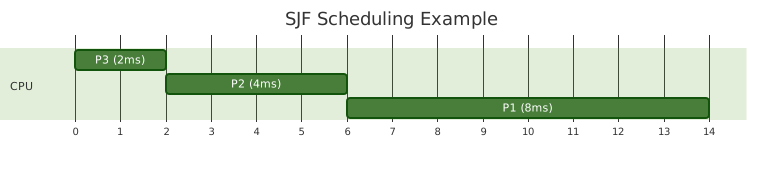
SJF selects the process with the shortest burst time for execution. This algorithm minimizes average waiting time but requires knowledge of future CPU burst times, making it primarily theoretical.
Round Robin (RR)
Round Robin is the most commonly used preemptive scheduling algorithm in time-sharing systems. Each process receives a fixed time quantum or time slice, after which it’s preempted and moved to the back of the ready queue.
class RoundRobinScheduler:
    def __init__(self, time_quantum):
        self.ready_queue = []
        self.time_quantum = time_quantum
        self.current_time = 0

    def schedule_next(self):
        if not self.ready_queue:
            return None

        process = self.ready_queue.pop(0)
        execution_time = min(process.remaining_time, self.time_quantum)

        process.remaining_time -= execution_time
        self.current_time += execution_time

        if process.remaining_time > 0:
            self.ready_queue.append(process)  # Preempt and re-queue

        return process, execution_time

# Example with time quantum = 3ms
scheduler = RoundRobinScheduler(time_quantum=3)
Time-sharing Implementation
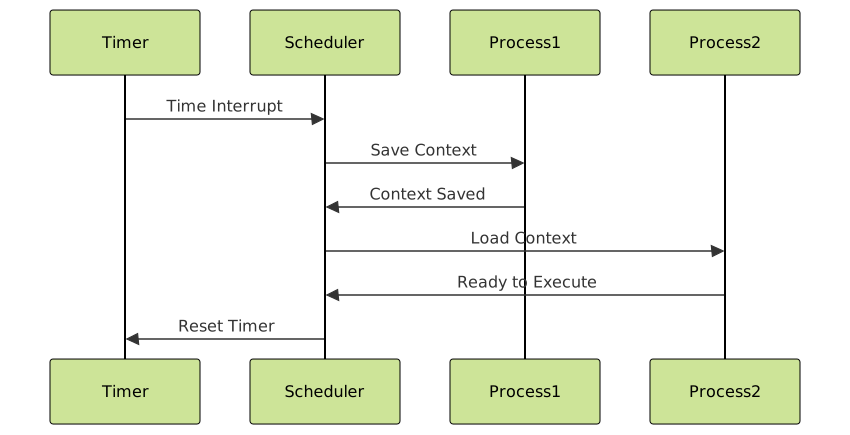
Time-sharing systems rely on context switching to rapidly alternate between processes. The scheduler uses hardware timers to generate interrupts at regular intervals, triggering context switches.
Context Switch Overhead
Context switching involves significant overhead:
- Register saving/restoration: CPU registers must be preserved
- Memory management: Page tables and cache entries may need updates
- Cache pollution: New process may invalidate cache contents
// Simplified context switch pseudocode
void context_switch(Process *old, Process *new) {
    // Save old process state
    save_registers(&old->registers);
    save_stack_pointer(&old->stack_ptr);

    // Update memory management
    switch_page_table(new->page_table);

    // Restore new process state
    restore_registers(&new->registers);
    restore_stack_pointer(&new->stack_ptr);

    // Jump to new process execution point
    jump_to_process(new);
}
Advanced Scheduling Algorithms
Priority-based Scheduling
Processes are assigned priorities, and the scheduler always selects the highest-priority ready process. This can lead to starvation where low-priority processes never execute.
import heapq

class PriorityScheduler:
    def __init__(self):
        self.ready_queue = []  # Min-heap (lower number = higher priority)

    def add_process(self, process):
        heapq.heappush(self.ready_queue, (process.priority, process))

    def schedule_next(self):
        if self.ready_queue:
            priority, process = heapq.heappop(self.ready_queue)
            return process
        return None
Multilevel Feedback Queue
This sophisticated algorithm uses multiple queues with different priorities and time quantums. Processes move between queues based on their behavior, providing adaptive scheduling.

Real-world Implementation Examples
Linux CFS (Completely Fair Scheduler)
Linux uses the CFS algorithm, which maintains a red-black tree of runnable processes ordered by their virtual runtime. The leftmost node (process with least virtual runtime) is always selected for execution.
// Simplified CFS selection logic
static struct task_struct *pick_next_task_fair(struct rq *rq) {
    struct cfs_rq *cfs_rq = &rq->cfs;
    struct sched_entity *se;

    if (!cfs_rq->nr_running)
        return NULL;

    // Pick leftmost entity from red-black tree
    se = __pick_first_entity(cfs_rq);

    return task_of(se);
}
Windows Scheduler
Windows uses a multilevel feedback queue with 32 priority levels (0-31). The scheduler always selects the highest-priority ready thread, implementing priority-based preemptive scheduling.
Performance Metrics and Analysis
Scheduling algorithms are evaluated using several key metrics:
- Turnaround Time: Total time from process arrival to completion
- Waiting Time: Time spent in the ready queue
- Response Time: Time from arrival to first execution
- Throughput: Number of processes completed per unit time
- CPU Utilization: Percentage of time CPU is actively executing processes
def calculate_metrics(processes, schedule):
    total_turnaround = 0
    total_waiting = 0
    total_response = 0

    for process in processes:
        turnaround = process.completion_time - process.arrival_time
        waiting = turnaround - process.burst_time
        response = process.first_execution - process.arrival_time

        total_turnaround += turnaround
        total_waiting += waiting
        total_response += response

    n = len(processes)
    return {
        'avg_turnaround': total_turnaround / n,
        'avg_waiting': total_waiting / n,
        'avg_response': total_response / n
    }
Interactive Scheduling Simulation
Here’s an interactive example demonstrating different scheduling algorithms:
<div id="scheduler-demo">
    <h4>Process Information</h4>
    <table id="process-table">
        <tr>
            <th>Process</th>
            <th>Arrival Time</th>
            <th>Burst Time</th>
            <th>Priority</th>
        </tr>
        <tr><td>P1</td><td>0</td><td>8</td><td>2</td></tr>
        <tr><td>P2</td><td>1</td><td>4</td><td>1</td></tr>
        <tr><td>P3</td><td>2</td><td>2</td><td>3</td></tr>
    </table>

    <select id="algorithm-select">
        <option value="fcfs">First-Come First-Served</option>
        <option value="sjf">Shortest Job First</option>
        <option value="rr">Round Robin (q=3)</option>
        <option value="priority">Priority Scheduling</option>
    </select>

    <button onclick="simulateScheduling()">Run Simulation</button>

    <div id="timeline"></div>
    <div id="metrics"></div>
</div>
Modern Scheduling Challenges
Multicore Systems
Modern systems with multiple CPU cores introduce additional complexity:
- Load balancing: Distributing processes across cores
- CPU affinity: Keeping processes on the same core to preserve cache locality
- NUMA awareness: Considering memory access costs in scheduling decisions
Real-time Systems
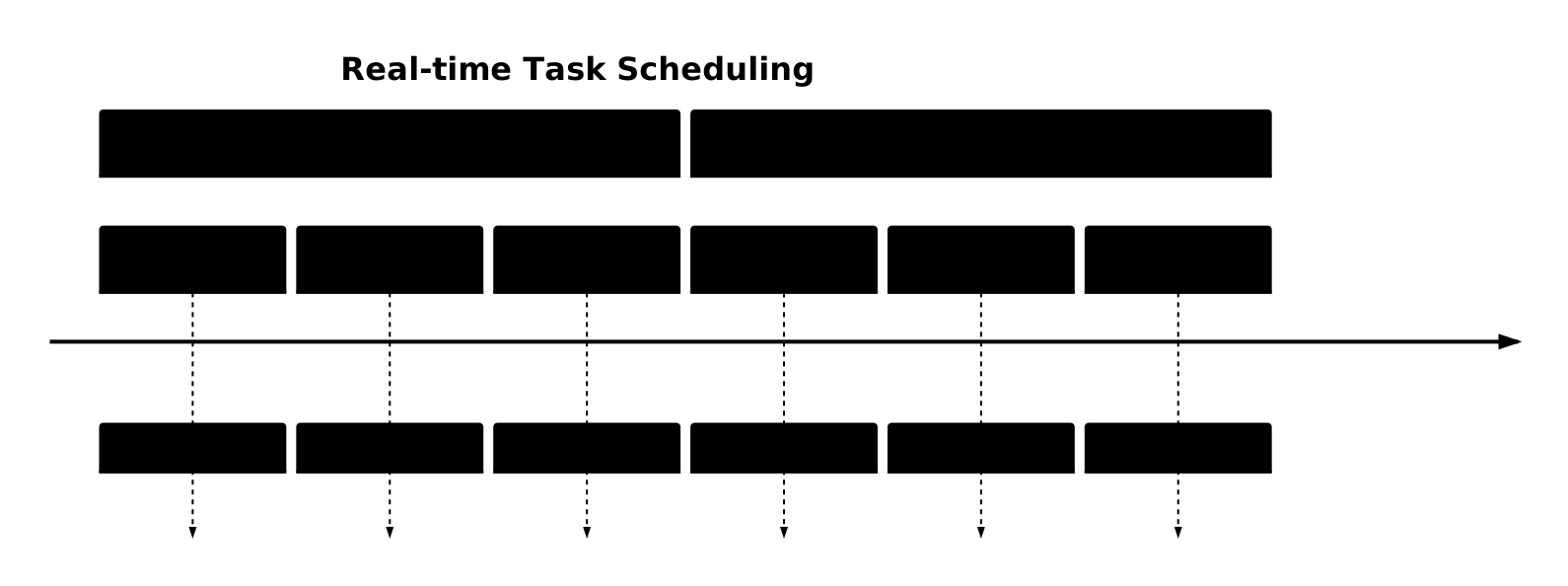
Real-time systems require deterministic scheduling to meet timing constraints:
- Hard real-time: Missing deadlines causes system failure
- Soft real-time: Performance degrades with missed deadlines
- Rate Monotonic Scheduling: Assigns priorities based on period lengths
Best Practices and Optimization
To optimize virtual CPU scheduling in your systems:
- Choose appropriate time quantum: Balance responsiveness and context switch overhead
- Implement priority aging: Prevent starvation by gradually increasing process priorities
- Use adaptive algorithms: Adjust scheduling parameters based on system load and process behavior
- Consider workload characteristics: I/O-bound vs. CPU-bound processes need different treatment
- Monitor scheduling metrics: Continuously measure and optimize system performance
Virtual CPU scheduling remains one of the most critical components of operating system design. Understanding these concepts enables system administrators and developers to make informed decisions about system configuration and application design, ultimately leading to better performing and more responsive computing environments.
As computing continues to evolve with cloud computing, containerization, and edge computing, scheduling algorithms must adapt to new challenges while maintaining the fundamental goal of efficient resource utilization and fair process execution.
Related Posts

Process Scheduling in Operating System: Algorithms, Types & Implementation Guide
Process scheduling is one of the most critical components of an operating system that determines how the CPU time is...

Preemptive vs Non-Preemptive Scheduling: Complete Guide to CPU Scheduling in Operating Systems
Understanding CPU Scheduling in Operating Systems CPU scheduling is one of the most critical functions of an operating system, determining...

CPU Scheduling Algorithms: FCFS, SJF, Round Robin Complete Guide
CPU scheduling is a fundamental concept in operating systems that determines how processes are allocated processor time. The CPU scheduler...
Thread in Operating System: Lightweight Processes and Multithreading Explained
What are Threads in Operating Systems? A thread is the smallest unit of execution within a process that can be...

Multilevel Queue Scheduling: Multiple Priority Levels in Operating Systems
Introduction to Multilevel Queue Scheduling Multilevel queue scheduling is a sophisticated CPU scheduling algorithm used in operating systems to manage...

Fair Share Scheduling: Resource Allocation by User Groups in Operating Systems
Introduction to Fair Share Scheduling Fair Share Scheduling (FSS) is a sophisticated CPU scheduling algorithm designed to allocate computing resources...
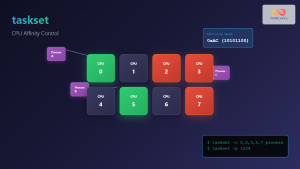
taskset Command Linux: Master CPU Affinity for Optimal Process Performance
The taskset command is a powerful Linux utility that allows system administrators and developers to control which CPU cores or...
Multithreading in Operating Systems: Benefits, Challenges, and Implementation Guide
What is Multithreading in Operating Systems? Multithreading is a fundamental concept in modern operating systems that allows a single process...

Priority Scheduling Algorithm: Complete Implementation Guide with Examples
What is Priority Scheduling Algorithm? Priority scheduling is a CPU scheduling algorithm where each process is assigned a priority value,...

Round Robin Scheduling: Time Quantum and Performance Analysis in Operating Systems
What is Round Robin Scheduling? Round Robin (RR) scheduling is a preemptive CPU scheduling algorithm that assigns equal time slices,...

Completely Fair Scheduler: Linux CFS Algorithm Deep Dive
The Linux Completely Fair Scheduler (CFS) revolutionized process scheduling in the Linux kernel when it was introduced in version 2.6.23....

Full Virtualization: Complete Hardware Abstraction and Implementation Guide
Full virtualization represents one of the most significant breakthroughs in modern computing, enabling complete hardware abstraction that allows multiple operating...