When choosing an operating system for your organization, one of the most critical decisions involves understanding the support ecosystem behind it. The type of support you receive can make or break your IT infrastructure, affecting everything from system uptime to security patch deployment. This comprehensive guide explores the fundamental differences between commercial and community support models, helping you make informed decisions for your organization.
Understanding Support Models

Support models for operating systems fall into two primary categories: commercial and community-driven approaches. Each model serves different organizational needs and comes with distinct advantages and limitations.
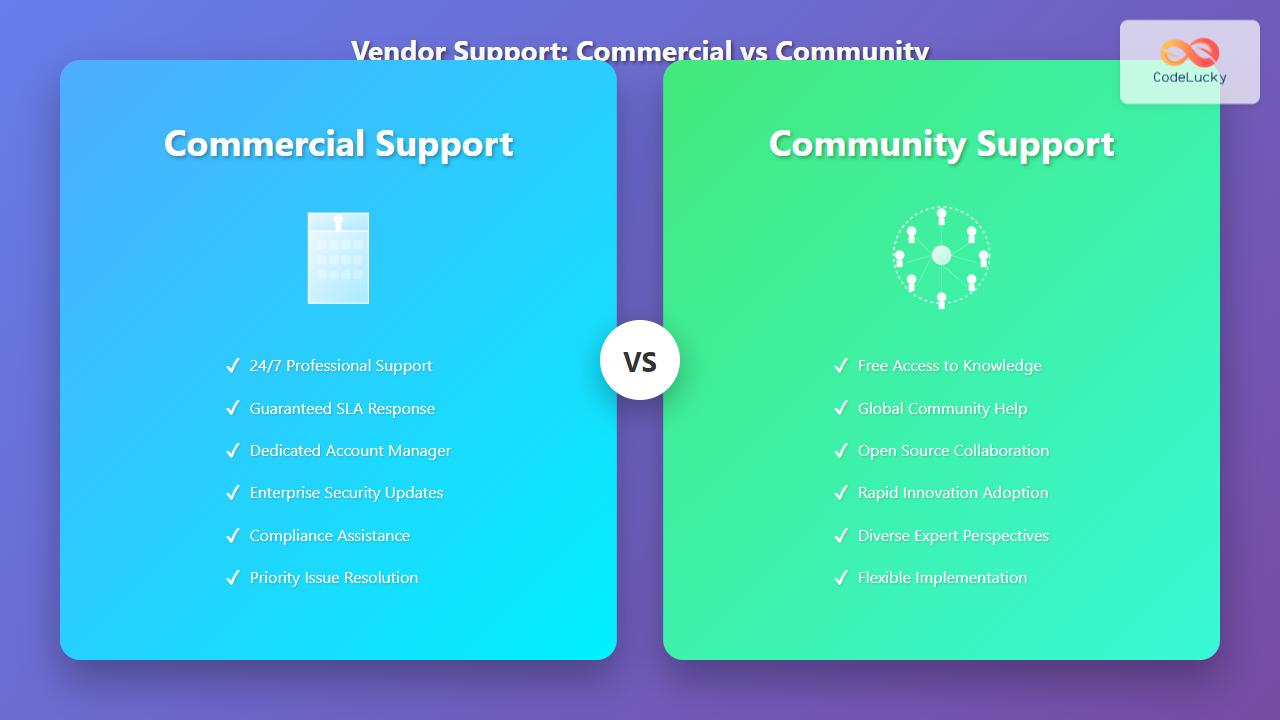
Commercial Support Characteristics
Commercial support involves paid agreements with vendors who provide guaranteed service levels, professional assistance, and enterprise-grade features. This model typically includes:
- Service Level Agreements (SLAs): Contractual guarantees for response times and resolution commitments
- Professional Services: Direct access to certified engineers and specialists
- Priority Handling: Escalation procedures for critical issues
- Extended Lifecycles: Longer support periods beyond standard end-of-life dates
- Compliance Assistance: Help meeting regulatory requirements
Community Support Characteristics
Community support relies on collaborative networks of users, developers, and enthusiasts who contribute knowledge and solutions voluntarily. Key features include:
- Open Knowledge Base: Publicly accessible forums, wikis, and documentation
- Collaborative Problem-Solving: Multiple perspectives on technical challenges
- Rapid Innovation: Quick adoption of new technologies and solutions
- No Direct Costs: Free access to support resources
- Global Coverage: 24/7 availability through international communities
Detailed Comparison Analysis
Response Time and Availability
Commercial support typically offers guaranteed response times based on issue severity:
- Critical Issues (Production Down): 1-4 hours
- High Priority: 4-8 hours
- Medium Priority: 1-2 business days
- Low Priority: 3-5 business days
Community support operates differently, with response times varying based on:
- Community engagement levels
- Complexity of the issue
- Time zones and volunteer availability
- Quality of the initial problem description
Cost Structure Analysis

While community support appears free, organizations must consider hidden costs:
| Cost Factor | Commercial | Community |
|---|---|---|
| Direct Support Costs | $500-$5000/server/year | $0 |
| Internal IT Time | Low (escalation focused) | High (research intensive) |
| Training Requirements | Structured, paid programs | Self-directed learning |
| Downtime Risk | Lower (guaranteed resolution) | Variable (community dependent) |
Quality and Reliability
Commercial support offers predictable quality through:
- Certified Expertise: Trained professionals with documented competencies
- Quality Assurance: Structured processes for solution validation
- Accountability: Legal contracts ensuring service delivery
- Escalation Paths: Clear procedures for complex issues
Community support quality varies but often provides:
- Diverse Perspectives: Multiple solutions from different experts
- Real-World Experience: Solutions tested in various environments
- Continuous Improvement: Iterative refinement of solutions
- Transparency: Open discussion of limitations and trade-offs
Real-World Examples and Case Studies
Enterprise Linux Deployment
Consider a financial services company deploying Linux servers:
Organization: Regional Bank
Servers: 200 RHEL instances
Annual Support Cost: $400,000
SLA: 1-hour response for critical issues
Benefits:
- Guaranteed security patches within 24 hours
- Direct escalation to Red Hat engineering
- Compliance certification assistance
- 10-year lifecycle support
Organization: Tech Startup
Servers: 200 Rocky Linux instances
Annual Support Cost: $0 direct, ~$80,000 in internal IT time
Response Time: Variable (2 hours - 3 days)
Benefits:
- Zero licensing costs
- Access to cutting-edge features
- Complete configuration flexibility
- Strong community knowledge base
Windows Server Environment
Microsoft’s support model demonstrates commercial support benefits:
- Premier Support: Dedicated Technical Account Manager
- Professional Support: Per-incident or unlimited support plans
- Community Resources: TechNet forums and documentation
- Hybrid Approach: Combines commercial backing with community contributions
Decision Framework

When to Choose Commercial Support
Commercial support is ideal for organizations with:
- High Availability Requirements: 99.9%+ uptime expectations
- Regulatory Compliance Needs: SOX, HIPAA, PCI-DSS requirements
- Limited Internal Expertise: Small IT teams or specialized applications
- Risk-Averse Culture: Conservative approach to technology adoption
- Budget for Support: Allocated funds for professional services
- Complex Integrations: Multi-vendor environments requiring coordination
When Community Support Suffices
Community support works well for:
- Development Environments: Non-production systems and testing
- Technical Organizations: Strong internal Linux/open source expertise
- Cost-Sensitive Projects: Startups or budget-constrained initiatives
- Innovation-Focused Teams: Rapid adoption of new technologies
- Standard Configurations: Common use cases with extensive documentation
- Learning Environments: Educational institutions and training scenarios
Hybrid Support Strategies
Many organizations successfully combine both support models:

Implementation Best Practices
For successful hybrid implementation:
- Tier Your Systems: Classify by business criticality and support needs
- Standardize Platforms: Minimize support complexity across environments
- Build Internal Expertise: Train staff on community resources and escalation procedures
- Document Decisions: Maintain clear policies on when to use each support model
- Monitor Effectiveness: Track resolution times and costs across both models
Future Trends in OS Support
The support landscape continues evolving with several key trends:
Containerization Impact
Container technologies are changing support requirements:
- Minimal OS Distributions: Reduced support surface area
- Cloud-Native Support: Integration with cloud provider support models
- Automated Patching: Container image updates reducing manual support needs
- Vendor Consolidation: Support bundled with container platforms
Cloud Integration
Cloud platforms are reshaping support delivery:
- Managed Services: Cloud providers handling OS maintenance
- Pay-as-You-Go Support: Flexible pricing models
- AI-Powered Assistance: Automated troubleshooting and recommendations
- Global Service Delivery: Follow-the-sun support models
Making the Right Choice
Selecting the appropriate support model requires careful evaluation of your organization’s specific needs, constraints, and objectives. Consider these key factors:
- What are your uptime requirements and downtime costs?
- Does your organization have compliance obligations?
- What level of internal technical expertise exists?
- What is your budget allocation for support services?
- How quickly do you need to adopt new features and patches?
- What is your organization’s risk tolerance?
- Do you require vendor indemnification or liability coverage?
Remember that support model choice isn’t permanent. Organizations can migrate between models as requirements change, starting with community support for cost savings and moving to commercial support as criticality increases, or vice versa during cost optimization initiatives.
The key to success lies in understanding that both commercial and community support have distinct advantages. The optimal choice depends on aligning support capabilities with business requirements, ensuring your operating system infrastructure supports rather than hinders your organization’s objectives.
Whether you choose commercial support for its guarantees and professional services, community support for its cost-effectiveness and innovation, or a hybrid approach combining the best of both worlds, the important thing is making an informed decision based on your specific circumstances and requirements.