
The unset command in Linux is a powerful built-in shell utility that allows you to remove variables and functions from your current shell environment. Whether you’re managing environment variables, cleaning up your shell session, or writing shell scripts, understanding how to properly use the unset command is essential for effective Linux system administration.
What is the unset Command?
The unset command is a shell builtin that removes variables and functions from the shell’s memory. When you unset a variable or function, it becomes undefined and is no longer accessible in your current shell session. This command is particularly useful for:
- Removing temporary variables
- Cleaning up the environment
- Managing memory usage in shell scripts
- Removing functions that are no longer needed
- Security purposes to clear sensitive information
Basic Syntax and Usage
The basic syntax of the unset command is straightforward:
unset [options] [name...]Where:
options– Optional flags to modify the behaviorname– The name of the variable or function to unset
Common Options
| Option | Description |
|---|---|
-v |
Treat names as variables (default behavior) |
-f |
Treat names as functions |
Unsetting Variables
Basic Variable Removal
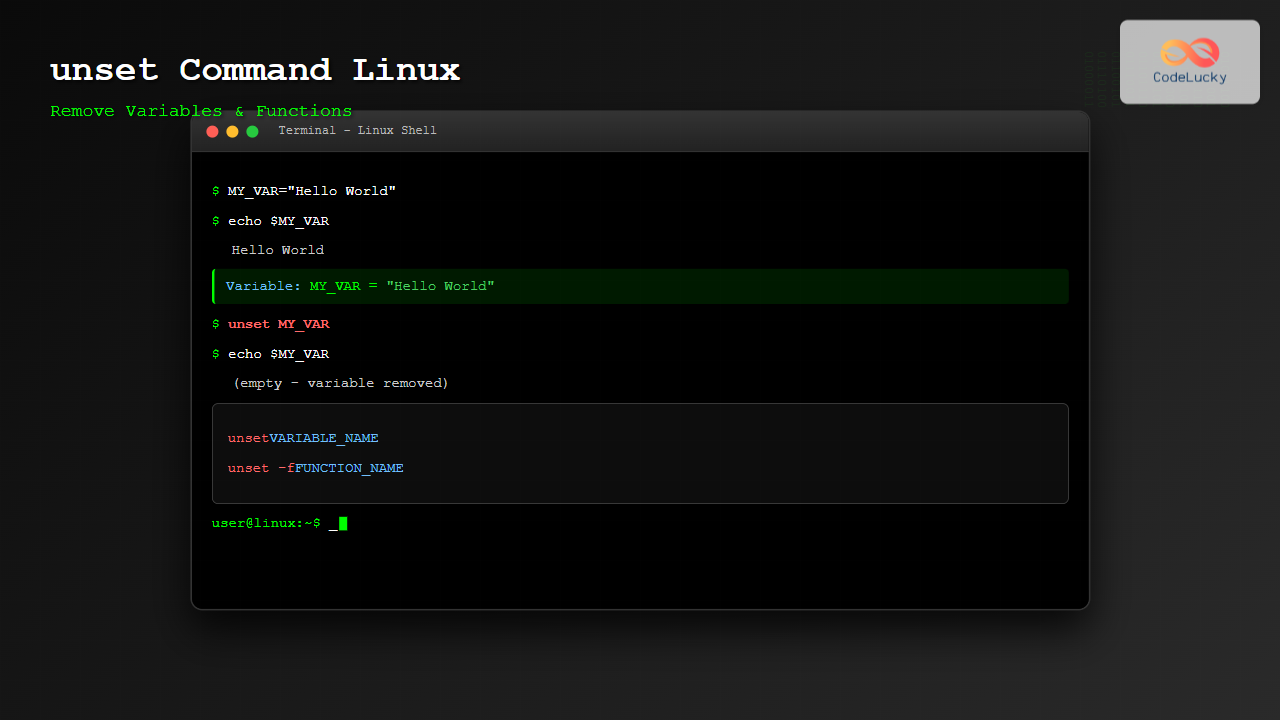
Let’s start with a simple example of creating and then removing a variable:
# Create a variable
$ MY_VAR="Hello World"
$ echo $MY_VAR
Hello World

# Unset the variable
$ unset MY_VAR
$ echo $MY_VAR

$
As you can see, after using unset, the variable MY_VAR no longer exists, and attempting to echo it returns nothing.
Unsetting Multiple Variables
You can unset multiple variables in a single command:
# Create multiple variables
$ VAR1="First"
$ VAR2="Second"
$ VAR3="Third"

# Check they exist
$ echo "$VAR1 $VAR2 $VAR3"
First Second Third

# Unset all three at once
$ unset VAR1 VAR2 VAR3

# Verify they're gone
$ echo "$VAR1 $VAR2 $VAR3"

$
Unsetting Environment Variables
The unset command also works with environment variables:
# Create and export an environment variable
$ export MY_ENV_VAR="Environment Value"
$ env | grep MY_ENV_VAR
MY_ENV_VAR=Environment Value

# Unset the environment variable
$ unset MY_ENV_VAR
$ env | grep MY_ENV_VAR
$
Unsetting Functions
To unset functions, you need to use the -f option:
# Define a function
$ my_function() {
    echo "This is my function"
}

# Test the function
$ my_function
This is my function

# Check if function exists
$ type my_function
my_function is a function

# Unset the function
$ unset -f my_function

# Try to call it now
$ my_function
bash: my_function: command not found
Listing and Unsetting All Functions
You can list all current functions and then selectively unset them:
# List all functions
$ declare -F

# Create multiple functions
$ func1() { echo "Function 1"; }
$ func2() { echo "Function 2"; }
$ func3() { echo "Function 3"; }

# Unset multiple functions
$ unset -f func1 func2 func3
Advanced Usage Examples
Using unset in Shell Scripts
Here’s a practical example of using unset in a shell script:
#!/bin/bash

# Script to demonstrate unset usage
setup_temp_vars() {
    TEMP_DIR="/tmp/myapp"
    TEMP_FILE="/tmp/myapp/data.txt"
    TEMP_LOG="/tmp/myapp/log.txt"

    echo "Temporary variables set:"
    echo "TEMP_DIR: $TEMP_DIR"
    echo "TEMP_FILE: $TEMP_FILE"
    echo "TEMP_LOG: $TEMP_LOG"
}

cleanup_temp_vars() {
    echo "Cleaning up temporary variables..."
    unset TEMP_DIR TEMP_FILE TEMP_LOG
    echo "Variables cleaned up"
}

# Main script execution
setup_temp_vars
echo "---"
cleanup_temp_vars

# Try to access variables after cleanup
echo "TEMP_DIR after cleanup: $TEMP_DIR"
Conditional Unsetting
You can use conditional statements to unset variables based on certain conditions:
#!/bin/bash

# Set some variables
DEBUG_MODE="true"
VERBOSE="false"
LOG_LEVEL="info"

# Function to cleanup debug variables
cleanup_debug() {
    if [ "$DEBUG_MODE" = "false" ]; then
        echo "Cleaning up debug variables..."
        unset DEBUG_MODE VERBOSE LOG_LEVEL
    else
        echo "Debug mode active, keeping variables"
    fi
}

# Change debug mode and cleanup
DEBUG_MODE="false"
cleanup_debug
Working with Array Variables
The unset command can also work with array variables:
# Create an array
$ my_array=("apple" "banana" "cherry" "date")
$ echo "${my_array[@]}"
apple banana cherry date

# Unset a specific array element
$ unset my_array[1]
$ echo "${my_array[@]}"
apple cherry date

# Unset the entire array
$ unset my_array
$ echo "${my_array[@]}"

$
Error Handling and Best Practices
Checking if Variables Exist Before Unsetting
#!/bin/bash

safe_unset() {
    local var_name="$1"

    if [ -n "${!var_name}" ]; then
        echo "Unsetting variable: $var_name"
        unset "$var_name"
    else
        echo "Variable $var_name is not set or empty"
    fi
}

# Example usage
MY_VAR="test value"
safe_unset "MY_VAR"
safe_unset "NON_EXISTENT_VAR"
Return Status of unset Command
The unset command returns different exit codes:
# Successful unset returns 0
$ MY_VAR="test"
$ unset MY_VAR
$ echo $?
0

# Trying to unset a readonly variable returns 1
$ readonly READONLY_VAR="cannot change"
$ unset READONLY_VAR
bash: unset: READONLY_VAR: cannot unset: readonly variable
$ echo $?
1
Common Use Cases and Scenarios
Temporary Configuration Management
#!/bin/bash

# Function to set temporary configuration
set_temp_config() {
    export TEMP_CONFIG_HOST="localhost"
    export TEMP_CONFIG_PORT="8080"
    export TEMP_CONFIG_USER="tempuser"
    echo "Temporary configuration set"
}

# Function to clear temporary configuration
clear_temp_config() {
    unset TEMP_CONFIG_HOST
    unset TEMP_CONFIG_PORT
    unset TEMP_CONFIG_USER
    echo "Temporary configuration cleared"
}

# Usage
set_temp_config
echo "Host: $TEMP_CONFIG_HOST"
clear_temp_config
echo "Host after clear: $TEMP_CONFIG_HOST"
Security: Clearing Sensitive Information
#!/bin/bash

# Function to handle sensitive data
process_credentials() {
    local username="$1"
    local password="$2"

    # Set temporary variables
    TEMP_USER="$username"
    TEMP_PASS="$password"

    # Process authentication (simulated)
    echo "Processing authentication for $TEMP_USER"

    # Clear sensitive variables immediately after use
    unset TEMP_USER TEMP_PASS
    echo "Sensitive variables cleared"
}

# Usage
process_credentials "admin" "secret123"
Debugging and Troubleshooting
Verifying Variable Removal
Here are several ways to verify that variables have been successfully unset:
# Method 1: Using echo
$ MY_VAR="test"
$ echo "Before: '$MY_VAR'"
Before: 'test'
$ unset MY_VAR
$ echo "After: '$MY_VAR'"
After: ''

# Method 2: Using parameter expansion
$ MY_VAR="test"
$ echo "Before: ${MY_VAR:-'not set'}"
Before: test
$ unset MY_VAR
$ echo "After: ${MY_VAR:-'not set'}"
After: not set

# Method 3: Using declare
$ MY_VAR="test"
$ declare -p MY_VAR
declare -- MY_VAR="test"
$ unset MY_VAR
$ declare -p MY_VAR
bash: declare: MY_VAR: not found
Common Pitfalls and Solutions
Pitfall 1: Trying to unset readonly variables
$ readonly CONST_VAR="constant"
$ unset CONST_VAR
bash: unset: CONST_VAR: cannot unset: readonly variable
Solution: Check if a variable is readonly before attempting to unset it:
is_readonly() {
    local var_name="$1"
    if declare -p "$var_name" 2>/dev/null | grep -q "declare -r"; then
        return 0  # readonly
    else
        return 1  # not readonly
    fi
}

safe_unset_var() {
    local var_name="$1"
    if is_readonly "$var_name"; then
        echo "Warning: $var_name is readonly and cannot be unset"
    else
        unset "$var_name"
        echo "$var_name has been unset"
    fi
}
Performance Considerations
Using unset can help improve performance in long-running scripts by:
- Freeing memory used by large variables
- Reducing the environment size
- Preventing variable namespace pollution
#!/bin/bash

# Example of memory-conscious scripting
process_large_data() {
    # Create large data structure
    large_array=($(seq 1 10000))

    # Process the data
    echo "Processing ${#large_array[@]} elements"

    # Clean up immediately after use
    unset large_array
    echo "Large array cleaned up"
}

process_large_data
Integration with Other Commands
The unset command works well with other shell utilities:
# Using with env command
$ export TEST_VAR="test"
$ env | grep TEST_VAR
TEST_VAR=test
$ unset TEST_VAR
$ env | grep TEST_VAR

# Using with set command
$ set | grep MY_VAR
$ MY_VAR="test"
$ set | grep MY_VAR
MY_VAR=test
$ unset MY_VAR
$ set | grep MY_VAR
Conclusion
The unset command is an essential tool for Linux users and system administrators. It provides a clean and efficient way to remove variables and functions from your shell environment, helping you maintain clean scripts, manage memory usage, and enhance security by clearing sensitive information.
Key takeaways for using unset effectively:
- Use
unset variable_nameto remove variables - Use
unset -f function_nameto remove functions - Always verify that variables have been successfully unset
- Be cautious with readonly variables as they cannot be unset
- Use conditional unsetting in scripts for better error handling
- Clear sensitive information immediately after use for security
Mastering the unset command will make you more efficient in shell scripting and system administration tasks. Practice these examples and incorporate the best practices into your daily Linux workflow for optimal results.
Related Posts
set Command Linux: Display and Configure Shell Options for Advanced Terminal Control
The set command is one of the most powerful built-in commands in Linux shells, allowing you to display and modify...
unalias Command Linux: Complete Guide to Remove Command Aliases
The unalias command in Linux is a powerful shell built-in utility that allows you to remove previously defined command aliases....
rm Command in Linux: Complete Guide to Delete Files and Directories Safely
The rm command is one of the most powerful and potentially dangerous commands in Linux. It stands for "remove" and...
env Command Linux: Complete Guide to Display Environment Variables
Environment variables are crucial components of any Linux system, storing configuration data and system information that applications and processes rely...
strip Command Linux: Complete Guide to Removing Symbols from Object Files
The strip command is a powerful Linux utility that removes symbols, debugging information, and other metadata from executable files, object...
export Command Linux: Complete Guide to Environment Variables Management
The export command is one of the most fundamental tools in Linux for managing environment variables. Whether you're a system...
bash Command Linux: Start New Shell Sessions and Execute Scripts Efficiently
The bash command is one of the most fundamental tools in Linux systems, serving as both a command-line interpreter and...
wipe Command Linux: Complete Guide to Secure File Deletion and Data Wiping
The wipe command in Linux is a powerful utility designed for secure file deletion that goes far beyond the standard...
Python del Keyword: Deleting Objects
The del keyword in Python is a powerful tool for removing objects from memory. It allows you to explicitly delete...
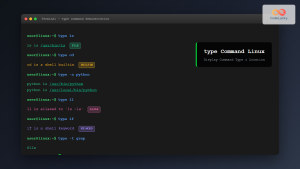
type Command Linux: Complete Guide to Display Command Type and Location
The type command is an essential Linux utility that helps you identify the nature and location of commands in your...

free Command in Linux: Monitor Memory Usage and Swap Space Efficiently
The free command is one of the most essential utilities in Linux for monitoring system memory usage and swap space....
Python Set clear() Method: Removing All Elements
In the realm of Python programming, sets are invaluable data structures that store unique elements, offering efficient membership testing and...





