
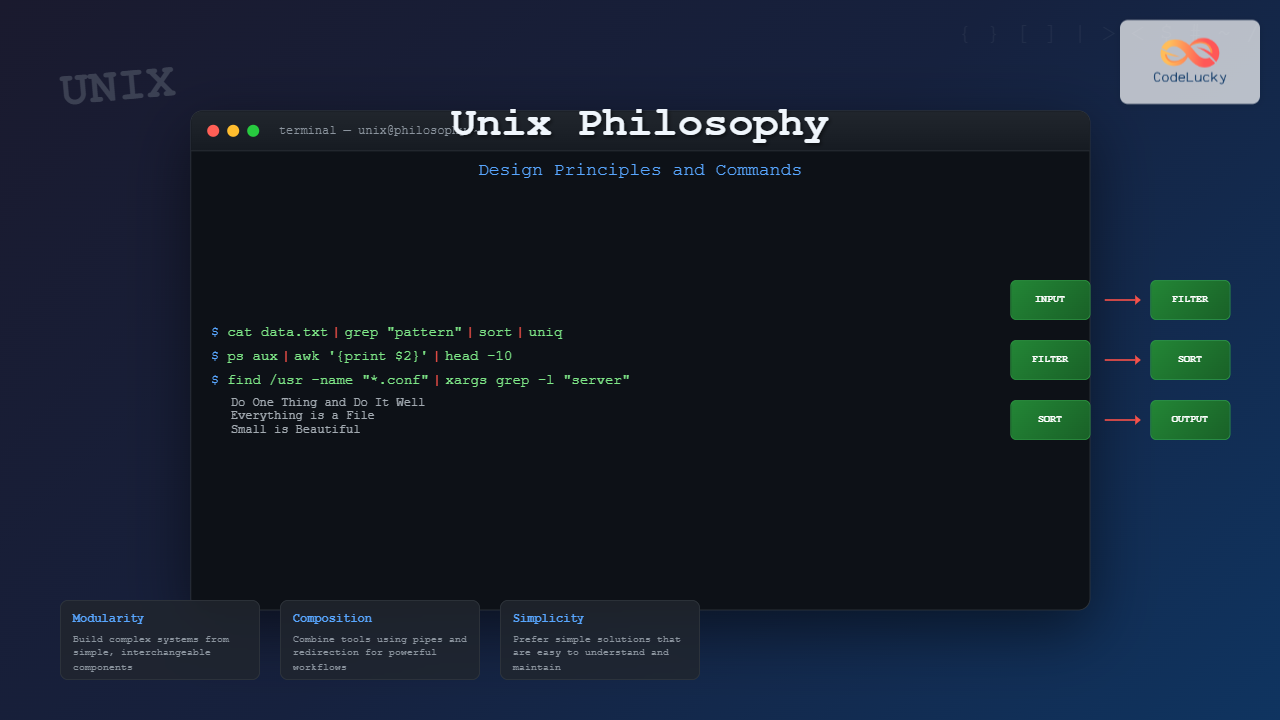
The Unix philosophy represents one of the most influential design paradigms in computing history. Developed in the early 1970s at Bell Labs, this philosophy has shaped not only Unix and Linux systems but has profoundly influenced modern software development practices, microservices architecture, and DevOps methodologies.
Core Principles of Unix Philosophy
The Unix philosophy can be distilled into several fundamental principles that emphasize simplicity, modularity, and composability:
1. Do One Thing and Do It Well
Each program should have a single, well-defined purpose. This principle promotes:
- Focused functionality: Programs with clear, limited scope
- Easier maintenance: Simpler code is easier to debug and modify
- Reusability: Single-purpose tools can be combined in various ways

2. Everything is a File
Unix treats devices, processes, and system resources as files, creating a uniform interface for interaction:
# Regular file
cat /etc/passwd

# Device file
echo "Hello" > /dev/tty

# Process information
cat /proc/cpuinfo

# System statistics
cat /proc/meminfo
3. Small is Beautiful
Prefer small, lightweight programs over large, feature-heavy applications. Benefits include:
- Faster startup times
- Lower memory footprint
- Easier to understand and modify
- Better testability
The Power of Pipes and Composition
One of Unix’s greatest innovations is the pipe mechanism, allowing programs to work together seamlessly:
Basic Pipe Examples
# Count lines in a file
cat file.txt | wc -l

# Find and sort unique words
cat document.txt | tr ' ' '\n' | sort | uniq

# Monitor system processes
ps aux | grep python | head -10
Complex Pipeline Example
# Analyze web server logs
cat access.log | \
  grep "POST" | \
  awk '{print $1}' | \
  sort | \
  uniq -c | \
  sort -nr | \
  head -10

# Output:
#    245 192.168.1.100
#    189 10.0.0.25
#    156 172.16.0.50
Essential Unix Commands and Their Philosophy
Text Processing Commands
| Command | Purpose | Philosophy Principle |
|---|---|---|
cat |
Concatenate and display files | Simple file reading |
grep |
Pattern matching | Focused filtering |
sed |
Stream editing | Text transformation |
awk |
Pattern scanning and processing | Structured text handling |
File and Directory Operations
# List files with detailed information
ls -la

# Copy preserving attributes
cp -p source.txt destination.txt

# Move/rename files
mv old_name.txt new_name.txt

# Remove files safely
rm -i unwanted_file.txt

# Create directory structure
mkdir -p project/{src,docs,tests}
Process Management
# View running processes
ps aux

# Background process execution
command &

# Process monitoring
top
htop

# Kill processes
kill -9 PID
killall process_name
Input/Output Redirection
Unix provides flexible I/O redirection mechanisms that embody the philosophy of composable tools:
Standard Streams
- stdin (0): Standard input
- stdout (1): Standard output
- stderr (2): Standard error
# Output redirection
echo "Hello World" > output.txt

# Append to file
echo "Additional text" >> output.txt

# Input redirection
sort < unsorted_list.txt

# Error redirection
command 2> error.log

# Combine stdout and stderr
command > output.log 2>&1

# Discard output
command > /dev/null 2>&1
Advanced Redirection Examples
# Create a here document
cat << EOF > config.txt
server_name=localhost
port=8080
debug=true
EOF

# Process substitution
diff <(sort file1.txt) <(sort file2.txt)

# Named pipes (FIFOs)
mkfifo mypipe
command1 > mypipe &
command2 < mypipe
Modern Applications of Unix Philosophy
Microservices Architecture
The Unix philosophy directly influences modern microservices design:

DevOps and Automation
# Build pipeline example
#!/bin/bash
set -e  # Exit on any error

# Test
npm test | tee test-results.txt

# Build
npm run build 2>&1 | tee build.log

# Package
tar -czf app.tar.gz dist/

# Deploy
scp app.tar.gz server:/deployment/
ssh server 'cd /deployment && tar -xzf app.tar.gz'
Container Philosophy
Docker and container technologies embrace Unix principles:
- Single responsibility: One service per container
- Immutability: Containers as disposable units
- Composition: Docker Compose for multi-container applications
Command Chaining and Logical Operations
Conditional Execution
# AND operator - execute second command only if first succeeds
make && make install

# OR operator - execute second command only if first fails
ping google.com || echo "Network is down"

# Command grouping
(cd /tmp && rm -rf temp_files) || echo "Cleanup failed"

# Background job management
command1 && command2 & command3
Error Handling Patterns
# Robust script structure
#!/bin/bash
set -euo pipefail  # Exit on error, undefined vars, pipe failures

cleanup() {
    echo "Performing cleanup..."
    rm -f /tmp/tempfile
}

trap cleanup EXIT

# Main script logic
process_data() {
    local input_file="$1"
    local output_file="$2"

    [ -f "$input_file" ] || { echo "Input file not found"; exit 1; }

    # Processing pipeline
    cat "$input_file" | \
        grep -v "^#" | \
        sort | \
        uniq > "$output_file" || {
            echo "Processing failed"
            exit 1
        }
}
Text Processing Mastery
Advanced grep Patterns
# Regular expressions
grep -E "^[A-Z][a-z]+@[a-z]+\.[a-z]{2,4}$" emails.txt

# Multiple patterns
grep -E "(error|warning|critical)" logfile.txt

# Context lines
grep -B 2 -A 2 "exception" error.log

# Recursive search
grep -r "TODO" src/ --include="*.js"
AWK Programming Examples
# Sum column values
awk '{sum += $3} END {print "Total:", sum}' sales.txt

# Process CSV data
awk -F',' '{print $1 ": " $2}' data.csv

# Complex data processing
awk '
BEGIN { FS=","; total=0; count=0 }
NR > 1 {
    total += $3
    count++
    if ($3 > max) max = $3
    if ($3 < min || min == "") min = $3
}
END {
    print "Average:", total/count
    print "Min:", min, "Max:", max
}' numbers.csv
System Administration with Unix Tools
Log Analysis
# Real-time log monitoring
tail -f /var/log/syslog | grep ERROR

# Log rotation and compression
find /var/log -name "*.log" -mtime +7 -exec gzip {} \;

# System resource monitoring
vmstat 1 | awk 'NR > 2 {print strftime("%Y-%m-%d %H:%M:%S"), $0}'

# Network connection analysis
netstat -an | awk '/ESTABLISHED/ {print $5}' | cut -d: -f1 | sort | uniq -c
Backup and Maintenance Scripts
# Incremental backup script
#!/bin/bash
SOURCE="/home/user/documents"
BACKUP="/backup"
DATE=$(date +%Y%m%d_%H%M%S)

# Create backup with rsync
rsync -av --link-dest="$BACKUP/latest" \
    "$SOURCE/" "$BACKUP/$DATE/" && \
    ln -sfn "$BACKUP/$DATE" "$BACKUP/latest"

# Cleanup old backups
find "$BACKUP" -maxdepth 1 -type d -mtime +30 -exec rm -rf {} \;
Performance and Best Practices
Efficient Command Usage
| Inefficient | Efficient | Reason |
|---|---|---|
cat file | grep pattern |
grep pattern file |
Eliminates unnecessary process |
ls | wc -l |
ls | wc -l |
Both are acceptable for this case |
find . -exec grep {} \; |
grep -r pattern . |
Built-in recursion is faster |
Memory and Performance Considerations
# Process large files efficiently
# Bad: loads entire file into memory
sort hugefile.txt

# Better: use external sorting for large files
sort -S 1G hugefile.txt

# Stream processing for real-time data
tail -f logfile | while read line; do
    process_line "$line"
done

Modern Development Integration
Build Systems and CI/CD
# Makefile following Unix principles
.PHONY: test build deploy clean

test:
	npm test 2>&1 | tee test-results.txt
	@echo "Tests completed"

build: test
	npm run build | tee build.log
	@echo "Build completed"

deploy: build
	./deploy.sh production

clean:
	rm -rf node_modules dist/ *.log *.txt

# GitHub Actions workflow
name: CI/CD Pipeline
on: [push, pull_request]

jobs:
  test:
    runs-on: ubuntu-latest
    steps:
      - uses: actions/checkout@v2
      - name: Run tests
        run: |
          npm install
          npm test | tee test-results.txt
      - name: Upload test results
        uses: actions/upload-artifact@v2
        with:
          name: test-results
          path: test-results.txt
Configuration Management
# Environment-specific configuration
#!/bin/bash
ENVIRONMENT=${1:-development}
CONFIG_FILE="config/${ENVIRONMENT}.conf"

if [ -f "$CONFIG_FILE" ]; then
    source "$CONFIG_FILE"
    echo "Loaded configuration for $ENVIRONMENT"
else
    echo "Configuration file not found: $CONFIG_FILE"
    exit 1
fi

# Start application with environment variables
export DATABASE_URL="$DB_HOST:$DB_PORT/$DB_NAME"
export LOG_LEVEL="$LOG_LEVEL"
./start-server.sh
Security Considerations
Safe Scripting Practices
# Secure script template
#!/bin/bash
set -euo pipefail
IFS=$'\n\t'

# Input validation
validate_input() {
    local input="$1"
    if [[ ! "$input" =~ ^[a-zA-Z0-9_-]+$ ]]; then
        echo "Invalid input: $input" >&2
        exit 1
    fi
}

# Secure file operations
secure_temp_file() {
    mktemp --tmpdir "$(basename "$0").XXXXXX"
}

# Proper quoting and escaping
process_files() {
    local directory="$1"
    find "$directory" -type f -name "*.txt" | while IFS= read -r file; do
        echo "Processing: $file"
        # Always quote variables containing file paths
        grep "pattern" "$file" > "processed_$(basename "$file")"
    done
}
The Unix philosophy continues to influence modern software development through its emphasis on simplicity, modularity, and composability. By understanding and applying these principles, developers can create more maintainable, scalable, and robust systems. Whether you’re working with traditional Unix systems, modern Linux distributions, or contemporary development practices, the timeless wisdom of “do one thing and do it well” remains as relevant today as it was fifty years ago.
The key to mastering Unix lies not just in memorizing commands, but in understanding the underlying philosophy that makes these tools so powerful when combined. This approach to system design has proven its worth across decades of technological evolution and continues to shape the future of software development.





