
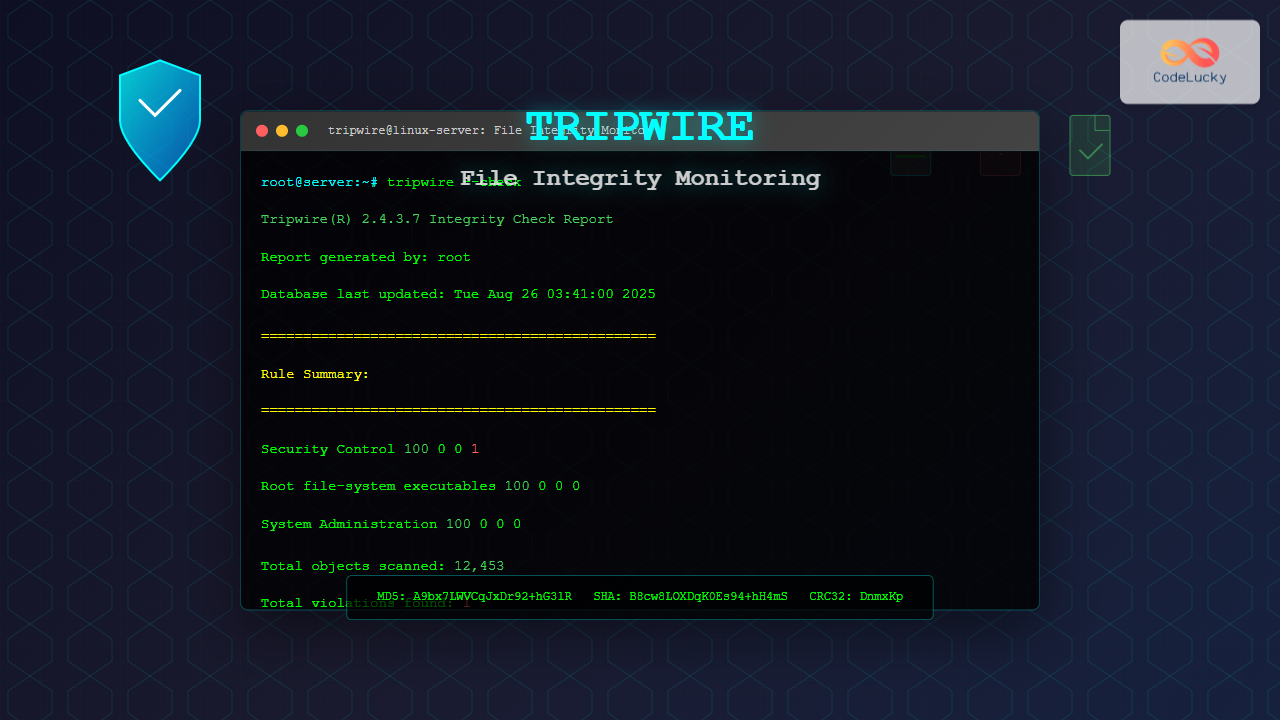
Tripwire is a powerful file integrity monitoring (FIM) tool that helps system administrators detect unauthorized changes to critical system files, directories, and configurations on Linux systems. By creating cryptographic checksums of files and regularly comparing them against a baseline, tripwire serves as an early warning system for potential security breaches, system corruption, or unauthorized modifications.
What is Tripwire and Why Use It?
Tripwire operates on the principle of host-based intrusion detection by monitoring file system integrity. It creates a database of file attributes including checksums, permissions, timestamps, and other metadata. When files are modified, tripwire detects these changes and generates detailed reports, making it invaluable for:
- Security Monitoring: Detecting unauthorized file modifications
- Compliance: Meeting regulatory requirements for file integrity
- System Administration: Tracking legitimate system changes
- Forensic Analysis: Investigating security incidents
- Configuration Management: Monitoring critical system files
Installing Tripwire on Linux
The installation process varies depending on your Linux distribution:
Ubuntu/Debian Installation
# Update package repository
sudo apt update

# Install tripwire
sudo apt install tripwire

# During installation, you'll be prompted to create passphrases
# for site key and local key - remember these!
CentOS/RHEL/Fedora Installation
# For CentOS/RHEL (enable EPEL repository first)
sudo yum install epel-release
sudo yum install tripwire

# For Fedora
sudo dnf install tripwire
Manual Installation from Source
# Download and compile tripwire
wget https://github.com/Tripwire/tripwire-open-source/releases/download/2.4.3.7/tripwire-open-source-2.4.3.7.tar.gz
tar -xzf tripwire-open-source-2.4.3.7.tar.gz
cd tripwire-open-source-2.4.3.7
make release
sudo make install
Initial Configuration and Setup
After installation, tripwire requires initial configuration before it can monitor your system effectively:
Key Generation
Tripwire uses two types of cryptographic keys:
# Generate site key (used for policy and configuration files)
sudo twadmin --generate-keys --site-keyfile /etc/tripwire/site.key

# Generate local key (used for database and reports)
sudo twadmin --generate-keys --local-keyfile /etc/tripwire/$(hostname)-local.key
During key generation, you’ll be prompted to create passphrases. These are critical for security, so choose strong passphrases and store them securely.
Configuration File Setup
The main configuration file is typically located at /etc/tripwire/twcfg.txt:
# Edit the configuration file
sudo nano /etc/tripwire/twcfg.txt

# Key configuration parameters:
ROOT                    = /usr/sbin
SITEKEYFILE             = /etc/tripwire/site.key
LOCALKEYFILE            = /etc/tripwire/$(hostname)-local.key
EDITOR                  = /usr/bin/nano
LATEPROMPTING           = false
LOOSEDIRECTORYCHECKING  = false
MAILNOVIOLATIONS        = true
EMAILREPORTLEVEL        = 3
REPORTLEVEL             = 3
MAILMETHOD              = SMTP
SYSLOGREPORTING         = false
MAILPROGRAM             = /usr/sbin/sendmail -oi -t
Policy File Configuration
The policy file defines what files and directories to monitor:
# Edit the policy file
sudo nano /etc/tripwire/twpol.txt

# Example policy entries:
(
  rulename = "Root file-system executables",
  severity = $(SIG_HI)
)
{
  /bin                    -> $(SEC_BIN) ;
  /sbin                   -> $(SEC_BIN) ;
  /usr/bin                -> $(SEC_BIN) ;
  /usr/sbin               -> $(SEC_BIN) ;
}

(
  rulename = "Security Control",
  severity = $(SIG_MAX)
)
{
  /etc/passwd             -> $(SEC_CONFIG) ;
  /etc/shadow             -> $(SEC_CONFIG) ;
  /etc/group              -> $(SEC_CONFIG) ;
  /etc/sudoers            -> $(SEC_CONFIG) ;
}
Creating and Managing Tripwire Database
Before monitoring can begin, you must create the initial database:
Initialize the Database
# Create encrypted configuration file
sudo twadmin --create-cfgfile --site-keyfile /etc/tripwire/site.key /etc/tripwire/twcfg.txt

# Create encrypted policy file
sudo twadmin --create-polfile --site-keyfile /etc/tripwire/site.key /etc/tripwire/twpol.txt

# Initialize the database
sudo tripwire --init --cfgfile /etc/tripwire/tw.cfg --polfile /etc/tripwire/tw.pol
Expected output during database initialization:
Parsing policy file: /etc/tripwire/tw.pol
Generating the database...
*** Processing Unix File System ***
### Warning: File system error.
### Filename: /proc/kcore
### Unable to open file.
### Continuing...

Wrote database file: /var/lib/tripwire/$(hostname).twd
The database was successfully generated.
Database Management Commands
# Check database integrity
sudo tripwire --check --cfgfile /etc/tripwire/tw.cfg

# Update database after legitimate changes
sudo tripwire --update --cfgfile /etc/tripwire/tw.cfg

# Print database contents
sudo twprint --print-dbfile --cfgfile /etc/tripwire/tw.cfg
Running Integrity Checks
Regular integrity checks are the core function of tripwire:
Manual Integrity Check
# Run a complete integrity check
sudo tripwire --check --cfgfile /etc/tripwire/tw.cfg

# Check specific files or directories
sudo tripwire --check --cfgfile /etc/tripwire/tw.cfg /etc/passwd

# Generate report in different formats
sudo tripwire --check --cfgfile /etc/tripwire/tw.cfg --report-level 3
Sample Integrity Check Output
Tripwire(R) 2.4.3.7 Integrity Check Report

Report generated by:          root
Report created on:            Tue Aug 26 03:39:45 2025
Database last updated on:     Never

===============================================================================
Report Summary:
===============================================================================

Host name:                    myserver
Host IP address:              192.168.1.100
Host ID:                      None
Policy file used:             /etc/tripwire/tw.pol
Configuration file used:      /etc/tripwire/tw.cfg
Database file used:           /var/lib/tripwire/myserver.twd
Command line used:            tripwire --check --cfgfile /etc/tripwire/tw.cfg

===============================================================================
Rule Summary:
===============================================================================

-------------------------------------------------------------------------------
Section: Unix File System
-------------------------------------------------------------------------------

Rule Name                       Severity Level    Added    Removed  Modified
---------                       --------------    -----    -------  --------
User binaries                   66                0        0        0
Root file-system executables   100               0        0        0
Security Control                100               0        0        1
System Administration Programs  100               0        0        0

Total objects scanned:  12453
Total violations found: 1
Advanced Configuration Options
Custom Property Masks
Tripwire uses property masks to define which file attributes to monitor:
# Common property mask definitions
SEC_CRIT      = $(IgnoreNone)-SHa ;    # Critical files
SEC_BIN       = $(ReadOnly)+pinugtsdbmCM-rlacSH ; # Binaries
SEC_CONFIG    = $(Dynamic)-u ; # Configuration files
SEC_LOG       = $(Growing)+u ; # Log files

# Custom property mask
SEC_CUSTOM    = +pinugtd-srlbamcCMSH ;

# Usage in policy file:
/custom/directory -> $(SEC_CUSTOM) ;
Property Mask Meanings
| Symbol | Property | Description |
|---|---|---|
| p | Permissions | File permissions (rwx) |
| i | Inode | Inode number |
| n | Number of links | Hard link count |
| u | User ID | File owner |
| g | Group ID | File group |
| s | Size | File size in bytes |
| d | Device number | Device on which file resides |
| b | Number of blocks | Number of blocks allocated |
| m | Modification time | Last modification timestamp |
| a | Access time | Last access timestamp |
| c | Creation time | Inode change timestamp |
| l | Growing file | File expected to grow |
| C | CRC-32 | 32-bit CRC checksum |
| M | MD5 | 128-bit MD5 checksum |
| S | SHA | 160-bit SHA checksum |
| H | Haval | 128-bit Haval checksum |
Report Generation and Analysis
Report Formats
# Generate HTML report
sudo tripwire --check --cfgfile /etc/tripwire/tw.cfg --report-level 4 > integrity_report.html

# Generate detailed text report
sudo tripwire --check --cfgfile /etc/tripwire/tw.cfg --print-report --report-level 4

# Email report (requires mail system configuration)
sudo tripwire --check --cfgfile /etc/tripwire/tw.cfg --email-report [email protected]
Report Analysis
Understanding tripwire reports is crucial for effective monitoring:
===============================================================================
Object Detail:
===============================================================================

"/etc/passwd"
  Property:           Expected                    Observed
  -------------       -----------                 -----------
  Modify Time         Tue Aug 26 02:30:15 2025   Tue Aug 26 03:35:22 2025
  CRC32               BkqwIm                      DnmxKp
  MD5                 C6au8KNVBqJyCq81+gF2kQ      A9bx7LWVCqJxDr92+hG3lR
  SHA                 7Cav9MNWC7JzDq83+gG3lR      B8cw8LOXDqK0Es94+hH4mS
This output shows that /etc/passwd was modified, with changes in modification time and all checksums, indicating file content was altered.
Automation and Scheduling
Cron Job Setup
Automate regular integrity checks using cron:
# Edit crontab
sudo crontab -e

# Run integrity check daily at 2 AM
0 2 * * * /usr/sbin/tripwire --check --cfgfile /etc/tripwire/tw.cfg --email-report [email protected]

# Run weekly full report on Sundays at 3 AM
0 3 * * 0 /usr/sbin/tripwire --check --cfgfile /etc/tripwire/tw.cfg --print-report --report-level 4 > /var/log/tripwire/weekly_report_$(date +\%Y\%m\%d).txt
Automated Update Script
#!/bin/bash
# tripwire_update.sh - Automated tripwire update script

CONFIG_FILE="/etc/tripwire/tw.cfg"
LOG_FILE="/var/log/tripwire/update.log"

echo "$(date): Starting Tripwire update" >> $LOG_FILE

# Run integrity check
tripwire --check --cfgfile $CONFIG_FILE > /tmp/tripwire_check.txt 2>&1

# Check if there are violations
if grep -q "Total violations found: 0" /tmp/tripwire_check.txt; then
    echo "$(date): No violations found" >> $LOG_FILE
else
    echo "$(date): Violations detected - manual review required" >> $LOG_FILE
    # Send alert email
    mail -s "Tripwire Violations Detected" [email protected] < /tmp/tripwire_check.txt
fi

# Clean up
rm /tmp/tripwire_check.txt
Troubleshooting Common Issues
Permission Errors
# Error: Unable to open file for reading
# Solution: Check file permissions and ownership
sudo chown -R root:root /etc/tripwire
sudo chmod 600 /etc/tripwire/site.key
sudo chmod 600 /etc/tripwire/*-local.key
Database Corruption
# Rebuild corrupted database
sudo tripwire --init --cfgfile /etc/tripwire/tw.cfg --polfile /etc/tripwire/tw.pol

# Verify database integrity
sudo tripwire --check --cfgfile /etc/tripwire/tw.cfg --database-check
Performance Optimization
# Exclude frequently changing directories
/tmp -> $(SEC_LOG) (recurse=false) ;
/var/tmp -> $(SEC_LOG) (recurse=false) ;
/proc -> $(Dynamic) (recurse=false) ;

# Use selective monitoring for large directories
/usr/share -> $(SEC_BIN) (recurse=1) ;
Best Practices and Security Considerations
Security Best Practices
- Secure Key Storage: Store tripwire keys on read-only media or separate systems
- Regular Updates: Keep tripwire software and signatures updated
- Access Control: Limit access to tripwire configuration and database files
- Baseline Management: Regularly update baselines after legitimate changes
- Report Review: Establish procedures for reviewing and acting on reports
Policy Configuration Tips
# Group related files for easier management
(
  rulename = "Web Server Files",
  severity = $(SIG_HI)
)
{
  /var/www                -> $(SEC_CONFIG) ;
  /etc/apache2            -> $(SEC_CONFIG) ;
  /etc/nginx              -> $(SEC_CONFIG) ;
}

# Use appropriate severity levels
# SIG_MAX (100) - Critical system files
# SIG_HI (66)   - Important configuration files
# SIG_MED (33)  - Standard application files
# SIG_LOW (0)   - Log files and temporary data
Integration with Other Security Tools
SIEM Integration
# Configure tripwire to output to syslog
SYSLOGREPORTING = true
SYSLOGFACILITY = LOG_DAEMON

# Parse tripwire logs with tools like:
# - Splunk
# - ELK Stack (Elasticsearch, Logstash, Kibana)
# - OSSIM/AlienVault
# - IBM QRadar
Alerting Integration
#!/bin/bash
# tripwire_alert.sh - Integration with alerting systems

VIOLATIONS=$(tripwire --check --cfgfile /etc/tripwire/tw.cfg | grep "Total violations found" | awk '{print $4}')

if [ "$VIOLATIONS" -gt "0" ]; then
    # Send to Slack
    curl -X POST -H 'Content-type: application/json' \
         --data '{"text":"Tripwire detected '$VIOLATIONS' file integrity violations"}' \
         $SLACK_WEBHOOK_URL

    # Send to PagerDuty
    curl -X POST https://events.pagerduty.com/v2/enqueue \
         -H 'Content-Type: application/json' \
         -d '{
           "routing_key": "'$PAGERDUTY_KEY'",
           "event_action": "trigger",
           "payload": {
             "summary": "Tripwire file integrity violations detected",
             "severity": "error",
             "source": "'$(hostname)'"
           }
         }'
fi
Conclusion
Tripwire provides robust file integrity monitoring capabilities essential for maintaining Linux system security. By implementing proper configuration, regular monitoring, and automated reporting, organizations can significantly enhance their security posture and quickly detect unauthorized changes to critical system files.
Regular maintenance of tripwire policies, keeping signatures updated, and integrating with broader security infrastructure ensures maximum effectiveness. Remember that tripwire is most effective when combined with other security measures as part of a comprehensive defense-in-depth strategy.
The key to successful tripwire deployment lies in understanding your system’s normal behavior, configuring appropriate monitoring policies, and establishing clear procedures for responding to detected changes. With proper implementation, tripwire becomes an invaluable tool for system administrators and security professionals alike.
Related Posts
aide Command Linux: Complete Guide to Advanced Intrusion Detection Environment
The AIDE (Advanced Intrusion Detection Environment) command is a powerful security tool for Linux systems that monitors file and directory...

samhain Linux: Complete Guide to Host-based Intrusion Detection System
Samhain is a powerful host-based intrusion detection system (HIDS) designed specifically for Linux and Unix-like systems. This comprehensive security tool...
rkhunter Command Linux: Complete Guide to Rootkit Detection and System Security
The rkhunter (Rootkit Hunter) is a powerful Unix-based security scanner designed to detect rootkits, backdoors, and local exploits on Linux...
chkrootkit Command Linux: Complete Guide to Rootkit Detection and System Security
System security is paramount in Linux administration, and rootkits pose one of the most serious threats to system integrity. The...
auditbeat Linux: Complete Guide to Shipping Audit Data to Elasticsearch
Introduction to auditbeat auditbeat is a lightweight shipper from the Elastic Beat family that collects audit data from the Linux...
file Command Advanced Linux: Master Detailed File Type Analysis and Detection
The file command is one of the most powerful and underutilized utilities in Linux for determining file types and analyzing...

File System in Operating System: Complete Guide to Structure and Organization
Introduction to File Systems A file system is a fundamental component of any operating system that provides a structured way...
File System Journaling: Complete Guide to Crash Recovery and Data Integrity
Understanding File System Journaling File system journaling is a critical mechanism that ensures data integrity and enables rapid crash recovery...
Intrusion Detection System: Complete Guide to OS-Level Security Monitoring
Understanding Intrusion Detection Systems An Intrusion Detection System (IDS) is a critical security tool that monitors network traffic and system...
Inode in File System: Complete Guide to Structure and File Metadata
What is an Inode? An inode (index node) is a fundamental data structure in Unix-like file systems that stores metadata...

File Locking Mechanisms: Complete Guide to Advisory and Mandatory Locking in Operating Systems
File locking mechanisms are essential components of modern operating systems that prevent data corruption and ensure data integrity when multiple...
xfs_check Command Linux: Complete Guide to XFS Filesystem Consistency Verification
The xfs_check command is a crucial system administration tool in Linux for verifying the consistency and integrity of XFS filesystems....





