Trello has revolutionized how development teams implement Agile methodologies, offering an intuitive visual approach to project management that makes Kanban implementation accessible to teams of all sizes. This comprehensive guide will show you how to leverage Trello’s simple yet powerful features to create effective Agile workflows that enhance productivity and team collaboration.
Why Trello Excels for Agile Development
Trello’s card-based system naturally aligns with Agile principles, making it an ideal choice for teams transitioning to or refining their Agile practices. The platform’s visual nature eliminates the complexity often associated with traditional project management tools, allowing teams to focus on delivering value rather than navigating complicated interfaces.
The beauty of Trello lies in its simplicity – each card represents a user story, task, or deliverable, while boards represent projects or sprints. This direct mapping to Agile concepts makes it easy for both technical and non-technical team members to understand project status at a glance.
Setting Up Your Agile Trello Board Structure
Creating an effective Agile board in Trello requires thoughtful planning of your column structure. The most successful Agile teams start with a basic Kanban flow and evolve their boards based on specific workflow needs.
Essential Kanban Columns for Agile Teams
Your basic Trello board should include these fundamental columns to support Agile workflows effectively:
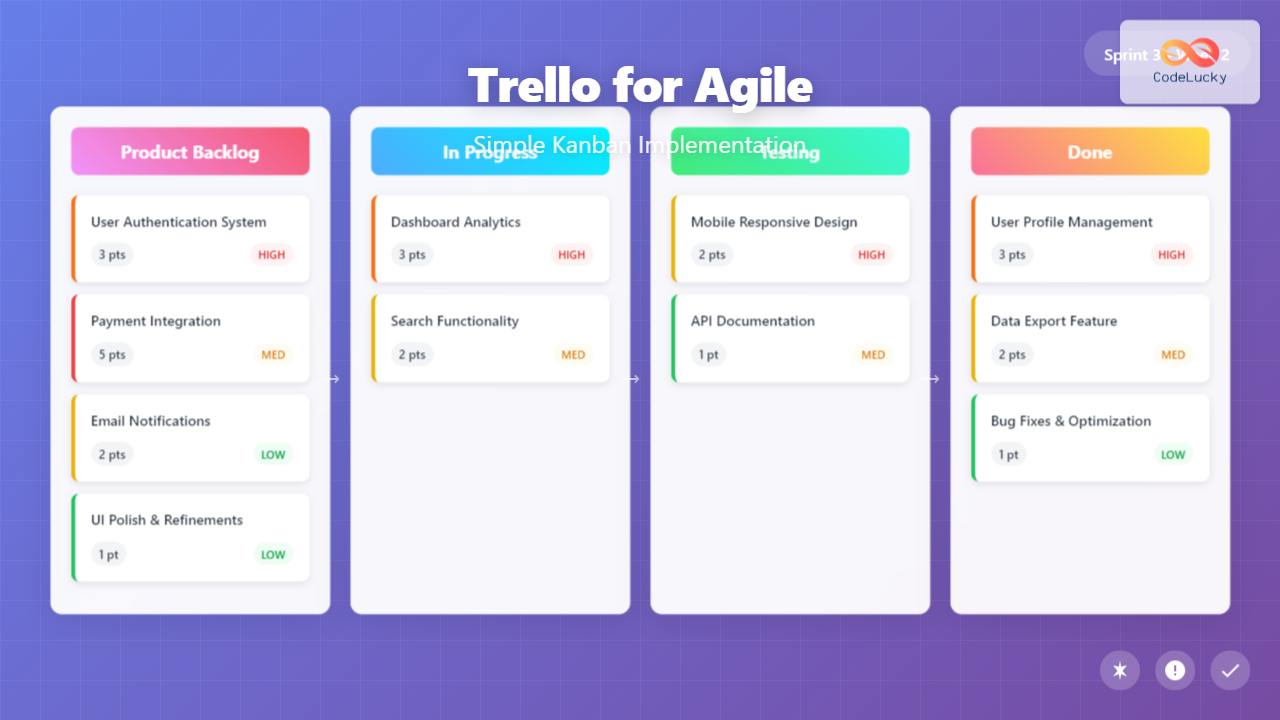
Product Backlog: This column houses all user stories and features waiting to be prioritized. Keep this organized by using labels to indicate story priority levels and effort estimates. Cards in this column should include detailed acceptance criteria and any relevant user research or requirements.
Sprint Backlog: Move selected stories from the product backlog into this column when planning your sprint. This represents your commitment for the current iteration and should align with your team’s velocity and capacity.
In Progress: Active work items belong here. Consider adding work-in-progress (WIP) limits by agreement among team members to prevent bottlenecks and maintain focus. You might further subdivide this into “Development” and “Code Review” if your process requires it.
Testing/QA: Completed development work moves here for quality assurance. This column ensures nothing bypasses your quality gates and helps identify testing bottlenecks early.
Done: Completed, tested, and approved work items. This column serves as your sprint completion tracker and helps calculate team velocity for future planning.
Advanced Column Configurations
As your team matures, consider adding specialized columns that reflect your unique workflow requirements:
Blocked/Waiting: Items waiting on external dependencies or facing impediments. This visibility helps Scrum Masters and team leads address bottlenecks quickly.
Ready for Deployment: Work that’s complete but awaiting release. This is particularly useful for teams with scheduled deployment windows or complex release processes.
Stakeholder Review: Items requiring business stakeholder approval before moving to done. This ensures alignment between development output and business expectations.
Implementing User Stories and Task Management
Effective user story management in Trello requires consistent card formatting and information architecture. Each card should tell a complete story while remaining actionable for developers.
User Story Card Structure
Structure your user story cards using this proven template approach:
Card Title: Use the classic “As a [user type], I want [goal] so that [benefit]” format, but keep titles concise. The full story can go in the description.
Description: Include detailed acceptance criteria, technical notes, and any relevant background information. Use Trello’s markdown formatting to create clear, scannable content with bullet points and numbered lists.
Checklists: Break down user stories into specific tasks using Trello’s checklist feature. This provides granular progress tracking and helps team members understand exactly what work remains.
Labels: Implement a consistent labeling system for story points, priority levels, feature areas, and team assignments. Common label categories include effort estimation (1, 2, 3, 5, 8 story points), priority (High, Medium, Low), and component areas (Frontend, Backend, Database).
Sprint Planning with Trello
Transform your Trello board into an effective sprint planning tool by leveraging its collaborative features. During sprint planning meetings, use the board as your central planning workspace where all team members can participate in story selection and estimation.
Create a systematic approach to sprint planning by first reviewing the product backlog together, ensuring all stories have proper acceptance criteria and story point estimates. Then, collaboratively move stories into the sprint backlog while discussing capacity and dependencies.
Use Trello’s voting power-up during planning poker sessions to capture story point estimates directly on cards. This creates a permanent record of estimation decisions and helps with velocity tracking over time.
Power-Ups and Integrations for Enhanced Agile Workflows
Trello’s power-up ecosystem significantly extends its Agile capabilities, allowing you to add specialized functionality without overwhelming simplicity.
Essential Agile Power-Ups
Calendar Power-Up: Visualize sprint timelines and deadlines by connecting cards to calendar dates. This helps with release planning and ensures the team stays aware of upcoming commitments.
Voting Power-Up: Enable team-based prioritization and estimation. Team members can vote on story priority or complexity, making democratic decision-making more efficient during planning sessions.
Time Tracking Power-Ups: Options like Toggl or Harvest integration help teams track actual time spent on stories, providing valuable data for improving future estimates and understanding where time is actually spent.
GitHub Integration: Connect your code repositories to user story cards, providing direct links between planning and implementation. This integration shows commit activity and pull request status directly on relevant cards.
Automation with Butler
Trello’s built-in Butler automation can streamline your Agile processes significantly. Set up rules that automatically move cards between columns based on checklist completion, assign team members based on labels, or create recurring planning cards for sprint ceremonies.
Common automation scenarios include moving cards to “Testing” when development checklists are completed, automatically archiving cards after they’ve been in “Done” for a specified period, and creating daily standup cards that remind team members to update their status.
Team Collaboration and Communication Strategies
Successful Agile implementation depends heavily on effective team communication, and Trello provides several features that facilitate ongoing collaboration throughout the development cycle.
Daily Standup Integration
Use your Trello board as the focal point for daily standup meetings. Team members can quickly review their assigned cards, update progress through checklist completion, and identify blockers by moving cards to the appropriate columns.
Consider creating a “Daily Updates” list where team members add brief status cards each day. This provides a running record of progress and helps distributed teams stay synchronized even when they can’t meet simultaneously.
Sprint Review and Retrospective Support
Trello boards serve as excellent visual aids during sprint reviews, allowing stakeholders to see exactly what work was completed and what’s planned for upcoming iterations. The visual nature helps non-technical stakeholders understand progress without getting lost in technical details.
For retrospectives, create temporary lists for “What Went Well,” “What Could Improve,” and “Action Items.” Team members can add cards throughout the sprint to capture insights while they’re fresh, leading to more productive retrospective discussions.
Measuring Success and Continuous Improvement
Implementing Agile with Trello is just the beginning – continuous improvement requires consistent measurement and adaptation of your processes.
Velocity Tracking
Track your team’s velocity by recording story points completed each sprint. While Trello doesn’t have built-in burndown charts, you can easily export data or use third-party integrations to visualize trends over time.
Create a simple spreadsheet that tracks completed story points per sprint, allowing you to calculate average velocity and make more accurate commitments in future sprint planning sessions.
Workflow Optimization
Regularly review your board structure and processes to identify improvement opportunities. Common optimizations include adjusting column definitions based on actual workflow patterns, refining your labeling system for better categorization, and streamlining card templates to reduce administrative overhead.
Pay attention to where cards tend to accumulate – these bottlenecks often indicate process improvements or resource allocation adjustments that could benefit your team’s overall efficiency.
Common Pitfalls and How to Avoid Them
Even with Trello’s simplicity, teams often encounter predictable challenges when implementing Agile workflows. Understanding these common pitfalls helps you proactively address them.
Over-Complexity Trap
The most frequent mistake is creating overly complex board structures that defeat Trello’s core strength – simplicity. Resist the urge to recreate every feature of enterprise project management tools. Instead, start minimal and add complexity only when specific needs arise.
If you find team members avoiding the board or struggling to understand the workflow, simplify. The best Trello implementation is one that the entire team uses consistently rather than a perfect system that sits unused.
Inconsistent Maintenance
Successful Agile implementation requires consistent board maintenance and updates. Designate team members to regularly archive completed cards, update card statuses, and ensure information remains current and relevant.
Establish clear agreements about when and how cards should be updated, who’s responsible for moving cards between columns, and how often the board should be reviewed for accuracy.
Advanced Techniques for Mature Agile Teams
Once your team has mastered basic Trello-based Agile implementation, consider these advanced techniques to further optimize your workflow.
Multiple Board Strategy
Large projects or teams might benefit from multiple interconnected boards. Consider separate boards for different product areas, long-term roadmap planning, and current sprint execution. Use consistent labeling and naming conventions across boards to maintain coherency.
Link related cards across boards using Trello’s card linking features, ensuring that high-level roadmap items connect clearly to specific sprint work.
Stakeholder Communication Boards
Create stakeholder-focused boards that present project status in business-friendly terms. These boards focus on features and benefits rather than technical tasks, helping maintain stakeholder engagement without overwhelming them with development details.
Regular updates to stakeholder boards demonstrate progress and maintain transparency, building trust and support for your Agile implementation across the organization.
Conclusion
Trello’s intuitive approach to Kanban implementation makes it an excellent choice for teams beginning their Agile journey or seeking to simplify existing processes. The key to success lies in starting simple, maintaining consistency, and continuously adapting your approach based on team feedback and results.
Remember that tools support process, not the other way around. Focus on Agile principles – collaboration, iteration, and customer value – while using Trello as the visual framework that keeps everyone aligned and informed. With thoughtful implementation and consistent use, Trello can transform how your team approaches software development, leading to improved productivity, better communication, and higher-quality deliverables.
The journey from traditional project management to Agile methodologies requires patience and persistence, but Trello’s accessibility makes that transition smoother and more sustainable for teams of all experience levels. Start with the basics outlined in this guide, and gradually incorporate advanced techniques as your team’s Agile maturity grows.
Related Posts
Kanban Board: Complete Setup and Management Guide for Agile Teams
Kanban boards have revolutionized how teams visualize work, manage workflows, and deliver value consistently. Originally developed by Toyota for manufacturing,...
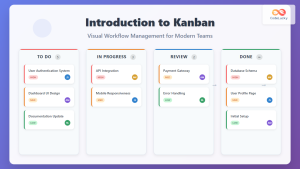
Introduction to Kanban: Visual Workflow Management for Modern Teams
In today's fast-paced business environment, teams need efficient methods to manage work, visualize progress, and optimize productivity. Kanban, a visual...
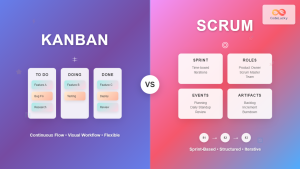
Kanban vs Scrum: Complete Guide to Choosing the Right Agile Framework
Introduction to Agile Methodologies In today's fast-paced software development landscape, choosing the right project management methodology can make or break...
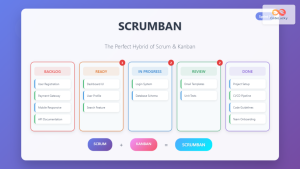
Scrumban: The Ultimate Hybrid Methodology for Agile Teams
What is Scrumban? Scrumban is a hybrid agile methodology that combines the structured framework of Scrum with the visual workflow...
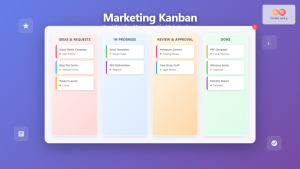
Marketing Kanban: Visual Project Management for Modern Marketing Teams
Marketing teams face unique challenges that traditional project management approaches often fail to address. Unlike software development with its predictable...

Agile Philosophy: Understanding Core Principles and Values for Modern Software Development
Introduction to Agile Philosophy Agile philosophy represents a fundamental shift in how software development teams approach project management, collaboration, and...
Miro for Agile: Complete Guide to Visual Collaboration and Team Productivity
Visual collaboration has become the cornerstone of successful Agile teams, especially in today's distributed work environment. Miro stands out as...

Confluence: Complete Knowledge Management Guide for Agile Teams
Knowledge management forms the backbone of successful Agile teams, and Confluence stands as one of the most powerful platforms for...
Jira for Agile: Complete Configuration Guide and Best Practices for Teams
Jira has become the backbone of Agile development for millions of teams worldwide, offering powerful tools to manage sprints, track...

Future of Agile: Emerging Trends and Evolution in Modern Software Development
The Agile methodology has revolutionized software development since the publication of the Agile Manifesto in 2001. As we move deeper...
Agile Tools: Complete Jira vs Azure DevOps vs Trello Comparison Guide 2025
Choosing the right Agile tool can make or break your team's productivity and project success. With countless options available, three...
Kanban Cadences: Essential Meetings and Rhythms for Agile Success
Understanding Kanban Cadences: The Foundation of Agile Flow Kanban cadences represent the heartbeat of successful agile teams, providing structured rhythms...