
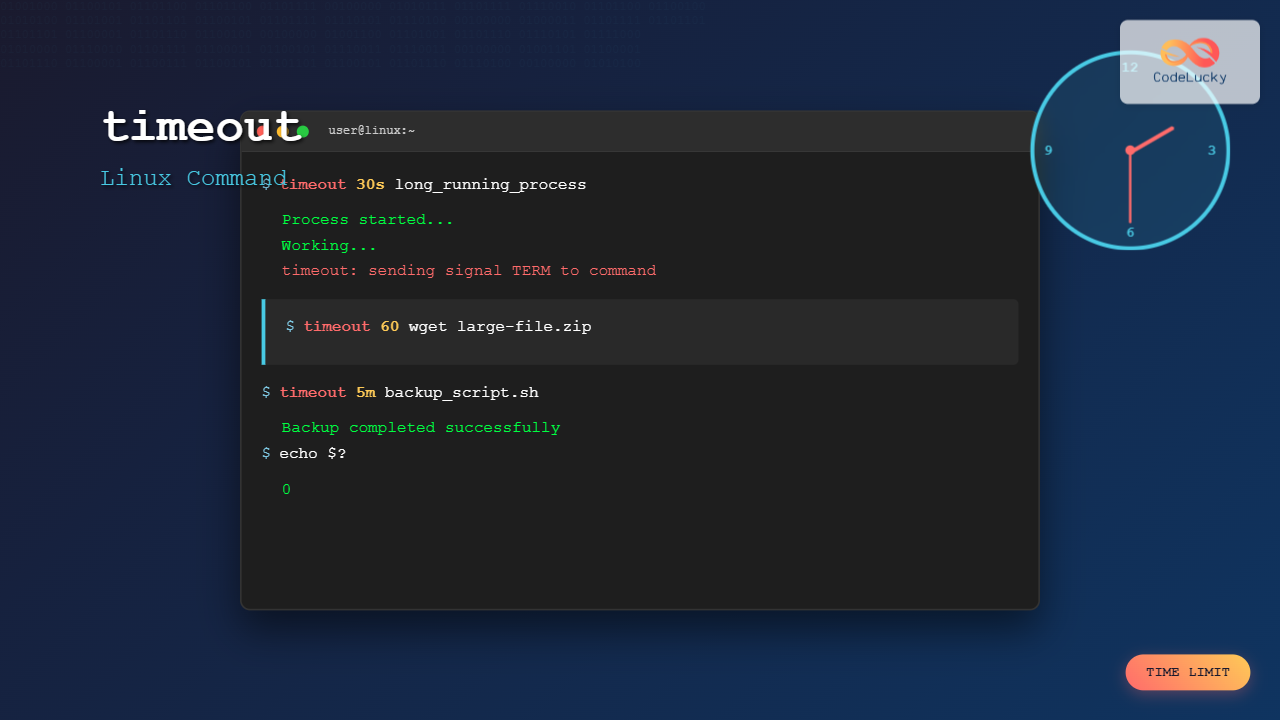
The timeout command in Linux is an essential utility that allows you to run commands with a specified time limit. This powerful tool prevents processes from running indefinitely, helping you manage system resources effectively and avoid system hangs caused by unresponsive programs.
What is the timeout Command?
The timeout command is part of the GNU coreutils package and provides a simple way to execute commands with a time constraint. If the command doesn’t complete within the specified duration, timeout will terminate it automatically.
Basic Syntax
timeout [OPTION] DURATION COMMAND [ARG]...Understanding Duration Formats
The timeout command accepts various duration formats:
- Seconds (default):
30or30s - Minutes:
5m - Hours:
2h - Days:
1d - Combined:
1h30m(1 hour 30 minutes)
Basic Examples
Example 1: Basic timeout usage
timeout 10 sleep 15Output:
$ timeout 10 sleep 15
$ echo $?
124
The command times out after 10 seconds, returning exit code 124 (timeout occurred).
Example 2: Successful command completion
timeout 10 sleep 5Output:
$ timeout 10 sleep 5
$ echo $?
0
The command completes successfully within the timeout period, returning exit code 0.
Command Options and Flags
Key Options
| Option | Description |
|---|---|
-k, --kill-after=DURATION |
Send KILL signal after DURATION if TERM signal fails |
-s, --signal=SIGNAL |
Specify signal to send on timeout (default: TERM) |
--preserve-status |
Exit with the same status as COMMAND |
--foreground |
Run COMMAND in foreground |
-v, --verbose |
Diagnose to stderr any signal sent upon timeout |
Using the kill-after option
timeout -k 5 10 sleep 20Output:
$ timeout -k 5 10 sleep 20
$ echo $?
137
This sends TERM signal after 10 seconds, then KILL signal after additional 5 seconds if needed.
Practical Use Cases
1. Web Scraping and Downloads
timeout 30 wget https://example.com/largefile.zipPrevents wget from hanging indefinitely on slow connections.
2. Database Operations
timeout 60 mysql -u user -p database < script.sqlLimits database script execution time to prevent long-running queries from blocking resources.
3. Network Testing
timeout 10 ping -c 100 google.comSample Output:
$ timeout 10 ping -c 100 google.com
PING google.com (142.250.190.14) 56(84) bytes of data.
64 bytes from maa03s29-in-f14.1e100.net (142.250.190.14): icmp_seq=1 time=23.4 ms
64 bytes from maa03s29-in-f14.1e100.net (142.250.190.14): icmp_seq=2 time=22.1 ms
...
--- google.com ping statistics ---
10 packets transmitted, 10 received, 0% packet loss
time 9008ms
rtt min/avg/max/mdev = 21.234/23.456/25.678/1.234 ms
Working with Different Signals
Using custom signals
timeout -s KILL 15 sleep 30Sends KILL signal instead of the default TERM signal after timeout.
Verbose mode for debugging
timeout -v 5 sleep 10Output:
$ timeout -v 5 sleep 10
timeout: sending signal TERM to command 'sleep'
$ echo $?
124
Advanced Examples
1. Monitoring System Processes
timeout 30 top -b -n 3Runs top command for exactly 30 seconds, capturing 3 iterations of system information.
2. Log File Monitoring
timeout 60 tail -f /var/log/syslog | grep "ERROR"Monitors log file for errors for exactly 1 minute, then stops automatically.
3. Backup Operations
timeout 3600 tar -czf backup.tar.gz /home/user/documents/Creates a compressed backup with a 1-hour time limit to prevent indefinite execution.
Shell Scripting with timeout
Error handling in scripts
#!/bin/bash
timeout 30 long_running_command
exit_code=$?

case $exit_code in
    0)
        echo "Command completed successfully"
        ;;
    124)
        echo "Command timed out"
        exit 1
        ;;
    *)
        echo "Command failed with exit code: $exit_code"
        exit 1
        ;;
esac
Retry mechanism with timeout
#!/bin/bash
max_attempts=3
attempt=1

while [ $attempt -le $max_attempts ]; do
    echo "Attempt $attempt of $max_attempts"

    if timeout 30 your_command; then
        echo "Command succeeded on attempt $attempt"
        break
    elif [ $? -eq 124 ]; then
        echo "Command timed out on attempt $attempt"
    else
        echo "Command failed on attempt $attempt"
    fi

    attempt=$((attempt + 1))
done
Exit Codes and Status Handling
Understanding timeout exit codes is crucial for proper error handling:
- 0: Command completed successfully within timeout
- 124: Command timed out
- 125: timeout command itself failed
- 126: Command found but not executable
- 127: Command not found
- Other codes: Exit code of the timed-out command
Preserving original exit status
timeout --preserve-status 5 falseOutput:
$ timeout --preserve-status 5 false
$ echo $?
1
Returns the original command’s exit code instead of 124.
Common Use Cases in System Administration
1. Service Health Checks
timeout 10 systemctl status apache2Quickly check service status with a timeout to prevent hanging.
2. File System Operations
timeout 300 find /var/log -name "*.log" -mtime +30 -deleteDelete old log files with a 5-minute timeout to prevent long-running find operations.
3. Network Connectivity Testing
timeout 5 nc -zv example.com 80Output:
$ timeout 5 nc -zv example.com 80
Connection to example.com 80 port [tcp/http] succeeded!
$ echo $?
0
Performance Considerations
Resource Management
The timeout command uses minimal system resources and adds negligible overhead to command execution. However, consider these factors:
- Signal delivery may be delayed under high system load
- Some processes may ignore TERM signals and require KILL
- Child processes may continue running after parent timeout
Best Practices
- Choose appropriate timeouts: Balance between allowing sufficient time and preventing hangs
- Use kill-after for stubborn processes:
timeout -k 10 60 command - Monitor exit codes: Always check return values in scripts
- Test timeout values: Verify timeouts work as expected in your environment
Troubleshooting Common Issues
Process Groups and Child Processes
Some commands spawn child processes that may continue running after timeout:
timeout 10 bash -c 'sleep 20 & sleep 30'Use --foreground option to handle process groups properly:
timeout --foreground 10 bash -c 'sleep 20 & wait'Signal Handling Issues
If processes ignore TERM signals, use KILL signal directly:
timeout -s KILL 30 stubborn_processAlternatives and Related Commands
Using with other timing utilities
time timeout 60 long_running_script.shCombines timing measurement with timeout functionality.
Integration with cron jobs
0 2 * * * timeout 3600 /usr/local/bin/backup_script.shEnsures cron jobs don’t run beyond expected duration.
Conclusion
The timeout command is an indispensable tool for Linux system administrators and developers. It provides elegant resource management, prevents system hangs, and enables robust script automation. By mastering its various options and understanding proper signal handling, you can create more reliable and predictable systems.
Whether you’re managing long-running processes, implementing health checks, or creating failsafe mechanisms in scripts, timeout command offers the precision control needed for modern Linux environments. Practice with different scenarios and timeout values to develop intuition for appropriate timing in your specific use cases.
Related Posts
sleep Command Linux: Complete Guide to Delay Execution in Scripts and Terminal
The sleep command is one of the most fundamental utilities in Linux and Unix-like systems, designed to pause execution for...
prlimit Command Linux: Complete Guide to Display and Set Process Resource Limits
The prlimit command is a powerful Linux utility that allows system administrators and users to view and modify resource limits...

ulimit Command Linux: Complete Guide to Setting User Resource Limits
The ulimit command is a powerful built-in shell utility in Linux that allows users and system administrators to control the...
nohup Command Linux: Run Commands After Logout and Keep Processes Running
The nohup command is one of the most essential tools for Linux system administrators and developers who need to run...
uptime Command Linux: Complete Guide to System Uptime and Load Average Monitoring
The uptime command is one of the most fundamental system monitoring tools in Linux, providing essential information about how long...
getrlimit Command Linux: Complete Guide to System Resource Limits Management
The getrlimit system call in Linux is a fundamental tool for retrieving information about resource limits imposed on processes. Understanding...
at Command Linux: Complete Guide to Schedule One-time Tasks with Examples
The at command in Linux is a powerful utility for scheduling one-time tasks to run at specific times in the...

kill Command in Linux: Complete Guide to Terminate Processes by PID
The kill command is one of the most essential tools in Linux system administration, allowing users to terminate processes by...

C Break and Continue: Controlling Loop Execution
In the world of C programming, loops are essential structures that allow us to repeat a set of instructions multiple...
bg Command in Linux: Resume Jobs in Background with Examples
The bg command in Linux is a powerful built-in shell command that allows you to resume suspended jobs in the...

C While Loop: Condition-Based Iteration
In the world of programming, loops are essential constructs that allow us to execute a block of code repeatedly. The...
C++ Continue: Skipping Loop Iterations
In the world of C++ programming, loops are essential structures that allow us to execute a block of code repeatedly....





