
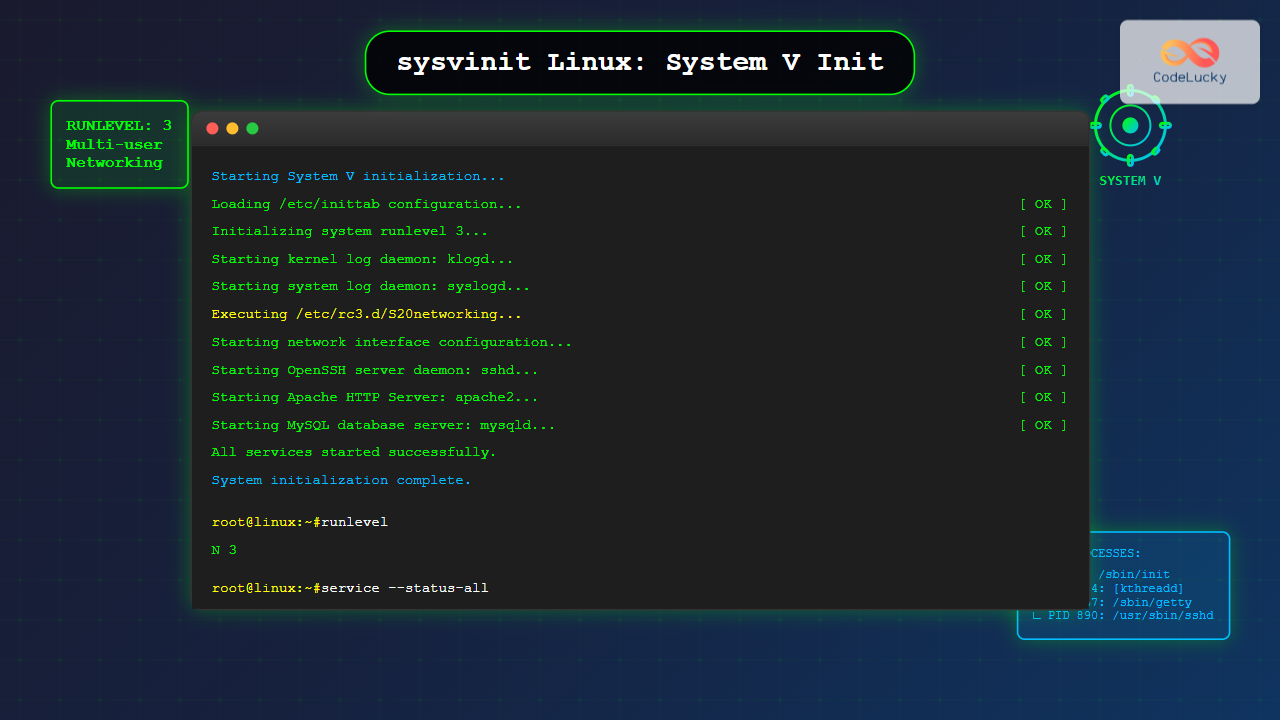
The System V initialization system (sysvinit) is a traditional init system that has been the backbone of Unix and Linux systems for decades. Understanding sysvinit is crucial for system administrators working with legacy systems or distributions that still rely on this time-tested initialization framework.
What is sysvinit?
Sysvinit is the original initialization system derived from AT&T’s Unix System V. It’s responsible for starting and stopping system services during boot and shutdown processes. Unlike modern alternatives like systemd, sysvinit follows a sequential startup process based on runlevels and shell scripts.
Key Components of sysvinit
- Init process (PID 1): The first process started by the kernel
- Runlevels: Different system states (0-6)
- Init scripts: Shell scripts that manage services
- Inittab file: Configuration file defining system behavior
Understanding Runlevels
Runlevels define different operational states of your Linux system. Each runlevel serves a specific purpose:
| Runlevel | Description | Usage |
|---|---|---|
| 0 | Halt/Shutdown | System shutdown |
| 1 | Single-user mode | Recovery/Maintenance |
| 2 | Multi-user (no networking) | Local operations only |
| 3 | Multi-user with networking | Server mode (text only) |
| 4 | Unused/Custom | User-defined |
| 5 | Graphical mode | Desktop environment |
| 6 | Reboot | System restart |
Checking Current Runlevel
You can check your current runlevel using several commands:
$ runlevel
N 3

$ who -r
         run-level 3  2025-08-25 11:30
The /etc/inittab File
The inittab file is the heart of sysvinit configuration. It defines what processes should run at different runlevels.
Inittab Entry Format
Each line in inittab follows this format:
id:runlevels:action:process
Example /etc/inittab File
# Default runlevel
id:3:initdefault:

# System initialization
si::sysinit:/etc/init.d/rcS

# Runlevel scripts
l0:0:wait:/etc/init.d/rc 0
l1:1:wait:/etc/init.d/rc 1
l2:2:wait:/etc/init.d/rc 2
l3:3:wait:/etc/init.d/rc 3
l4:4:wait:/etc/init.d/rc 4
l5:5:wait:/etc/init.d/rc 5
l6:6:wait:/etc/init.d/rc 6

# Getty processes
1:2345:respawn:/sbin/getty 38400 tty1
2:23:respawn:/sbin/getty 38400 tty2
3:23:respawn:/sbin/getty 38400 tty3
Init Scripts Directory Structure
Sysvinit organizes service scripts in a hierarchical directory structure:
/etc/
├── init.d/           # Service scripts
├── rc0.d/            # Runlevel 0 links
├── rc1.d/            # Runlevel 1 links
├── rc2.d/            # Runlevel 2 links
├── rc3.d/            # Runlevel 3 links
├── rc4.d/            # Runlevel 4 links
├── rc5.d/            # Runlevel 5 links
└── rc6.d/            # Runlevel 6 links
Service Script Naming Convention
Scripts in runlevel directories follow a specific naming pattern:
- S##scriptname – Start scripts (S = Start)
- K##scriptname – Kill scripts (K = Kill)
- ## – Two-digit priority number (00-99)
Managing Services with sysvinit
Creating a Custom Service Script
Here’s an example of creating a custom service script:
#!/bin/bash
# /etc/init.d/myservice
# Custom service script example

DAEMON="/usr/local/bin/myapp"
PIDFILE="/var/run/myservice.pid"

case "$1" in
    start)
        echo "Starting myservice..."
        start-stop-daemon --start --quiet --pidfile $PIDFILE --exec $DAEMON
        echo "myservice started."
        ;;
    stop)
        echo "Stopping myservice..."
        start-stop-daemon --stop --quiet --pidfile $PIDFILE
        echo "myservice stopped."
        ;;
    restart)
        $0 stop
        $0 start
        ;;
    status)
        if [ -f $PIDFILE ]; then
            echo "myservice is running."
        else
            echo "myservice is stopped."
        fi
        ;;
    *)
        echo "Usage: $0 {start|stop|restart|status}"
        exit 1
        ;;
esac

exit 0
Making the Script Executable
$ sudo chmod +x /etc/init.d/myserviceAdding Service to Runlevels
Use the update-rc.d command (Debian/Ubuntu) or chkconfig (Red Hat/CentOS):
# Debian/Ubuntu
$ sudo update-rc.d myservice defaults

# Red Hat/CentOS
$ sudo chkconfig --add myservice
$ sudo chkconfig myservice on
Common sysvinit Commands
Service Management Commands
# Start a service
$ sudo service apache2 start

# Stop a service
$ sudo service apache2 stop

# Restart a service
$ sudo service apache2 restart

# Check service status
$ sudo service apache2 status

# List all services
$ sudo service --status-all
Runlevel Management
# Change to runlevel 3
$ sudo init 3

# Change to runlevel 5
$ sudo init 5

# Shutdown system (runlevel 0)
$ sudo init 0

# Reboot system (runlevel 6)
$ sudo init 6
Boot Process with sysvinit
Understanding the sysvinit boot sequence helps troubleshoot startup issues:
- Kernel loads: Hardware initialization
- Init starts: First user-space process (PID 1)
- Inittab parsed: System reads configuration
- System initialization: Basic system setup
- Runlevel scripts: Services start based on runlevel
- Getty processes: Login prompts appear
Boot Messages and Logging
Monitor boot messages using these commands:
# View kernel boot messages
$ dmesg

# View system log
$ tail -f /var/log/messages

# View authentication log
$ tail -f /var/log/auth.log
Troubleshooting sysvinit Issues
Common Problems and Solutions
Problem: Service won’t start
Solution: Check script permissions and syntax:
$ ls -l /etc/init.d/servicename
$ bash -n /etc/init.d/servicename
Problem: System hangs during boot
Solution: Boot into single-user mode:
# Add 'single' to kernel parameters at GRUB
# Or use: init=/bin/bash
Emergency Recovery
If your system fails to boot properly:
# Boot into single-user mode
$ sudo init 1

# Check filesystem
$ sudo fsck /dev/sda1

# Remount root as read-write
$ sudo mount -o remount,rw /
Migrating from sysvinit
While sysvinit is still used in many environments, understanding migration paths is important:
Advantages of Modern Init Systems
- Parallel startup: Faster boot times
- Dependency management: Automatic service ordering
- Process monitoring: Automatic restart capabilities
- Resource control: Better resource management
Checking Your Init System
# Check if using sysvinit
$ ps -p 1 -o comm=
init

# Check for systemd
$ ps -p 1 -o comm=
systemd
Best Practices
Service Script Guidelines
- Always include proper error handling
- Use start-stop-daemon for process management
- Implement status checking functionality
- Follow LSB (Linux Standard Base) headers
- Test scripts thoroughly before deployment
Security Considerations
# Secure script permissions
$ sudo chmod 755 /etc/init.d/script
$ sudo chown root:root /etc/init.d/script

# Use specific user for services
USER="serviceuser"
start-stop-daemon --start --chuid $USER --exec $DAEMON
Performance Optimization
Optimizing Boot Time
Improve system startup performance:
- Remove unnecessary services from startup
- Optimize script dependencies
- Use parallel execution where possible
- Monitor boot time with timing tools
# Time the boot process
$ systemd-analyze time

# Remove service from runlevel
$ sudo update-rc.d -f servicename remove
Conclusion
Sysvinit remains a fundamental part of Linux system administration, especially in enterprise environments and embedded systems. While newer init systems offer advanced features, understanding sysvinit provides valuable insights into Unix system architecture and process management.
Key takeaways from this guide:
- Sysvinit uses runlevels to define system states
- Service scripts follow standardized conventions
- The inittab file controls system initialization
- Proper troubleshooting techniques can resolve boot issues
- Security and performance considerations are essential
Whether you’re maintaining legacy systems or learning system administration fundamentals, mastering sysvinit will enhance your Linux expertise and provide a solid foundation for understanding modern init systems.
Related Posts

init Command Linux: Complete Guide to Process Control and System Initialization
The init command in Linux serves as the cornerstone of system initialization and process control. As the first process started...

systemd Linux: Complete Guide to System and Service Manager
systemd is a powerful system and service manager that has become the default init system for most modern Linux distributions....
upstart Linux: Complete Guide to Event-Based System Initialization
The upstart initialization system revolutionized Linux system startup processes by introducing event-based service management. Unlike traditional SysV init systems that...
runit Linux: Complete Guide to Unix Init Scheme with Service Supervision
runit is a lightweight, cross-platform Unix init scheme with service supervision that provides a reliable alternative to traditional init systems....
telinit Command Linux: Complete Guide to System Runlevel Management
The telinit command is a powerful Linux utility that allows system administrators to change the current runlevel of a Linux...
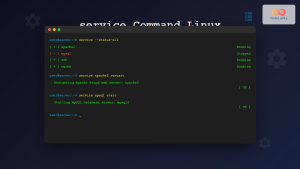
service Command Linux: Complete Guide to Managing System Services
The service command is a fundamental tool in Linux system administration that allows you to manage system services and daemons...

sv Command Linux: Master Runit Service Control and Management
The sv command is a powerful utility in Linux systems that serves as the primary interface for controlling services managed...
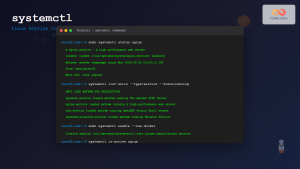
systemctl Command Linux: Complete Guide to Control Systemd Services
The systemctl command is the primary tool for controlling systemd services in modern Linux distributions. As the central management utility...

update-rc.d Command Linux: Complete Guide to Managing System Services and Run Levels
The update-rc.d command is a powerful utility in Debian-based Linux distributions that manages the symbolic links for System V init...
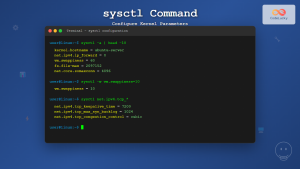
sysctl Command Linux: Complete Guide to Kernel Parameter Configuration
The sysctl command is a powerful Linux utility that allows system administrators to view, modify, and configure kernel parameters at...
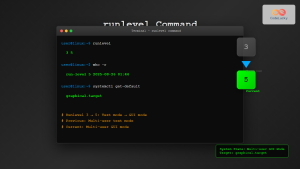
runlevel Command Linux: Complete Guide to Display Current and Previous System States
The runlevel command is a fundamental system administration tool in Linux that displays the current and previous system runlevels. Understanding...
openrc Linux: Complete Guide to Dependency-based Init System Management
OpenRC is a lightweight, dependency-based init system that serves as an alternative to systemd and SysV init. Originally developed for...





