
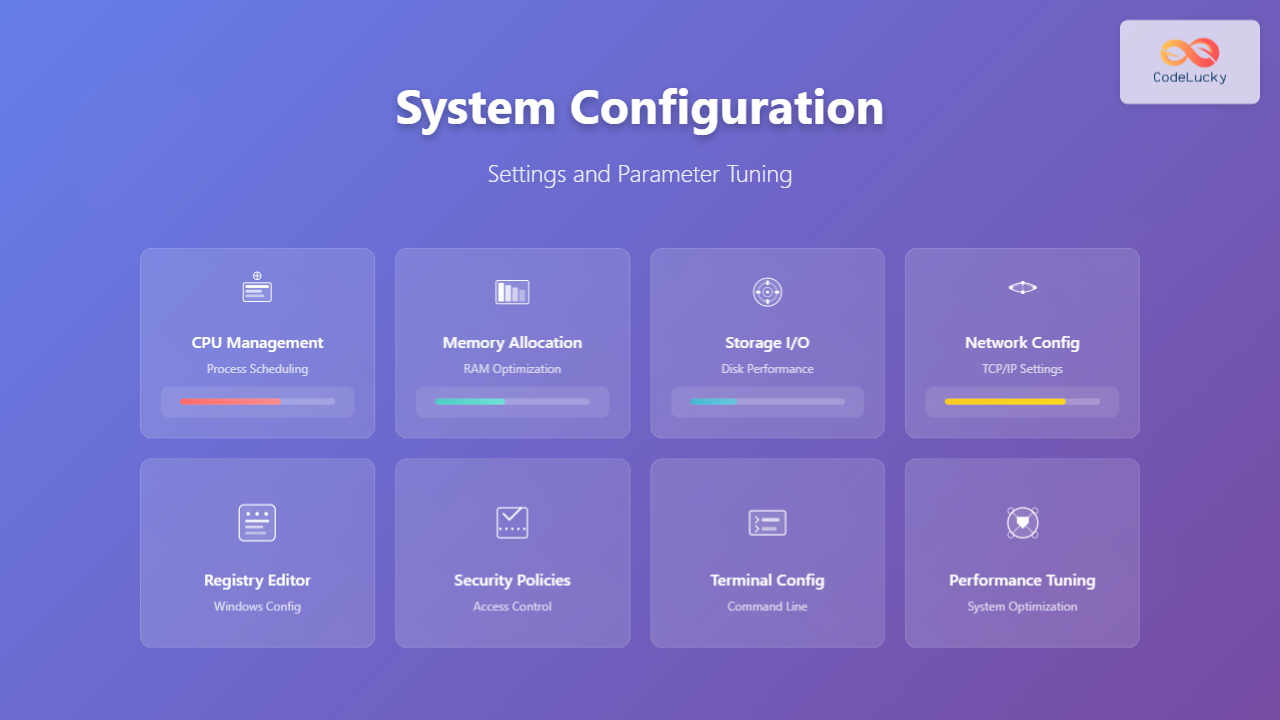
System configuration is the backbone of efficient computing environments, determining how your operating system allocates resources, manages processes, and handles various system operations. Proper configuration and parameter tuning can dramatically improve system performance, security, and stability.
Understanding System Configuration
System configuration encompasses all the settings, parameters, and policies that govern how an operating system functions. These configurations control everything from memory management and process scheduling to network settings and security policies.

Linux System Configuration
Configuration Files and Directories
Linux systems store configuration data in various locations, with most system-wide settings residing in the /etc directory.
Key Configuration Locations
| Directory/File | Purpose | Examples |
|---|---|---|
| /etc | System-wide configuration files | passwd, fstab, hosts |
| /proc | Runtime system information | cpuinfo, meminfo, version |
| /sys | Hardware and kernel parameters | block, class, devices |
| ~/.config | User-specific configurations | Application settings |
Kernel Parameter Tuning
The /proc/sys directory provides runtime access to kernel parameters. Here’s how to view and modify them:
# View current kernel parameters
cat /proc/sys/vm/swappiness
# Output: 60

# Temporarily modify a parameter
echo 10 > /proc/sys/vm/swappiness

# Verify the change
cat /proc/sys/vm/swappiness
# Output: 10

# Make changes persistent
echo "vm.swappiness = 10" >> /etc/sysctl.conf
Memory Management Configuration
Optimizing memory settings can significantly impact system performance:
# View memory information
free -h
#               total        used        free      shared  buff/cache   available
# Mem:           15Gi       2.1Gi        10Gi       234Mi       3.2Gi        13Gi
# Swap:         2.0Gi          0B       2.0Gi

# Configure swap behavior
sysctl vm.swappiness=10
sysctl vm.vfs_cache_pressure=50

# Set dirty page parameters for better I/O performance
sysctl vm.dirty_background_ratio=5
sysctl vm.dirty_ratio=10
Process and CPU Configuration
CPU scheduling and process management settings directly affect system responsiveness:
# View CPU information
lscpu
# Architecture:                    x86_64
# CPU op-mode(s):                  32-bit, 64-bit
# Byte Order:                      Little Endian
# CPU(s):                          8

# Configure CPU governor for performance
echo performance > /sys/devices/system/cpu/cpu0/cpufreq/scaling_governor

# Set process nice values
nice -n -10 important_process
renice -10 -p 1234
Windows System Configuration
Registry Configuration
The Windows Registry serves as the central configuration database for the operating system and installed applications.

Performance Registry Tweaks
# Disable unnecessary startup programs
Get-WmiObject Win32_StartupCommand | Select-Object Name, Location, Command

# Configure memory management
Set-ItemProperty -Path "HKLM:\SYSTEM\CurrentControlSet\Control\Session Manager\Memory Management" -Name "ClearPageFileAtShutdown" -Value 0

# Optimize visual effects for performance
Set-ItemProperty -Path "HKCU:\Software\Microsoft\Windows\CurrentVersion\Explorer\VisualEffects" -Name "VisualFXSetting" -Value 2
Group Policy Configuration
Group Policy provides centralized configuration management for Windows environments:
# Access local group policy
gpedit.msc

# Configure Windows Update settings via PowerShell
Set-ItemProperty -Path "HKLM:\SOFTWARE\Policies\Microsoft\Windows\WindowsUpdate\AU" -Name "NoAutoUpdate" -Value 1

# Set power management policies
powercfg /setactive 8c5e7fda-e8bf-4a96-9a85-a6e23a8c635c  # High performance
Network Configuration
Linux Network Settings
# Configure network interface
cat /etc/netplan/01-network-manager-all.yaml
# network:
#   version: 2
#   ethernets:
#     enp0s3:
#       dhcp4: false
#       addresses: [192.168.1.100/24]
#       gateway4: 192.168.1.1
#       nameservers:
#         addresses: [8.8.8.8, 8.8.4.4]

# Apply network configuration
netplan apply

# Configure DNS settings
echo "nameserver 8.8.8.8" > /etc/resolv.conf
echo "nameserver 8.8.4.4" >> /etc/resolv.conf
TCP/IP Parameter Tuning
Optimize network performance through TCP/IP parameter adjustment:
# Increase TCP buffer sizes
echo "net.core.rmem_max = 16777216" >> /etc/sysctl.conf
echo "net.core.wmem_max = 16777216" >> /etc/sysctl.conf
echo "net.ipv4.tcp_rmem = 4096 87380 16777216" >> /etc/sysctl.conf
echo "net.ipv4.tcp_wmem = 4096 65536 16777216" >> /etc/sysctl.conf

# Configure connection limits
echo "net.core.somaxconn = 65535" >> /etc/sysctl.conf
echo "net.ipv4.tcp_max_syn_backlog = 65535" >> /etc/sysctl.conf

# Apply changes
sysctl -p
Security Configuration
Firewall Configuration

Linux Firewall (iptables/ufw)
# UFW (Uncomplicated Firewall) configuration
ufw enable
ufw default deny incoming
ufw default allow outgoing

# Allow specific services
ufw allow ssh
ufw allow http
ufw allow https
ufw allow 3306  # MySQL

# View firewall status
ufw status verbose
# Status: active
# Logging: on (low)
# Default: deny (incoming), allow (outgoing), disabled (routed)
# To                         Action      From
# --                         ------      ----
# 22/tcp                     ALLOW IN    Anywhere
# 80/tcp                     ALLOW IN    Anywhere
# 443/tcp                    ALLOW IN    Anywhere
Windows Firewall Configuration
# Configure Windows Firewall via PowerShell
New-NetFirewallRule -DisplayName "Allow HTTP" -Direction Inbound -LocalPort 80 -Protocol TCP -Action Allow
New-NetFirewallRule -DisplayName "Allow HTTPS" -Direction Inbound -LocalPort 443 -Protocol TCP -Action Allow

# Disable unnecessary rules
Disable-NetFirewallRule -DisplayName "File and Printer Sharing*"

# View firewall status
Get-NetFirewallProfile | Select-Object Name, Enabled
Performance Monitoring and Tuning
System Resource Monitoring
# Linux system monitoring
# CPU usage
top -n 1 | head -n 12
# top - 14:30:15 up  2:45,  2 users,  load average: 0.23, 0.45, 0.67
# Tasks: 178 total,   1 running, 177 sleeping,   0 stopped,   0 zombie
# %Cpu(s):  2.3 us,  1.2 sy,  0.0 ni, 96.1 id,  0.3 wa,  0.0 hi,  0.1 si,  0.0 st

# Memory usage details
cat /proc/meminfo | head -n 10
# MemTotal:       16384000 kB
# MemFree:        10485760 kB
# MemAvailable:   13631488 kB
# Buffers:          524288 kB

# Disk I/O statistics
iostat -x 1 1
# Device            r/s     w/s     rkB/s     wkB/s   rrqm/s   wrqm/s  %util
# sda              12.34    5.67   1234.56    567.89     0.12     0.34   8.90
Windows Performance Monitoring
# PowerShell performance monitoring
Get-Counter "\Processor(_Total)\% Processor Time"
# Timestamp                 CounterSamples
# ---------                 --------------
# 8/28/2025 2:30:15 PM      \\COMPUTER\processor(_total)\% processor time : 15.625

Get-Counter "\Memory\Available MBytes"
# Timestamp                 CounterSamples
# ---------                 --------------
# 8/28/2025 2:30:15 PM      \\COMPUTER\memory\available mbytes : 8192.0
Storage Configuration
File System Optimization

Linux File System Tuning
# View current mount options
mount | grep "^/dev"
# /dev/sda1 on / type ext4 (rw,relatime,errors=remount-ro)

# Optimize mount options in /etc/fstab
# /dev/sda1 / ext4 defaults,noatime,commit=60 0 1

# Tune ext4 file system parameters
tune2fs -l /dev/sda1 | grep -E "(Block count|Reserved block count|Block size)"
# Block count:              4194304
# Reserved block count:     209715
# Block size:               4096

# Adjust reserved blocks (reduce from 5% to 1%)
tune2fs -m 1 /dev/sda1
I/O Scheduler Configuration
# Check current I/O scheduler
cat /sys/block/sda/queue/scheduler
# noop [deadline] cfq

# Change I/O scheduler for SSD
echo deadline > /sys/block/sda/queue/scheduler

# Make persistent
echo 'echo deadline > /sys/block/sda/queue/scheduler' >> /etc/rc.local
Application-Specific Configuration
Database Configuration Example
# MySQL configuration optimization
cat >> /etc/mysql/mysql.conf.d/mysqld.cnf << EOF
[mysqld]
# Memory settings
innodb_buffer_pool_size = 70% of available RAM
innodb_log_file_size = 256M
query_cache_size = 256M

# Connection settings
max_connections = 200
connect_timeout = 10
wait_timeout = 600

# Performance settings
innodb_flush_log_at_trx_commit = 2
innodb_file_per_table = 1
EOF

# Restart MySQL service
systemctl restart mysql
Web Server Configuration
# Apache performance tuning
cat >> /etc/apache2/apache2.conf << EOF
# Prefork MPM configuration
StartServers 8
MinSpareServers 5
MaxSpareServers 20
MaxRequestWorkers 256
MaxConnectionsPerChild 10000
# Enable compression
LoadModule deflate_module modules/mod_deflate.so
Automation and Configuration Management
Configuration Scripts
#!/bin/bash
# System optimization script

# Set kernel parameters
cat >> /etc/sysctl.conf << EOF
vm.swappiness = 10
vm.dirty_background_ratio = 5
vm.dirty_ratio = 10
net.core.rmem_max = 16777216
net.core.wmem_max = 16777216
EOF

# Apply settings
sysctl -p

# Configure limits
cat >> /etc/security/limits.conf << EOF
* soft nofile 65535
* hard nofile 65535
* soft nproc 65535
* hard nproc 65535
EOF

echo "System optimization completed!"
Best Practices and Guidelines
Configuration Management Principles
- Document Changes: Keep detailed records of all configuration modifications with timestamps and reasons
- Version Control: Use Git or similar tools to track configuration file changes
- Testing Environment: Always test configuration changes in a non-production environment first
- Backup Configurations: Create backups before making significant changes
- Monitoring Impact: Monitor system performance after configuration changes
Common Configuration Mistakes
| Mistake | Impact | Solution |
|---|---|---|
| Over-tuning parameters | System instability | Make incremental changes |
| Ignoring security implications | Vulnerabilities | Security-first approach |
| Not monitoring changes | Performance degradation | Continuous monitoring |
| Copying configurations blindly | Incompatible settings | Understand each parameter |

Troubleshooting Configuration Issues
Diagnostic Commands
# System health check
systemctl --failed
# UNIT LOAD   ACTIVE SUB    DESCRIPTION
# 0 loaded units listed.

# Check system logs
journalctl -xe --no-pager | tail -n 20

# Validate configuration files
nginx -t  # For Nginx
apache2ctl configtest  # For Apache
sshd -T  # For SSH daemon

# Check resource usage
ps aux --sort=-%cpu | head -n 10
ps aux --sort=-%mem | head -n 10
Recovery Procedures
# Create configuration backup
cp /etc/important.conf /etc/important.conf.backup.$(date +%Y%m%d_%H%M%S)

# Quick rollback procedure
if [ $? -ne 0 ]; then
    echo "Configuration failed, rolling back..."
    cp /etc/important.conf.backup.* /etc/important.conf
    systemctl restart service_name
fi
System configuration is an ongoing process that requires careful planning, testing, and monitoring. By understanding the various configuration options available and following best practices, you can optimize your system for performance, security, and reliability. Remember that the optimal configuration varies depending on your specific use case, hardware, and requirements.
Regular review and adjustment of system configurations ensure that your systems continue to perform optimally as workloads and requirements evolve. Always prioritize stability and security over marginal performance gains, and maintain comprehensive documentation of your configuration changes.





