
The sysctl command is a powerful Linux utility that allows system administrators to view, modify, and configure kernel parameters at runtime without requiring a system reboot. This essential tool provides direct access to the Linux kernel’s tunable parameters, enabling fine-tuned system optimization and troubleshooting.
What is sysctl?
The sysctl command interfaces with the /proc/sys/ virtual filesystem, which exposes kernel parameters as files. These parameters control various aspects of system behavior, including network settings, memory management, file system operations, and security policies.
The name “sysctl” stands for “system control,” reflecting its role in managing system-wide kernel settings. Unlike traditional configuration files that require service restarts, sysctl changes take effect immediately.
Basic sysctl Syntax
The general syntax for the sysctl command follows this pattern:
sysctl [options] [variable[=value]] [...]Common options include:
-a: Display all available variables-n: Print only values without variable names-w: Write/modify a variable value-p: Load settings from configuration file-e: Ignore errors about unknown keys
Viewing Kernel Parameters
Display All Parameters
To view all available kernel parameters:
$ sysctl -aSample Output:
abi.vsyscall32 = 1
debug.exception-trace = 1
debug.kprobes-optimization = 1
dev.hpet.max-user-freq = 64
dev.mac_hid.mouse_button2_keycode = 97
fs.aio-max-nr = 65536
fs.aio-nr = 0
fs.dentry-state = 147153	118804	45	0	147022	0
kernel.acct = 4	2	30
kernel.auto_msgmni = 1
kernel.bootloader_type = 114
...
Display Specific Parameters
To view a specific parameter or group of parameters:
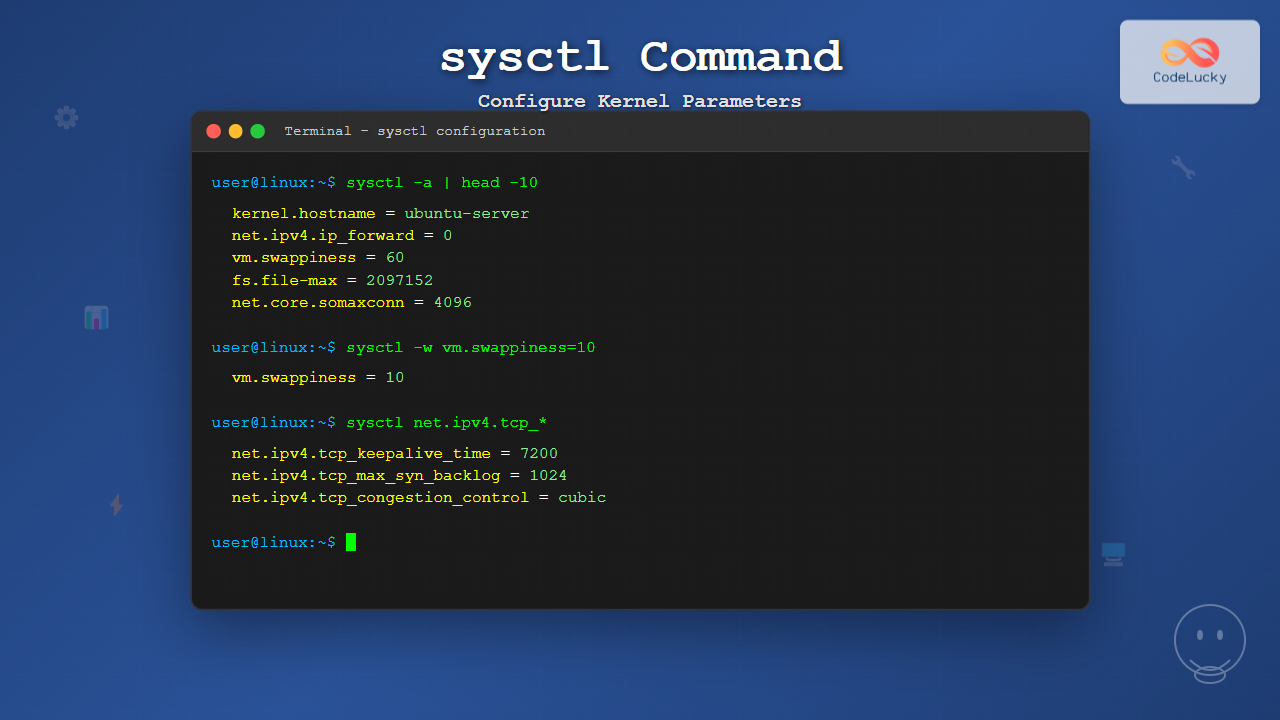
$ sysctl kernel.hostname
kernel.hostname = ubuntu-server

$ sysctl net.ipv4.ip_forward
net.ipv4.ip_forward = 0

$ sysctl vm.swappiness
vm.swappiness = 60
Using Pattern Matching
You can use wildcards to display related parameters:
$ sysctl net.ipv4.tcp_*Sample Output:
net.ipv4.tcp_abort_on_overflow = 0
net.ipv4.tcp_adv_win_scale = 1
net.ipv4.tcp_allowed_congestion_control = reno cubic
net.ipv4.tcp_app_win = 31
net.ipv4.tcp_autocorking = 1
net.ipv4.tcp_base_mss = 1024
net.ipv4.tcp_congestion_control = cubic
net.ipv4.tcp_dsack = 1
...
Modifying Kernel Parameters
Temporary Changes
To modify a parameter temporarily (changes lost after reboot):
$ sudo sysctl -w net.ipv4.ip_forward=1
net.ipv4.ip_forward = 1

$ sudo sysctl -w vm.swappiness=10
vm.swappiness = 10

$ sudo sysctl -w kernel.hostname=webserver
kernel.hostname = webserver
Alternative syntax without the -w flag:
$ sudo sysctl net.ipv4.ip_forward=1Permanent Changes
To make changes persistent across reboots, add them to the /etc/sysctl.conf file or create custom configuration files in /etc/sysctl.d/:
$ sudo nano /etc/sysctl.confAdd your parameters:
# Enable IP forwarding
net.ipv4.ip_forward = 1

# Optimize network performance
net.core.rmem_max = 134217728
net.core.wmem_max = 134217728
net.ipv4.tcp_rmem = 4096 32768 134217728
net.ipv4.tcp_wmem = 4096 32768 134217728

# Reduce swap usage
vm.swappiness = 10

# Increase file descriptor limits
fs.file-max = 2097152
Apply the changes:
$ sudo sysctl -p
net.ipv4.ip_forward = 1
net.core.rmem_max = 134217728
net.core.wmem_max = 134217728
net.ipv4.tcp_rmem = 4096 32768 134217728
net.ipv4.tcp_wmem = 4096 32768 134217728
vm.swappiness = 10
fs.file-max = 2097152
Common sysctl Parameters
Network Parameters
| Parameter | Description | Default |
|---|---|---|
net.ipv4.ip_forward |
Enable/disable IP forwarding | 0 |
net.ipv4.tcp_keepalive_time |
TCP keepalive time in seconds | 7200 |
net.core.somaxconn |
Maximum socket listen backlog | 4096 |
net.ipv4.tcp_max_syn_backlog |
Maximum SYN backlog queue size | 1024 |
Memory Management Parameters
| Parameter | Description | Default |
|---|---|---|
vm.swappiness |
Swap usage tendency (0-100) | 60 |
vm.dirty_ratio |
Percentage of RAM for dirty pages | 20 |
vm.vfs_cache_pressure |
VFS cache reclaim tendency | 100 |
vm.overcommit_memory |
Memory overcommit policy | 0 |
File System Parameters
| Parameter | Description | Default |
|---|---|---|
fs.file-max |
Maximum number of file handles | varies |
fs.inotify.max_user_watches |
Maximum inotify watches per user | 8192 |
fs.aio-max-nr |
Maximum AIO requests | 65536 |
Practical Examples and Use Cases
Example 1: Optimizing for High-Traffic Web Server
Create a custom configuration for web server optimization:
$ sudo nano /etc/sysctl.d/99-web-server.conf# Network optimizations for web server
net.core.somaxconn = 65535
net.core.netdev_max_backlog = 5000
net.ipv4.tcp_max_syn_backlog = 65535
net.ipv4.tcp_keepalive_time = 600
net.ipv4.tcp_keepalive_intvl = 60
net.ipv4.tcp_keepalive_probes = 10
net.ipv4.tcp_fin_timeout = 30
# Memory optimizations
vm.swappiness = 1
vm.dirty_ratio = 15
vm.dirty_background_ratio = 5
# File system optimizations
fs.file-max = 2097152
kernel.pid_max = 4194304Apply the configuration:
$ sudo sysctl -p /etc/sysctl.d/99-web-server.confExample 2: Database Server Optimization
Configuration for database server performance:
$ sudo nano /etc/sysctl.d/99-database.conf# Shared memory settings for database
kernel.shmmax = 68719476736
kernel.shmall = 4294967296
kernel.shmmni = 4096
# Memory management for database workloads
vm.swappiness = 5
vm.dirty_ratio = 10
vm.dirty_background_ratio = 3
vm.overcommit_memory = 2
vm.overcommit_ratio = 80
# Network tuning for database connections
net.core.rmem_default = 262144
net.core.rmem_max = 16777216
net.core.wmem_default = 262144
net.core.wmem_max = 16777216Example 3: Security Hardening
Security-focused sysctl configuration:
$ sudo nano /etc/sysctl.d/99-security.conf# Network security
net.ipv4.conf.all.accept_redirects = 0
net.ipv4.conf.default.accept_redirects = 0
net.ipv6.conf.all.accept_redirects = 0
net.ipv4.conf.all.send_redirects = 0
net.ipv4.conf.all.accept_source_route = 0
net.ipv4.conf.default.accept_source_route = 0
net.ipv6.conf.all.accept_source_route = 0
net.ipv4.conf.all.log_martians = 1
net.ipv4.icmp_echo_ignore_broadcasts = 1
net.ipv4.icmp_ignore_bogus_error_responses = 1
net.ipv4.tcp_syncookies = 1
# Kernel security
kernel.dmesg_restrict = 1
kernel.kptr_restrict = 2
kernel.yama.ptrace_scope = 1Advanced sysctl Usage
Loading Multiple Configuration Files
Load all configuration files in the sysctl.d directory:
$ sudo sysctl --systemThis command processes files in this order:
/etc/sysctl.conf/etc/sysctl.d/*.conf(in lexicographic order)/usr/local/lib/sysctl.d/*.conf/usr/lib/sysctl.d/*.conf/lib/sysctl.d/*.conf
Batch Operations
Apply multiple settings at once:
$ sudo sysctl -w net.ipv4.ip_forward=1 vm.swappiness=10 kernel.hostname=productionQuiet Mode and Error Handling
Use quiet mode to suppress output:
$ sudo sysctl -q -w net.ipv4.ip_forward=1Ignore errors for unknown parameters:
$ sudo sysctl -e -p /etc/sysctl.confTroubleshooting and Best Practices
Common Issues
Permission Denied:
$ sysctl -w vm.swappiness=10
sysctl: permission denied on key 'vm.swappiness'
Solution: Use sudo for write operations:
$ sudo sysctl -w vm.swappiness=10Invalid Parameter:
$ sysctl -w invalid.parameter=1
sysctl: cannot stat /proc/sys/invalid/parameter: No such file or directory
Solution: Verify parameter existence with sysctl -a | grep parameter
Best Practices
- Test Changes First: Always test parameter changes temporarily before making them permanent
- Document Changes: Comment your configuration files to explain the purpose of each setting
- Use Descriptive Filenames: Name configuration files in
/etc/sysctl.d/with descriptive prefixes like99-webserver.conf - Monitor Impact: Monitor system performance after making changes to ensure they have the desired effect
- Version Control: Keep configuration files in version control for change tracking
Validation and Monitoring
Create a script to validate current settings:
#!/bin/bash
# validate-sysctl.sh

echo "Current kernel parameters:"
echo "========================="
echo "IP Forwarding: $(sysctl -n net.ipv4.ip_forward)"
echo "Swappiness: $(sysctl -n vm.swappiness)"
echo "Max Files: $(sysctl -n fs.file-max)"
echo "TCP Keepalive: $(sysctl -n net.ipv4.tcp_keepalive_time)"

echo ""
echo "Memory Info:"
echo "============"
free -h

echo ""
echo "Network Connections:"
echo "==================="
ss -tuln | head -10
Integration with System Services
Systemd Integration
The systemd-sysctl service automatically applies sysctl settings at boot:
$ systemctl status systemd-sysctl
● systemd-sysctl.service - Apply Kernel Variables
   Loaded: loaded (/lib/systemd/system/systemd-sysctl.service; static; vendor preset: enabled)
   Active: active (exited) since Mon 2025-08-25 09:10:23 IST; 2h 15min ago
     Docs: man:systemd-sysctl.service(8)
           man:sysctl.d(5)
Custom Service Integration
Create a custom service to apply specific sysctl configurations:
$ sudo nano /etc/systemd/system/custom-sysctl.service[Unit]
Description=Apply Custom Sysctl Settings
After=systemd-sysctl.service
Before=network.target
[Service]
Type=oneshot
ExecStart=/sbin/sysctl -p /etc/sysctl.d/99-custom.conf
RemainAfterExit=yes
[Install]
WantedBy=multi-user.targetEnable and start the service:
$ sudo systemctl enable custom-sysctl.service
$ sudo systemctl start custom-sysctl.service
Performance Monitoring
Before and After Comparison
Create a monitoring script to track parameter changes:
#!/bin/bash
# sysctl-monitor.sh

PARAMS=(
    "vm.swappiness"
    "net.ipv4.tcp_keepalive_time"
    "fs.file-max"
    "net.core.somaxconn"
)

echo "Sysctl Parameter Monitor"
echo "======================="
echo "Timestamp: $(date)"
echo ""

for param in "${PARAMS[@]}"; do
    value=$(sysctl -n "$param" 2>/dev/null)
    if [ $? -eq 0 ]; then
        printf "%-30s: %s\n" "$param" "$value"
    else
        printf "%-30s: NOT FOUND\n" "$param"
    fi
done
Conclusion
The sysctl command is an indispensable tool for Linux system administrators, providing real-time access to kernel parameters that can significantly impact system performance, security, and behavior. By understanding how to effectively use sysctl for viewing and modifying kernel parameters, administrators can optimize their systems for specific workloads and requirements.
Remember to always test changes in a controlled environment before applying them to production systems, document your modifications thoroughly, and monitor the impact of parameter changes on system performance. With proper use of sysctl, you can fine-tune your Linux systems to achieve optimal performance and security for your specific use case.
Whether you’re optimizing a web server for high traffic, hardening system security, or tuning database performance, mastering the sysctl command will enable you to unlock the full potential of your Linux systems through precise kernel parameter configuration.
Related Posts
sysfs Linux: Complete Guide to Understanding and Using /sys Filesystem
The sysfs filesystem is one of Linux's most powerful yet underutilized features, providing a window into the kernel's internal operations...

sysvinit Linux: Complete Guide to System V Initialization System
The System V initialization system (sysvinit) is a traditional init system that has been the backbone of Unix and Linux...
telinit Command Linux: Complete Guide to System Runlevel Management
The telinit command is a powerful Linux utility that allows system administrators to change the current runlevel of a Linux...

System Calls in Operating System: Complete Guide to User-Kernel Interface
System calls serve as the fundamental bridge between user applications and the operating system kernel, enabling programs to request services...
chkconfig Command Linux: Complete Guide to System Service Management
The chkconfig command is a powerful system administration tool in Red Hat-based Linux distributions that allows you to configure system...
proc filesystem Linux: Complete Guide to Understanding /proc Directory Structure and Commands
What is the Linux /proc Filesystem? The /proc filesystem is a virtual filesystem in Linux that provides a window into...
getrlimit Command Linux: Complete Guide to System Resource Limits Management
The getrlimit system call in Linux is a fundamental tool for retrieving information about resource limits imposed on processes. Understanding...
systemctl Command Linux: Complete Guide to Control Systemd Services
The systemctl command is the primary tool for controlling systemd services in modern Linux distributions. As the central management utility...

Kernel in Operating System: Core Functions and Memory Management
The kernel stands as the fundamental cornerstone of any operating system, serving as the critical bridge between hardware components and...

tune2fs Command Linux: Complete Guide to Ext2/3/4 Filesystem Tuning
The tune2fs command is a powerful Linux utility that allows system administrators to modify and tune various parameters of ext2,...

Exokernel: Application-level Resource Management Architecture in Operating Systems
Introduction to Exokernel Architecture The exokernel represents a revolutionary approach to operating system design that fundamentally challenges traditional kernel architectures....
snmpset Command Linux: Complete Guide to Setting SNMP Variables
The snmpset command is a powerful Linux utility that allows network administrators to modify SNMP (Simple Network Management Protocol) variables...





