

Storage virtualization represents one of the most critical technologies in modern computing infrastructure, enabling organizations to abstract physical storage resources into logical units that can be managed, allocated, and optimized independently of their underlying hardware. This comprehensive guide explores the fundamental concepts, implementation strategies, and practical applications of storage virtualization in contemporary operating systems.
Understanding Storage Virtualization Fundamentals
Storage virtualization creates an abstraction layer between physical storage devices and the applications that consume storage resources. This technology allows system administrators to pool storage resources from multiple devices and present them as a single, unified storage system to applications and users.

The virtualization layer masks the complexity of physical storage infrastructure, providing several key benefits:
- Simplified Management: Administrators can manage storage resources through a single interface
- Improved Utilization: Resources are dynamically allocated based on actual needs
- Enhanced Flexibility: Storage can be provisioned and reconfigured without disrupting applications
- Better Performance: Load balancing and optimization across multiple devices
Types of Storage Virtualization
Block-Level Virtualization
Block-level virtualization operates at the lowest level of storage abstraction, virtualizing individual storage blocks rather than entire filesystems. This approach provides maximum flexibility and performance optimization.
# Example: Creating a virtual block device using Linux LVM
sudo pvcreate /dev/sdb1 /dev/sdc1 /dev/sdd1
sudo vgcreate storage_pool /dev/sdb1 /dev/sdc1 /dev/sdd1
sudo lvcreate -L 500G -n virtual_disk storage_pool

# Output shows the creation of logical volume
  Logical volume "virtual_disk" created.
File-Level Virtualization
File-level virtualization abstracts file storage systems, allowing multiple physical storage devices to appear as a single filesystem to applications and users.
# Python example: Implementing a simple file virtualization layer
import os
import hashlib

class VirtualFileSystem:
    def __init__(self, storage_pools):
        self.storage_pools = storage_pools
        self.file_map = {}

    def write_file(self, filename, data):
        # Distribute files across storage pools based on hash
        hash_val = int(hashlib.md5(filename.encode()).hexdigest(), 16)
        pool_index = hash_val % len(self.storage_pools)

        physical_path = os.path.join(self.storage_pools[pool_index], filename)
        with open(physical_path, 'w') as f:
            f.write(data)

        self.file_map[filename] = physical_path
        return f"File stored in pool {pool_index}: {physical_path}"

    def read_file(self, filename):
        if filename in self.file_map:
            with open(self.file_map[filename], 'r') as f:
                return f.read()
        return "File not found"

# Usage example
vfs = VirtualFileSystem(['/storage/pool1', '/storage/pool2', '/storage/pool3'])
result = vfs.write_file('document.txt', 'Hello World!')
print(result)
# Output: File stored in pool 1: /storage/pool1/document.txt
Storage Virtualization Architectures

Host-Based Virtualization
In host-based virtualization, the virtualization software runs on the host server, providing direct control over storage resources. This approach offers excellent performance but requires processing power from the host system.
# Example: Configuring software RAID with mdadm (Linux)
sudo mdadm --create --verbose /dev/md0 --level=5 --raid-devices=4 /dev/sdb1 /dev/sdc1 /dev/sdd1 /dev/sde1

# Monitor the RAID array
sudo mdadm --detail /dev/md0

# Expected output:
#        Version : 1.2
#  Creation Time : Thu Aug 28 16:42:00 2025
#     Raid Level : raid5
#     Array Size : 2929893888 (2793.67 GiB 3000.21 GB)
#  Used Dev Size : 976631296 (931.22 GiB 1000.07 GB)
#   Raid Devices : 4
#  Total Devices : 4
#    Persistence : Superblock is persistent
Network-Based Virtualization
Network-based storage virtualization places the virtualization intelligence in the network infrastructure, typically using dedicated appliances or switches to manage storage resources across the network.
Implementation Strategies and Best Practices
Thin Provisioning
Thin provisioning allows storage administrators to allocate more virtual storage to applications than is physically available, optimizing storage utilization by only consuming physical space when data is actually written.
# Creating a thin-provisioned logical volume
sudo lvcreate -T -L 1T storage_pool/thin_pool
sudo lvcreate -V 500G -T storage_pool/thin_pool -n thin_volume

# Check thin pool usage
sudo lvs -o+data_percent,metadata_percent storage_pool/thin_pool

# Output:
#  LV        VG           Attr       LSize   Pool      Origin Data%  Meta%
#  thin_pool storage_pool twi-aotz--   1.00t                   0.00   0.00

Storage Migration and Load Balancing
Storage virtualization enables seamless data migration and load balancing across different storage devices without interrupting application operations.
# Python implementation of storage load balancer
import threading
import time
from collections import defaultdict

class StorageLoadBalancer:
    def __init__(self):
        self.storage_nodes = {}
        self.request_counts = defaultdict(int)
        self.lock = threading.Lock()

    def add_storage_node(self, node_id, capacity, current_load=0):
        with self.lock:
            self.storage_nodes[node_id] = {
                'capacity': capacity,
                'current_load': current_load,
                'available': capacity - current_load
            }

    def get_optimal_node(self, data_size):
        with self.lock:
            # Find node with best capacity-to-load ratio
            best_node = None
            best_ratio = 0

            for node_id, info in self.storage_nodes.items():
                if info['available'] >= data_size:
                    ratio = info['available'] / info['capacity']
                    if ratio > best_ratio:
                        best_ratio = ratio
                        best_node = node_id

            return best_node

    def allocate_storage(self, node_id, size):
        with self.lock:
            if node_id in self.storage_nodes:
                self.storage_nodes[node_id]['current_load'] += size
                self.storage_nodes[node_id]['available'] -= size
                self.request_counts[node_id] += 1
                return True
        return False

# Usage example
balancer = StorageLoadBalancer()
balancer.add_storage_node('node1', 1000, 200)
balancer.add_storage_node('node2', 1500, 300)
balancer.add_storage_node('node3', 800, 100)

optimal_node = balancer.get_optimal_node(150)
print(f"Optimal node for 150GB: {optimal_node}")
# Output: Optimal node for 150GB: node3

balancer.allocate_storage(optimal_node, 150)
print(f"Allocation successful: {optimal_node}")
Advanced Storage Virtualization Features
Snapshots and Cloning
Modern storage virtualization platforms provide sophisticated snapshot and cloning capabilities that enable point-in-time copies and rapid provisioning of identical storage volumes.
# Creating snapshots with LVM
sudo lvcreate -L 50G -s -n snap_virtual_disk /dev/storage_pool/virtual_disk

# List snapshots
sudo lvs storage_pool

# Output:
#  LV               VG           Attr       LSize   Pool Origin       Data%
#  snap_virtual_disk storage_pool swi-a-s---  50.00g      virtual_disk   0.00
#  virtual_disk     storage_pool owi-aos--- 500.00g

# Clone a snapshot to create new volume
sudo lvcreate -L 500G -s -n cloned_disk /dev/storage_pool/snap_virtual_disk
Deduplication and Compression
Storage virtualization platforms often incorporate deduplication and compression technologies to optimize storage efficiency by eliminating redundant data blocks.

Performance Optimization and Monitoring
Effective storage virtualization requires continuous monitoring and optimization to ensure optimal performance across the virtualized storage infrastructure.
# Storage performance monitoring script
#!/bin/bash

echo "=== Storage Virtualization Performance Report ==="
echo "Timestamp: $(date)"
echo ""

# Check logical volume usage
echo "Logical Volume Usage:"
sudo lvs -o+data_percent,metadata_percent --units=g

echo ""
echo "Volume Group Information:"
sudo vgs --units=g

echo ""
echo "Physical Volume Status:"
sudo pvs --units=g

echo ""
echo "I/O Statistics:"
iostat -x 1 3 | grep -E "(Device|sd[a-z]|md[0-9])"

echo ""
echo "Storage Pool Health Check:"
for pool in $(sudo vgs --noheadings -o vg_name); do
    echo "Pool: $pool"
    sudo vgs $pool --units=g -o+vg_free_count,vg_extent_count
done
Capacity Planning and Alerts
Proactive capacity planning prevents storage exhaustion and ensures continuous service availability in virtualized environments.
# Storage capacity monitoring and alerting system
import json
import smtplib
from datetime import datetime
from email.mime.text import MIMEText

class StorageMonitor:
    def __init__(self, config_file):
        with open(config_file, 'r') as f:
            self.config = json.load(f)

        self.thresholds = self.config['thresholds']
        self.email_config = self.config['email']

    def check_storage_health(self, storage_data):
        alerts = []

        for volume in storage_data:
            usage_percent = (volume['used'] / volume['total']) * 100

            if usage_percent > self.thresholds['critical']:
                alerts.append({
                    'level': 'CRITICAL',
                    'volume': volume['name'],
                    'usage': usage_percent,
                    'message': f"Storage {volume['name']} at {usage_percent:.1f}% capacity"
                })
            elif usage_percent > self.thresholds['warning']:
                alerts.append({
                    'level': 'WARNING',
                    'volume': volume['name'],
                    'usage': usage_percent,
                    'message': f"Storage {volume['name']} at {usage_percent:.1f}% capacity"
                })

        return alerts

    def send_alert(self, alerts):
        if not alerts:
            return

        subject = f"Storage Alert - {len(alerts)} issues detected"
        body = "Storage Virtualization Alert Summary:\n\n"

        for alert in alerts:
            body += f"{alert['level']}: {alert['message']}\n"

        body += f"\nTimestamp: {datetime.now()}\n"

        # Email sending logic would go here
        print(f"Alert sent: {subject}")
        print(body)

# Example usage
monitor = StorageMonitor('storage_config.json')
sample_data = [
    {'name': 'virtual_disk_1', 'used': 450, 'total': 500},
    {'name': 'virtual_disk_2', 'used': 200, 'total': 1000}
]

alerts = monitor.check_storage_health(sample_data)
monitor.send_alert(alerts)

# Output:
# Alert sent: Storage Alert - 1 issues detected
# Storage Virtualization Alert Summary:
#
# CRITICAL: Storage virtual_disk_1 at 90.0% capacity
#
# Timestamp: 2025-08-28 16:42:00.123456
Security Considerations in Storage Virtualization
Storage virtualization introduces unique security challenges that require careful consideration of data protection, access control, and compliance requirements.
- Data Encryption: Implementing encryption at rest and in transit
- Access Control: Role-based access management for virtual storage resources
- Audit Trails: Comprehensive logging of all storage operations
- Multi-tenancy: Isolation between different virtual storage environments
# Setting up encrypted storage virtualization
sudo cryptsetup luksFormat /dev/sdb1
sudo cryptsetup luksOpen /dev/sdb1 encrypted_storage

# Create physical volume on encrypted device
sudo pvcreate /dev/mapper/encrypted_storage
sudo vgcreate secure_pool /dev/mapper/encrypted_storage
sudo lvcreate -L 100G -n secure_volume secure_pool

# Mount with appropriate permissions
sudo mkfs.ext4 /dev/secure_pool/secure_volume
sudo mkdir /mnt/secure_storage
sudo mount /dev/secure_pool/secure_volume /mnt/secure_storage
sudo chmod 700 /mnt/secure_storage
Future Trends and Technologies
Storage virtualization continues to evolve with emerging technologies and changing infrastructure requirements. Key trends shaping the future include:
- NVMe and Storage-Class Memory: Integration with next-generation storage technologies
- Container-Aware Storage: Virtualization optimized for containerized applications
- AI-Driven Optimization: Machine learning algorithms for predictive storage management
- Edge Computing Integration: Distributed storage virtualization across edge locations
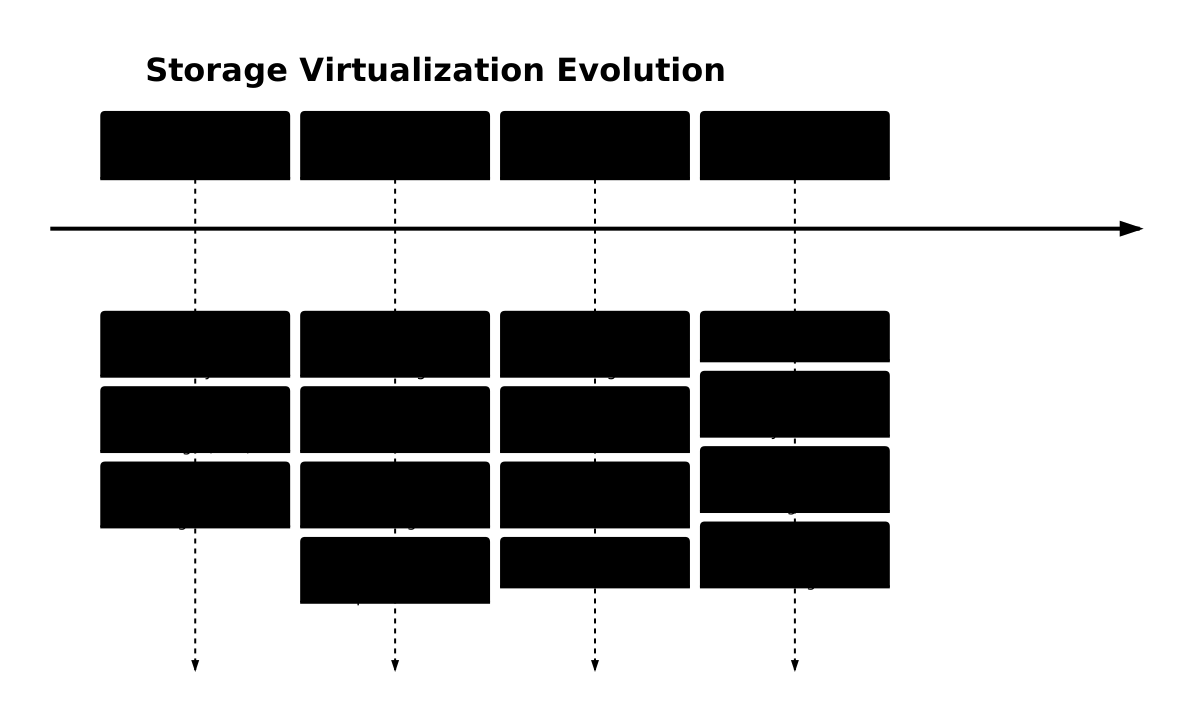
Storage virtualization has fundamentally transformed how organizations approach data storage and management. By abstracting physical storage resources into flexible, manageable logical units, this technology enables unprecedented levels of efficiency, scalability, and reliability in modern computing environments. As storage technologies continue to advance, virtualization will remain a critical component in optimizing storage infrastructure for next-generation applications and workloads.
The implementation strategies, monitoring techniques, and best practices outlined in this guide provide a solid foundation for deploying and maintaining effective storage virtualization solutions. Organizations that master these concepts will be well-positioned to leverage the full potential of their storage investments while meeting the evolving demands of digital transformation initiatives.
Related Posts
Virtual I/O: Complete Guide to Device Virtualization Techniques and Implementation
Introduction to Virtual I/O and Device Virtualization Virtual Input/Output (Virtual I/O) represents one of the most critical components in modern...
Virtual Machine in Operating System: Complete Guide to Hardware Virtualization Technology
What is a Virtual Machine in Operating System? A Virtual Machine (VM) is a software-based emulation of a physical computer...

Storage Virtualization: Complete Guide to Logical Volume Management in Linux
Storage virtualization through Logical Volume Management (LVM) represents one of the most powerful features in modern Linux systems, providing administrators...
Storage Management: Complete Guide to Primary, Secondary and Tertiary Storage Systems
Storage management is one of the most critical components of an operating system, responsible for efficiently organizing, accessing, and maintaining...
Desktop Virtualization: Complete VDI Implementation Guide for Modern Enterprises
Introduction to Desktop Virtualization Desktop virtualization represents a paradigm shift in how organizations deliver computing resources to end users. By...
Container Virtualization: Complete Guide to OS-level Virtualization Technology
Container virtualization represents a revolutionary approach to application deployment and resource management through OS-level virtualization. Unlike traditional hardware virtualization, containers...
Full Virtualization: Complete Hardware Abstraction and Implementation Guide
Full virtualization represents one of the most significant breakthroughs in modern computing, enabling complete hardware abstraction that allows multiple operating...
Server Virtualization: Complete Guide to Consolidation and Resource Optimization
Introduction to Server Virtualization Server virtualization is a revolutionary technology that enables multiple virtual machines (VMs) to run on a...
Virtual Memory in Virtualization: Memory Overcommitment Strategies and Implementation
Introduction to Memory Overcommitment Memory overcommitment is a fundamental virtualization technique that allows hypervisors to allocate more virtual memory to...
Memory Management in Operating System: Virtual and Physical Memory Fundamentals
Introduction to Memory Management Memory management is one of the most critical functions of an operating system, responsible for efficiently...
Cloud Operating System: Complete Guide to Virtualized Infrastructure Management
Cloud Operating Systems represent a paradigm shift in how we manage and orchestrate computing resources across distributed environments. Unlike traditional...

Windows Memory Management: Virtual Memory Implementation and Optimization Guide
Introduction to Windows Virtual Memory Windows virtual memory is a sophisticated memory management system that allows programs to use more...





