
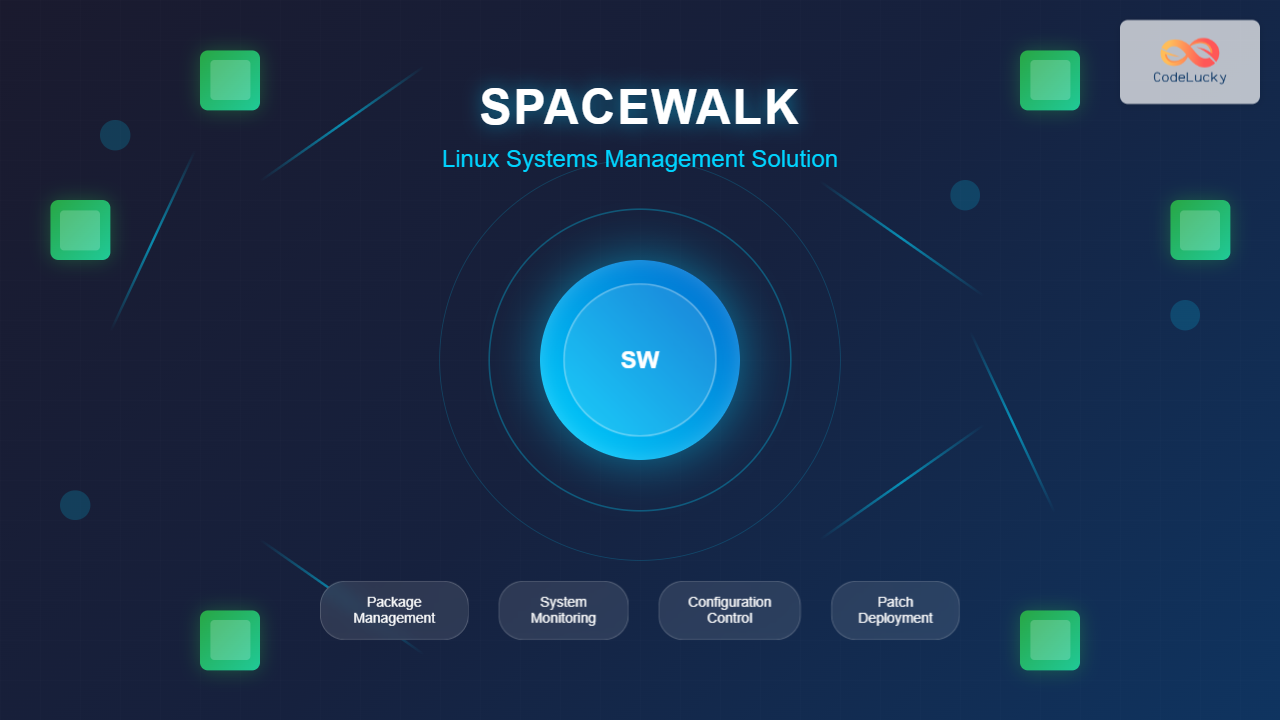
Spacewalk is a powerful open-source systems management solution that enables administrators to efficiently manage multiple Linux systems from a centralized web-based interface. Originally developed by Red Hat and now maintained by the community, Spacewalk provides comprehensive tools for package management, configuration management, system monitoring, and patch deployment across your entire infrastructure.
What is Spacewalk Linux?
Spacewalk serves as a unified platform for managing Linux systems at scale. It combines several critical system administration functions into a single, cohesive solution that can handle everything from software updates to configuration management across hundreds or thousands of systems simultaneously.
Key Features of Spacewalk
- Centralized Package Management: Deploy, update, and remove software packages across multiple systems
- Configuration Management: Maintain consistent configurations across your infrastructure
- System Monitoring: Track system health, performance metrics, and resource utilization
- Patch Management: Automate security updates and system patches
- Provisioning: Automated system installation and deployment
- Reporting: Comprehensive reports on system status and compliance
Spacewalk Architecture Overview
Understanding Spacewalk’s architecture is crucial for effective implementation. The system consists of several key components:
Core Components
Spacewalk Server
The central hub that hosts the web interface, database, and core services. This server manages all client systems and stores configuration data, package repositories, and system information.
Client Systems
Individual Linux machines registered with the Spacewalk server. These systems communicate with the server through the rhn_check daemon and receive updates, configurations, and monitoring instructions.
Database Backend
PostgreSQL or Oracle database that stores all system information, package metadata, user accounts, and configuration data.
Installing Spacewalk Server
Setting up a Spacewalk server requires careful planning and proper system requirements. Let’s walk through the complete installation process.
System Requirements
Before installation, ensure your system meets these minimum requirements:
- Operating System: CentOS 7/8, RHEL 7/8, or Fedora
- RAM: Minimum 4GB (8GB recommended for production)
- Storage: At least 50GB free space (more for package repositories)
- CPU: Dual-core processor (quad-core recommended)
- Network: Static IP address and proper DNS resolution
Step-by-Step Installation
1. Repository Configuration
First, configure the Spacewalk repository on your CentOS/RHEL system:
# For CentOS 7
sudo rpm -Uvh https://copr-be.cloud.fedoraproject.org/results/spacewalkproject/spacewalk-2.10/epel-7-x86_64/spacewalk-repo-2.10-4.el7.noarch.rpm

# Enable EPEL repository
sudo yum install -y epel-release

# Install Spacewalk repository GPG key
sudo rpm --import /etc/pki/rpm-gpg/RPM-GPG-KEY-spacewalk-2010
2. Database Setup
Install and configure PostgreSQL for Spacewalk:
# Install PostgreSQL
sudo yum install -y postgresql-server postgresql-contrib

# Initialize the database
sudo postgresql-setup initdb

# Start and enable PostgreSQL
sudo systemctl start postgresql
sudo systemctl enable postgresql

# Configure PostgreSQL for Spacewalk
sudo -u postgres psql -c "CREATE USER spacewalk WITH PASSWORD 'spacewalk_password';"
sudo -u postgres psql -c "CREATE DATABASE spacewalk WITH OWNER spacewalk;"
3. Spacewalk Installation
Install the Spacewalk server packages:
# Install Spacewalk with PostgreSQL support
sudo yum install -y spacewalk-setup-postgresql spacewalk-postgresql

# Install additional required packages
sudo yum install -y spacewalk-utils spacewalk-reports
4. Initial Configuration
Run the Spacewalk setup wizard:
# Run spacewalk-setup
sudo spacewalk-setup --disconnected
The setup wizard will prompt for several configuration options:
** Database Configuration **
Database service name (SID)? XE
Username? spacewalk
Password? [hidden]

** SSL Configuration **
CA certificate password? [hidden]
Organization? CodeLucky Systems
Organization Unit? IT Department
Email Address? [email protected]
City? New York
State? NY
Country code (Examples: "US", "JP", "IN", or type "?" to see all)? US

** Configuration complete **
Configuring Spacewalk Services
After installation, configure and start the Spacewalk services:
# Start Spacewalk services
sudo systemctl start spacewalk

# Enable Spacewalk to start on boot
sudo systemctl enable spacewalk

# Check service status
sudo systemctl status spacewalk
Firewall Configuration
Configure the firewall to allow Spacewalk traffic:
# Open required ports
sudo firewall-cmd --permanent --add-port=80/tcp
sudo firewall-cmd --permanent --add-port=443/tcp
sudo firewall-cmd --permanent --add-port=5222/tcp
sudo firewall-cmd --permanent --add-port=5269/tcp

# Reload firewall rules
sudo firewall-cmd --reload
Web Interface Setup
Access the Spacewalk web interface by navigating to https://your-server-ip in your web browser. The initial setup requires creating an administrator account.
Creating Administrator Account
Web Interface Setup Steps:
- Navigate to
https://your-spacewalk-server - Click “Create First Organization”
- Fill in organization details:
- Organization Name: CodeLucky Systems
- Login: admin
- Password: [secure password]
- Email: [email protected]
- Complete the setup wizard
Client Registration
To manage systems with Spacewalk, you must register client machines with the server.
Installing Client Tools
On each client system, install the necessary packages:
# Install client packages
sudo yum install -y rhn-client-tools rhn-check rhn-setup rhnsd

# Install additional utilities
sudo yum install -y osad rhncfg-actions
Bootstrap Script Method
Create a bootstrap script for easy client registration:
# Generate bootstrap script on Spacewalk server
sudo mgr-bootstrap --activation-keys=1-centos7-key --script=bootstrap-centos7.sh

# Copy script to client systems and execute
chmod +x bootstrap-centos7.sh
sudo ./bootstrap-centos7.sh
Manual Registration
For manual registration, use the rhnreg_ks command:
# Register client system
sudo rhnreg_ks --serverUrl=https://spacewalk.codelucky.com/XMLRPC --activationkey=1-centos7-key

# Verify registration
sudo rhn-channel --list
Package Management
Spacewalk excels at centralized package management across multiple systems.
Creating Software Channels
Software channels organize packages and updates for different system types:
# Create a custom channel via command line
sudo spacewalk-repo-sync --channel=centos7-custom --url=http://mirror.centos.org/centos/7/os/x86_64/
Package Deployment
Deploy packages to registered systems through the web interface or command line:
# Install package on specific systems
sudo spacecmd -u admin -p password -- system_installpackage "system1.codelucky.com" "httpd"

# Schedule package installation
sudo spacecmd -u admin -p password -- system_schedulepackageinstall "system1.codelucky.com" "httpd" "2025-08-27 10:00"
Configuration Management
Spacewalk’s configuration management capabilities ensure consistency across your infrastructure.
Configuration Channels
Create configuration channels to manage system files:
# Create configuration channel via spacecmd
sudo spacecmd -u admin -p password
spacecmd {admin}> configchannel_create --name="webserver-config" --label="webserver-config" --description="Web server configuration files"
File Management
Upload and manage configuration files:
# Upload configuration file
sudo rhncfg-manager --upload-channel=webserver-config --file=/etc/httpd/conf/httpd.conf

# Deploy configuration to systems
sudo rhncfg-manager --deploy-channel=webserver-config --systems="system1.codelucky.com"
System Monitoring
Spacewalk provides comprehensive monitoring capabilities for tracking system health and performance.
Monitoring Setup
Enable monitoring for registered systems:
# Enable monitoring on client systems
sudo rhn-actions-control --enable-all

# Configure monitoring daemon
sudo systemctl start osad
sudo systemctl enable osad
Custom Monitoring Probes
Create custom monitoring probes for specific services:
Example: HTTP Service Monitor
Through the web interface:
- Navigate to Systems → [System Name] → Monitoring
- Click “Create Probe”
- Select “URL Check” probe type
- Configure URL:
http://localhost:80 - Set check interval and thresholds
Patch Management
Automated patch management ensures systems remain secure and up-to-date.
Errata Management
View and apply security patches through Spacewalk:
# List available errata
sudo spacecmd -u admin -p password -- errata_list

# Apply specific errata to systems
sudo spacecmd -u admin -p password -- system_applyerrata "system1.codelucky.com" "RHSA-2025:1234"
Automated Patching
Schedule automatic patch deployment:
# Schedule system updates
sudo spacecmd -u admin -p password -- system_scheduleupdate "system1.codelucky.com" "2025-08-27 02:00"
Reporting and Analytics
Spacewalk provides extensive reporting capabilities for system analysis and compliance.
Built-in Reports
Generate system reports using the web interface or command line:
# Generate system inventory report
sudo spacewalk-report --list-fields-info system-list
sudo spacewalk-report system-list --output-file=/tmp/system-inventory.csv

# Generate patch compliance report
sudo spacewalk-report errata-list --output-file=/tmp/patch-status.csv
Custom Reports
Create custom reports using SQL queries against the Spacewalk database:
# Example custom report query
sudo -u postgres psql spacewalk -c "
SELECT
    s.name as system_name,
    s.last_checkin,
    COUNT(sp.package_id) as installed_packages
FROM rhnServer s
LEFT JOIN rhnServerPackage sp ON s.id = sp.server_id
GROUP BY s.name, s.last_checkin
ORDER BY s.last_checkin DESC;"
Troubleshooting Common Issues
Here are solutions to common Spacewalk problems:
Client Registration Issues
Problem: Client registration fails with SSL errors
Solution:
# Download and install SSL certificate
wget http://spacewalk.codelucky.com/pub/RHN-ORG-TRUSTED-SSL-CERT -O /usr/share/rhn/RHN-ORG-TRUSTED-SSL-CERT
sudo rhn_register --sslCACert=/usr/share/rhn/RHN-ORG-TRUSTED-SSL-CERT
Service Startup Issues
Problem: Spacewalk services fail to start
Solution:
# Check service status and logs
sudo systemctl status spacewalk
sudo journalctl -u spacewalk -f

# Restart services in correct order
sudo systemctl stop spacewalk
sudo systemctl start postgresql
sudo systemctl start spacewalk
Database Connection Issues
# Test database connectivity
sudo -u postgres psql spacewalk -c "SELECT version();"

# Check PostgreSQL configuration
sudo vim /var/lib/pgsql/data/postgresql.conf
sudo vim /var/lib/pgsql/data/pg_hba.conf
Best Practices
Security Considerations
- SSL Certificates: Use proper SSL certificates for production environments
- User Management: Implement role-based access control
- Database Security: Secure PostgreSQL with proper authentication
- Network Security: Restrict access using firewalls and VPNs
Performance Optimization
- Database Tuning: Optimize PostgreSQL configuration for your workload
- Repository Management: Regularly clean up old packages and repositories
- Monitoring: Set up proper monitoring for the Spacewalk server itself
- Backup Strategy: Implement regular database and configuration backups
Scalability Planning
# Monitor system resources
sudo iostat -x 1
sudo free -h
sudo df -h

# Database maintenance
sudo -u postgres vacuumdb --analyze spacewalk
Conclusion
Spacewalk provides a comprehensive solution for Linux systems management, offering centralized control over package management, configuration, monitoring, and patching. While Red Hat has moved to Satellite and Foreman for newer versions, Spacewalk remains a powerful, cost-effective solution for organizations managing large Linux infrastructures.
The key to successful Spacewalk implementation lies in proper planning, regular maintenance, and understanding your organization’s specific requirements. By following the guidelines and examples in this guide, you can effectively deploy and manage Spacewalk to streamline your Linux systems administration tasks.
Remember to regularly update your Spacewalk installation, monitor system performance, and maintain proper backups to ensure reliable operation of your systems management infrastructure.
Related Posts
Katello Linux: Complete Guide to Enterprise Content and Configuration Management
Introduction to Katello Linux Katello is a powerful open-source content and configuration management platform that serves as the upstream project...
Spiceworks Linux: Complete Network Monitoring and Management Guide
Spiceworks is a powerful, free IT network monitoring and management platform that has revolutionized how system administrators handle their infrastructure....
Puppet Linux: Complete Configuration Management Guide for System Administrators
Puppet is a powerful configuration management tool that revolutionizes how system administrators manage Linux infrastructure. By automating system configuration, software...

foreman Linux: Complete Lifecycle Management for Enterprise Infrastructure
Foreman is a powerful open-source lifecycle management tool that revolutionizes how system administrators handle infrastructure provisioning, configuration management, and monitoring....
ganglia Linux: Complete Guide to Distributed Monitoring System
Ganglia is a powerful, open-source distributed monitoring system designed specifically for high-performance computing clusters, grids, and cloud infrastructures. Originally developed...
Hyperic Linux: Complete Guide to Application Performance Monitoring and System Optimization
Hyperic is a powerful open-source application performance monitoring (APM) platform that provides comprehensive insights into your Linux systems and applications....
Groundwork Linux: Complete Guide to IT Infrastructure Monitoring and System Health Management
What is Groundwork Linux? Groundwork Linux is a comprehensive open-source IT infrastructure monitoring platform built specifically for Linux environments. It...
snmpwalk Command Linux: Complete Guide to SNMP Management Information Retrieval
The snmpwalk command is a powerful Linux utility that allows you to retrieve management information from SNMP-enabled devices on your...

Zookeeper Linux: Complete Guide to Centralized Service Configuration Management
Apache Zookeeper is a centralized service for maintaining configuration information, naming, providing distributed synchronization, and providing group services in distributed...
Vagrant Linux: Complete Guide to Development Environment Management
Vagrant revolutionizes development environment management by providing a consistent, reproducible way to create and manage virtual development environments. This comprehensive...
openrc Linux: Complete Guide to Dependency-based Init System Management
OpenRC is a lightweight, dependency-based init system that serves as an alternative to systemd and SysV init. Originally developed for...
Sensu Linux: Complete Monitoring Framework Guide for System Administrators
Sensu is a powerful, open-source monitoring framework designed to monitor servers, services, application health, and business KPIs. Built with modern...





