
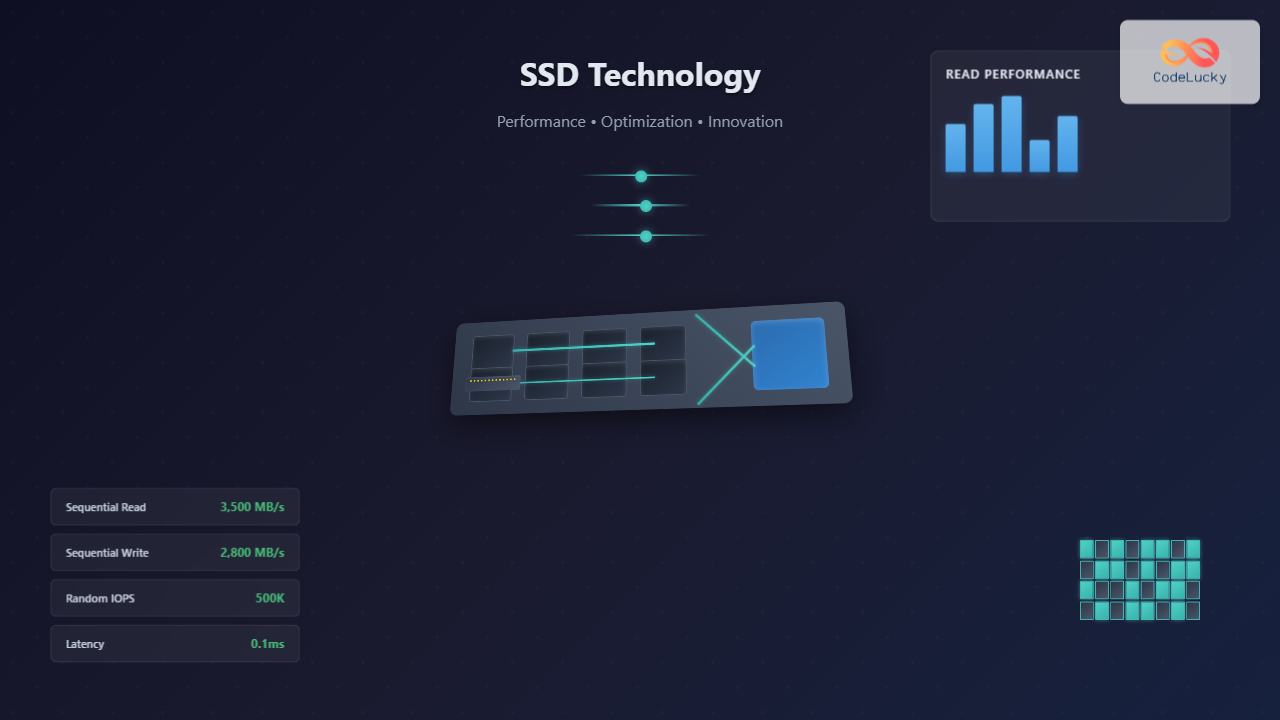
Solid State Drives (SSDs) have revolutionized computer storage, offering unprecedented speed, reliability, and energy efficiency compared to traditional Hard Disk Drives (HDDs). Understanding SSD technology and implementing proper OS optimization techniques is crucial for maximizing system performance and drive longevity.
Understanding SSD Technology
Unlike HDDs that use spinning platters and mechanical read/write heads, SSDs store data in NAND flash memory cells. This fundamental difference eliminates mechanical components, resulting in faster access times, lower power consumption, and improved durability.
NAND Flash Memory Architecture
NAND flash memory is organized in a hierarchical structure:
- Cells: Basic storage units that hold electrical charge representing data
- Pages: Groups of cells (typically 4KB to 16KB)
- Blocks: Collections of pages (usually 128 to 256 pages per block)
- Planes: Multiple blocks grouped together

Types of NAND Flash Memory
| Type | Bits per Cell | Performance | Endurance | Cost |
|---|---|---|---|---|
| SLC (Single-Level Cell) | 1 | Highest | 100,000+ P/E cycles | Most expensive |
| MLC (Multi-Level Cell) | 2 | High | 10,000 P/E cycles | Moderate |
| TLC (Triple-Level Cell) | 3 | Good | 3,000 P/E cycles | Low |
| QLC (Quad-Level Cell) | 4 | Moderate | 1,000 P/E cycles | Lowest |
SSD Controller and Firmware
The SSD controller acts as the brain of the drive, managing critical operations:
- Wear Leveling: Distributes write operations evenly across memory cells
- Bad Block Management: Identifies and remaps faulty blocks
- Error Correction: Implements ECC (Error Correcting Code) algorithms
- Garbage Collection: Reclaims space from deleted files
- Over-provisioning: Reserves extra space for maintenance operations
SSD Performance Characteristics
SSDs exhibit unique performance characteristics that differ significantly from HDDs:
Read vs Write Performance
SSDs typically show asymmetric performance between read and write operations:
Sequential Read: 500-7000 MB/s (SATA to NVMe)
Sequential Write: 300-6500 MB/s (varies by drive type)
Random Read IOPS: 50,000-1,000,000
Random Write IOPS: 30,000-900,000
Write Amplification
Write amplification occurs when the SSD must write more data internally than requested by the OS. This happens due to:
- Block erase requirements before writing
- Garbage collection operations
- Over-provisioning activities

Operating System Optimizations for SSDs
Modern operating systems include numerous optimizations specifically designed for SSDs. Understanding and properly configuring these features is essential for optimal performance.
TRIM Command
TRIM is a crucial command that informs the SSD about blocks that are no longer in use, allowing for efficient garbage collection.
Enabling TRIM on Different Operating Systems
Windows:
# Check TRIM status
fsutil behavior query DisableDeleteNotify

# Enable TRIM (0 = enabled, 1 = disabled)
fsutil behavior set DisableDeleteNotify 0

# Manual TRIM execution
sfc /TRIM C:
Linux:
# Check if TRIM is supported
sudo hdparm -I /dev/sda | grep TRIM

# Enable continuous TRIM
sudo systemctl enable fstrim.timer
sudo systemctl start fstrim.timer

# Manual TRIM execution
sudo fstrim -av
macOS:
# Check TRIM status
system_profiler SPSerialATADataType | grep TRIM

# Enable TRIM for third-party SSDs
sudo trimforce enable
File System Alignment
Proper partition alignment ensures optimal performance by aligning file system structures with SSD block boundaries:
# Windows - Check alignment
wmic partition get BlockSize, StartingOffset, Name, Index

# Linux - Create aligned partition
sudo parted /dev/sda
(parted) mklabel gpt
(parted) mkpart primary 2048s 100%
Swap File and Virtual Memory Optimization
SSD-specific swap configurations can significantly impact system performance:
Windows Page File Optimization
# PowerShell - Disable page file on SSD, enable on HDD
$cs = gwmi Win32_computersystem -EnableAllPrivileges
$cs.AutomaticManagedPagefile = $False
$cs.Put()

# Set custom page file size
$pf = Get-WmiObject Win32_PageFileSetting
$pf.InitialSize = 2048
$pf.MaximumSize = 4096
$pf.Put()
Linux Swap Optimization
# Reduce swappiness for SSD systems
echo 'vm.swappiness=10' >> /etc/sysctl.conf

# Disable swap on SSD, enable on HDD
sudo swapoff /dev/sda2
sudo mkswap /dev/sdb1
sudo swapon /dev/sdb1
Advanced SSD Optimization Techniques
Over-Provisioning Configuration
Over-provisioning reserves additional NAND flash memory for controller operations, improving performance and endurance:

Queue Depth Optimization
Modern NVMe SSDs support high queue depths, allowing multiple I/O operations to be processed simultaneously:
# Linux - Check current queue depth
cat /sys/block/nvme0n1/queue/nr_requests

# Optimize queue depth for NVMe
echo 1024 > /sys/block/nvme0n1/queue/nr_requests
Write Caching Configuration
Enabling write caching can improve performance but requires proper power management:
# Windows - Enable write caching with battery backup
Get-PhysicalDisk | Set-PhysicalDisk -WriteCachePolicy WriteBack

# Linux - Enable write caching
sudo hdparm -W 1 /dev/sda
SSD Health Monitoring and Maintenance
Regular monitoring of SSD health metrics is crucial for predicting failures and optimizing performance.
Key Health Metrics
- Wear Level Count: Indicates how evenly wear is distributed
- Total Bytes Written (TBW): Cumulative data written to the drive
- Bad Block Count: Number of failed memory blocks
- Temperature: Operating temperature affects performance and lifespan
Monitoring Tools and Commands
Windows:
# PowerShell - Check SSD health
Get-PhysicalDisk | Get-StorageReliabilityCounter

# Command line SMART data
wmic diskdrive get status
Linux:
# Install smartmontools
sudo apt install smartmontools

# Check SMART data
sudo smartctl -a /dev/sda

# NVMe specific information
sudo nvme smart-log /dev/nvme0n1
Performance Tuning Best Practices

Disable Unnecessary Services
Several traditional HDD-optimized services should be disabled on SSD systems:
# Windows - Disable disk defragmentation
schtasks /change /tn "Microsoft\Windows\Defrag\ScheduledDefrag" /disable

# Disable SuperFetch (modern Windows handles this automatically)
sc config sysmain start=disabled

# Linux - Disable file access time updates
mount -o remount,noatime /
Block Size Optimization
Matching application I/O patterns to SSD characteristics improves efficiency:
# Database optimization example
# MySQL InnoDB page size for SSD
innodb_page_size = 16KB
innodb_flush_method = O_DIRECT

# File system block size optimization
mkfs.ext4 -b 4096 /dev/sda1
Enterprise SSD Considerations
Enterprise environments require additional considerations for SSD deployment:
Endurance Planning
Calculate expected drive lifespan based on workload characteristics:
Drive Life (Years) = (TBW Rating * 1000) / (Daily Write GB * 365)

Example:
Samsung 980 Pro (1TB): 600 TBW rating
Daily writes: 50GB
Expected life: (600 * 1000) / (50 * 365) = 32.8 years
RAID Considerations
SSD RAID configurations require different approaches than HDD arrays:
- RAID 0: Excellent for performance, but no redundancy
- RAID 1: Good balance of performance and redundancy
- RAID 5/6: Less beneficial due to write amplification
Troubleshooting Common SSD Issues
Performance Degradation
When SSD performance degrades, systematic diagnosis is essential:
# Check for thermal throttling
sudo sensors | grep -i temp

# Monitor real-time performance
sudo iotop -ao

# Check for background processes
sudo iostat -x 1
Write Performance Issues
Common causes and solutions for write performance problems:
- SLC cache exhaustion: Sustained writes fill cache, performance drops
- Over-provisioning depletion: Drive runs out of spare blocks
- Thermal throttling: High temperatures trigger protection mechanisms
Future of SSD Technology
Emerging SSD technologies promise even greater performance and capacity:
- 3D NAND: Vertical stacking increases density
- PCIe 5.0: Doubles bandwidth compared to PCIe 4.0
- Storage Class Memory: Bridges gap between RAM and storage
- QLC advancements: Improved endurance and performance
Understanding SSD technology and implementing proper OS optimizations ensures maximum performance, longevity, and reliability from these advanced storage devices. Regular monitoring, appropriate configuration, and adherence to best practices will help you fully leverage the benefits of solid-state storage in any computing environment.
Related Posts
Paging in Operating System: Complete Guide to Memory Management and Page Tables
What is Paging in Operating Systems? Paging is a memory management scheme that allows the operating system to store and...

Storage Management: Complete Guide to Primary, Secondary and Tertiary Storage Systems
Storage management is one of the most critical components of an operating system, responsible for efficiently organizing, accessing, and maintaining...

Memory Management in Operating System: Virtual and Physical Memory Fundamentals
Introduction to Memory Management Memory management is one of the most critical functions of an operating system, responsible for efficiently...
Disk Scheduling Algorithms: FCFS, SSTF, SCAN, C-SCAN – Complete Implementation Guide
Disk scheduling algorithms are fundamental components of operating systems that determine the order in which disk I/O requests are processed....

Page Replacement Algorithms: FIFO, LRU, Optimal – Complete Guide
Introduction to Page Replacement Algorithms Page replacement algorithms are fundamental components of virtual memory systems in modern operating systems. When...

Demand Paging: Loading Pages on Demand for Efficiency
Introduction to Demand Paging Demand paging is a sophisticated memory management technique used by modern operating systems to optimize memory...

Device Scheduling: Complete Guide to I/O Request Scheduling Algorithms
Device scheduling is a critical component of operating system design that determines how I/O requests are ordered and executed to...

Redis Linux: Complete Guide to In-Memory Data Structure Store Installation and Commands
Redis (Remote Dictionary Server) is a powerful, open-source, in-memory data structure store that functions as a database, cache, and message...
tmpfs Linux: Complete Guide to Temporary Filesystem in Memory for Better Performance
tmpfs (temporary file system) is a powerful Linux feature that creates a virtual filesystem stored entirely in RAM and swap...

File System Cache: Buffer Cache and Page Cache Explained with Examples
File system caching is a fundamental performance optimization technique in modern operating systems that dramatically reduces disk I/O operations by...
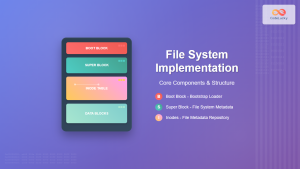
File System Implementation: Boot Block, Super Block and Inodes Explained
Understanding File System Implementation File system implementation is a critical component of operating systems that manages how data is stored,...

Log-structured File System: Sequential Write Optimization for High-Performance Storage
Log-structured File Systems (LFS) represent a revolutionary approach to data storage that fundamentally changes how operating systems handle file operations....





