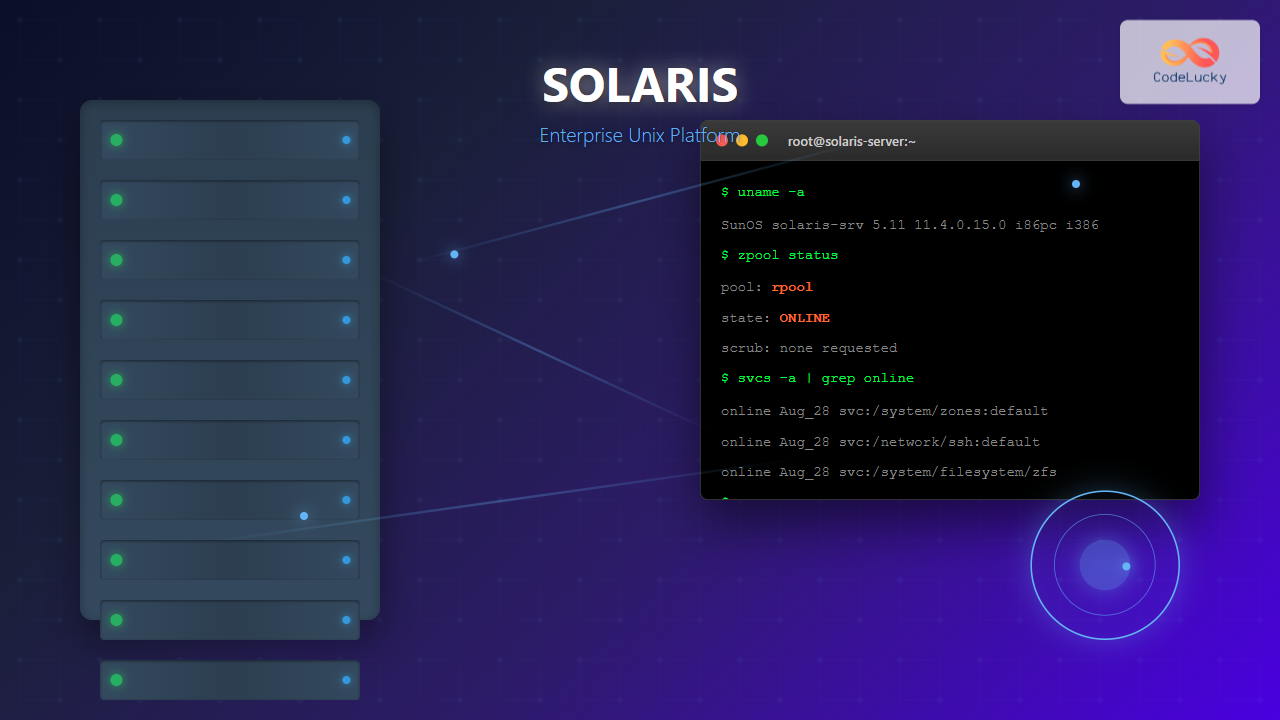
What is Solaris Operating System?
Solaris is a robust, enterprise-grade Unix operating system developed by Oracle Corporation (formerly Sun Microsystems). Originally released in 1992, Solaris has evolved into one of the most trusted and reliable operating systems for mission-critical enterprise applications, high-performance computing, and large-scale data center operations.
Built on the foundation of Unix System V Release 4 (SVR4), Solaris combines advanced security features, exceptional scalability, and cutting-edge virtualization technologies to deliver unparalleled performance for demanding workloads. The operating system is designed to handle everything from small departmental servers to massive multi-processor systems supporting thousands of concurrent users.
Key Features and Architecture
Advanced Kernel Architecture
Solaris employs a sophisticated microkernel architecture that provides exceptional stability and performance. The kernel is built with modular components that can be dynamically loaded and unloaded, allowing for system maintenance without downtime.

ZFS (Zettabyte File System)
One of Solaris’s most revolutionary features is ZFS, a next-generation file system that provides:
- Data Integrity: Built-in checksumming and automatic error correction
- Snapshots: Instantaneous, space-efficient file system snapshots
- Compression: Transparent data compression to optimize storage
- Deduplication: Eliminates duplicate data blocks automatically
- RAID-Z: Software RAID implementation with better performance than hardware RAID
# Creating a ZFS pool
zpool create mypool mirror c1t0d0 c1t1d0

# Creating a ZFS filesystem
zfs create mypool/data

# Taking a snapshot
zfs snapshot mypool/data@backup-2025-08-28

# Listing snapshots
zfs list -t snapshot
NAME                    USED  AVAIL  REFER  MOUNTPOINT
mypool/data@backup-2025-08-28    0      -   1.2G      -
Solaris Containers and Zones
Solaris Zones provide operating system-level virtualization, allowing multiple isolated application environments to run on a single Solaris instance. This technology offers better resource utilization and security isolation compared to traditional virtualization methods.

Zone Configuration Example
# Creating a new zone
zonecfg -z webzone
zonecfg:webzone> create
zonecfg:webzone> set zonepath=/zones/webzone
zonecfg:webzone> set autoboot=true
zonecfg:webzone> add net
zonecfg:webzone:net> set address=192.168.1.100/24
zonecfg:webzone:net> set physical=e1000g0
zonecfg:webzone:net> end
zonecfg:webzone> verify
zonecfg:webzone> commit
zonecfg:webzone> exit

# Installing and booting the zone
zoneadm -z webzone install
zoneadm -z webzone boot

# Zone status verification
zoneadm list -cv
ID NAME     STATUS     PATH                  BRAND    IP
 0 global   running    /                     solaris  shared
 1 webzone  running    /zones/webzone        solaris  excl
Solaris Versions and Evolution
Major Solaris Releases
Solaris 11.4 Features
The latest version of Solaris includes numerous enhancements:
- Enhanced Security: Immutable zones, kernel-level exploit mitigation
- Cloud Integration: Native support for cloud deployments and orchestration
- Performance Improvements: Better memory management and I/O optimization
- Container Support: Integration with Docker and Kubernetes
- Analytics: Built-in system analytics and performance monitoring
System Administration
Service Management Framework (SMF)
Solaris uses SMF for managing system services, providing dependency-based service startup, automatic service restart, and detailed logging capabilities.
# Checking service status
svcs -a | grep http
disabled       Aug_27   svc:/network/http:apache22

# Enabling a service
svcadm enable svc:/network/http:apache22

# Checking service dependencies
svcs -d svc:/network/http:apache22
STATE          STIME    SVC
online         Aug_27   svc:/network/loopback:default
online         Aug_27   svc:/network/physical:default
online         Aug_27   svc:/system/filesystem/local:default

# Viewing service logs
svcs -L svc:/network/http:apache22
/var/svc/log/network-http:apache22.log
Package Management
Solaris uses the Image Packaging System (IPS) for software installation and updates:
# Searching for packages
pkg search apache
INDEX      ACTION VALUE                               PACKAGE
basename   file   usr/apache2/2.4/bin/httpd          pkg:/web/server/[email protected]
pkg.fmri   set    solaris/web/server/apache-24       pkg:/web/server/[email protected]

# Installing a package
pkg install web/server/apache-24

# Updating the system
pkg update

# Listing installed packages
pkg list | head -5
NAME (PUBLISHER)                                  VERSION                    IFO
compress/bzip2                                    1.0.8-11.4.0.0.1.14.0     i--
compress/gzip                                     1.10-11.4.0.0.1.14.0      i--
compress/p7zip                                    16.02-11.4.0.0.1.14.0     i--
compress/unzip                                    6.0-11.4.0.0.1.14.0       i--
Performance and Scalability
Multi-threading and SMP Support
Solaris excels in multi-processor environments with advanced symmetric multiprocessing (SMP) support. The operating system can efficiently utilize hundreds of CPU cores and terabytes of memory.

DTrace Dynamic Tracing
DTrace is Solaris’s revolutionary debugging and performance analysis framework that allows real-time system introspection without performance impact:
# Monitoring system calls
dtrace -n 'syscall:::entry { @[execname] = count(); }'

# Tracking file operations
dtrace -n 'syscall::open*:entry { printf("%s opened %s\n", execname, copyinstr(arg0)); }'

# Memory allocation tracking
dtrace -n 'pid$target::malloc:entry { @[ustack()] = sum(arg0); }' -p 1234

# Example output for system call monitoring
  mysqld                                                          145
  java                                                           1203
  httpd                                                          2341
  chrome                                                         5677
Security Features
Trusted Extensions
Solaris Trusted Extensions provide multi-level security (MLS) capabilities for government and high-security environments:
- Mandatory Access Control (MAC): Label-based access control
- Role-Based Access Control (RBAC): Granular privilege assignment
- Cryptographic Framework: Hardware and software-based encryption
- Audit Framework: Comprehensive system auditing
RBAC Example
# Creating a custom role
roleadd -m -d /home/dbadmin -s /bin/bash dbadmin

# Assigning authorizations
rolemod -A "solaris.admin.usermgr.*" dbadmin

# Creating a profile
echo "Database Administrator Profile:::Manage database operations:help=RtDbAdmin.html" >> /etc/security/prof_attr
echo "solaris.admin.usermgr.*:suser:cmd:::" >> /etc/security/exec_attr

# Assigning profile to role
rolemod -P "Database Administrator Profile" dbadmin

# User assuming role
su - dbadmin
Password: [role password]
$ profiles
Basic Solaris User
Database Administrator Profile
Enterprise Integration
High Availability
Solaris provides enterprise-grade high availability features:
- Solaris Cluster: Multi-node clustering for failover and load balancing
- Live Upgrade: Zero-downtime operating system updates
- Dynamic Reconfiguration: Hot-swappable hardware components
- Predictive Self Healing: Automatic fault detection and recovery
Cloud and Virtualization
Modern Solaris versions integrate seamlessly with cloud environments:
# Creating a Docker container on Solaris
docker run -it --rm solaris/ubuntu:latest /bin/bash

# Kubernetes deployment
kubectl create deployment solaris-app --image=solaris-registry/myapp:latest
kubectl expose deployment solaris-app --port=8080 --type=LoadBalancer

# Zone template for cloud deployment
zonecfg -z cloudzone
zonecfg:cloudzone> create -t SYSdefault
zonecfg:cloudzone> set zonepath=/zones/cloudzone
zonecfg:cloudzone> add attr
zonecfg:cloudzone:attr> set name=cloud-init
zonecfg:cloudzone:attr> set type=string
zonecfg:cloudzone:attr> set value="enabled"
Comparison with Other Unix Systems
| Feature | Solaris | Linux | AIX | HP-UX |
|---|---|---|---|---|
| File System | ZFS (advanced) | ext4/XFS | JFS2 | VxFS |
| Virtualization | Zones/LDoms | LXC/KVM | WPARs | vPars/Containers |
| Debugging | DTrace | SystemTap | ProbeVue | CXperf |
| Package Management | IPS | RPM/APT | RPM | SD-UX |
| Security | Trusted Extensions | SELinux | Trusted AIX | Compartments |
Use Cases and Applications
Database Servers
Solaris is widely used for hosting enterprise databases like Oracle Database, MySQL, and PostgreSQL due to its exceptional I/O performance and stability.
Web and Application Servers
Many large-scale web applications run on Solaris, leveraging its scalability and security features for handling millions of concurrent connections.
Scientific Computing
Research institutions and universities use Solaris for high-performance computing clusters, taking advantage of its advanced memory management and multi-threading capabilities.
Migration and Deployment Strategies
Migration from Other Unix Systems
# System information gathering
uname -a
SunOS hostname 5.11 11.4.0.15.0 i86pc i386 i86pc

# Hardware compatibility check
prtconf -v | head -20
System Configuration:  Oracle Corporation  sun4v
Memory size: 16384 Megabytes
System Peripherals (Software Nodes):

# Network configuration migration
ipadm show-addr
ADDROBJ           TYPE     STATE        ADDR
lo0/v4            static   ok           127.0.0.1/8
lo0/v6            static   ok           ::1/128
net0/v4           static   ok           192.168.1.100/24
Best Practices for Deployment
- Planning: Conduct thorough hardware compatibility testing
- Backup Strategy: Implement ZFS snapshots and regular backups
- Security Hardening: Configure RBAC and enable audit trails
- Monitoring: Set up comprehensive system monitoring with DTrace
- Documentation: Maintain detailed deployment and configuration documentation
Future of Solaris
Oracle continues to invest in Solaris development, focusing on cloud-native features, enhanced security, and improved performance. The roadmap includes:
- Container-first Architecture: Native Kubernetes integration
- Machine Learning Integration: AI-powered system optimization
- Enhanced Cloud Support: Multi-cloud deployment capabilities
- Security Enhancements: Advanced threat detection and response
Conclusion
Solaris remains a premier choice for enterprise environments requiring maximum reliability, security, and performance. Its innovative features like ZFS, DTrace, and Zones have influenced the entire Unix ecosystem, while its proven track record in mission-critical applications makes it an ideal platform for demanding workloads.
Whether you’re managing a data center with thousands of users, developing high-performance applications, or building secure cloud infrastructure, Solaris provides the robust foundation needed for success. As organizations continue to demand greater reliability and performance from their computing infrastructure, Solaris stands ready to meet these challenges with its time-tested architecture and cutting-edge innovations.
The investment in Solaris expertise pays dividends through reduced downtime, enhanced security, and superior performance—making it a strategic choice for organizations serious about their computing infrastructure.