
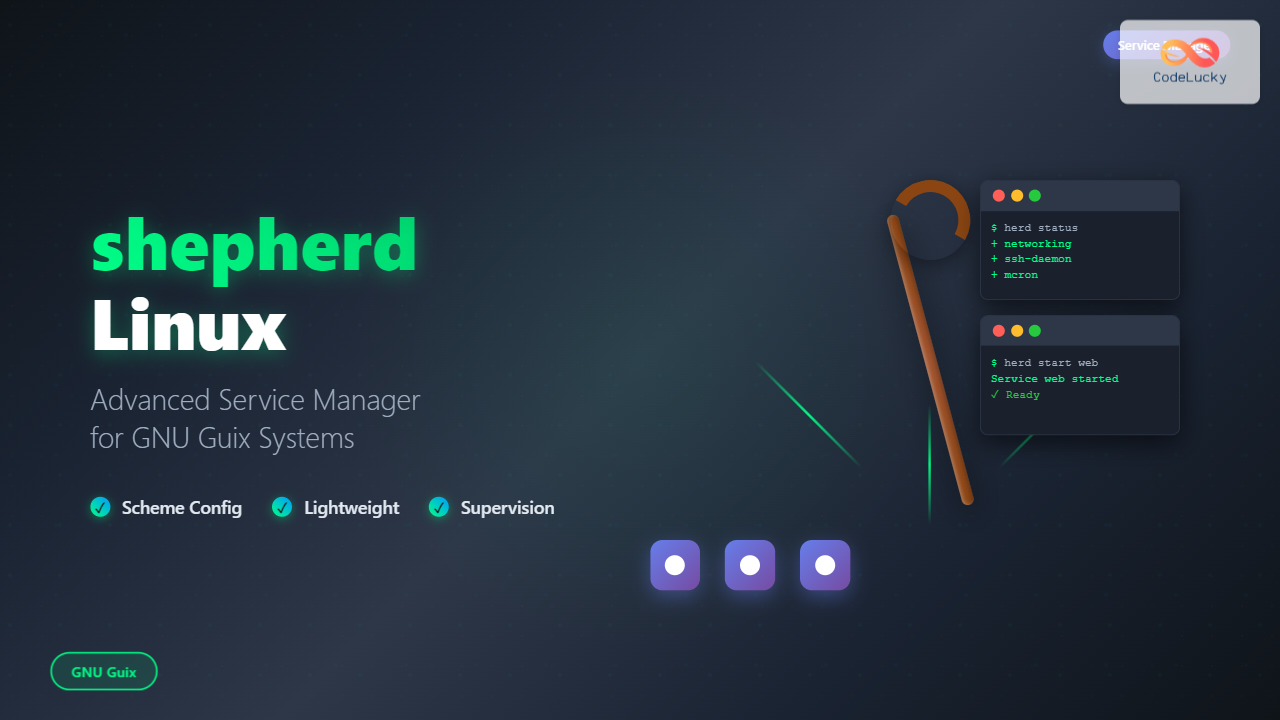
The shepherd is GNU Guix’s native service manager, designed to provide a robust and flexible alternative to traditional init systems like systemd or SysV init. Built with Guile Scheme, shepherd offers a unique approach to service management that emphasizes simplicity, reliability, and extensibility.
What is shepherd?
shepherd is a lightweight service manager that acts as PID 1 on GNU Guix systems, responsible for starting, stopping, and monitoring system services. Unlike traditional init systems, shepherd is written in Guile Scheme, making it highly configurable and extensible through its Lisp-based configuration system.
Key Features of shepherd
- Scheme-based configuration: Services are defined using Guile Scheme
- Dependency management: Automatic handling of service dependencies
- Process supervision: Monitors and restarts failed services
- Socket activation: On-demand service activation
- User services: Per-user service management
- Minimal resource usage: Lightweight and efficient
Installing shepherd
On GNU Guix systems, shepherd comes pre-installed as the default init system. For other distributions, you can install it through various methods:
Installation on GNU Guix
# shepherd is already installed by default
guix install shepherd
Installation from Source
# Clone the repository
git clone https://git.savannah.gnu.org/git/shepherd.git
cd shepherd

# Configure and build
./bootstrap
./configure
make
sudo make install
Basic shepherd Commands
shepherd provides several commands for service management. Here are the essential commands you need to know:
System Service Management
# Start a service
sudo herd start service-name

# Stop a service
sudo herd stop service-name

# Restart a service
sudo herd restart service-name

# Check service status
sudo herd status service-name

# List all services
sudo herd status
Example Output:
$ sudo herd status
Started:
 + root
 + shepherd
 + user-processes
 + console-font-tty1
 + console-font-tty2
 + networking
 + ssh-daemon
 + mcron

Stopped:
 - bluetooth
 - cups
User Service Management
shepherd also supports per-user services, allowing non-root users to manage their own services:
# Start user shepherd
shepherd --config=~/.config/shepherd/init.scm &

# Manage user services
herd start user-service
herd stop user-service
herd status
Service Configuration
Services in shepherd are defined using Guile Scheme. The configuration is typically stored in /etc/shepherd/init.scm for system services.
Basic Service Definition
;; Example service definition
(define my-web-server
  (make <service>
    #:provides '(web-server)
    #:requires '(networking)
    #:start (make-forkexec-constructor
              '("/usr/bin/python3" "-m" "http.server" "8080")
              #:directory "/var/www"
              #:user "www-data"
              #:group "www-data")
    #:stop (make-kill-destructor)))

;; Register the service
(register-services my-web-server)
Advanced Service Configuration
Here’s a more complex example with logging and environment variables:
;; Advanced service with logging
(define my-application
  (make <service>
    #:provides '(my-app)
    #:requires '(networking file-systems)
    #:start (make-forkexec-constructor
              '("/opt/myapp/bin/myapp")
              #:directory "/opt/myapp"
              #:user "myapp"
              #:group "myapp"
              #:log-file "/var/log/myapp.log"
              #:environment-variables
              '("PATH=/usr/bin:/bin"
                "HOME=/var/lib/myapp"
                "CONFIG_FILE=/etc/myapp/config.ini"))
    #:stop (make-kill-destructor #:grace-period 10)
    #:respawn? #t))
Service Dependencies
shepherd handles service dependencies automatically. You can specify dependencies using the #:requires parameter:
;; Service with multiple dependencies
(define database-service
  (make <service>
    #:provides '(database)
    #:requires '(networking file-systems)
    #:start (make-forkexec-constructor
              '("/usr/bin/postgres" "-D" "/var/lib/postgresql/data"))
    #:stop (make-kill-destructor)))

;; Web service that depends on database
(define web-service
  (make <service>
    #:provides '(web-app)
    #:requires '(database networking)
    #:start (make-forkexec-constructor
              '("/usr/bin/webapp"))
    #:stop (make-kill-destructor)))
Socket Activation
shepherd supports socket activation, allowing services to be started on-demand when connections are received:
;; Socket-activated service
(define ssh-socket
  (make <service>
    #:provides '(ssh-socket)
    #:start (make-socket-constructor
              '("/usr/sbin/sshd" "-i")
              #:socket "/tmp/ssh.socket"
              #:listen 22)
    #:stop (make-socket-destructor)))
Monitoring and Logging
shepherd provides comprehensive monitoring and logging capabilities:
Service Status Monitoring
# Detailed service information
sudo herd detailed-status service-name

# Service running time
sudo herd uptime service-name

# Service restart count
sudo herd restart-count service-name
Example Output:
$ sudo herd detailed-status ssh-daemon
Status of ssh-daemon:
  It is started.
  Running value is 1234.
  It is enabled.
  Provides (ssh-daemon).
  Requires (loopback networking).
  Conflicts with ().
  Will be respawned.
Log Management
# View service logs
sudo herd log service-name

# Follow logs in real-time
sudo herd log --follow service-name

# View logs with timestamp
sudo herd log --timestamp service-name
User Services
shepherd allows regular users to manage their own services without root privileges:
User Service Configuration
Create a user configuration file at ~/.config/shepherd/init.scm:
;; User service example
(define my-backup-service
  (make <service>
    #:provides '(backup)
    #:start (make-forkexec-constructor
              '("/home/user/bin/backup.sh")
              #:directory "/home/user"
              #:log-file "/home/user/.local/var/log/backup.log")
    #:stop (make-kill-destructor)
    #:respawn? #f))

(register-services my-backup-service)

;; Start the service automatically
(start 'backup)
Starting User shepherd
# Start user shepherd daemon
shepherd --config=~/.config/shepherd/init.scm --socket=~/.local/var/shepherd.socket &

# Set environment variable for herd
export SHEPHERD_SOCKET_FILE=~/.local/var/shepherd.socket

# Manage user services
herd status
herd start backup
Advanced Features
Service Actions
shepherd allows defining custom actions for services:
;; Service with custom actions
(define web-server-with-actions
  (make <service>
    #:provides '(web-server)
    #:start (make-forkexec-constructor '("/usr/bin/nginx"))
    #:stop (make-kill-destructor)
    #:actions (make-actions
                (reload "Reload configuration"
                        (lambda (running)
                          (if running
                              (kill (car running) SIGHUP)
                              #f)))
                (status "Show detailed status"
                        (lambda (running)
                          (if running
                              (format #t "nginx is running with PID ~a~%"
                                      (car running))
                              (format #t "nginx is not running~%")))))))
Using Custom Actions
# Execute custom action
sudo herd reload web-server
sudo herd status web-server
Configuration Management
System-wide Configuration
The main system configuration is typically in /etc/shepherd/init.scm:
;; System configuration example
(use-modules (shepherd support)
             (shepherd service))

;; Load additional service files
(for-each load (map (cut string-append "/etc/shepherd/services/" <>)
                    '("networking.scm" "logging.scm" "web.scm")))

;; Auto-start essential services
(for-each start '(networking logging))
Modular Service Organization
Organize services in separate files for better maintainability:
# /etc/shepherd/services/web.scm
(define nginx-service
  (make <service>
    #:provides '(nginx web-server)
    #:requires '(networking)
    #:start (make-forkexec-constructor
              '("/usr/sbin/nginx" "-g" "daemon off;"))
    #:stop (make-kill-destructor)))

(register-services nginx-service)
Troubleshooting
Common Issues and Solutions
Service won’t start:
# Check service dependencies
sudo herd status
sudo herd detailed-status problem-service

# Verify configuration syntax
guile --no-auto-compile -c "(load \"/etc/shepherd/init.scm\")"
Service keeps restarting:
# Check restart count and logs
sudo herd restart-count service-name
sudo herd log service-name

# Temporarily disable respawn
sudo herd disable service-name
Debugging Service Issues
# Enable verbose logging
shepherd --config=/etc/shepherd/init.scm --logfile=/var/log/shepherd.log --verbose &

# Test service manually
sudo -u service-user /path/to/service/command

# Check file permissions
ls -la /var/run/service-name/
ls -la /etc/service-name/
Performance and Optimization
Resource Management
shepherd provides efficient resource management through various mechanisms:
;; Service with resource limits
(define resource-limited-service
  (make <service>
    #:provides '(limited-service)
    #:start (make-forkexec-constructor
              '("/usr/bin/myservice")
              #:resource-limits
              '((cpu . 50)        ; CPU percentage limit
                (memory . 512)    ; Memory limit in MB
                (files . 1024)))  ; File descriptor limit
    #:stop (make-kill-destructor)))
Startup Optimization
# Parallel service startup
(for-each (lambda (service)
            (start service #:parallel? #t))
          '(networking database web-server))
Integration with GNU Guix
On GNU Guix systems, shepherd integrates seamlessly with the Guix System configuration:
;; Guix System configuration
(operating-system
  ...
  (services
    (append
      (list (service networking-service-type)
            (service ssh-service-type
                     (openssh-configuration
                       (port-number 2222)))
            (extra-special-file "/etc/shepherd/my-service.scm"
                               (file-append my-service-package
                                          "/etc/shepherd-service.scm")))
      %base-services)))
Best Practices
- Use descriptive service names: Choose clear, meaningful names for services
- Define proper dependencies: Ensure services start in the correct order
- Implement graceful shutdown: Use appropriate grace periods for service termination
- Enable logging: Configure comprehensive logging for troubleshooting
- Test configurations: Validate service definitions before deployment
- Monitor resource usage: Set appropriate resource limits for services
- Use version control: Keep service configurations in version control
- Document custom actions: Provide clear documentation for custom service actions
Conclusion
shepherd represents a modern, flexible approach to service management on GNU/Linux systems. Its Scheme-based configuration system provides unprecedented flexibility and extensibility, while maintaining simplicity and reliability. Whether you’re managing system services on a GNU Guix system or exploring alternative init systems, shepherd offers a powerful toolset for service management.
The combination of dependency management, socket activation, user services, and custom actions makes shepherd an excellent choice for both simple and complex service management scenarios. Its integration with GNU Guix provides a cohesive system administration experience that emphasizes reproducibility and declarative configuration.
Related Posts
runit Linux: Complete Guide to Unix Init Scheme with Service Supervision
runit is a lightweight, cross-platform Unix init scheme with service supervision that provides a reliable alternative to traditional init systems....

systemd Linux: Complete Guide to System and Service Manager
systemd is a powerful system and service manager that has become the default init system for most modern Linux distributions....

launchd Linux: Understanding the Service Management Framework for System Administrators
The launchd service management framework has become an essential tool for Linux system administrators who need robust process and service...
openrc Linux: Complete Guide to Dependency-based Init System Management
OpenRC is a lightweight, dependency-based init system that serves as an alternative to systemd and SysV init. Originally developed for...
service Command Linux: Complete Guide to Managing System Services
The service command is a fundamental tool in Linux system administration that allows you to manage system services and daemons...
s6 Linux: Complete Guide to Small and Secure Service Manager
The s6 service manager represents a revolutionary approach to Linux process supervision, offering a lightweight and secure alternative to traditional...
systemctl Command Linux: Complete Guide to Control Systemd Services
The systemctl command is the primary tool for controlling systemd services in modern Linux distributions. As the central management utility...

sv Command Linux: Master Runit Service Control and Management
The sv command is a powerful utility in Linux systems that serves as the primary interface for controlling services managed...

sysvinit Linux: Complete Guide to System V Initialization System
The System V initialization system (sysvinit) is a traditional init system that has been the backbone of Unix and Linux...
upstart Linux: Complete Guide to Event-Based System Initialization
The upstart initialization system revolutionized Linux system startup processes by introducing event-based service management. Unlike traditional SysV init systems that...

init Command Linux: Complete Guide to Process Control and System Initialization
The init command in Linux serves as the cornerstone of system initialization and process control. As the first process started...

rc-update Command Linux: Complete Guide to Managing OpenRC Services
The rc-update command is a powerful utility in Linux systems that use OpenRC as their init system, primarily found in...





