

The sed (Stream Editor) command is one of the most powerful text processing utilities in Linux and Unix systems. It performs non-interactive editing operations on text streams, making it an essential tool for system administrators, developers, and power users who need to manipulate text efficiently.
What is sed Command?
The sed command is a stream editor that reads input text line by line, applies specified editing commands, and outputs the modified text. Unlike interactive text editors, sed operates in batch mode, making it perfect for automation, scripting, and processing large files.
Key characteristics of sed:
- Non-interactive operation
- Pattern-based text manipulation
- Regular expression support
- In-place file editing capabilities
- Lightweight and fast processing
Basic sed Syntax
The general syntax of the sed command is:
sed [options] 'script' [input-file...]
sed [options] -f script-file [input-file...]
Where:
- options: Command-line flags that modify sed’s behavior
- script: The editing commands to execute
- input-file: The file(s) to process (stdin if not specified)
Common sed Options
| Option | Description |
|---|---|
-n |
Suppress automatic printing of pattern space |
-e |
Add script to commands to be executed |
-f |
Read script from file |
-i |
Edit files in-place |
-r |
Use extended regular expressions |
-s |
Treat files separately |
Basic sed Commands
1. Substitution (s command)
The most commonly used sed command is substitution, which replaces text patterns:
sed 's/old_text/new_text/' filenameExample:
# Create a sample file
echo "Hello World" > sample.txt

# Replace "World" with "Linux"
sed 's/World/Linux/' sample.txt
Output:
Hello Linux2. Global Substitution
By default, sed replaces only the first occurrence on each line. Use the g flag for global replacement:
# Create a file with multiple occurrences
echo "cat dog cat bird cat" > animals.txt

# Replace all occurrences of "cat"
sed 's/cat/lion/g' animals.txt
Output:
lion dog lion bird lion3. Print Command (p)
The print command displays specific lines:
# Print line 2
sed -n '2p' /etc/passwd

# Print lines 1 to 3
sed -n '1,3p' /etc/passwd
4. Delete Command (d)
Remove specific lines from output:
# Create a numbered file
seq 1 5 > numbers.txt

# Delete line 3
sed '3d' numbers.txt
Output:
1
2
4
5
Advanced sed Patterns and Addressing
Line Addressing
sed supports various addressing methods:
- Single line:
sed '5d' file(delete line 5) - Range:
sed '2,4d' file(delete lines 2-4) - Last line:
sed '$d' file(delete last line) - Pattern:
sed '/pattern/d' file(delete lines matching pattern)
Regular Expressions in sed
sed supports powerful regular expressions for pattern matching:
# Replace digits with 'X'
echo "Phone: 123-456-7890" | sed 's/[0-9]/X/g'
Output:
Phone: XXX-XXX-XXXX# Remove leading whitespace
echo " Hello World " | sed 's/^[[:space:]]*//'Output:
Hello World Practical sed Examples
1. Configuration File Modification
Modify configuration files safely:
# Backup and modify in-place
sed -i.bak 's/old_setting=value1/new_setting=value2/' config.conf
2. Log File Processing
Extract specific information from log files:
# Extract error lines from log
sed -n '/ERROR/p' application.log

# Remove timestamp from log entries
sed 's/^[0-9]\{4\}-[0-9]\{2\}-[0-9]\{2\} [0-9]\{2\}:[0-9]\{2\}:[0-9]\{2\} //' app.log
3. CSV Data Manipulation
Process CSV files efficiently:
# Replace commas with tabs
sed 's/,/\t/g' data.csv

# Remove quotes from CSV fields
sed 's/"//g' data.csv
4. HTML Tag Removal
Clean HTML tags from text:
# Remove HTML tags
echo "<p>Hello <b>World</b></p>" | sed 's/<[^>]*>//g'
Output:
Hello WorldMultiple sed Commands
Execute multiple commands in a single sed invocation:
Using -e Option
sed -e 's/foo/bar/' -e 's/old/new/' filenameUsing Semicolon Separator
sed 's/foo/bar/; s/old/new/' filenameUsing Script Files
Create a sed script file:
# Create script.sed
cat > script.sed <<EOF
s/apple/orange/g
s/red/blue/g
/^$/d
EOF

# Execute script
sed -f script.sed input.txt
Advanced sed Techniques
1. Hold Space Operations
Use hold space for complex text manipulations:
# Reverse line order (tac alternative)
sed '1!G;h;$!d' filename
2. Append and Insert Commands
# Append text after line 2
sed '2a\This line is appended' filename

# Insert text before line 2
sed '2i\This line is inserted' filename
3. Change Command
# Replace entire lines matching pattern
sed '/pattern/c\New replacement line' filename
sed vs Other Text Processing Tools
| Tool | Best For | Complexity |
|---|---|---|
| sed | Stream editing, substitutions | Medium |
| awk | Field processing, calculations | High |
| grep | Pattern searching | Low |
| tr | Character translation | Low |
Performance Tips and Best Practices
Optimization Strategies
- Use specific addresses: Target specific lines rather than processing entire files
- Combine commands: Use multiple commands in single invocation
- Escape special characters: Properly escape regex metacharacters
- Test with small files: Verify commands before processing large datasets
Common Pitfalls to Avoid
- Forgetting to escape special characters in patterns
- Using global substitution unintentionally
- Not backing up files before in-place editing
- Mixing different regex flavors
Error Handling and Debugging
Debugging sed Scripts
# Use -n with p to see what matches
sed -n 's/pattern/replacement/p' filename

# Test patterns without modification
sed -n '/pattern/p' filename
Common Error Messages
- “unterminated address regex”: Missing closing delimiter
- “invalid command”: Typo in sed command
- “extra characters after command”: Improper command syntax
Real-World Use Cases
1. System Administration
# Update all user shells in passwd file
sed -i 's|/bin/sh|/bin/bash|g' /etc/passwd

# Remove comments from configuration files
sed '/^#/d; /^$/d' config.file
2. Web Development
# Replace development URLs with production URLs
sed 's|http://localhost:3000|https://production.com|g' *.html

# Add CSS class to all div elements
sed 's|<div>|<div class="container">|g' index.html
3. Data Processing
# Convert Windows line endings to Unix
sed 's/\r$//' windows_file.txt > unix_file.txt

# Extract email addresses
sed -n 's/.*\([a-zA-Z0-9._-]*@[a-zA-Z0-9.-]*\).*/\1/p' data.txt
sed Command Cheat Sheet
| Command | Description | Example |
|---|---|---|
s/old/new/ |
Substitute first occurrence | sed 's/cat/dog/' |
s/old/new/g |
Global substitution | sed 's/cat/dog/g' |
/pattern/d |
Delete matching lines | sed '/error/d' |
5d |
Delete line 5 | sed '5d' |
2,4d |
Delete lines 2-4 | sed '2,4d' |
-n '3p' |
Print line 3 only | sed -n '3p' |
Conclusion
The sed command is an indispensable tool for text manipulation in Linux environments. Its power lies in its simplicity and efficiency for processing streams of text data. Whether you’re managing configuration files, processing logs, or automating text transformations, mastering sed will significantly enhance your command-line productivity.
Start with basic substitution commands and gradually explore advanced features like hold space operations and complex addressing patterns. With practice, sed becomes an invaluable asset in your Linux toolkit, enabling you to perform sophisticated text processing tasks with minimal effort.
Remember to always test your sed commands on sample data before applying them to important files, and consider creating backups when using in-place editing. The investment in learning sed pays dividends in increased efficiency and automation capabilities.
Related Posts
sed Advanced Linux: Stream Editor Advanced Techniques for Text Processing
The sed (Stream Editor) command stands as one of the most powerful text processing tools in Linux systems. While basic...
vim Command Linux: Master the Ultimate Text Editor with Advanced Techniques
The vim command is one of the most powerful and versatile text editors available in Linux systems. Originally created as...
cat Command in Linux: Complete Guide to Display and Concatenate Files
The cat command is one of the most fundamental and frequently used commands in Linux and Unix-like operating systems. Short...
perl Command Linux: Complete Guide to Executing Perl Scripts on Linux Systems
The perl command is a powerful tool in Linux systems that allows you to execute Perl scripts and run Perl...
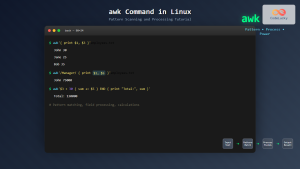
awk Command in Linux: Complete Pattern Scanning and Processing Tutorial
The awk command is one of the most powerful text processing tools available in Linux and Unix systems. Named after...
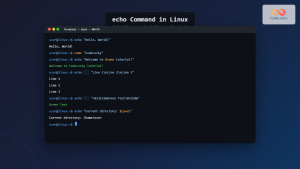
echo Command in Linux: Complete Guide to Print Text and Variables in Terminal
The echo command is one of the most fundamental and frequently used commands in Linux and Unix-like operating systems. It...
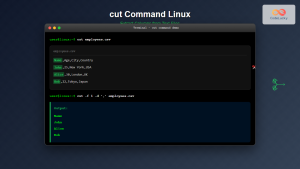
cut Command Linux: Extract and Process Columns from Text Files Efficiently
The cut command is one of the most powerful and versatile text processing utilities in Linux and Unix systems. It...
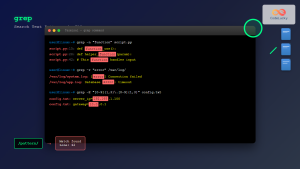
grep Command in Linux: Complete Guide to Text Pattern Search and File Operations
The grep command is one of the most powerful and frequently used text processing utilities in Linux and Unix systems....
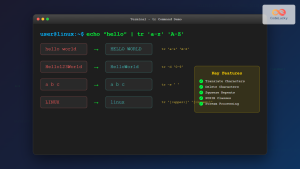
tr Command in Linux: Complete Guide to Character Translation and Deletion
The tr command is one of the most versatile text processing utilities in Linux, designed to translate, delete, or squeeze...
Python File writelines() Method: Writing List of Strings to File
The writelines() method in Python is a powerful tool for efficiently writing multiple lines of text to a file. It...

awk Advanced Linux: Mastering Complex Text Processing and Pattern Matching
The awk command is one of the most powerful text processing tools in Linux, capable of performing complex data manipulation...
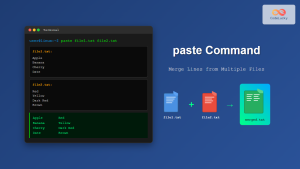
paste Command Linux: Complete Guide to Merging Lines from Multiple Files
The paste command in Linux is a powerful text processing utility that allows you to merge lines from multiple files...





