
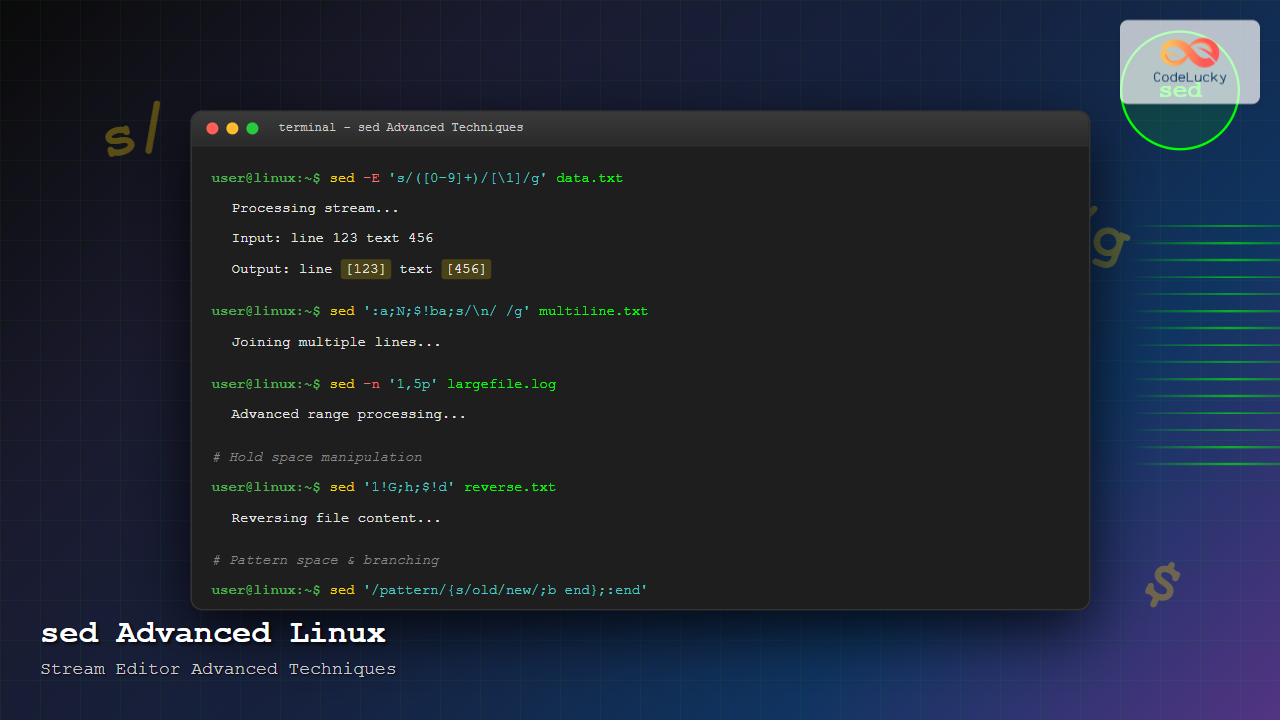
The sed (Stream Editor) command stands as one of the most powerful text processing tools in Linux systems. While basic sed operations like simple substitutions are commonly known, mastering advanced sed techniques can transform your text processing capabilities and automate complex file manipulations with surgical precision.
Understanding sed’s Advanced Architecture
Before diving into advanced techniques, it’s crucial to understand sed’s internal mechanics. Sed operates on a pattern space (primary buffer) and a hold space (auxiliary buffer), processing input line by line through a cycle of reading, executing commands, and outputting results.
# Basic sed cycle visualization
Read line → Pattern Space → Apply Commands → Output → Next Line
Advanced Pattern Matching and Addressing
Range-Based Processing
Advanced sed users leverage sophisticated addressing schemes to target specific line ranges or patterns:
# Process lines between two patterns
sed '/^START/,/^END/s/old/new/g' file.txt

# Process every 3rd line starting from line 2
sed '2~3s/pattern/replacement/' file.txt

# Apply commands from line 10 to end of file
sed '10,$s/debug/info/g' logfile.txt
Output Example:
# Input file content:
line 1
line 2 - old text
line 3
line 4
line 5 - old text

# After sed '2~3s/old/new/g':
line 1
line 2 - new text
line 3
line 4
line 5 - old text
Advanced Regular Expressions
Sed supports extended regular expressions with the -E flag, enabling complex pattern matching:
# Match and capture multiple groups
sed -E 's/([0-9]{1,3})\.([0-9]{1,3})\.([0-9]{1,3})\.([0-9]{1,3})/IP: \1.\2.\3.\4/' network.log

# Use word boundaries and quantifiers
sed -E 's/\b[a-zA-Z]{3,8}\b/[WORD]/g' text.txt

# Match optional patterns
sed -E 's/https?:\/\/([^/]+)/Domain: \1/g' urls.txt
Multi-line Processing Techniques
The N Command – Reading Next Lines
The N command reads the next line into the pattern space, enabling multi-line operations:
# Join lines ending with backslash
sed ':a;/\\$/{N;s/\\\n//;ta}' config.txt

# Remove duplicate consecutive lines
sed 'N;/^\(.*\)\n\1$/d;P;D' file.txt

# Process paragraph blocks
sed '/^$/d;N;s/\n/ /;' text.txt
Practical Example – Configuration File Processing:
# Input:
server_config = {
    host = "localhost"
    port = 8080 \
           # continuation line
}

# Command: sed ':a;/\\$/{N;s/\\\n[[:space:]]*//;ta}'
# Output:
server_config = {
    host = "localhost"
    port = 8080 # continuation line
}
Hold Space Manipulation
The hold space provides temporary storage for advanced text manipulations:
# Reverse line order (like tac)
sed '1!G;h;$!d' file.txt

# Collect and process blocks
sed '/^BLOCK_START/{h;d};/^BLOCK_END/{g;s/old/new/g;p;d};H' input.txt

# Create running totals
sed '/^[0-9]/{ h; s/.*//; x; s/$/+/; G; s/\n//; bc; }' numbers.txt
Advanced Substitution Techniques
Complex Replacement Patterns
Master sophisticated substitution operations with backreferences and special replacement characters:
# Swap two words with backreferences
sed 's/\([a-zA-Z]*\)[[:space:]]\+\([a-zA-Z]*\)/\2 \1/' file.txt

# Convert camelCase to snake_case
sed -E 's/([a-z0-9])([A-Z])/\1_\L\2/g' code.txt

# Add line numbers with proper formatting
sed '=' file.txt | sed 'N;s/^/     /;s/ *\(.\{5,\}\)\n/\1  /'
Advanced Example – Log Processing:
# Transform timestamp format
echo "2024-08-25T14:30:22Z ERROR message" | \
sed -E 's/([0-9]{4})-([0-9]{2})-([0-9]{2})T([0-9:]{8})Z/[\2\/\3\/\1 \4]/'

# Output: [08/25/2024 14:30:22] ERROR message
Context-Sensitive Replacements
Implement conditional replacements based on line context:
# Replace only in specific sections
sed '/^## Configuration/,/^## End/{s/debug/info/g;}' config.md

# Replace based on previous line content
sed 'N;/database.*\npassword/s/password.*/password=REDACTED/;P;D' settings.txt

# Conditional replacement with branching
sed '/^#/b;s/TODO/DONE/g' tasks.txt
Branching and Flow Control
Labels and Jumps
Sed’s branching capabilities enable complex logic flows:
# Create loops with labels
sed ':start;s/[0-9][0-9]/X/;t start' file.txt

# Implement if-else logic
sed '/pattern/{s/old/new/;b end};s/default/changed/;:end' input.txt

# Process multi-line patterns with loops
sed ':a;$!N;/pattern.*\npattern/s/pattern/MATCH/g;ta;P;D' data.txt
Advanced Script Example – HTML Tag Processing
# Remove HTML tags while preserving content
sed ':a;s/<[^>]*>//g;/\2\<\/h\1\>/
  s/#/1/g; s/1{6}/6/g; s/1{5}/5/g; s/1{4}/4/g; s/1{3}/3/g; s/1{2}/2/g; s/1/1/g
}
s/\*\*(.*)\**/\\1\<\/strong\>/g
s/\*(.*)\*/\\1\<\/em\>/g
' markdown.md
Performance Optimization Strategies
Efficient Pattern Matching
Optimize sed performance for large files:
# Use early termination for unique patterns
sed '/target_pattern/{s/old/new/;q;}' largefile.txt

# Minimize regex complexity
sed 's/[[:space:]]\+/ /g' instead_of sed 's/ \+/ /g'

# Use address ranges to limit processing
sed '1000,2000s/pattern/replacement/g' hugefile.txt
Memory-Efficient Processing
Handle large files without loading everything into memory:
# Process files in chunks
split -l 10000 largefile.txt chunk_
for chunk in chunk_*; do
  sed 's/old/new/g' "$chunk" > "processed_$chunk"
done

# Use sed for streaming processing
tail -f logfile.log | sed 's/ERROR/[ERROR]/g' | tee processed.log
Real-World Applications
Configuration File Management
# Dynamic configuration updates
sed -i.backup "s/^port=.*/port=$NEW_PORT/" /etc/app/config.ini

# Environment-specific replacements
sed "s/{{ENVIRONMENT}}/$ENV/g;s/{{DATABASE_URL}}/$DB_URL/g" template.conf > app.conf

# Validate and fix configuration syntax
sed '/^[[:space:]]*$/d;/^[[:space:]]*#/d;s/[[:space:]]*=[[:space:]]*/=/g' config.txt
Log Analysis and Processing
# Extract and format specific log entries
sed -n '/ERROR/{ s/.*\[\(.*\)\].*/\1/p; }' application.log

# Create summary reports
sed -E 's/.*([0-9]{1,3}\.[0-9]{1,3}\.[0-9]{1,3}\.[0-9]{1,3}).*GET ([^ ]+).*/\1 \2/' access.log | \
sort | uniq -c | sort -nr

# Filter and format timestamps
sed -E 's/([0-9]{4}-[0-9]{2}-[0-9]{2})[T ]([0-9]{2}:[0-9]{2}).*ERROR.*/[\1 \2] ERROR/' error.log
Code Processing and Refactoring
# Update function calls across multiple files
find . -name "*.py" -exec sed -i 's/old_function_name/new_function_name/g' {} \;

# Add copyright headers
sed '1i\# Copyright (c) 2024 Company Name\n# Licensed under MIT License\n' *.py

# Format and clean code comments
sed -E 's/^[[:space:]]*#[[:space:]]*/# /;/^[[:space:]]*#{2,}/s/#{2,}/##/' code.py
Debugging and Troubleshooting
Debugging Complex sed Scripts
Use these techniques to debug intricate sed operations:
# Add debug output
sed 'l;s/pattern/replacement/;l' file.txt

# Show pattern space at each step
sed 'n;=;p' input.txt

# Use the w command to write intermediate results
sed '/pattern/w debug.txt' input.txt
Common Pitfalls and Solutions
- Greedy matching: Use
[^>]*instead of.*for HTML tag removal - Special characters: Escape properly or use different delimiters:
sed 's|/path/old|/path/new|g' - In-place editing safety: Always use backup option:
sed -i.bak 's/old/new/' file
Integration with Shell Scripts
Dynamic sed Commands
#!/bin/bash
# Build sed commands dynamically
SED_COMMANDS=""
for old_new in "$@"; do
  old="${old_new%:*}"
  new="${old_new#*:}"
  SED_COMMANDS="${SED_COMMANDS}s/$old/$new/g;"
done

sed "$SED_COMMANDS" input.txt
Error Handling and Validation
#!/bin/bash
# Robust sed execution with error handling
if ! sed -n '1p' "$input_file" >/dev/null 2>&1; then
  echo "Error: Cannot read input file"
  exit 1
fi

# Validate sed command syntax
if echo "test" | sed "$sed_command" >/dev/null 2>&1; then
  sed "$sed_command" "$input_file" > "$output_file"
else
  echo "Error: Invalid sed command syntax"
  exit 1
fi
Conclusion
Mastering advanced sed techniques transforms your text processing capabilities, enabling elegant solutions for complex file manipulation tasks. From multi-line processing and hold space operations to sophisticated pattern matching and flow control, these advanced features make sed an indispensable tool for system administrators, developers, and data processors.
The key to sed mastery lies in understanding its stream-oriented nature and leveraging its powerful addressing, pattern matching, and text transformation capabilities. Practice these techniques with real-world data, and you’ll discover sed’s true potential as a Swiss Army knife for text processing in Linux environments.
Remember to always test sed commands thoroughly, use backup options for in-place editing, and consider performance implications when processing large files. With these advanced techniques in your toolkit, you’re equipped to handle even the most complex text processing challenges efficiently and elegantly.
Related Posts
sed Command Linux: Complete Guide to Stream Editor for Text Manipulation
The sed (Stream Editor) command is one of the most powerful text processing utilities in Linux and Unix systems. It...

awk Advanced Linux: Mastering Complex Text Processing and Pattern Matching
The awk command is one of the most powerful text processing tools in Linux, capable of performing complex data manipulation...
vim Command Linux: Master the Ultimate Text Editor with Advanced Techniques
The vim command is one of the most powerful and versatile text editors available in Linux systems. Originally created as...
pipe Command Linux: Complete Guide to Connecting Commands with Pipes
The pipe command in Linux is one of the most powerful and fundamental concepts that allows you to connect multiple...
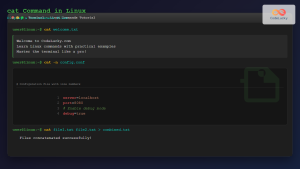
cat Command in Linux: Complete Guide to Display and Concatenate Files
The cat command is one of the most fundamental and frequently used commands in Linux and Unix-like operating systems. Short...

C++ Stream Manipulators: Formatting Output
In the world of C++ programming, presenting data in a clean, organized, and readable format is crucial. This is where...
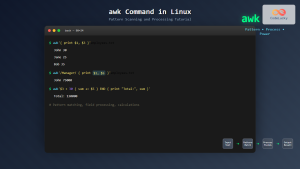
awk Command in Linux: Complete Pattern Scanning and Processing Tutorial
The awk command is one of the most powerful text processing tools available in Linux and Unix systems. Named after...
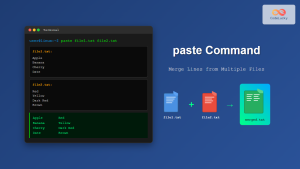
paste Command Linux: Complete Guide to Merging Lines from Multiple Files
The paste command in Linux is a powerful text processing utility that allows you to merge lines from multiple files...
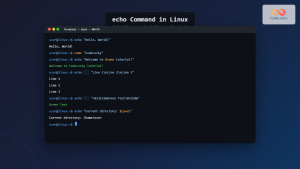
echo Command in Linux: Complete Guide to Print Text and Variables in Terminal
The echo command is one of the most fundamental and frequently used commands in Linux and Unix-like operating systems. It...
tr Command in Linux: Complete Guide to Character Translation and Deletion
The tr command is one of the most versatile text processing utilities in Linux, designed to translate, delete, or squeeze...
redirect Command Linux: Complete Input Output Redirection Guide
Linux redirection is a powerful feature that allows you to control where command input comes from and where output goes....
cut Command Linux: Extract and Process Columns from Text Files Efficiently
The cut command is one of the most powerful and versatile text processing utilities in Linux and Unix systems. It...





