
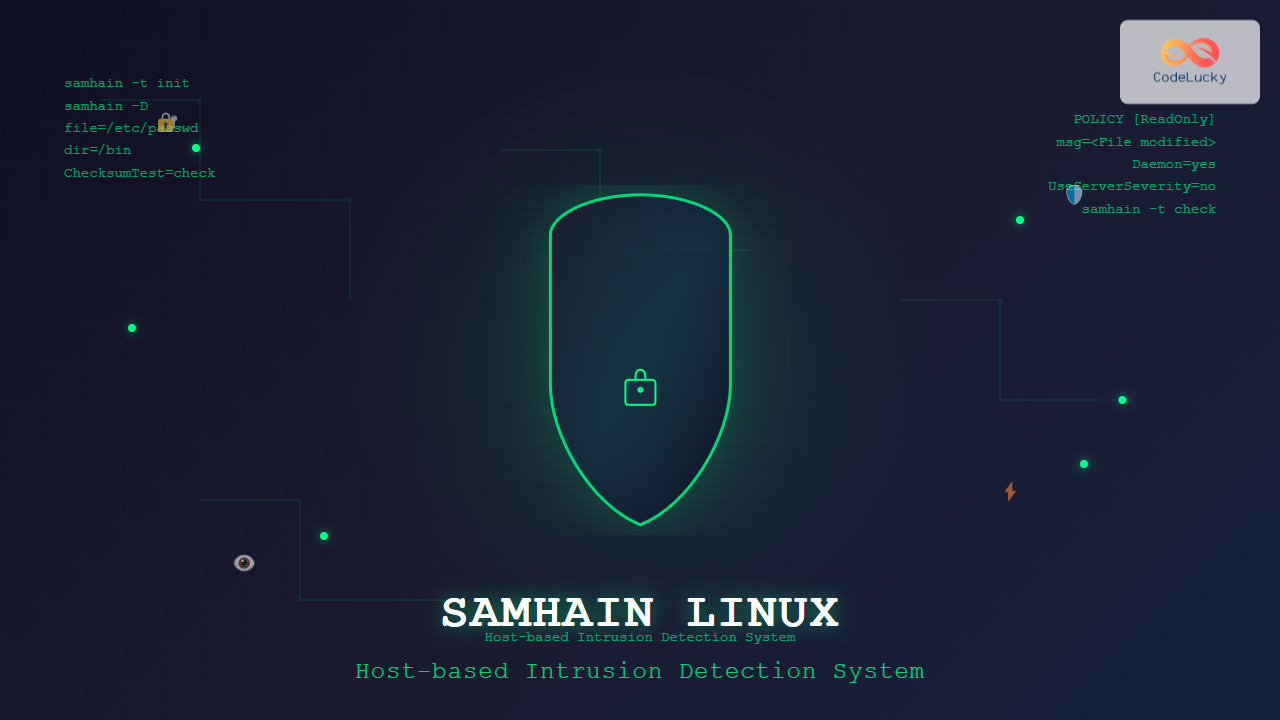
Samhain is a powerful host-based intrusion detection system (HIDS) designed specifically for Linux and Unix-like systems. This comprehensive security tool provides file integrity monitoring, log file monitoring, and rootkit detection capabilities, making it an essential component of any robust security infrastructure.
What is Samhain HIDS?
Samhain operates as a file integrity checker that monitors critical system files and directories for unauthorized changes. Named after the Celtic festival, this open-source tool provides real-time detection of security breaches, system compromises, and unauthorized modifications to your Linux system.
Key Features of Samhain
- File Integrity Monitoring: Tracks checksums, permissions, and timestamps of critical files
- Rootkit Detection: Identifies hidden processes and kernel-level compromises
- Log File Analysis: Monitors system logs for suspicious activities
- Stealth Mode: Can operate in hidden mode to avoid detection by attackers
- Client-Server Architecture: Supports centralized monitoring of multiple systems
- Digital Signatures: Ensures integrity of configuration files and databases
Installing Samhain on Linux
Installation via Package Manager
Most Linux distributions include samhain in their repositories:
# Ubuntu/Debian
sudo apt update
sudo apt install samhain

# CentOS/RHEL/Fedora
sudo yum install samhain
# or for newer versions
sudo dnf install samhain

# Arch Linux
sudo pacman -S samhain
Compiling from Source
For the latest features and customization options, compile from source:
# Download source code
wget https://www.la-samhna.de/samhain/samhain-current.tar.gz
tar -xzf samhain-current.tar.gz
cd samhain-*

# Configure build options
./configure --prefix=/usr/local --enable-login-watch --enable-mounts-check

# Compile and install
make
sudo make install
Basic Configuration
Configuration File Structure
The main configuration file is typically located at /etc/samhainrc. Here’s a basic configuration example:
# Basic samhain configuration
[Misc]
Daemon = yes
UseServerSeverity = no
ChecksumTest = check

[Attributes]
file = /bin/sh
file = /bin/bash
file = /usr/bin/passwd
file = /etc/passwd
file = /etc/shadow

[ReadOnly]
dir = /bin
dir = /sbin
dir = /usr/bin
dir = /usr/sbin
dir = /lib
dir = /usr/lib

[LogFiles]
file = /var/log/messages
file = /var/log/secure
file = /var/log/auth.log
Initializing the Database
Before first use, initialize the baseline database:
# Initialize database
sudo samhain -t init

# Check initialization status
sudo samhain -t check
Expected Output:
INIT  [2025-08-26T03:42:15+0530] msg=<Initializing database>, path=</var/lib/samhain/samhain_file>
INFO  [2025-08-26T03:42:16+0530] msg=<Database initialized successfully>
INIT  [2025-08-26T03:42:16+0530] msg=<5847 files checked, 0 errors detected>
Advanced Configuration Options
File Monitoring Policies
Samhain supports different monitoring policies for various file types:
[ReadOnly]
# Monitor for any changes
dir = /etc
dir = /boot

[Attributes]
# Monitor only attributes (permissions, ownership)
file = /var/log/lastlog
file = /var/log/wtmp

[IgnoreAll]
# Completely ignore these files
file = /var/log/messages
dir = /tmp

[IgnoreNone]
# Monitor everything including content
dir = /home/admin/.ssh
Network Configuration
For client-server deployment, configure network settings:
[Client]
# Server connection details
SetServerAddress = 192.168.1.100
SetServerPort = 49777
SetUseSocket = yes

[Server]
# Server-side configuration
ListenAddress = 0.0.0.0
ClientSeverity = notice
SetUDPActive = yes
Running Samhain
Starting the Service
# Start as daemon
sudo samhain -D

# Start with specific configuration
sudo samhain -f /etc/samhain/custom.conf -D

# Check running status
sudo samhain -j
ps aux | grep samhain
Manual File Integrity Checks
# Perform one-time check
sudo samhain -t check

# Check specific directory
sudo samhain -t check /etc

# Verbose output
sudo samhain -t check -p info
Sample Check Output:
POLICY [2025-08-26T03:42:20+0530] msg=<POLICY [ReadOnly] C-------TS>, path=</etc/passwd>
POLICY [2025-08-26T03:42:20+0530] msg=<POLICY [ReadOnly] -M------T->, path=</etc/shadow>
INFO   [2025-08-26T03:42:21+0530] msg=<File check completed>, checked=<5847>, errors=<2>
Log Analysis and Monitoring
Understanding Samhain Logs
Samhain generates detailed logs in /var/log/samhain_log:
# View recent alerts
sudo tail -f /var/log/samhain_log

# Search for specific violations
sudo grep "POLICY" /var/log/samhain_log

# Filter by severity
sudo grep "CRIT" /var/log/samhain_log
Log Entry Interpretation
Understanding the log format is crucial for effective monitoring:
POLICY [timestamp] msg=<POLICY [section] flags>, path=<filepath>

Flags explanation:
C = Checksum changed
M = Mode/permissions changed
L = Links changed
D = Device changed
U = User changed
G = Group changed
T = Time changed
S = Size changed
Rootkit Detection
Enabling Rootkit Checks
Configure samhain for comprehensive rootkit detection:
[Misc]
# Enable rootkit detection modules
RedefReadOnly = /usr/bin/find:/bin/find
RedefAttributes = /usr/bin/ps:/bin/ps
KernelCheckInterval = 300

[Kernel]
# Kernel integrity monitoring
KernelCheckSuid = yes
KernelCheckProc = yes
KernelCheckRofs = yes
Running Rootkit Scans
# Manual rootkit check
sudo samhain -t check --full

# Check for hidden processes
sudo samhain --check-kernel

# Verify system binaries
sudo samhain --verify-binaries
Client-Server Deployment
Server Configuration
# Server configuration file
[Server]
# Network settings
ListenAddress = 0.0.0.0
ListenPort = 49777
ServerInterface = eth0

# Client management
MaxClients = 100
ClientSeverity = notice
ClientTimeLimit = 86400

# Database settings
DatabaseDir = /var/lib/samhain/clients
Client Configuration
# Client configuration
[Client]
# Server details
SetServerAddress = samhain-server.example.com
SetServerPort = 49777

# Authentication
SetPasswordAuth = your-password-hash
SetSeverity = info

# Reporting interval
SetReportFile = /var/log/samhain_log
ReportInterval = 600
Security Best Practices
Protecting Samhain Configuration
# Secure configuration file permissions
sudo chmod 600 /etc/samhainrc
sudo chown root:root /etc/samhainrc

# Create signed configuration
sudo samhain --print-schedule --config-test

# Verify configuration integrity
sudo samhain --verify-config
Stealth Mode Configuration
Configure samhain to operate in stealth mode:
# Compile with stealth options
./configure --enable-stealth=2048 --enable-micro-stealth=137

# Hide process name
./configure --enable-install-name=httpd

# Use alternative configuration location
./configure --with-config-file=/etc/.samhainrc
Troubleshooting Common Issues
Database Corruption
# Check database integrity
sudo samhain --verify-database

# Rebuild corrupted database
sudo samhain -t init --force

# Backup and restore database
sudo cp /var/lib/samhain/samhain_file /backup/
sudo cp /backup/samhain_file /var/lib/samhain/
Performance Optimization
# Reduce check frequency for large directories
[Misc]
FileCheckScheduleOne = NULL
FileCheckScheduleTwo = 02:00

# Exclude temporary directories
[IgnoreAll]
dir = /tmp
dir = /var/tmp
dir = /proc
dir = /sys
Integration with Log Management Systems
Syslog Integration
# Configure syslog output
[Log]
UseSyslog = yes
SyslogFacility = LOG_LOCAL2
LogSeverity = notice

# Format for SIEM integration
ExportSeverity = warn
ExportClass = RUN
Custom Alert Scripts
# Alert script configuration
[Misc]
SetMailAddress = [email protected]
SetMailRelay = localhost
MailSubject = [SAMHAIN] %S

# Custom notification script
SetExternalNotify = /usr/local/bin/samhain-alert.sh
Monitoring and Maintenance
Regular Maintenance Tasks
# Weekly database update
#!/bin/bash
# /usr/local/bin/samhain-update.sh
sudo samhain -t update
sudo samhain --check-database
sudo logrotate /etc/logrotate.d/samhain
Performance Monitoring
# Monitor resource usage
ps -o pid,pcpu,pmem,comm -p $(pgrep samhain)

# Check database size
du -h /var/lib/samhain/

# Review check times
sudo samhain --print-schedule
Samhain provides robust host-based intrusion detection capabilities essential for maintaining Linux system security. Its comprehensive file integrity monitoring, rootkit detection, and flexible configuration options make it an invaluable tool for system administrators and security professionals. Regular monitoring, proper configuration, and integration with existing security infrastructure ensure maximum protection against unauthorized system modifications and security breaches.
Related Posts
rkhunter Command Linux: Complete Guide to Rootkit Detection and System Security
The rkhunter (Rootkit Hunter) is a powerful Unix-based security scanner designed to detect rootkits, backdoors, and local exploits on Linux...
OSSEC Linux: Complete Guide to Host-based Intrusion Detection System for Enterprise Security
What is OSSEC Linux? OSSEC (Open Source Security Event Correlator) is a powerful, open-source Host-based Intrusion Detection System (HIDS) that...
chkrootkit Command Linux: Complete Guide to Rootkit Detection and System Security
System security is paramount in Linux administration, and rootkits pose one of the most serious threats to system integrity. The...
aide Command Linux: Complete Guide to Advanced Intrusion Detection Environment
The AIDE (Advanced Intrusion Detection Environment) command is a powerful security tool for Linux systems that monitors file and directory...
Intrusion Detection System: Complete Guide to OS-Level Security Monitoring
Understanding Intrusion Detection Systems An Intrusion Detection System (IDS) is a critical security tool that monitors network traffic and system...
tripwire Linux: Complete Guide to File Integrity Monitoring and Security
Tripwire is a powerful file integrity monitoring (FIM) tool that helps system administrators detect unauthorized changes to critical system files,...
tiger Command Linux: Complete Security Audit and Intrusion Detection Guide
The tiger command is a powerful security auditing tool designed specifically for Unix-like systems, including Linux distributions. This comprehensive security...

fail2ban Linux: Complete Intrusion Prevention and Security Framework Guide
fail2ban is a powerful intrusion prevention framework designed to protect Linux servers from brute force attacks, dictionary attacks, and other...
lynis Command Linux: Complete Security Auditing Tool Guide
The lynis command is a powerful, open-source security auditing tool designed specifically for Unix-based systems including Linux, macOS, and BSD....
portsentry Linux: Complete Guide to Automated Port Scan Attack Detection and Prevention
Port scanning is one of the most common reconnaissance techniques used by attackers to identify vulnerable services on target systems....

Spiceworks Linux: Complete Network Monitoring and Management Guide
Spiceworks is a powerful, free IT network monitoring and management platform that has revolutionized how system administrators handle their infrastructure....
check_mk Linux: Complete Guide to Nagios-Based System Monitoring
check_mk is a powerful monitoring system built on top of Nagios that simplifies infrastructure monitoring with automated service discovery and...





