
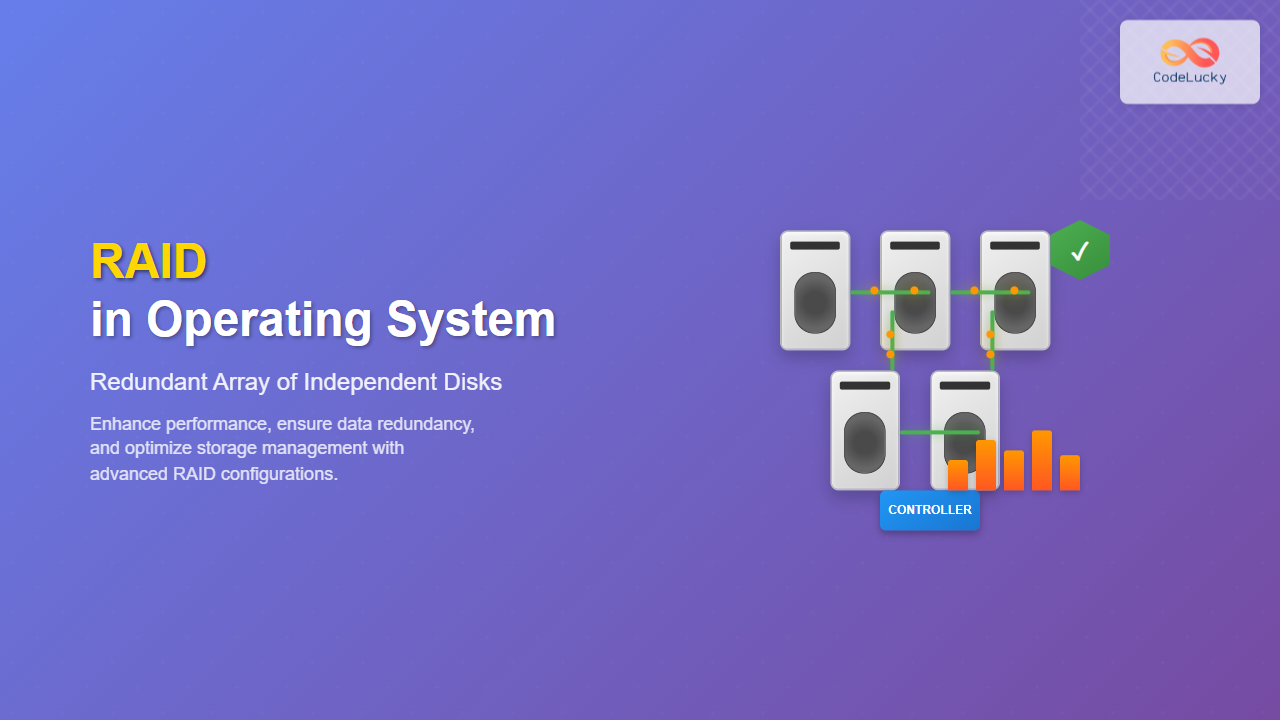
RAID (Redundant Array of Independent Disks) is a fundamental storage technology that combines multiple physical disk drives into a single logical unit to improve performance, reliability, or both. Originally standing for “Redundant Array of Inexpensive Disks,” RAID has evolved to become a cornerstone of modern data storage solutions in operating systems.
What is RAID?
RAID is a data storage virtualization technology that combines multiple physical disk drive components into one or more logical units. The primary purposes of RAID are to provide data redundancy, improve performance, or achieve both simultaneously. By distributing data across multiple drives, RAID can protect against drive failures and significantly enhance read/write speeds.

RAID Levels Explained
Different RAID levels offer varying combinations of performance, redundancy, and storage efficiency. Understanding each level is crucial for selecting the appropriate configuration for your specific needs.
RAID 0 (Striping)
RAID 0 provides improved performance by distributing data across multiple drives without redundancy. Data is written in blocks (stripes) across all drives in the array.

Characteristics:
- No fault tolerance – if one drive fails, all data is lost
- Excellent read/write performance
- 100% storage efficiency
- Minimum 2 drives required
Use Cases: Video editing, gaming systems, temporary storage where performance is critical but data loss is acceptable.
RAID 1 (Mirroring)
RAID 1 creates an exact copy (mirror) of data on two or more drives, providing excellent redundancy at the cost of storage efficiency.
Characteristics:
- High fault tolerance – can survive multiple drive failures if at least one drive per mirror remains
- Good read performance, normal write performance
- 50% storage efficiency
- Minimum 2 drives required
Use Cases: Critical system files, databases, any scenario where data integrity is paramount.
RAID 5 (Striping with Parity)
RAID 5 combines the performance benefits of striping with fault tolerance through distributed parity information.

Characteristics:
- Can survive single drive failure
- Good read performance, slower write performance due to parity calculation
- Storage efficiency: (n-1)/n where n is the number of drives
- Minimum 3 drives required
Use Cases: File servers, general-purpose storage where balance between performance, redundancy, and capacity is needed.
RAID 6 (Striping with Double Parity)
RAID 6 extends RAID 5 by using two parity blocks, allowing the array to survive the failure of any two drives.
Characteristics:
- Can survive two simultaneous drive failures
- Good read performance, slower write performance than RAID 5
- Storage efficiency: (n-2)/n
- Minimum 4 drives required
Use Cases: Critical data storage, large capacity arrays where rebuild time is a concern.
RAID 10 (1+0)
RAID 10 combines RAID 1 and RAID 0, creating a striped set of mirrored drives.
Characteristics:
- High performance and redundancy
- Can survive multiple drive failures if they don’t affect the same mirror
- 50% storage efficiency
- Minimum 4 drives required
Use Cases: High-performance databases, mission-critical applications requiring both speed and reliability.
RAID Implementation in Operating Systems
Software RAID vs Hardware RAID
Software RAID is implemented by the operating system and uses the system’s CPU and memory resources:
- Advantages: Cost-effective, flexible, OS-independent recovery
- Disadvantages: Uses system resources, potential boot issues
Hardware RAID uses dedicated RAID controller cards with their own processors and memory:
- Advantages: No system resource overhead, better performance, boot support
- Disadvantages: Higher cost, vendor lock-in, controller failure risk
Windows RAID Implementation
Windows provides built-in software RAID through Disk Management and Storage Spaces:
# Create a Storage Pool in PowerShell
$disks = Get-PhysicalDisk -CanPool $true
New-StoragePool -FriendlyName "MyRAIDPool" -StorageSubsystemFriendlyName "Windows Storage*" -PhysicalDisks $disks

# Create a Virtual Disk with RAID 5 (Parity)
New-VirtualDisk -StoragePoolFriendlyName "MyRAIDPool" -FriendlyName "RAIDVolume" -ResiliencySettingName "Parity" -Size 1TB
Linux RAID Implementation
Linux offers multiple RAID solutions including mdadm (Multiple Device Administrator):
# Create RAID 5 array with 3 drives
sudo mdadm --create /dev/md0 --level=5 --raid-devices=3 /dev/sdb /dev/sdc /dev/sdd

# Check RAID status
cat /proc/mdstat

# Create filesystem
sudo mkfs.ext4 /dev/md0

# Mount the array
sudo mount /dev/md0 /mnt/raid5
macOS RAID Implementation
macOS provides RAID functionality through Disk Utility and command-line tools:
# Create RAID set using diskutil
diskutil appleRAID create stripe "MyRAIDSet" JHFS+ disk1 disk2 disk3

# Check RAID status
diskutil appleRAID list
RAID Performance Characteristics

RAID Configuration Best Practices
Drive Selection and Compatibility
For optimal RAID performance and reliability:
- Use identical drives: Same model, capacity, and speed
- Enterprise-grade drives: Designed for 24/7 operation
- Different drive ages: Avoid drives from the same manufacturing batch
- Monitor drive health: Use SMART monitoring tools
Capacity Planning
Calculate usable capacity for different RAID levels:
// RAID Capacity Calculator
function calculateRAIDCapacity(driveCount, driveSize, raidLevel) {
    switch(raidLevel) {
        case 0:
            return driveCount * driveSize; // 100% efficiency
        case 1:
            return driveSize; // 50% efficiency
        case 5:
            return (driveCount - 1) * driveSize; // (n-1)/n efficiency
        case 6:
            return (driveCount - 2) * driveSize; // (n-2)/n efficiency
        case 10:
            return (driveCount / 2) * driveSize; // 50% efficiency
        default:
            return 0;
    }
}

// Example: 4 drives of 1TB each in RAID 5
console.log(calculateRAIDCapacity(4, 1000, 5)); // Output: 3000 GB
RAID Monitoring and Maintenance
Monitoring Tools and Commands
Regular monitoring is essential for RAID health:
# Linux - Check RAID status
watch -n 1 cat /proc/mdstat

# Check individual drive health
sudo smartctl -a /dev/sda

# Windows PowerShell - Check Storage Spaces
Get-StoragePool | Get-VirtualDisk
Get-PhysicalDisk | Where-Object {$_.HealthStatus -ne "Healthy"}
Rebuild Process
When a drive fails in a redundant RAID array, the rebuild process restores data integrity:
- Detect failure: RAID controller identifies failed drive
- Replace drive: Install new drive of equal or larger capacity
- Initiate rebuild: RAID controller reconstructs data
- Verify integrity: Check rebuild completion and array health
# Linux - Add replacement drive to RAID array
sudo mdadm --manage /dev/md0 --add /dev/sde

# Monitor rebuild progress
watch cat /proc/mdstat
Common RAID Issues and Troubleshooting
Performance Degradation
Common causes and solutions:
- Write hole phenomenon: Use battery-backed cache or UPS
- Misaligned partitions: Ensure proper alignment for SSDs
- Mixed drive types: Avoid mixing SSDs with traditional HDDs
- Insufficient cache: Increase RAID controller cache size
Data Recovery Scenarios
RAID failure scenarios and recovery options:
| Scenario | RAID Level | Recovery Possibility | Action Required |
|---|---|---|---|
| Single drive failure | RAID 1, 5, 6, 10 | Automatic | Replace failed drive |
| Two drive failure | RAID 6, 10 | Possible | Replace drives, rebuild |
| Controller failure | Hardware RAID | Varies | Replace controller or migrate |
| Multiple drive failure | Any | Professional recovery | Contact data recovery service |
Advanced RAID Concepts
Nested RAID Levels
Combining multiple RAID levels for enhanced benefits:
- RAID 01: Mirror of stripes (less fault tolerant than RAID 10)
- RAID 50: Stripe of RAID 5 arrays
- RAID 60: Stripe of RAID 6 arrays
Hot Spare Configuration
Hot spares are unused drives that automatically replace failed drives:
# Add hot spare to existing RAID array
sudo mdadm --manage /dev/md0 --add-spare /dev/sdf

# Configure global hot spare
sudo mdadm --detail --scan >> /etc/mdadm/mdadm.conf
RAID in Modern Storage Systems
SSD Considerations
RAID with Solid State Drives requires special considerations:
- Wear leveling: Distribute writes evenly across all drives
- TRIM support: Enable TRIM for optimal SSD performance
- Over-provisioning: Reserve space for garbage collection
- Write endurance: Monitor write cycles and replace proactively
Cloud and Virtualized Environments
RAID in cloud and virtual environments:
- Hypervisor RAID: RAID at the hypervisor level
- Guest OS RAID: RAID within virtual machines
- Storage area networks: RAID implemented at SAN level
- Software-defined storage: RAID-like functionality through software
Performance Optimization Tips
Stripe Size Optimization
Choosing the right stripe size affects performance:
- Small files: Smaller stripe sizes (64KB or less)
- Large files: Larger stripe sizes (256KB or more)
- Database workloads: Match stripe size to database block size
- General purpose: 128KB stripe size is often optimal
File System Alignment
Proper alignment improves RAID performance:
# Check current alignment
sudo fdisk -l /dev/md0

# Create aligned partition
sudo parted /dev/md0 mklabel gpt
sudo parted /dev/md0 mkpart primary 1MiB 100%

# Format with proper alignment for RAID
sudo mkfs.ext4 -E stride=32,stripe-width=64 /dev/md0p1
Conclusion
RAID technology remains a fundamental component of modern operating systems, providing essential capabilities for data protection, performance enhancement, and storage management. Understanding the various RAID levels, implementation methods, and best practices enables system administrators and developers to make informed decisions about storage architecture.
Whether implementing software RAID for cost-effective solutions or hardware RAID for maximum performance, proper planning, monitoring, and maintenance are crucial for long-term success. As storage technologies continue to evolve with SSDs, NVMe, and cloud storage, RAID concepts adapt to provide continued value in protecting and optimizing data storage systems.
Remember that RAID is not a substitute for proper backup strategies – it protects against hardware failures but not against data corruption, accidental deletion, or catastrophic events. Always implement comprehensive backup and disaster recovery plans alongside your RAID configuration for complete data protection.
Related Posts

Storage Virtualization: Complete Guide to Logical Volume Management in Linux
Storage virtualization through Logical Volume Management (LVM) represents one of the most powerful features in modern Linux systems, providing administrators...
mdadm Command Linux: Complete Guide to Managing Software RAID Arrays
The mdadm (Multiple Device Administrator) command is a powerful Linux utility for managing software RAID arrays. It provides comprehensive functionality...
Storage Management: Complete Guide to Primary, Secondary and Tertiary Storage Systems
Storage management is one of the most critical components of an operating system, responsible for efficiently organizing, accessing, and maintaining...
Storage Virtualization: Complete Guide to Abstract Storage Resources in Modern Computing
Storage virtualization represents one of the most critical technologies in modern computing infrastructure, enabling organizations to abstract physical storage resources...
lvm Command Linux: Complete Guide to Logical Volume Manager Operations
The Logical Volume Manager (LVM) is a powerful disk management tool in Linux that provides flexible storage management by abstracting...
File Allocation Methods: Contiguous, Linked and Indexed Storage Techniques
Understanding File Allocation Methods in Operating Systems File allocation methods are fundamental techniques used by operating systems to organize and...
Disk Scheduling Algorithms: FCFS, SSTF, SCAN, C-SCAN – Complete Implementation Guide
Disk scheduling algorithms are fundamental components of operating systems that determine the order in which disk I/O requests are processed....

Device Scheduling: Complete Guide to I/O Request Scheduling Algorithms
Device scheduling is a critical component of operating system design that determines how I/O requests are ordered and executed to...
vgcreate Command Linux: Complete Guide to Volume Group Creation
The vgcreate command is a fundamental tool in Linux Logical Volume Manager (LVM) that allows system administrators to create volume...
Buffering in Operating System: Complete Guide to Single, Double and Circular Buffer Implementation
What is Buffering in Operating System? Buffering in operating systems is a fundamental technique used to temporarily store data in...
Virtual Machine in Operating System: Complete Guide to Hardware Virtualization Technology
What is a Virtual Machine in Operating System? A Virtual Machine (VM) is a software-based emulation of a physical computer...
pvcreate Command Linux: Complete Guide to Creating Physical Volumes for LVM
The pvcreate command is a fundamental tool in Linux Logical Volume Management (LVM) that initializes storage devices as physical volumes....





